CP-842E-842ME System Reference-SYS-CP842-10E.pdf - 第53页
Machine System >> Basic Operation SYS-CP842-1.0E 4-17 Specifying Nozzle T oleranc e V alues at the Machine Y ou can set the tolerances values for the various nozzle checks at the [Nozzle Check Limits] screen. The s…

Machine System >> Basic Operation
4-16
SYS-CP842-1.0E
3 At the “Holder” section, select which of the nozzles positions (1 to 6) will be
checked. Select [All] to choose all six holders as a batch.
4 To specify the tolerance limits for the nozzle check, press [Nozzle Check Limits].
5 At “Change Display”, select between displaying results for the narrow camera,
or the wide camera.
6 When your settings are complete, press [Enter] to enable the START button.
Press the START button to execute the nozzle check.
When the START button is pressed, the machine begins the specified nozzle checks.
The progress of the check is shown at the green table in the [Nozzle Check] screen. A
key of the symbols is below the results table. When the test is complete, you will be
able to see which nozzles can be used, and which nozzles need to be replaced.
Note: Nozzle replacement information is in your Mechanical Reference.
To view the statics of the nozzles gathered by the machine during the nozzle check,
press [Nozzle Check Details].
Note: Only the nozzle length inspection is performed for frontlight type black nozzles.
Machine System >> Basic Operation
SYS-CP842-1.0E 4-17
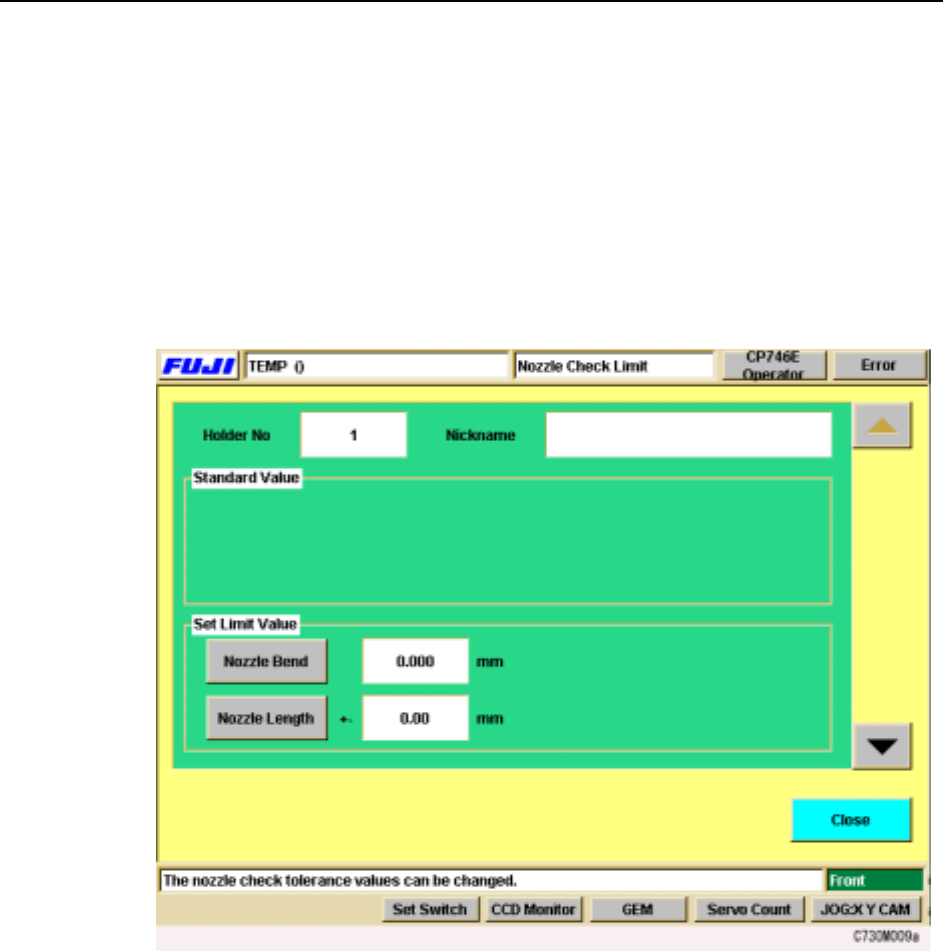
Specifying Nozzle Tolerance Values at the Machine
You can set the tolerances values for the various nozzle checks at the [Nozzle Check
Limits] screen. The settings made at this screen are used to determine whether noz-
zles are acceptable for production or not.
Procedure
1 At the [Main] screen, press [Nozzle Check]. The [Nozzle Check] screen displays.
2 From the [Nozzle Check] screen, press [Nozzle Check Limits]. The following
screen displays.
3 The screen for holder 1 tolerance values displays first. Use the up and down
arrows on the right to move between the nozzle holders.
4 In the “Set Limit Value” section, select the tolerance to be set. When you select
a command, the numeric keypad displays. Input the tolerance limit (the input
range displays at the numeric keypad), and press [OK] to enter the setting.
5 When your settings are complete, press [Close] to return to the [Nozzle Check]
screen.
Machine System >> Basic Operation
4-18
SYS-CP842-1.0E
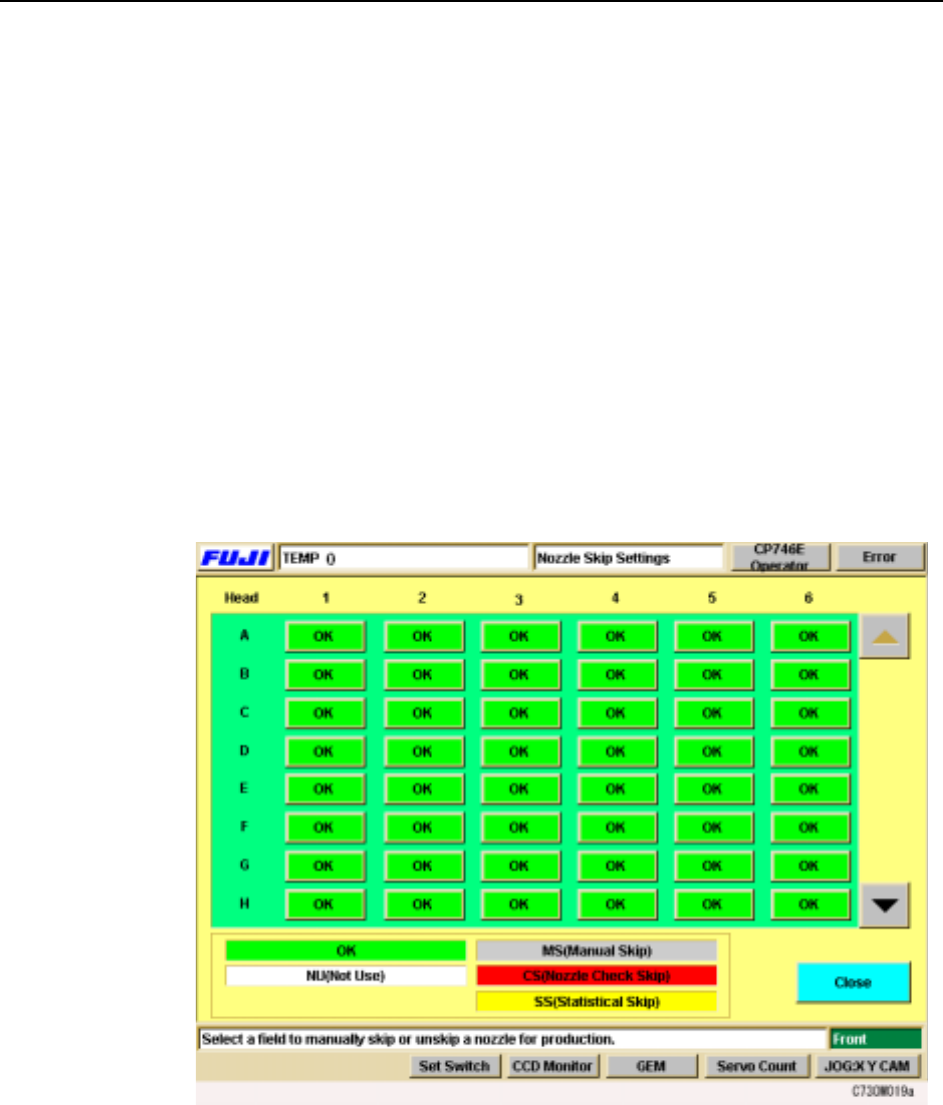
Skipping a Nozzle Manually (Changing Nozzle Status)
Users can manually change the status of a nozzle at the machine. There are five noz-
zle statuses..
OK: The condition of the nozzle is acceptable for production.
NU (Not Used): There is no nozzle in that position.
MS (Manual Skip): The operator has manually eliminated that nozzle from
assembly.
CS (Check Skip): The nozzle was rejected during a nozzle check.
SS (Statistical Skip): The nozzle was eliminated from assembly through statistical
processing.
The operator can manually skip a nozzle using the following procedure. This proce-
dure can also be used to change the other nozzle statuses.
Procedure
1 Press [Nozzle Skip] at the [Main] screen. The [Nozzle Skip] screen displays.
2 There is one button for each nozzle and the status of the nozzle is indicated by
its color. A key to the status colors is shown below the table.
3 To skip a nozzle manually press the [OK] button for that nozzle. “OK” switches
to “MS” (Manual Skip). Manually skipped nozzles or nozzles automatically
skipped can be returned to an [OK] status by pressing the button for that [MS],
[CS], or [SS] status nozzle.