CP-842E-842ME System Reference-SYS-CP842-10E.pdf - 第74页
Machine System >> Basic Operation 4-38 SYS-CP842-1.0E 4.1.13Changing the S t arting Sequence Use this procedure to start assembly fr om a sequence other than se quence one. Procedure 1 Press [Production] at the [Ma…
Machine System >> Basic Operation
SYS-CP842-1.0E 4-37
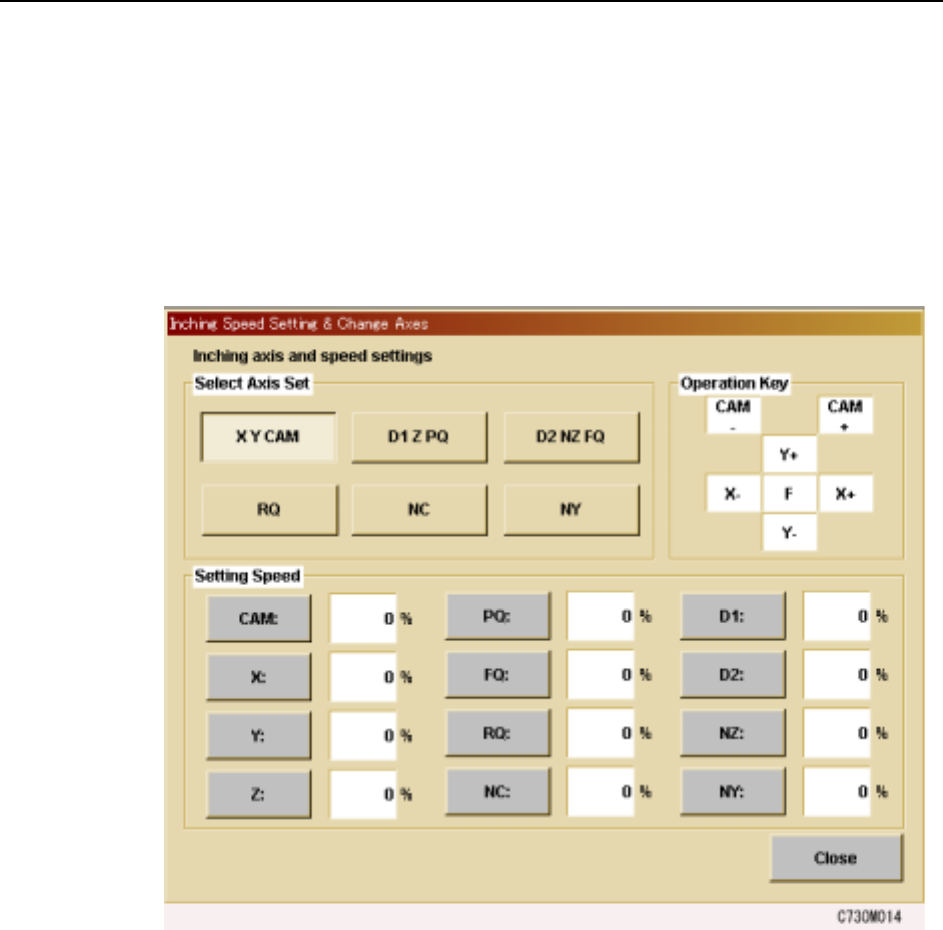
Changing the Axis Group and the Rapid Inching Speed
The axes move at a very low speed when they are moved using the inching controls.
When moving axes longer distances, use the F (fast) in combination with the inching
keys for Rapid Inching. The Rapid Inching speed can be specified at the machine
using the following procedure.
Procedure
1 Press [JOG] to display the [Inching Speed Setting & Change Axes] screen.
2 Under [Select Axis Set], press the combination of axes to be controlled using the
inching keys.
3 To change the rapid axis speed by selecting the target axis under “Speed”, and
entering the percentage of full speed at which the axis is to be moved during
Rapid Inching.
Machine System >> Basic Operation
4-38
SYS-CP842-1.0E
4.1.13Changing the Starting Sequence
Use this procedure to start assembly from a sequence other than sequence one.
Procedure
1 Press [Production] at the [Main] screen, and then press [Start Sequence].
2 Enter the number of the sequence from which production is to be commenced at
the numeric keypad.
3 Press [OK] when the sequence has been specified.
The specified sequence displays at the Current seq. no item at the [Production]
screen.
Note: The production start sequence number can only be specified after a panel is loaded to the
main conveyor.
4.1.14Skipping a Panel
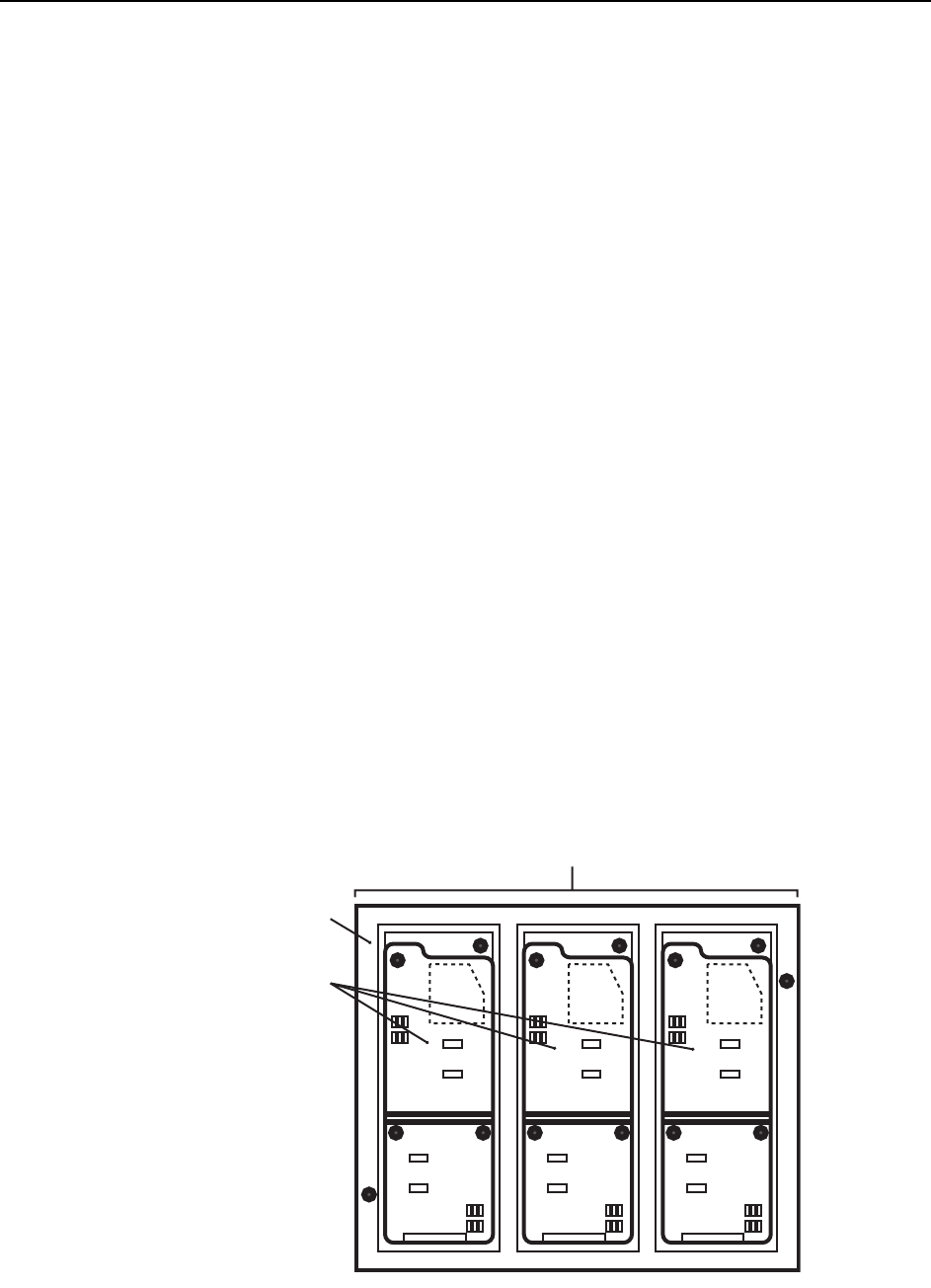
On a multiboard panel, if the operator decides there is a board (or boards) that should
not be assembled (i.e., skipped), there are three methods of preventing parts being
placed on that board.
• Setting board skips
Board skips can be set up in the program.
• Skip mark
An appropriate mark is attached to the target board. When the mark is
detected by the machine it knows not to produce that board.
Refer to your host system documentation about setting skip mark reading posi-
tions in the program.
• Manual board skips
Commands at the machine can be used to skip one board on certain panels, or
the same board on each panel.
Panel
Multiboard panel
Boards
C73OM002
Machine System >> Basic Operation
SYS-CP842-1.0E 4-39
Global Skip Marks
The use of global skip marks can reduce cycle time when production involves a multi-
board panel. The user defines the global skip mark as a skip mark on board 0 in the
production program. The machine checks for the global skip mark first. If the opera-
tor has put a mark at that position, the machine knows there is a board (or boards) to
be skipped on the current panel, and proceeds with the reading of all the skip marks.
If the machine does not detect a global skip mark, none of the skip mark positions are
inspected, and the machine proceeds with the placing of parts. Unnecessary inspec-
tion of skip marks is avoided.
Refer to your host system documentation for details of how to set up global skip marks
in the current production program.
Changing Settings at the Machine
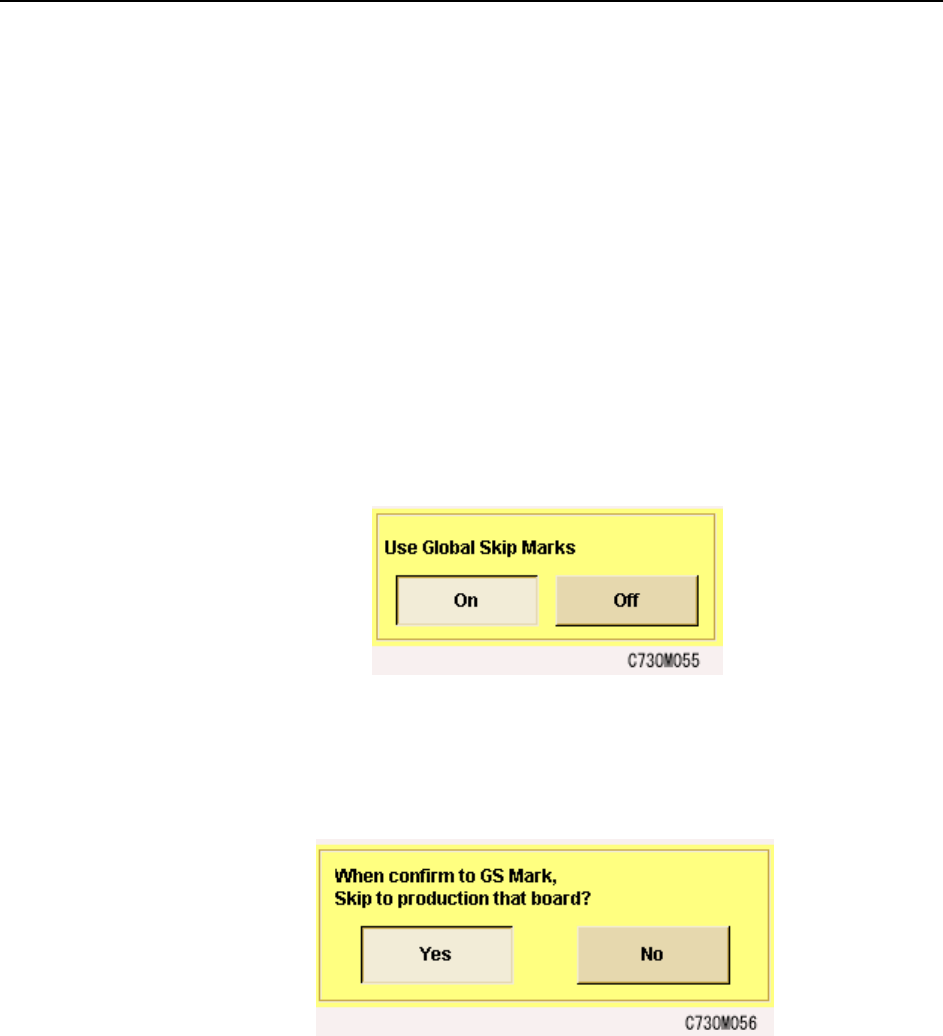
1 From the [Main] screen, select [Maintenance], [Configuration], then [Basic].
2 In the [Basic] screen, select “ON” under “Use global skip marks?”
3 It is possible to skip production on a board when global skip marks are detected.
To use this function, in the [Basic] screen, select [Special Configuration Data]
and select “Yes” under “When confirm to GS Mark, Skip to production that
board?”