X-Series-Maintenance-Manual(1).pdf - 第89页
Major Maintenance Performing Maintenance Tasks Maintenance Tasks for C&P20A Head Maintenance Manual SIPLACE X Series 89 Checkin g/Replaci ng the Switching D isk 5.5.5.5 Checking/Replacing the Switching Disk ► Check w…
Major Maintenance
Maintenance Tasks for C&P20A Head Performing Maintenance Tasks
88 Maintenance Manual SIPLACE X Series
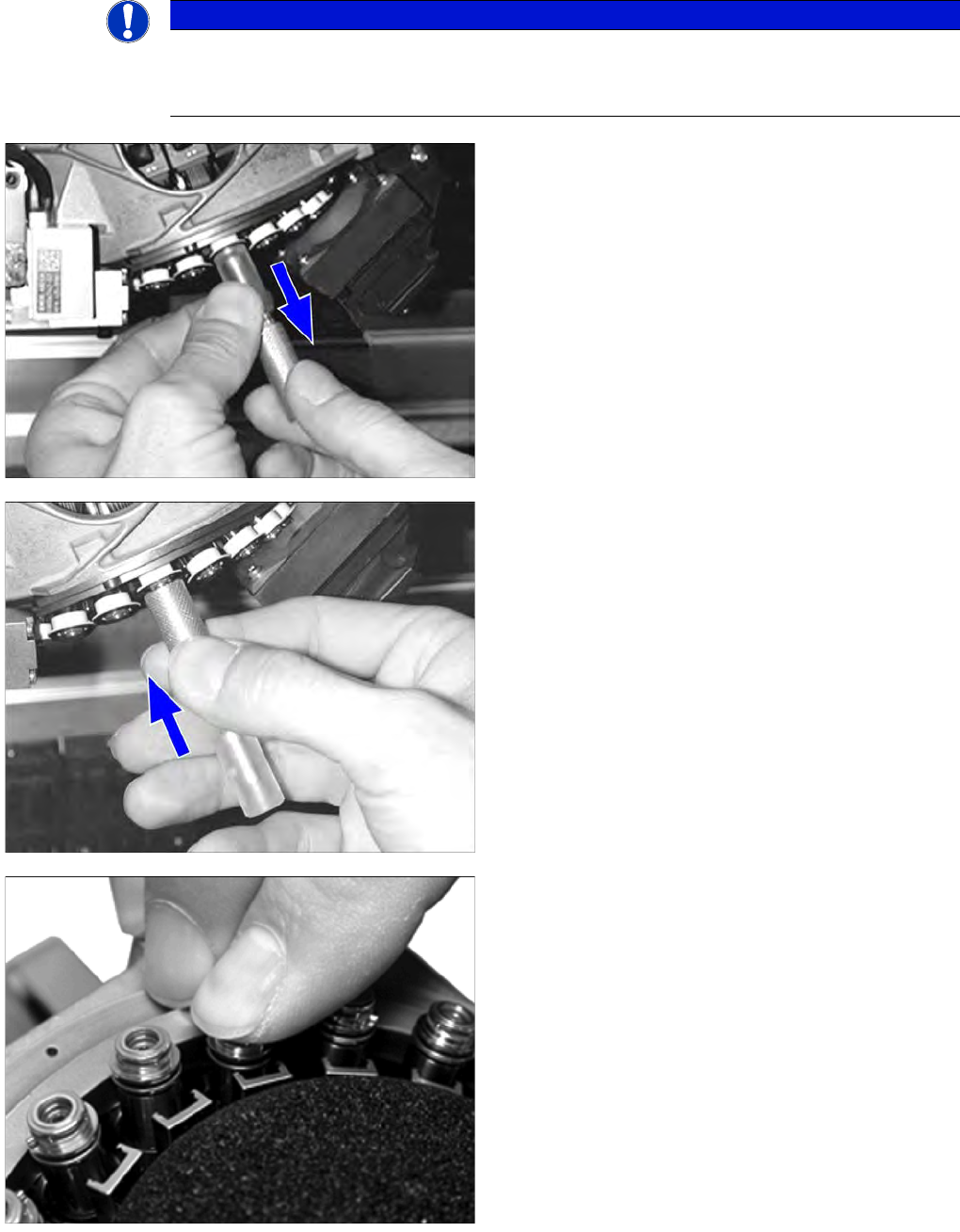
Replacing the filter disks
NOTICE
Replacing the filter disks
► Read the "User manual, insertion and extraction tool for filter disks, C&PA 20" (item no.:
00195378-xx). before replacing the filter disks.
► Use the "insertion and extraction tool for filter disks"
to remove the filter disks from the 20 segments of the
placement head.
► Use the insertion and extraction tool to place a new
filter disk on each segment. The filter disks must
engage audibly.
► Check whether the filter disk is fitted correctly. The
filter disk must be fitted straight on the DP drive.
Major Maintenance
Performing Maintenance Tasks Maintenance Tasks for C&P20A Head
Maintenance Manual SIPLACE X Series 89
Checkin g/Replaci ng the Switching D isk
5.5.5.5 Checking/Replacing the Switching Disk
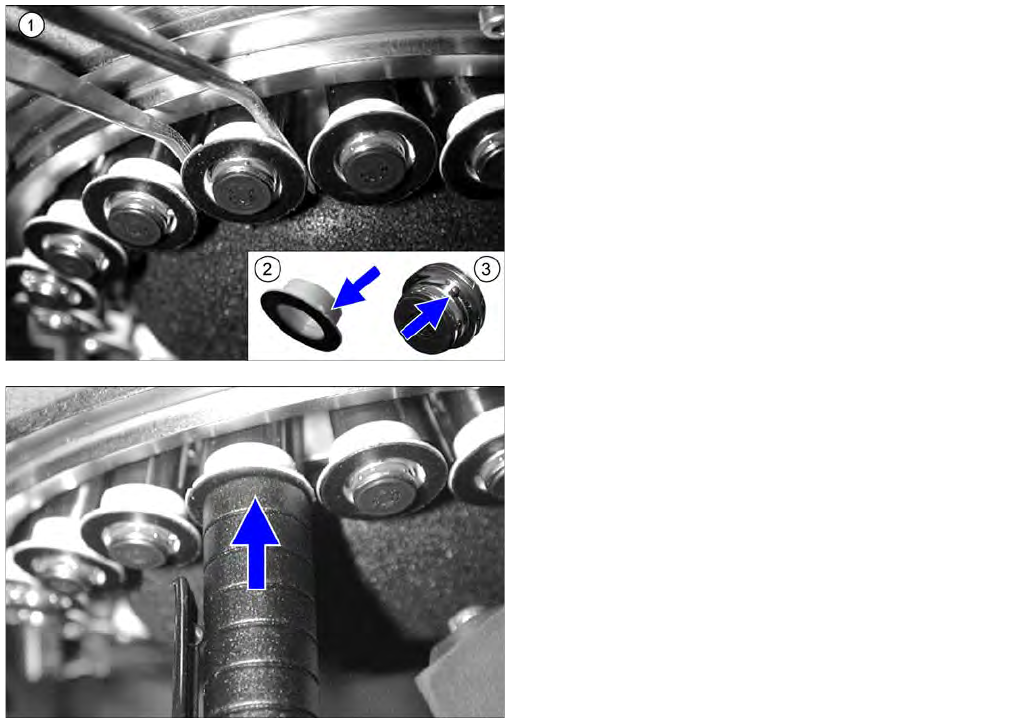
► Check whether the switching disks are damaged or
broken (e.g. scratches or discoloration of the black
surface). Also check whether neighboring switching
disk have the same height. Differences in height are
an indication of damage.
► If a switching disk is damaged, carefully remove it (1).
► Use your thumb to press from below against the
segment so that the segment is not damaged when
you remove it.
► Fit the new switching disk onto the segment so that
the pin (3) and groove (2) engage with one another.
► Use a suitable sleeve (in this case a pen cap) to press
the switching disk onto the segment.
► Also check whether the new and neighboring
switching disks have the same height.
Major Maintenance
Maintenance Tasks for C&P20A Head Performing Maintenance Tasks
90 Maintenance Manual SIPLACE X Series
Checkin g/Replaci ng the Vacuum-Con ducting Parts
5.5.5.6 Checking/Replacing the Vacuum-Conducting Parts
Checking the silencer
Checking the hold circuit
► Fit the hold circuit and silencer again by following the above instructions in reverse order. Also
observe the following instructions:
NOTICE
Check segments , camera optic
► When checking, pay particular attention to the segments which were noticeable during the
vacuum test.
► Make sure that you do not damage or contaminate the camera lens system.
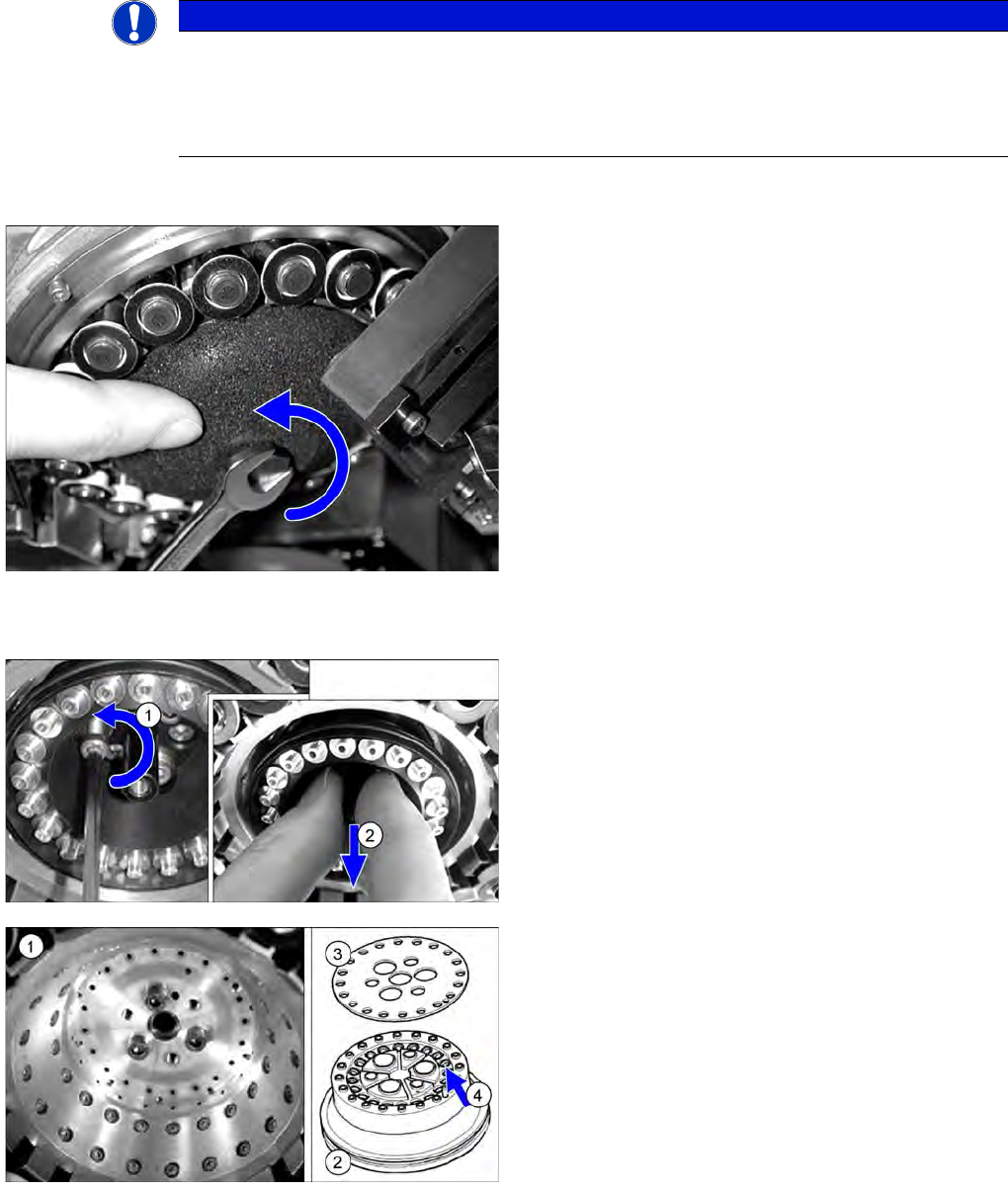
► Dismantle the silencer. To do this, loosen the screw
fastening the silencer and carefully lever the silencer
out.
► Check the silencer for dirt.
► Replace the filter if it is dirty.
► Dismantle the vacuum distributor hold circuit.
► Only loosen the three protruding fastening screws on
the hold circuit and remove the hold circuit.
► Check the seat of the hold circuit (1) for dirt.
► Clean the seat with a lint-free cloth, if required.
► Check the hold circuit (2) and the seal (3) for dirt and
damage. If heavily soiled or damaged, replace the
hold circuit with a new one.
► Clean the hold circuit with compressed air. Make sure
that no dirt gets into the Venturi nozzles (4).