00192231-09_VD_SSW 407.05_de en.pdf - 第86页
Software Version Description, Station Software Version 407.05 07/2008 Edition Selection of Additional Components This concerns fonts required for the Asian language area! Fig.: Selection of Additional Components 86 of …
Software Version Description, Station Software Version 407.05 07/2008 Edition
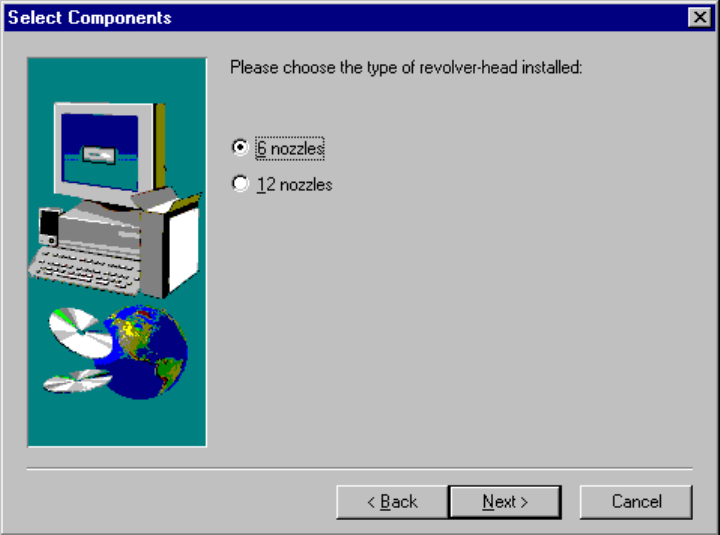
Selecting the type of the C&P head for SIPLACE F5HM
This dialog will only show up if you selected a SIPLACE F5HM in the previous dialog. For all other types of
machine this dialog will be skipped.
Fig.: Selecting the type of C&P head
Select the type of head which is installed on your SIPLACE F5HM.
85 of 104
Software Version Description, Station Software Version 407.05 07/2008 Edition
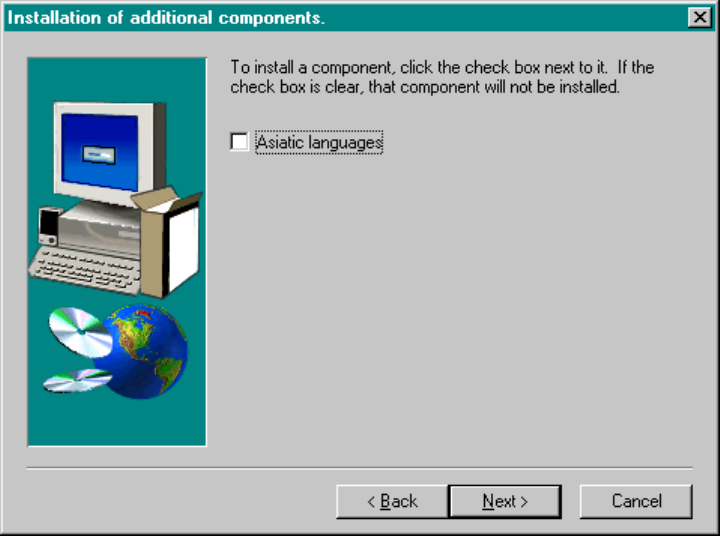
Selection of Additional Components
This concerns fonts required for the Asian language area!
Fig.: Selection of Additional Components
86 of 104
Software Version Description, Station Software Version 407.05 07/2008 Edition
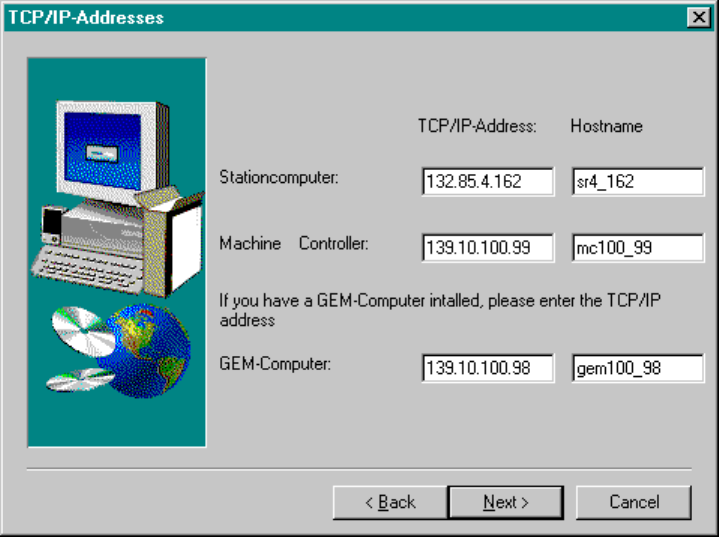
IP Addresses
Next, you have to enter the IP addresses of the computers of your SIPLACE placement station.
The default addresses for your machine are contained on the decals located on the station computer.
Fig.: IP Addresses
When assigning the host names, the following naming conventions must be observed.
The beginning of the host names must consist of:
sr for the user interface (SC)
mc for the machine controller
gem for the GEM computer
Then the figures corresponding to the third and fourth byte of the IP address follow
(cf. illustration above).
Caution: When installing the station software under Windows XP, the IP addresses must first have
been entered by the operating system. The addresses entered are only displayed here.
Subsequent modification of the IP address of the station computer does not impact the
system. It can only be carried out at the operating system level.
87 of 104