00192231-09_VD_SSW 407.05_de en.pdf - 第90页
Software Version Description, Station Software Version 407.05 07/2008 Edition Verification of Entries Now a listing is displayed with all the entries you hav e made. Please review your entries once again. If your entri…
Software Version Description, Station Software Version 407.05 07/2008 Edition
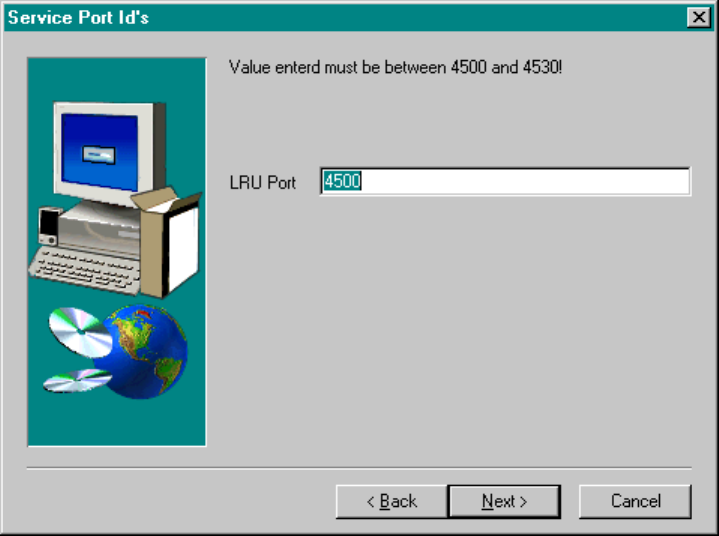
Service Port IDs
It is imperative that the value entered is consistent with the value entered for this machine in the Services file
on the line computer!
Fig.: Service Port IDs
89 of 104
Software Version Description, Station Software Version 407.05 07/2008 Edition
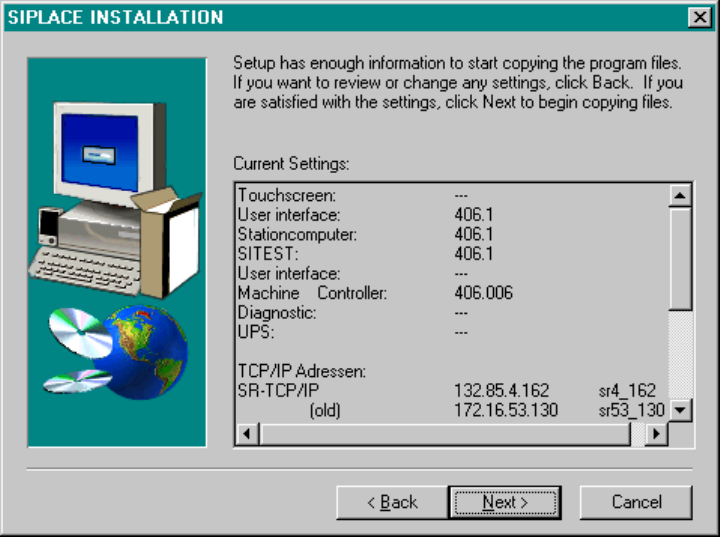
Verification of Entries
Now a listing is displayed with all the entries you have made. Please review your entries once again. If your
entries are correct, choose Continue, and the installation program will copy the required files from the CD to
your computer.
Fig.: Verification of Entries
90 of 104
Software Version Description, Station Software Version 407.05 07/2008 Edition
Installing the MicroTouch screen
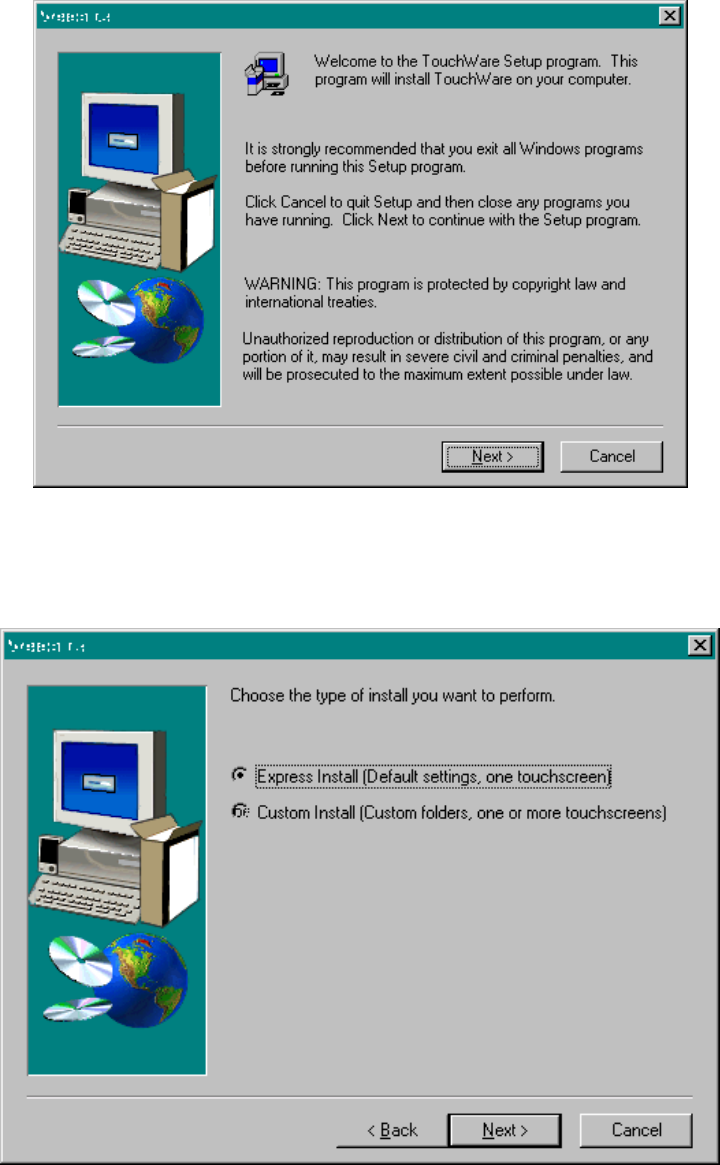
If a MicroTouch touch screen was selected, the following dialog boxes appear:
Figure: MicroTouch installation
In the dialog box shown above, select "Next" to start installation.
Figure: Choose installation type
Choose "Express Install" and close the dialog box with "Next".
91 of 104