00192231-09_VD_SSW 407.05_de en.pdf - 第98页
Software Version Description, Station Software Version 407.05 07/2008 Edition 9.4 Machine Controller Program Package The MC-Installation process in version 407 does not differ from that of version 406. The installation o…
Software Version Description, Station Software Version 407.05 07/2008 Edition
9.3.3 Installation From an External CD-ROM Drive
If the station on which you wish to install the software has no CD-ROM drive, you can still enjoy the
advantages of an installation from CD by using the CD-ROM drive of another station computer.
9.3.3.1 CD-ROM Drive of a Different Station Computer
The computer with the CD-ROM drive must permit the destination computer to access the CD. To
accomplish this, proceed as follows:
• Log in as administrator on the computer equipped with the CD-ROM drive.
• Insert the CD. Abort the installation procedure that will start automatically.
• Call up Start -> Programs -> Explorer
• Click on the CD-ROM icon and then click the right mouse button.
• Select the Sharing menu item.
• Release the drive as shared drive.
Now you have to connect the destination computer to the CD-ROM drive. To this end, log on to the
destination computer as Administrator as well and choose the Connect Net Drive function from the
Explorer.
From the destination computer you can then start siplace\setup on the CD, and the installation is carried out
via the network.
9.3.4 Result Log
The installation program keeps a detailed log as to which software packages and drivers have been
installed. This information is stored in the file c:\windosw\instlog.txt. This file can be viewed with any text
editor.
The information contained in the file will not be deleted. New information will be appended to the end. Please
be sure not to change the file as it holds important information for our service staff.
97 of 104
Software Version Description, Station Software Version 407.05 07/2008 Edition
9.4 Machine Controller Program Package
The MC-Installation process in version 407 does not differ from that of version 406. The installation of the
machine controller program package has been integrated into the installation of the SIPLACE station
software, and it is carried out automatically without any verification queries if the package was selected in
the Application selection dialog. However, it is also possible to carry out this installation separately.
9.4.1 Installation Program
The MC-Installation program is called up manually via the Windows Start menu, or automatically from within
the software installation process. The screen displays of the installation are written in English.
The duration of the installation depends on the machine type to be installed. It takes 20 minutes on average
for SIPLACE S20, F
4
, F
5
, and about 10 minutes for SIPLACE S23, F5HM.
9.4.2 Automatic Start of MC-Installation
The MC-Installation program starts automatically if the "Machine controller" option was choosen upon the
selection of the program packages (see page
83). MC-Installation starts in the Silent mode. In the Silent
mode, no user dialogs are displayed that require acknowledgment by the operator. The MC installation
process continues, provided no error has occurred in the installation phase, until it is complete, and the
application is then terminated.
All error messages in the installation phase are displayed.
Exceptions:
In the case of an initial installation, a user dialog is displayed designed to interrogate the stationary conveyor
side of the station.
9.4.3 Manual Start of MC-Installation
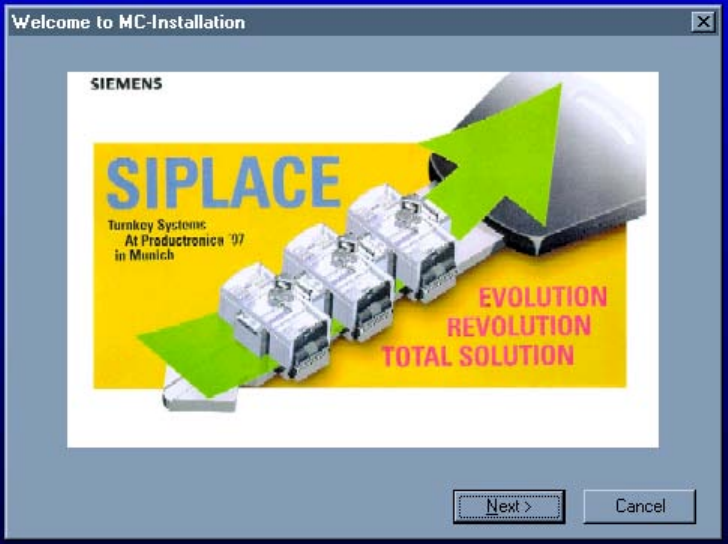
The MC installation may be carried out manually by starting the SIPLACE Distributor. In the full dialog mode,
the MC-Installation program starts with the welcoming dialog.
98 of 104
Software Version Description, Station Software Version 407.05 07/2008 Edition
Welcome
Choose Next to start the MC installation.
⇒ The MC-Installation program has already performed important tests relating to its own and that of the
station computer installation. The MC installation may now be started.
99 of 104