00198765-02_VD_SSW_713.1_R20-1_EN_DE - 第18页
Station Software 713.1 (R 20-1) / V ersion Description 05/2020 Edition 18 In the Current ma chine requests for teaching view i n the station GUI, th e Hardware fiduci als tab has been added , providing a list of hard war…
Station Software 713.1 (R20-1) / Version Description 05/2020 Edition
17
In order to locate the barcode on the vacuum tooling, the following parameters must be specified in
SIPLACE Pro:
● The dimension of the vacuum tooling (length and width)
● The X-/Y-offset of the barcode fiducial in relation to the reference point
● The reference to the barcode fiducial
● The barcode verification string
During recipe download, when the conveyor is empty, the lifting table is lifted to upper position,
where the barcode on the tooling surface can be scanned by the PCB camera. The information
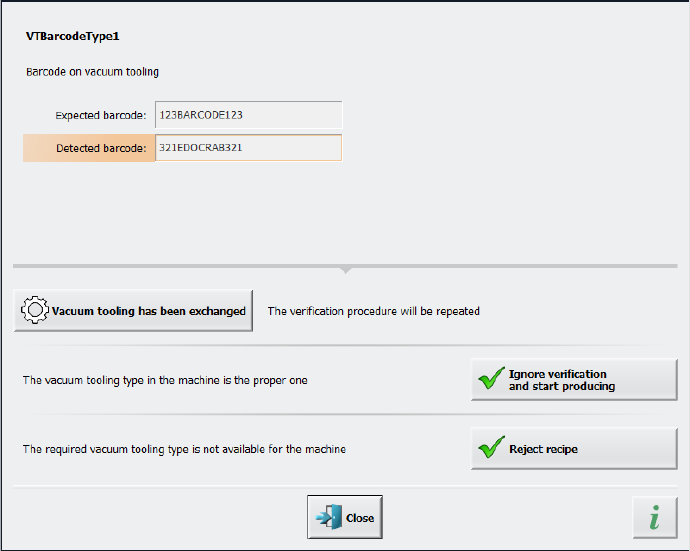
contained on the barcode is then compared to the specifications in the recipe. If the barcode
cannot be read, if the vacuum tooling type is unknown, or if the information in the barcode does not
match the data stored in the station software configuration, a detailed error message is displayed:
Figure 4-8: Displayed error message if barcode information does not match recipe
Station Software 713.1 (R20-1) / Version Description 05/2020 Edition
18
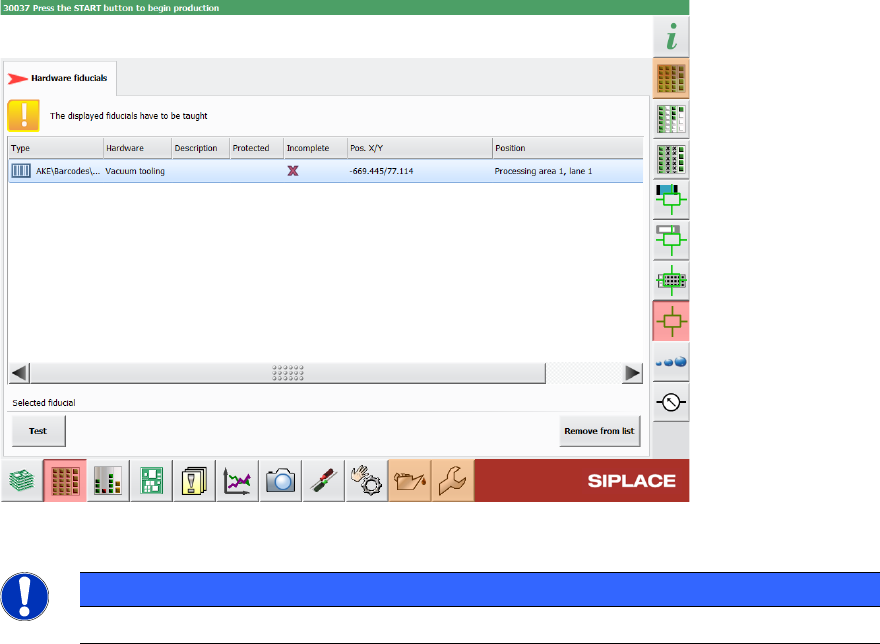
In the Current machine requests for teaching view in the station GUI, the Hardware fiducials
tab has been added, providing a list of hardware fiducials that must be taught. This tab also
contains the barcodes for vacuum tooling.
Figure 4-9: List of vacuum tooling barcodes that need to be taught
NOTICE
The position of the barcode cannot be changed in the station software.
4.8 Selecting Flexible Filling Level for Matrix Trays
Compatible mode: Complete
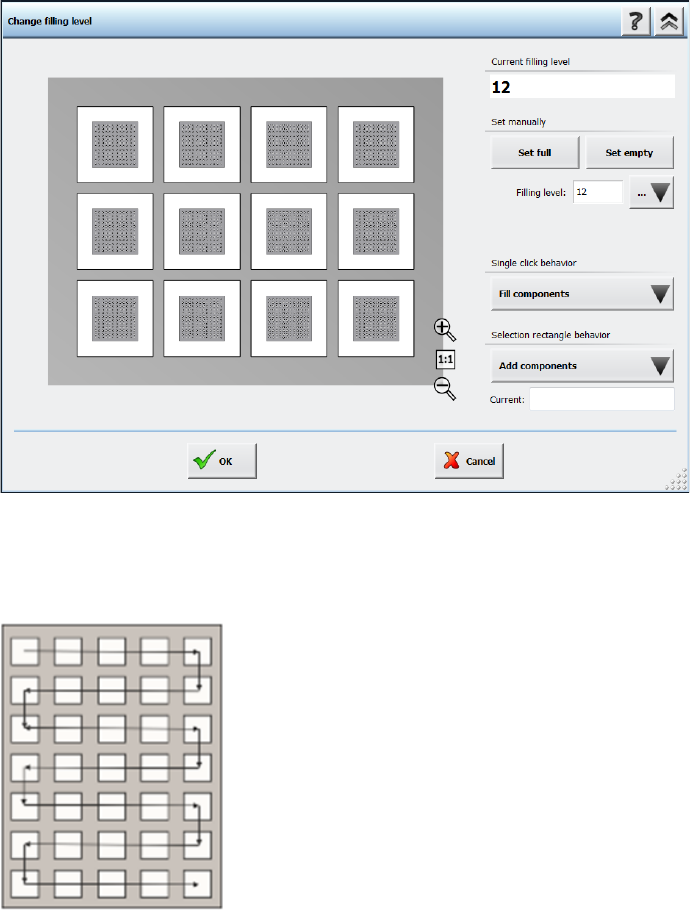
In the Change filling level dialog it is possible to define the filling level of a matrix tray more
flexibly. You can either enter the amount of components on the matrix tray in the Filling level field
or define a pick-up area with the Single click behavior option or the Selection rectangle
behavior option. A detailed description on how to use the different options can be found in the
Online Help.
Station Software 713.1 (R20-1) / Version Description 05/2020 Edition
19
Figure 4-10: Selecting filling level for matrix trays
The pick-up sequence for components is fixed and moves, depending on the selected amount of
components, in a meandering fashion from the top left pocket to the bottom right pocket, as shown
in the following figure:
Figure 4-11: Pick-up sequence for components in a Matrix Tray