00198765-02_VD_SSW_713.1_R20-1_EN_DE - 第19页
Station Software 713.1 (R 20-1) / V ersion Description 05/2020 Edition 19 Figure 4- 10 : Selecting filling le vel for matri x trays The pick-up sequ ence for componen ts is fixed and mo ves, depending on the sele cted am…
Station Software 713.1 (R20-1) / Version Description 05/2020 Edition
18
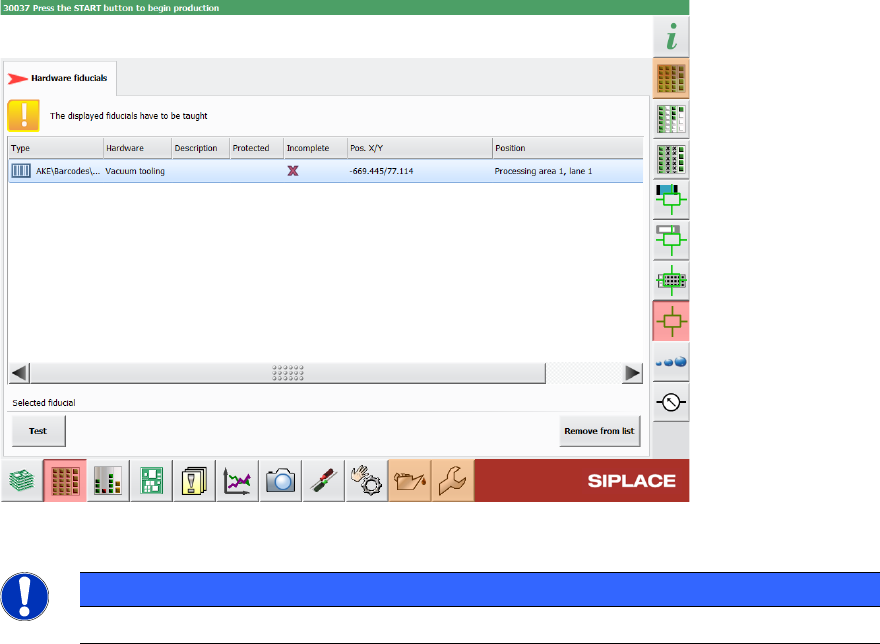
In the Current machine requests for teaching view in the station GUI, the Hardware fiducials
tab has been added, providing a list of hardware fiducials that must be taught. This tab also
contains the barcodes for vacuum tooling.
Figure 4-9: List of vacuum tooling barcodes that need to be taught
NOTICE
The position of the barcode cannot be changed in the station software.
4.8 Selecting Flexible Filling Level for Matrix Trays
Compatible mode: Complete
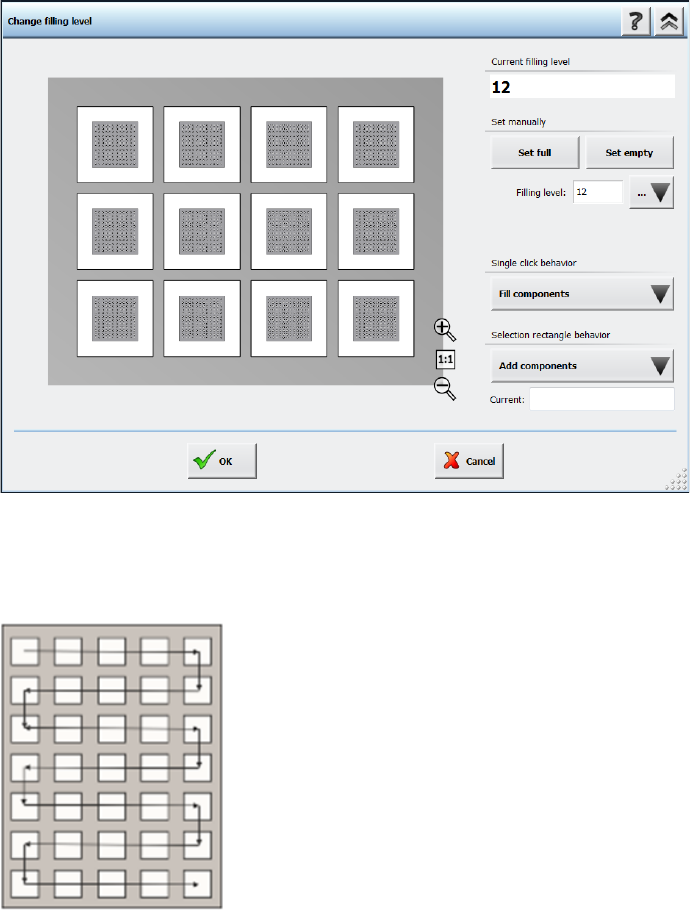
In the Change filling level dialog it is possible to define the filling level of a matrix tray more
flexibly. You can either enter the amount of components on the matrix tray in the Filling level field
or define a pick-up area with the Single click behavior option or the Selection rectangle
behavior option. A detailed description on how to use the different options can be found in the
Online Help.
Station Software 713.1 (R20-1) / Version Description 05/2020 Edition
19
Figure 4-10: Selecting filling level for matrix trays
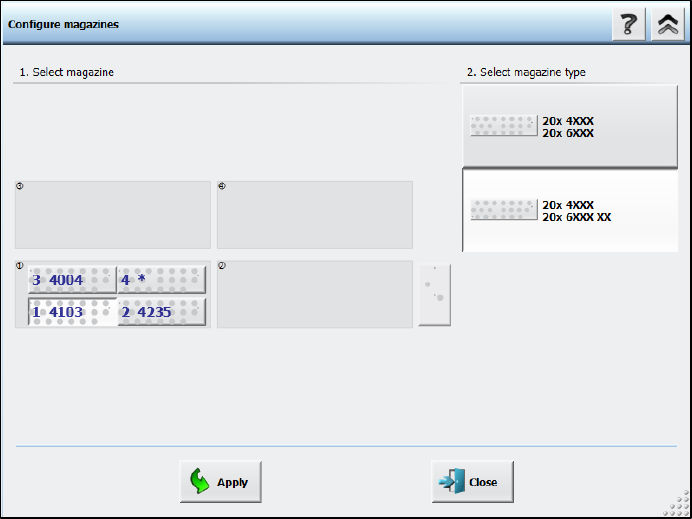
The pick-up sequence for components is fixed and moves, depending on the selected amount of
components, in a meandering fashion from the top left pocket to the bottom right pocket, as shown
in the following figure:
Figure 4-11: Pick-up sequence for components in a Matrix Tray
Station Software 713.1 (R20-1) / Version Description 05/2020 Edition
20
5 Features of the 713.0 Station Software Version
5.1 Support of SIPLACE SX V3
The SIPLACE SX V3 placement machine is supported.
5.2 Smart Pin Support for TX V2 – Enhancements
The Smart Pin Support for the TX V2 has been enhanced by the functions described below.
Using Partly Accessible Nozzle Magazines
Compatible mode: Complete
A new nozzle magazine with 20 garages has been introduced for the CPP head and C&P20 P / P2
head each:
– Nozzle magazine for CPP head: 20xx magazine, item no. [03135469-xx]
– Nozzle magazine for C&P20 P / P2 head: 40xx magazine, item no. [03218226-xx]
If the TX V2 is configured with Smart Pin Support, not all garages in these nozzle magazines can
be reached by the placement head. To avoid the entire nozzle magazine from being blocked, only
the garages out of reach are blocked and marked as such. All reachable garages can be used.
Nozzle magazines that are only partially reachable are marked with an additional “XX” behind the
magazine type name in the Configure magazines dialog.
Figure 5-1: Partly reachable nozzle magazine in Configure magazines dialog