OM-1683-001_w.pdf - 第20页
3 OM-1683 [1] Graphic Display Area The graphic image of the PCB transfer and component input sections is displayed in this area. Fig. 3 Graphic Display Area Note The displayed contents will differ depending on selection …
2
OM-1683
3. Automatic Operation
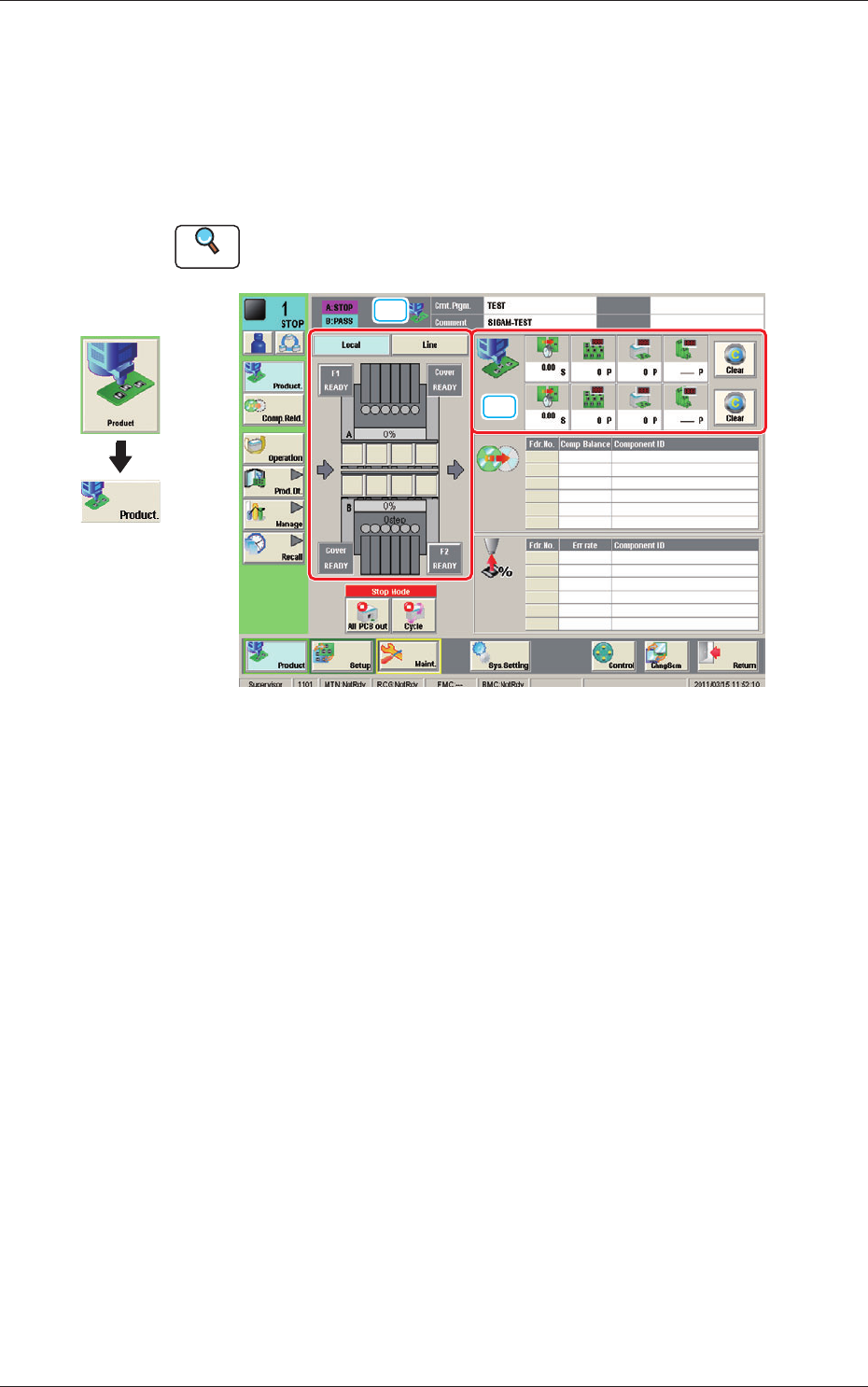
This window enables you to view the current operation status and production
condition such as the production model names (pattern program names), etc.,
and the information on the prospective number of nished PCBs and presumable
deterioration in the operation rate based on pickup errors, etc.
Reference
Refer to "2.1 "Local" Window" in Chapter 1, Volume 2, in the SIGMA-G5 main
machine instruction manual for the information other than for dual transfer.
[1]
[2]
Fig. 2 Automatic Operation
Graphic
Development
1103-001
3. Automatic Operation
3
OM-1683
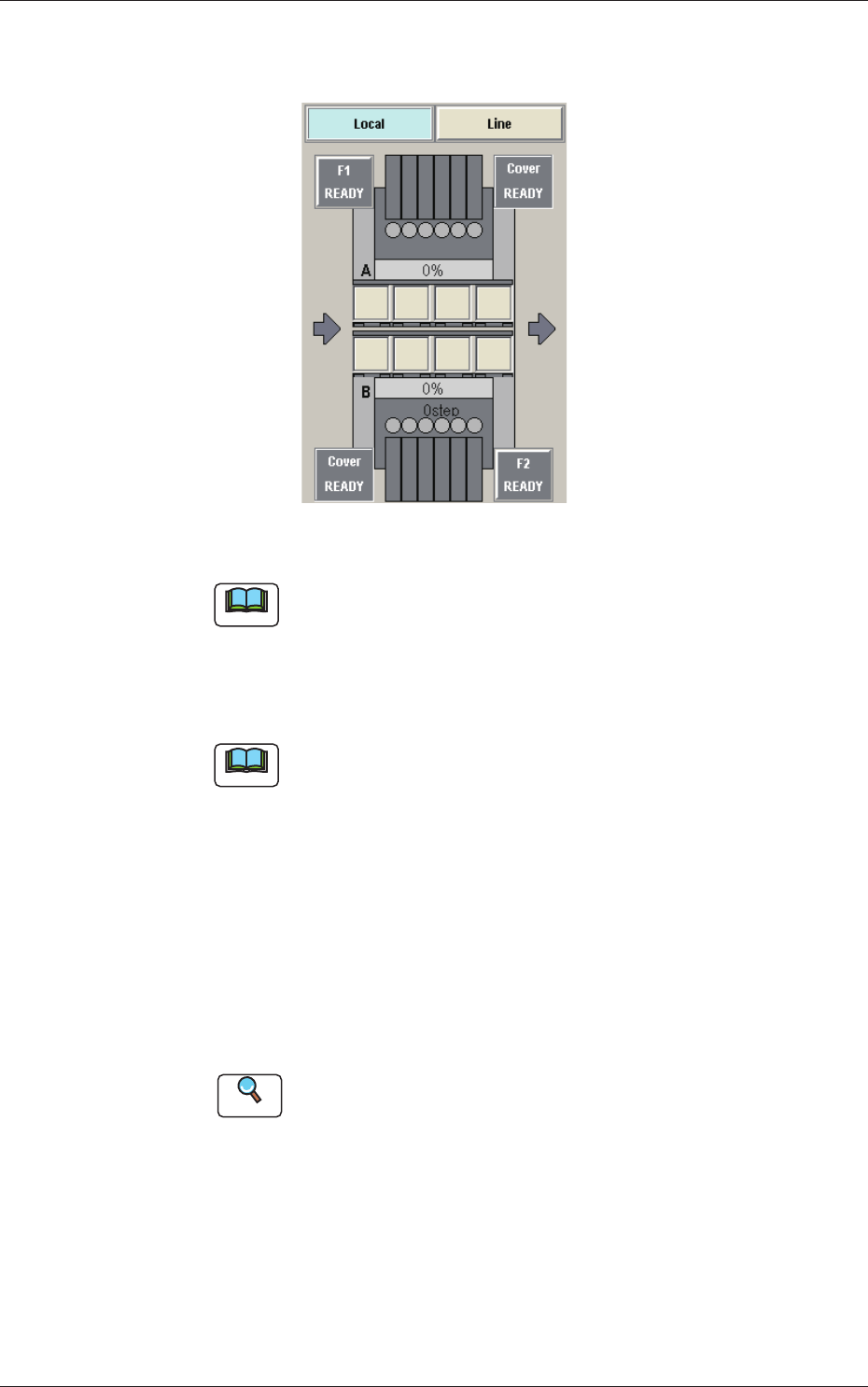
[1] Graphic Display Area
The graphic image of the PCB transfer and component input sections is displayed in this area.
Fig. 3 Graphic Display Area
Note
The displayed contents will differ depending on selection of the options.
Local/Line Change Buttons
Using these buttons, the graphic display section is changed.
Note
When the line consists of a single unit, the line control change button is
not displayed.
[Local] Button
: When this button is pressed, the graphic image of the single
machine is displayed.
[Line] Button
: When this button is pressed, the graphic image of the line is
displayed.
The line start or line stop after the completed PCB is
discharged from the line, is performed.
Reference
Refer to "3.1 "Line" Window" for the details.
1103-001
3. Automatic Operation
4
OM-1683
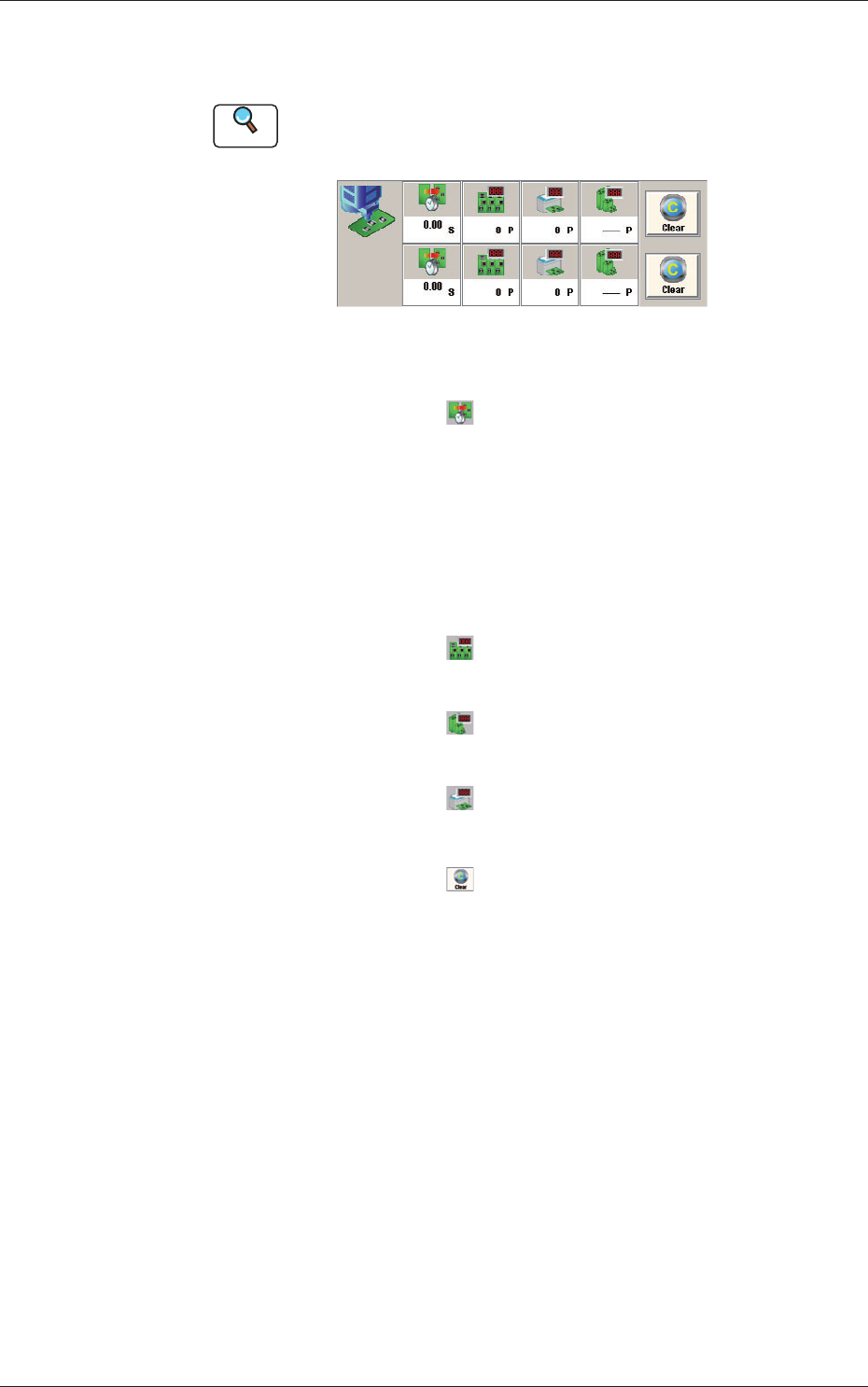
[2] Production Data
In this area, the production data for each lane is displayed.
Reference
Refer to "8. "PCB.CNT" Window" for the setting for the number of
produced PCBs.
Fig. 4 Production Data
PCB Process Time
: Displays the time required to nish one
PCB excluding the PCB in the middle of
process.
Displayed is the total time required
between the PCB receiving start and
the completion of the last component
placement.
Product PCB
: The number of produced unit PCBs is
displayed.
PCB Count
: The number of produced PCBs at present
is displayed.
Planned PCB Count
: The number of planned PCBs to be
produced is displayed.
[Clear] Button
: When pressed, this button clears the
number of produced PCBs to "0"(zero).
1103-001
3. Automatic Operation