OM-1683-001_w.pdf - 第34页
17 OM-1683 9. "INP/OUT" Window This window enables the operator to conrm the input/output status for the PCB transfer . Reference Refer to "6.1 "INP/OUT" W indow" in Chapter 1, V olume 3, i…
16
OM-1683
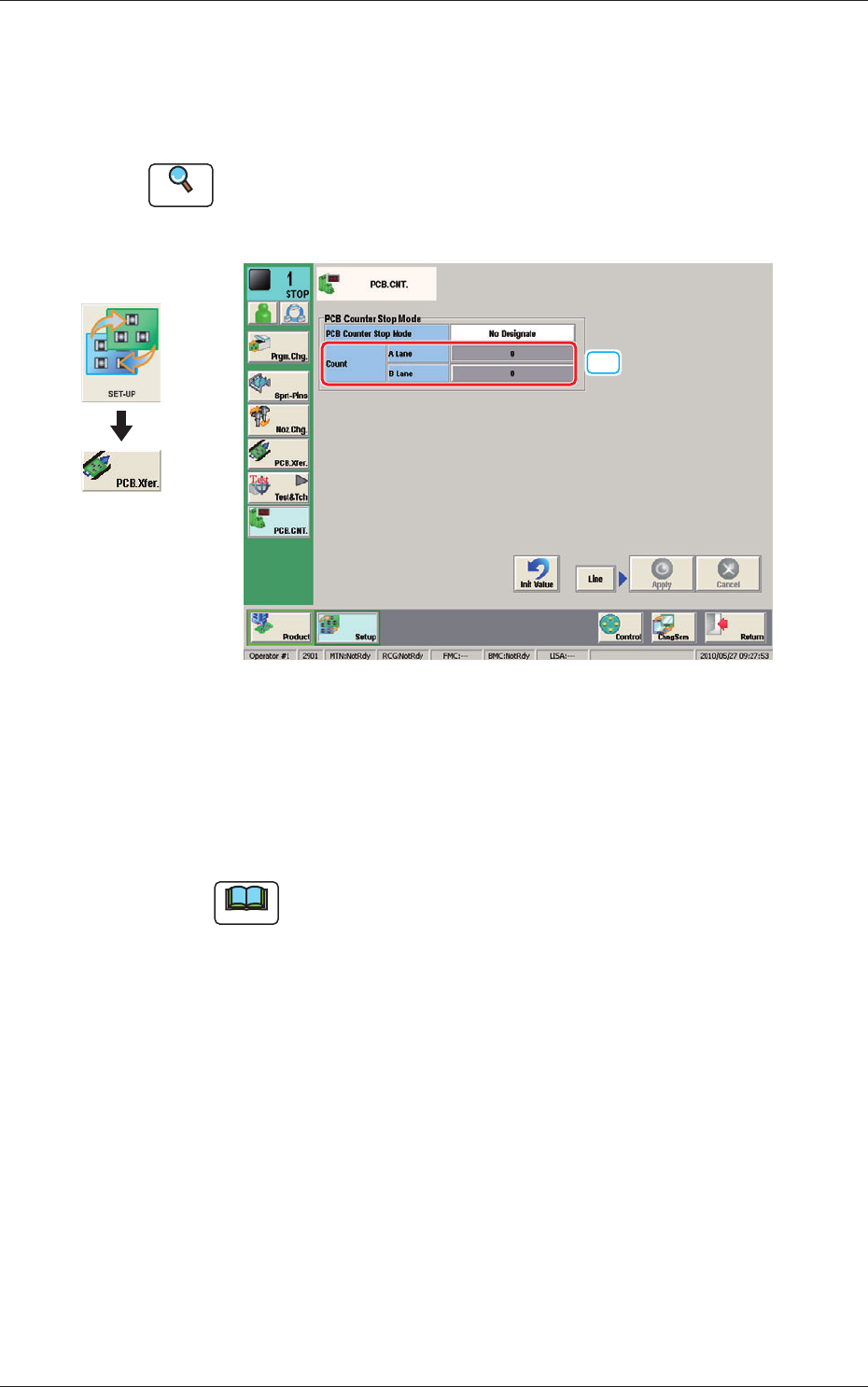
8. "PCB.CNT." Window
This window enables the operator to set the PCB production count for each
lane.
Reference
Refer to "8. "PCB.CNT." Window" in Chapter 6, Volume 2, in the
SIGMA-G5 main machine instruction manual for the information other
than for dual transfer.
[1]
Fig. 16 PCB. CNT.
[1] Count
A Lane, B Lane
The number of produced PCBs for each lane for stopping the machine using
the PCB Counter Stop Mode, is set in this group box.
Note
The set count is displayed in the "Count" data box in the "AUTO. OPN"
window.
Graphic
Development
1103-001
8. "PCB.CNT." Window
17
OM-1683
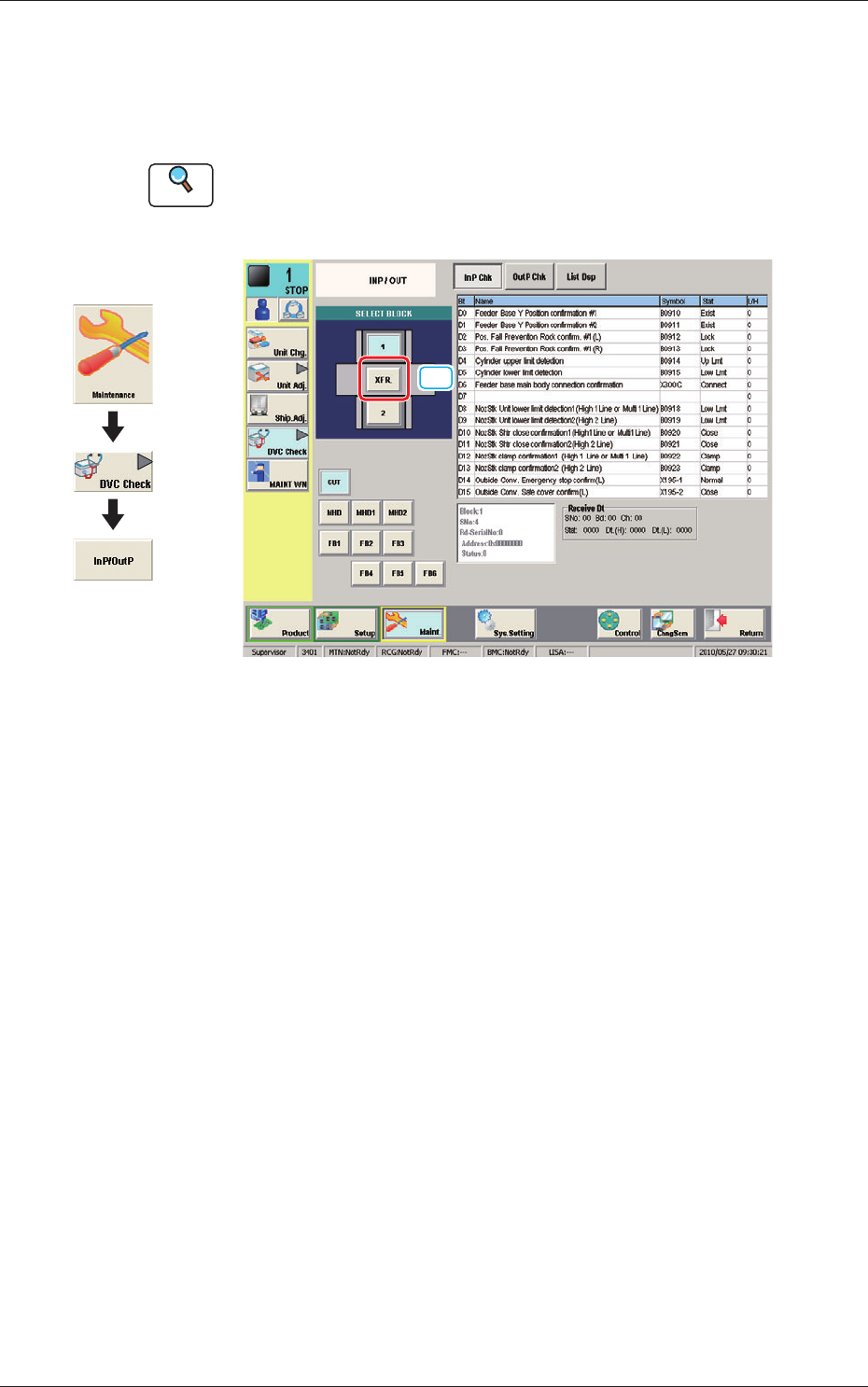
9. "INP/OUT" Window
This window enables the operator to conrm the input/output status for the
PCB transfer.
Reference
Refer to "6.1 "INP/OUT" Window" in Chapter 1, Volume 3, in the
SIGMA-G5 main machine instruction manual for the information other
than for dual transfer.
[1]
Fig. 17 INP/OUT
[1] [XFR.] Button
When pressed the conrmation of the input/output status for the PCB transfer
is available.
Graphic
Development
1103-001
9. "INP/OUT" Window
18
OM-1683
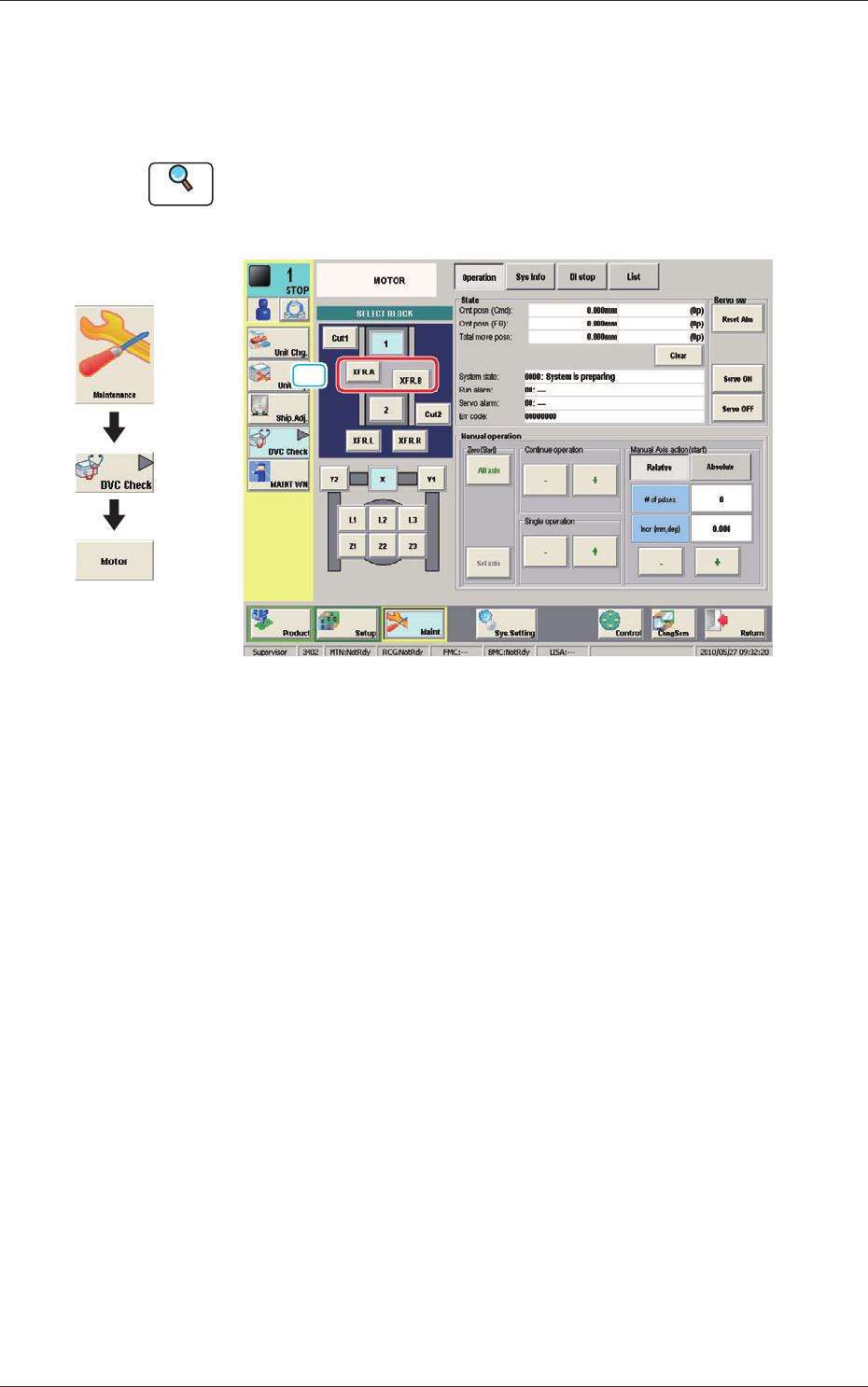
10. "MOTOR" Window
This window enables you to perform a manual operation (inching) of each
unit and view the current system information.
Reference
Refer to "6.2 "MOTOR" Window" in Chapter 1, Volume 3, in the
SIGMA-G5 main machine instruction manual for the information other
than for dual transfer.
[1]
Fig. 18 MOTOR
[1] [XFR. A, B] Button
When pressed, the conrmation of the transfer unit for each corresponding
transfer lane, is available.
Graphic
Development
1103-001
10. "MOTOR" Window