OM-1273-004_w.pdf - 第54页
1-17 AJK-ML T-ID 0706-002 3.3.4 Replacement of Magazine • Attachment of Magazine (1) Conrm that the LED of the [READY] switch is "OFF" and then open the door . Note When the LED illuminates in green, the door …
1-16
AJK-MLT-ID
0706-002
3.3.1 Notes on Magazine Handling
•
Do not put a magazine on another one.
No object should be put on the upper surface of the machine, either.
A deformed magazine may cause the feeder to break down.
•
Before placing a magazine on the oor, be sure to conrm that there is
no foreign substance such as dirt and dust on the bottom surface of the
magazine.
If a magazine is used with the bottom surface being dirty (adherence of dirt
and dust), the feeder works with the magazine being tilted and may break
down.
•
Do not put any seals or tapes on the side faces of the magazine. Otherwise,
the magazine will malfunction.
3.3.2 Attachment of Pallets
CAUTION
Be sure to insert a pallet horizontally into the magazine.
Otherwise, the traverse cannot pull out the pallet, causing the
components in the tray of the pallet to disperse or the machine to be
damaged.
(1) Open the magazine door.
Note
When the feeder is operated with the magazine door being deformed, it
may break down.
(2) Observe the right and left step Nos. and insert the tray-loaded pallet into
the magazine.
Notice
When a pallet is set in the magazine, do not set the pallet upside
down (wrong side facing up or down). Otherwise, no error can be
detected, causing a failure.
(3) Close the magazine door.
Notice
Be sure to close the magazine door slowly and securely. Otherwise,
some components may pop out of the tray.
If the magazine door is not closed securely, the magazine may open
while the feeder is running and the feeder may break down.
3.3.3 Detachment of Pallets
(1) Open the magazine door.
(2) Pull out the desired pallet from the magazine.
3.3 Magazines
1-17
AJK-MLT-ID
0706-002
3.3.4 Replacement of Magazine
•
Attachment of Magazine
(1)
Conrm that the LED of the [READY] switch is "OFF" and then open
the door
.
Note
When the LED illuminates in green, the door cannot be opened.
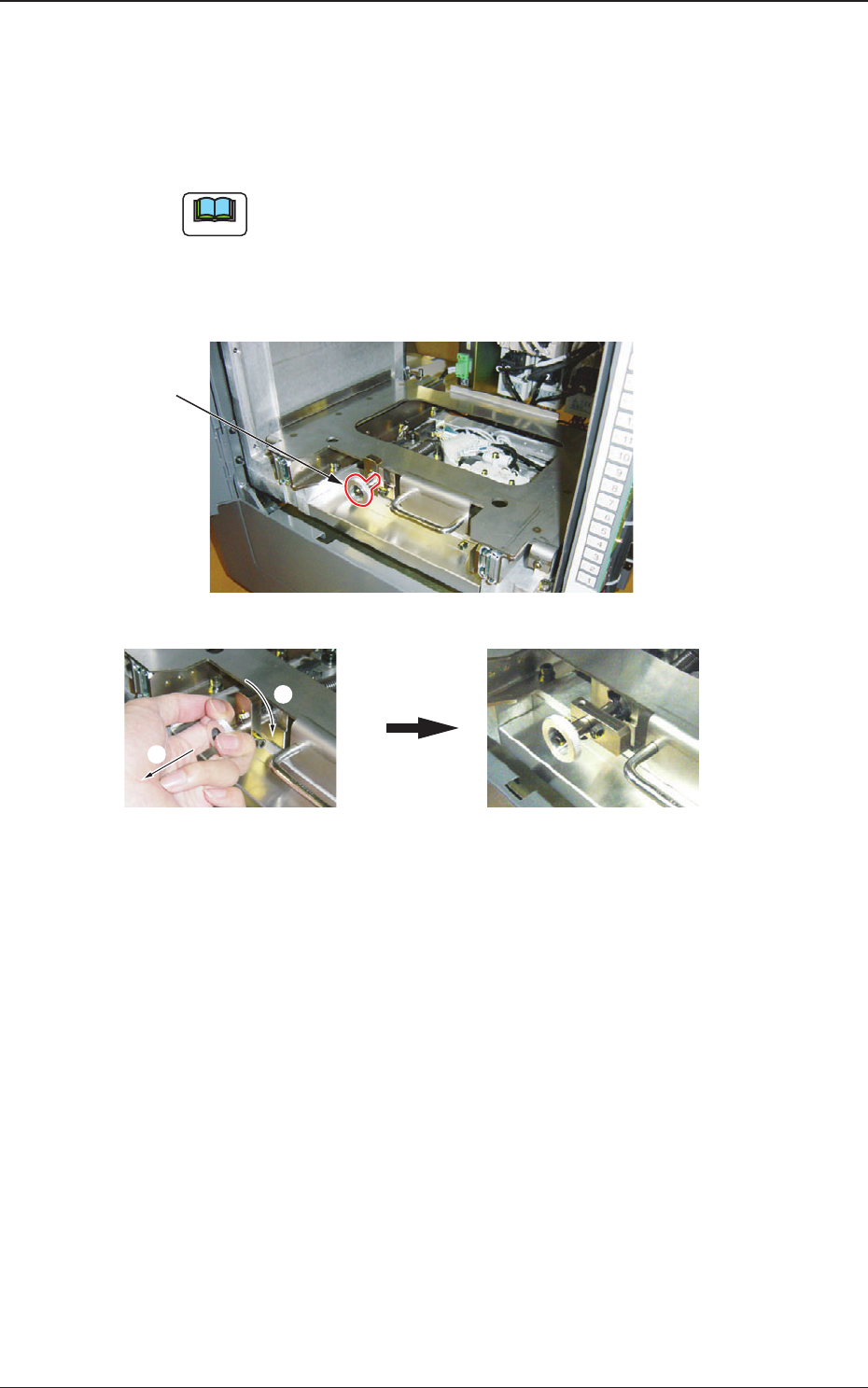
(2) While pulling out the magazine stopper knob forward, turn it clockwise
by approximately 90
°
.
2
1
While pulling out the knob forward, turn it clockwise by approximately 90° .
Knob
Fig. A7 Magazine Base
3.3 Magazines
1-18
AJK-MLT-ID
0706-002
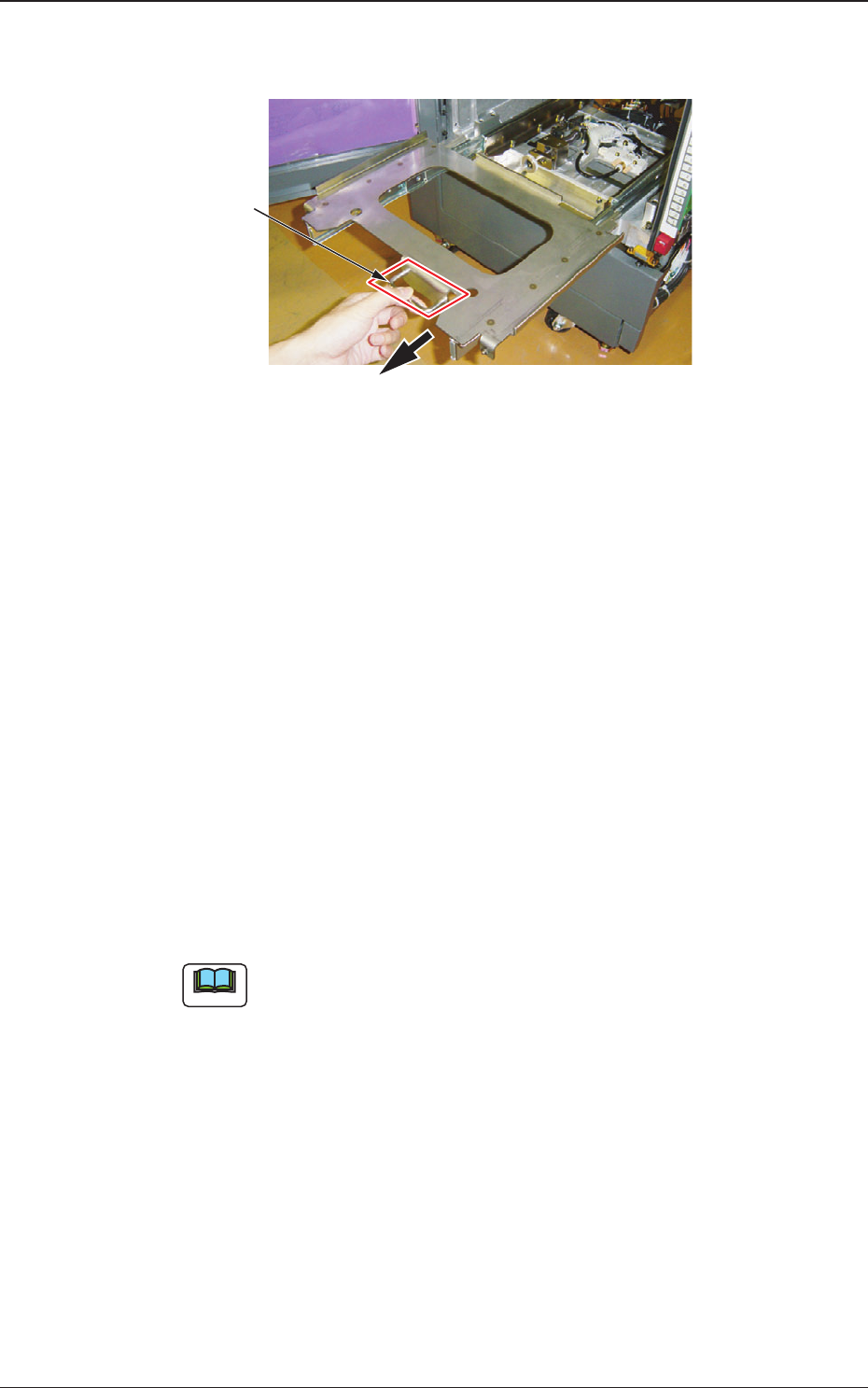
(3) Hold the handle in the magazine base and slowly pull it out until it
stops.
Handle
Fig. A8 Magazine Base (Drawer)
(4) Hold the handle of the magazine and slowly put it on the magazine
base. Then, push it against the rear stopper.
Conrm that the magazine has tted to the side faces and the rear
stopper without being tilted.
(5)
Hold the handle of the magazine base and slowly push the base toward
the rear side until it touches the rear side.
(6) While pulling the magazine stopper knob forward, turn it
counterclockwise by 90
°
.
Then, return the magazine stopper back in
place.
When the magazine is located at its home position, it is locked by the
magazine stopper.
(7) Close the magazine exchange door and press the ready switch.
The magazine exchange door is locked electromagnetically and the
LED of the ready switch illuminates.
Note
This machine keeps the last component ID matrix position in memory
even after the current program (model) is changed to another one.
Before reloading the tray in the middle of process with some
components after the current program (model) is changed to another
one, it is required to change the matrix because some components are
left behind (not picked up).
3.3 Magazines