OM-1273-004_w.pdf - 第79页
2-14 AJK-ML T-ID 2.4.1 Feeder (B) Offset Displayed is the current feeder (B) offset data. The feeder (B) offset data can be conrmed, adjusted, or cleared (initialized). [1] [3] [2] Fig. B7 "Fdr . (B) Offset" W…
2-13
AJK-MLT-ID
2.4 Production Data
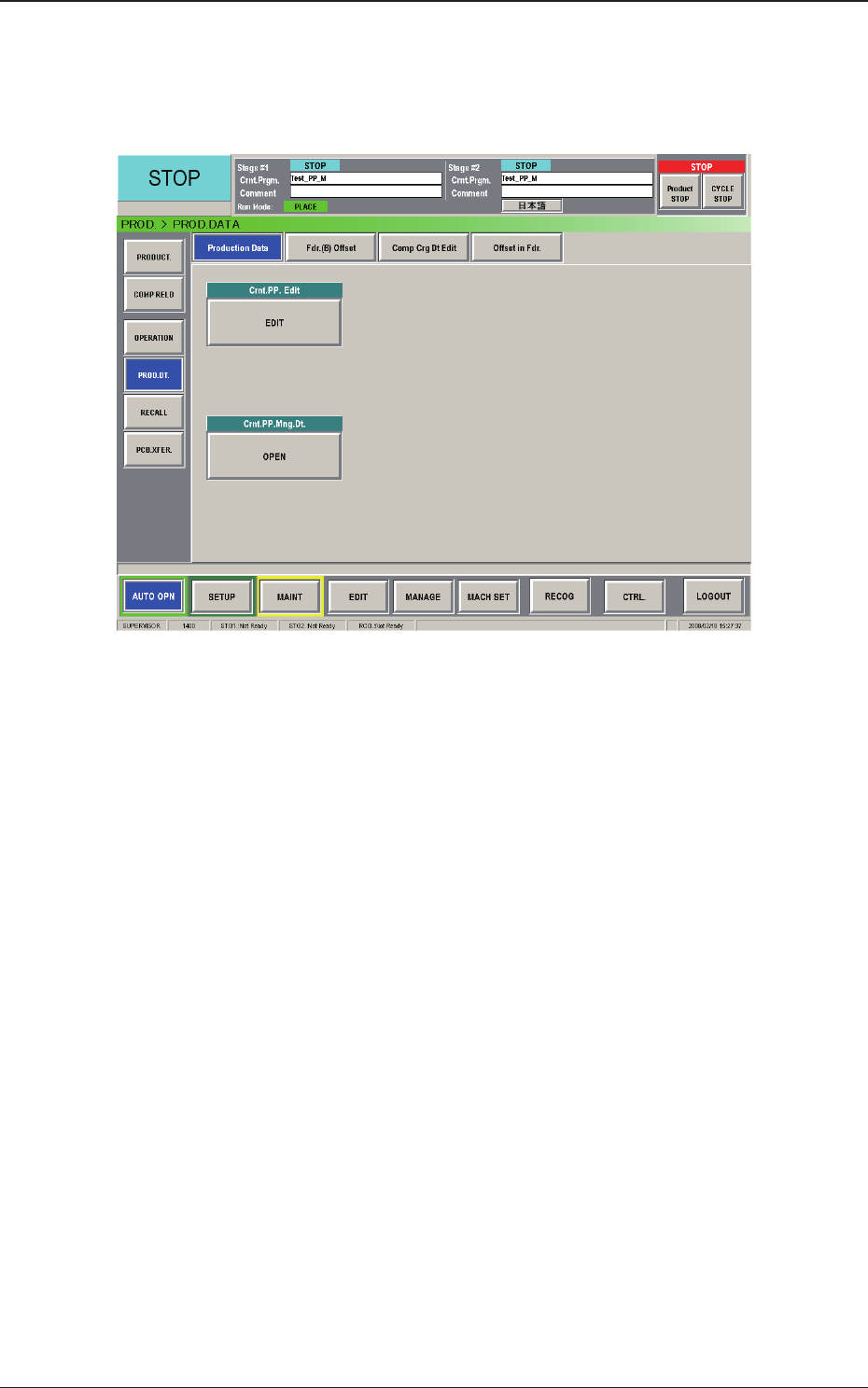
When the [PROD DT.] button on the submenu bar of the "AUTO OPN."
window is pressed, the "PROD. DATA" window appears.
Fig. B6 "Production Data" Window
The "PROD. DATA" window is composed of the "Production Data",
"Fdr. (B) Offset", "Comp Crg Dt Edit", and "Offset in Fdr." windows.
2.4 Production Data
0804-003
2-14
AJK-MLT-ID
2.4.1 Feeder (B) Offset
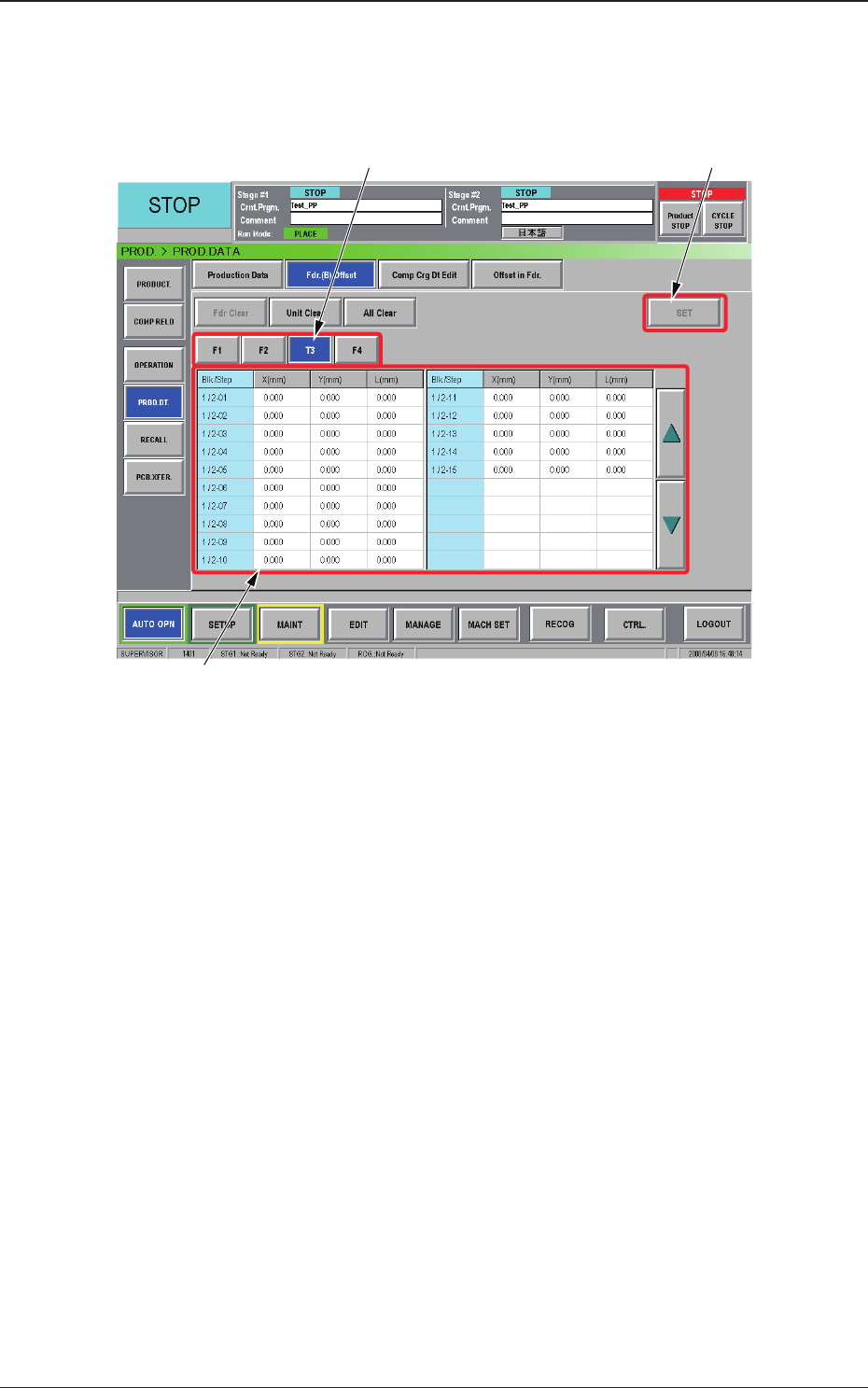
Displayed is the current feeder (B) offset data.
The feeder (B) offset data can be conrmed, adjusted, or cleared (initialized).
[1]
[3]
[2]
Fig. B7 "Fdr. (B) Offset" Window
[1] Unit Selection Buttons
Select the feeder base (the [Tn] button in the case of the multi-layer tray
feeder) whose feeder (B) offset data should be conrmed or cleared.
[2] Information
Display
Displayed is the data of the feeder base (the multi-layer tray feeder)
selected currently in [1].
When a value in the "X (mm)", the "Y (mm)", or the "L (mm)" text box
of each "Blk/Step" No. is pressed, the "Fdr. (B) Offset" window opens,
making it possible to adjust the feeder (B) offset data.
[3] [SET]
Button
When the [Set] button is pressed, the selected value is replaced with the
adjusted one.
2.4 Production Data
0804-003
2-15
AJK-MLT-ID
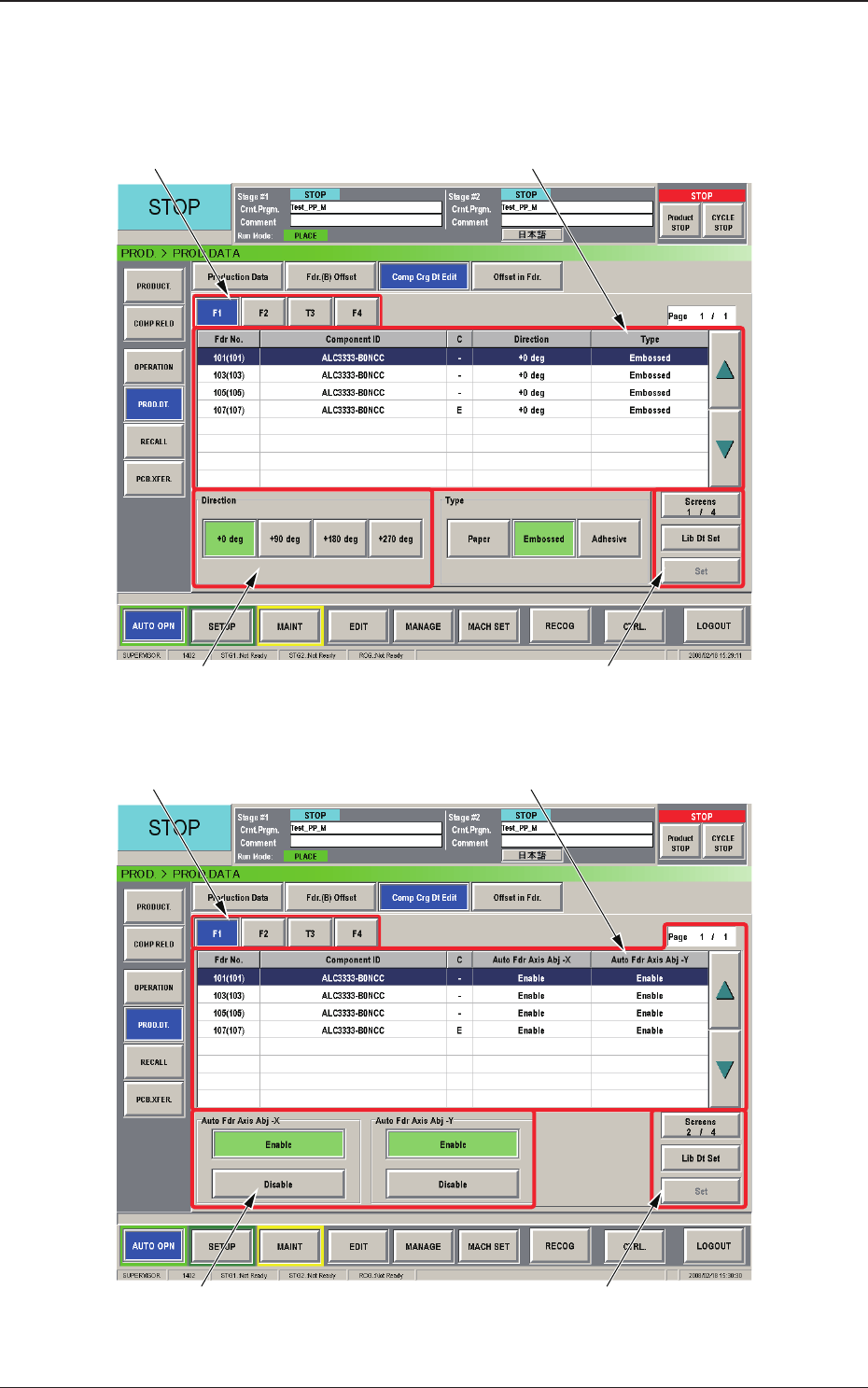
2.4.2 Component Carriage Data Editing
This window enables the operator to check and change the component
carriage data for the production model.
[1] [2]
[3] [4]
Fig. B8 "Comp Crg Dt Edit" Window (1/4)
[1] [2]
[3] [4]
Fig. B9 "Comp Crg Dt Edit" Window (2/4)
2.4 Production Data
0804-003