OM-1273-004_w.pdf - 第86页
2-20 AJK-ML T-ID 3.2.2 Motor This window enables the operator to view the manual operation (manual axis operation) of each device and the system information. Fig. B14 "MOTOR" Window Reference Refer to "3.1…
2-19
AJK-MLT-ID
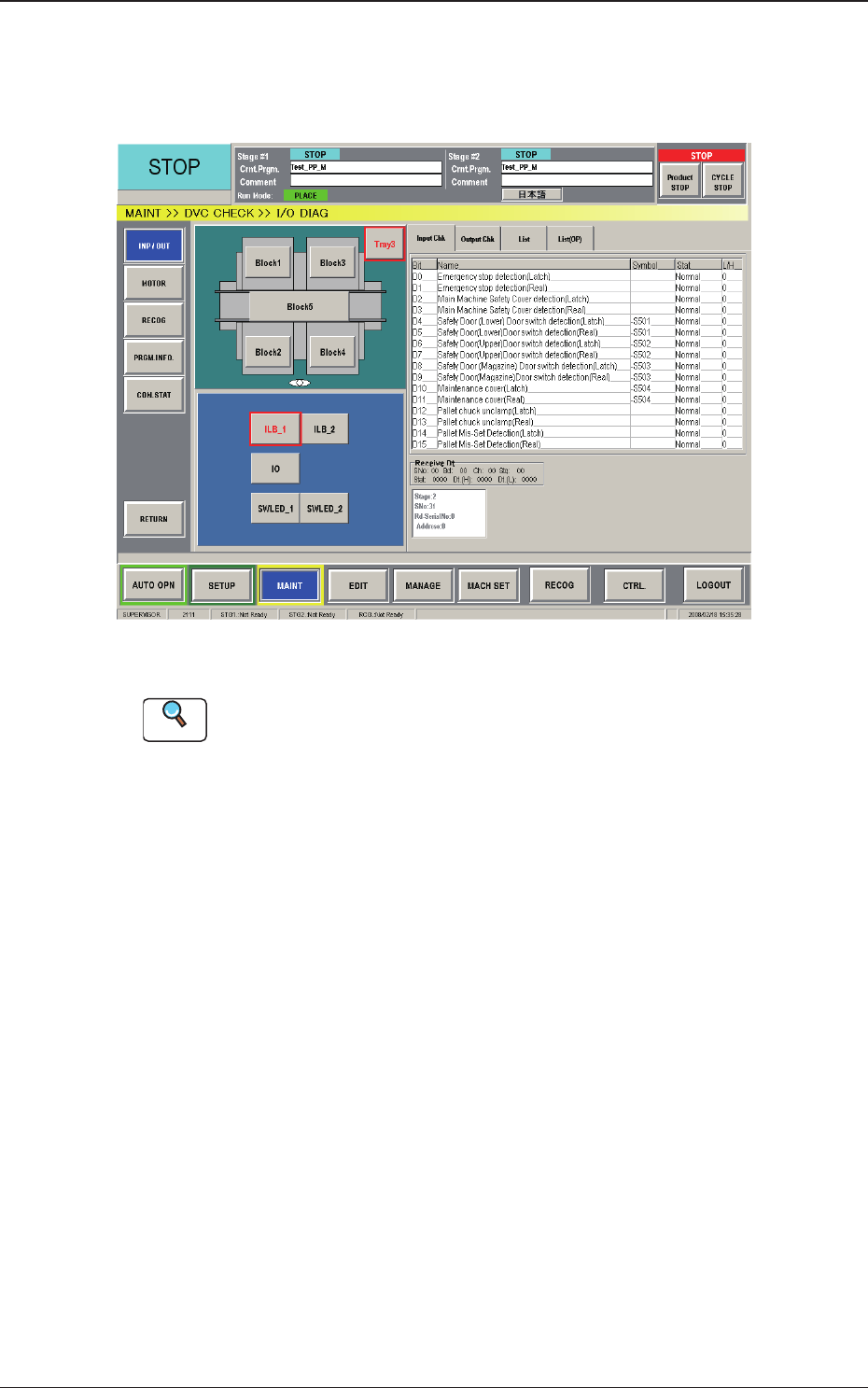
3.2.1 Input /Output
This window enables the operator to check the I/O signals and view the
status of each section.
Fig. B13 "INP / OUT" Window
Reference
Refer to "3.1 "I/O DIAG" Window" in "Chapter 4: Menus for
Maintenance" in the instruction manual (Volume 2: Operation) of the main
machine for details.
3.2 Device Check
0804-003
2-20
AJK-MLT-ID
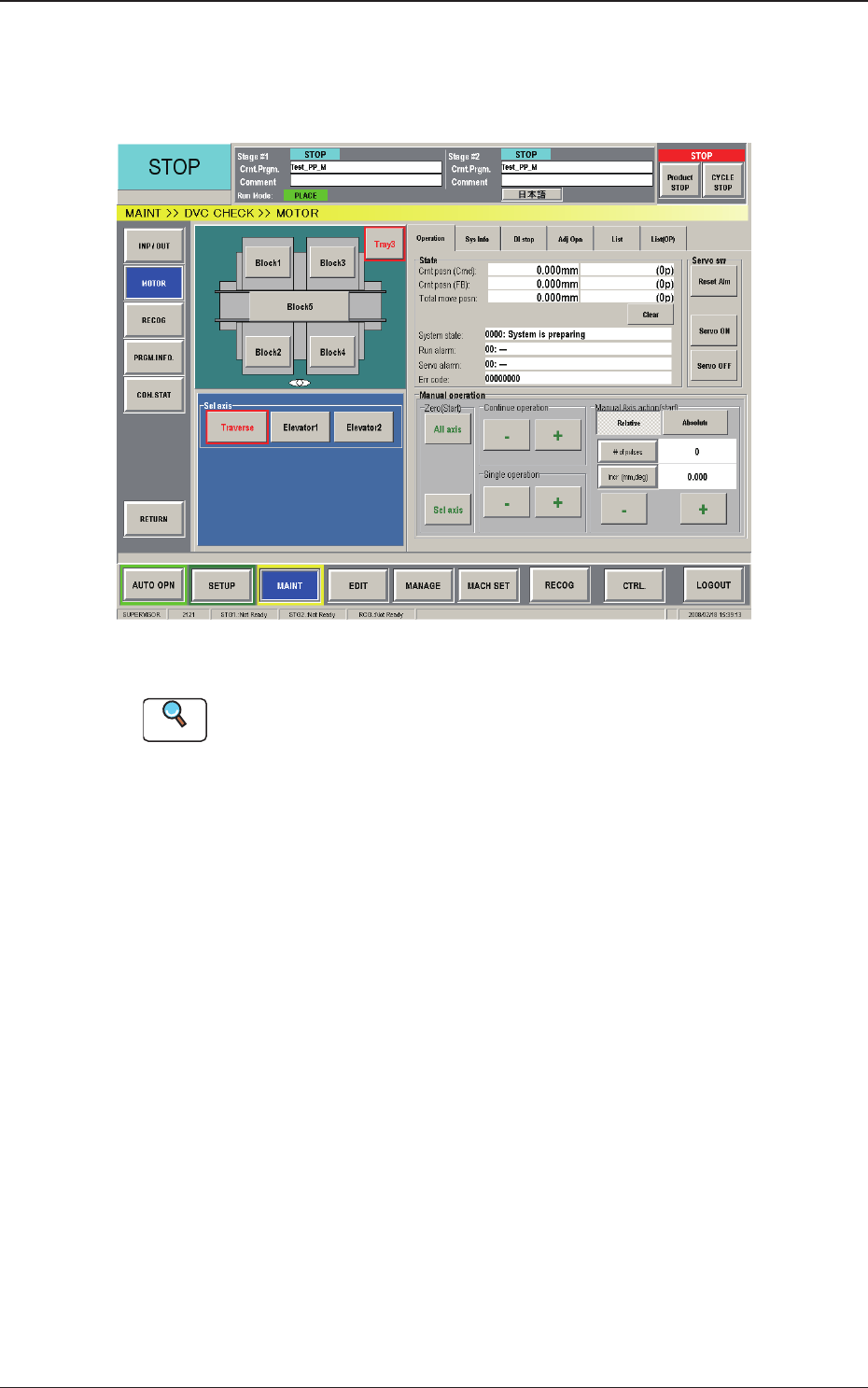
3.2.2 Motor
This window enables the operator to view the manual operation (manual axis
operation) of each device and the system information.
Fig. B14 "MOTOR" Window
Reference
Refer to "3.1 "I/O DIAG" Window" in "Chapter 4: Menus for
Maintenance" (Volume 2: Operation) in the instruction manual of the main
machine for details.
3.2 Device Check
0804-003
2-21
AJK-MLT-ID
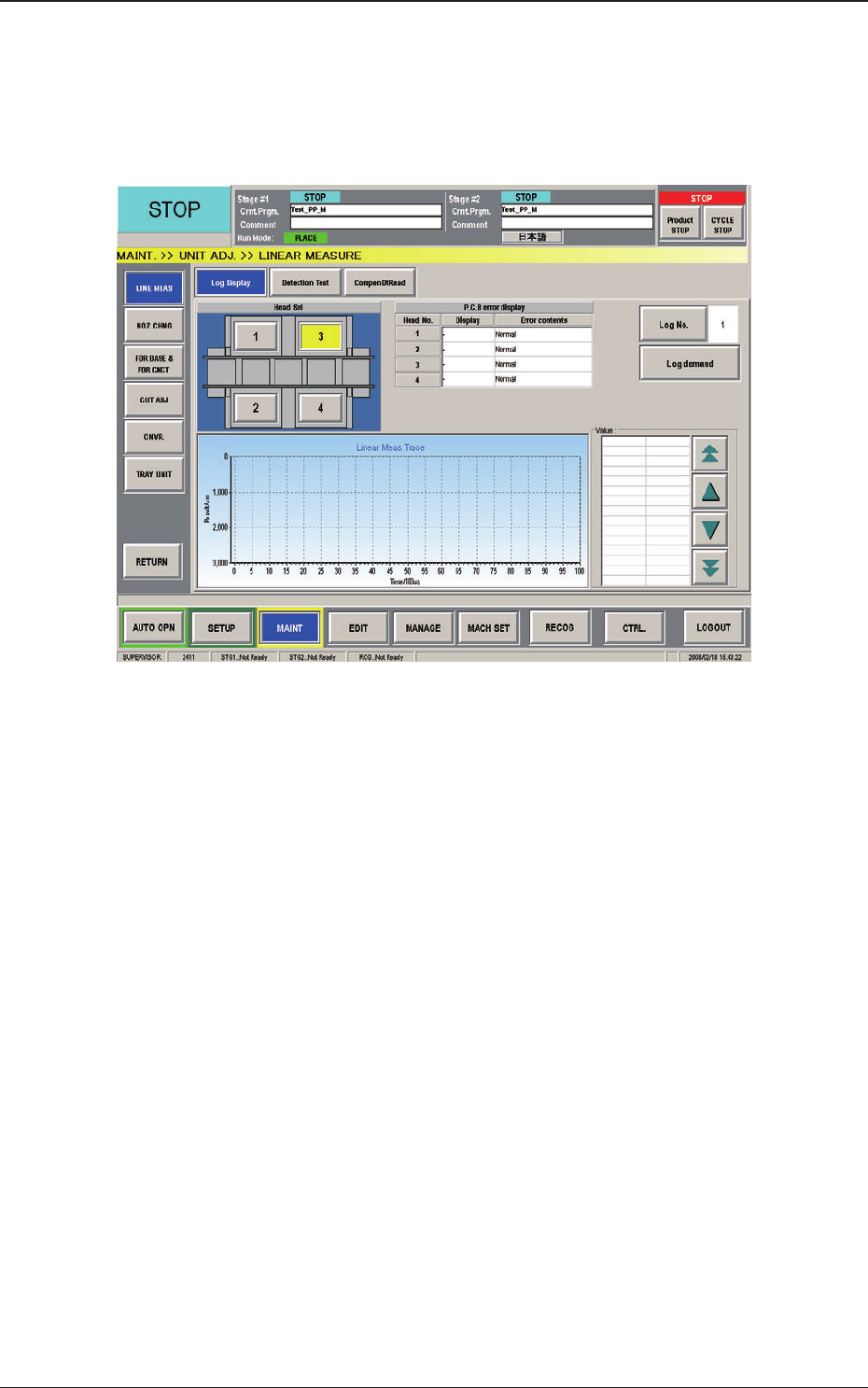
3.3 Unit Adjustment
When the [UNIT ADJ] button on the submenu bar of the "MAINT" window
is pressed, the "UNIT ADJ. >> LINEAR Measure" window appears as an
initial one.
Fig. B15 "LINEAR Measure" Window
3.3 Unit Adjustment
0804-003