00196376-0102_UM S-Feeder_EN.pdf - 第101页
Accessories Connecting the Tapes Tape Splice Tool for SMD Tape Connections User Manual SIPLACE S-Feeder 101 ► Place the adhesive str ips down stra ight on the tape ends and p r ess to att ach. Make sure that the adhesive…
Accessories
Tape Splice Tool for SMD Tape Connections Connecting the Tapes
100 User Manual SIPLACE S-Feeder
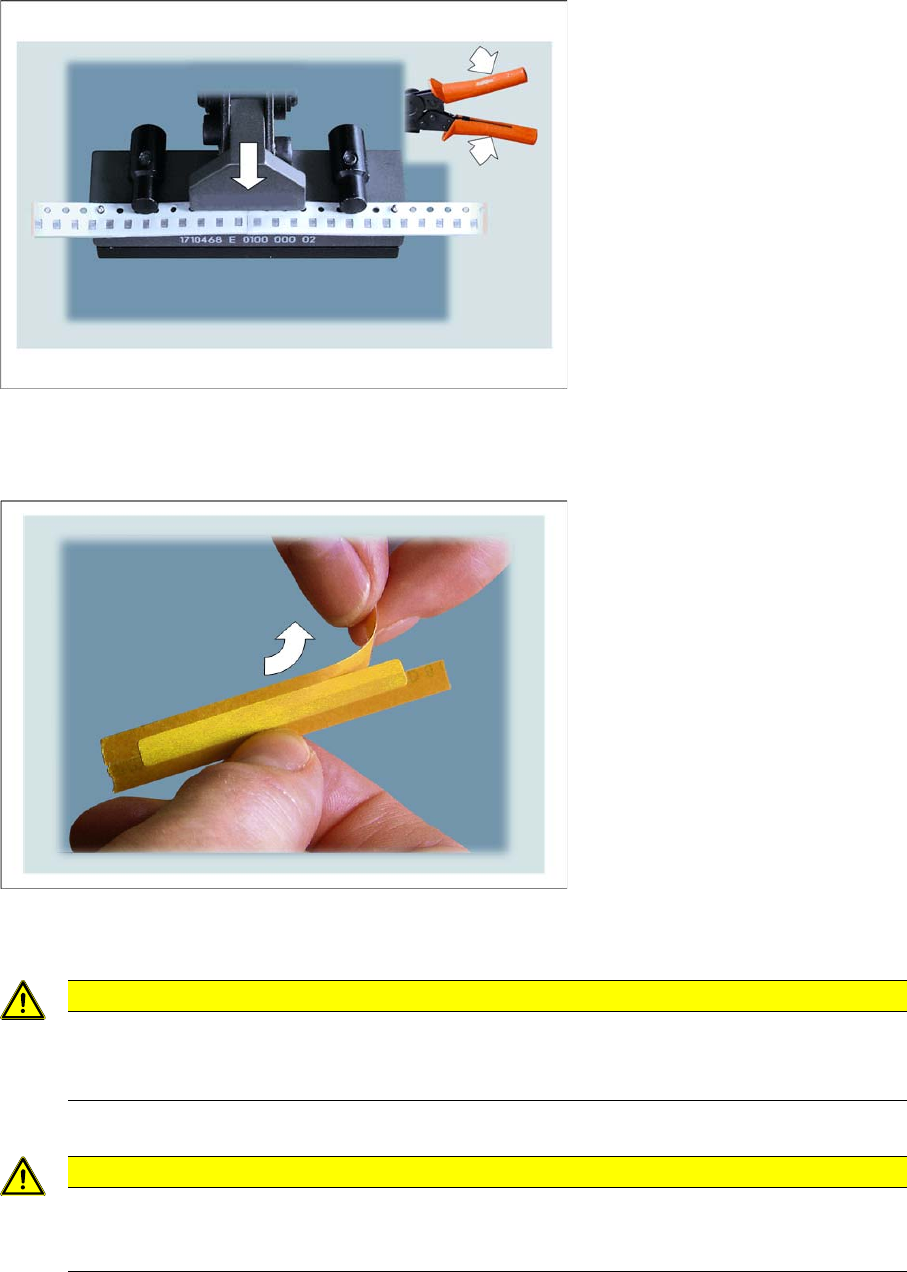
►Close the tape splice tool.
Press until the tape splice tool clicks for the third time. The tape ends and the splicing plate will be
riveted together.
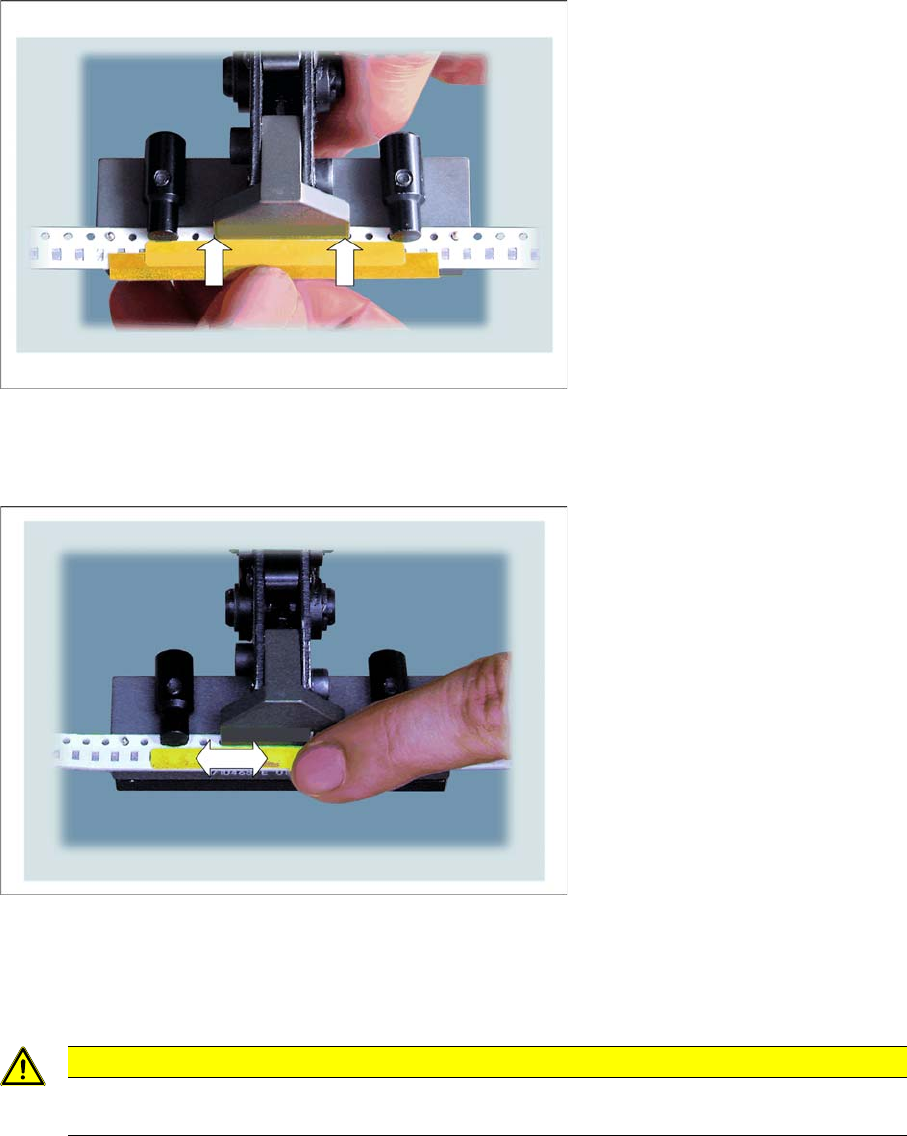
►Take the special adhesive strip with the correct width for your component tape
(see "6.1.6.4 Examples of Correct Splice Connections" [ ➙ 104]).
►Remove half of the protective foil from the special adhesive strips.
CAUTION
Make sure that you ONLY use the special adhesive tapes specified in
"6.1.4 Consumable Materials Required" [ ➙ 95] for splicing.
NEVER use other adhesive tapes, such as normal sellotape!
CAUTION
Make sure that you do not touch the adhesive surface!
The adhesive tape could lose its adhesive strength and the cover tape of the new tape may not
be removed properly. This would then lead to a machine standstill.
Accessories
Connecting the Tapes Tape Splice Tool for SMD Tape Connections
User Manual SIPLACE S-Feeder 101
►Place the adhesive strips down straight on the tape ends and press to attach.
Make sure that the adhesive strips lie flat against the head of the tape splice tool.
Use the adhesive tape to join the cover tape of the "old" tape with that of the "new" tape.
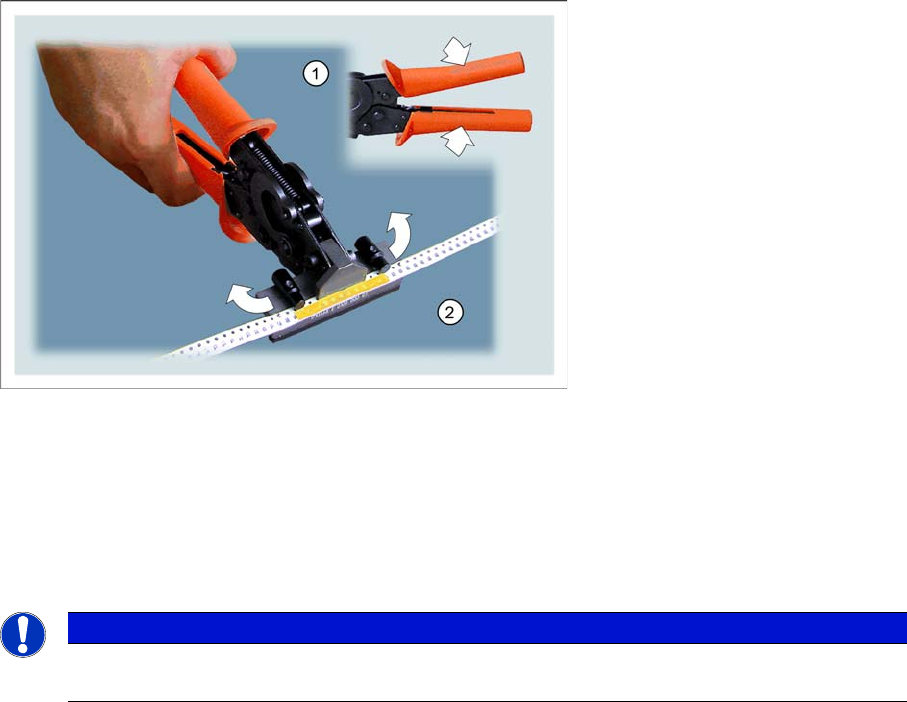
►Carefully remove the second half of the cover tape from the adhesive strip.
Make sure that you do not touch the adhesive surface!
►Press the whole length of the adhesive strip down onto the cover tape of the tape ends to make sure
that it attaches properly.
CAUTION
Make sure that there is no adhesive tape protruding over the side, otherwise the adhesive tape
could get caught on the feeder, causing a machine standstill.
Accessories
Tape Splice Tool for SMD Tape Connections Connecting the Tapes
102 User Manual SIPLACE S-Feeder
►Press the tape splice tool together until the gripper head opens. (1)
►Press the swivelling latches on the left and right towards the back. (2)
You can now take the spliced tape out of the tape splice tool.
►Check the quality of the join.
Tapes with perforations on both sides
►Insert a splicing plate onto the two middle pins of the open tape splice tool, with the raised "spikes"
showing upwards.
►Take the tape which has been spliced on one side and place its splice point in the middle of the
splicing plate.
Make sure that all 4 pins engage in the tape perforations.
►Turn the swivelling latches on the left and right to the front, to fix the tape into place in this position.
►Press the tape splice tool together until the gripper head opens.
►Turn the swivelling latches on the left and right towards the back.
You can now take the spliced tape out of the tape splice tool.
►Check the quality of the join.
NOTICE
When using tapes with perforations on both sides, proceed as described above. Afterwards,
join the tape at the second perforation with another splicing plate.