00196376-0102_UM S-Feeder_EN.pdf - 第57页
Bulkcase Feeders Inserting the Murata Cassette Operating the Bulkcase Feeder User Manual SIPLACE S-Feeder 57 3.3.3 Inserting the Murata Cassette ► (1) Pre ss th e lo ck together and push upwa rds. The following diag ra m…
Bulkcase Feeders
Operating the Bulkcase Feeder Selecting Feeding Rails
56 User Manual SIPLACE S-Feeder
3.3 Operating the Bulkcase Feeder
3.3.1 Selecting Feeding Rails
►Select the appropriate feeding rail for the component base and height.
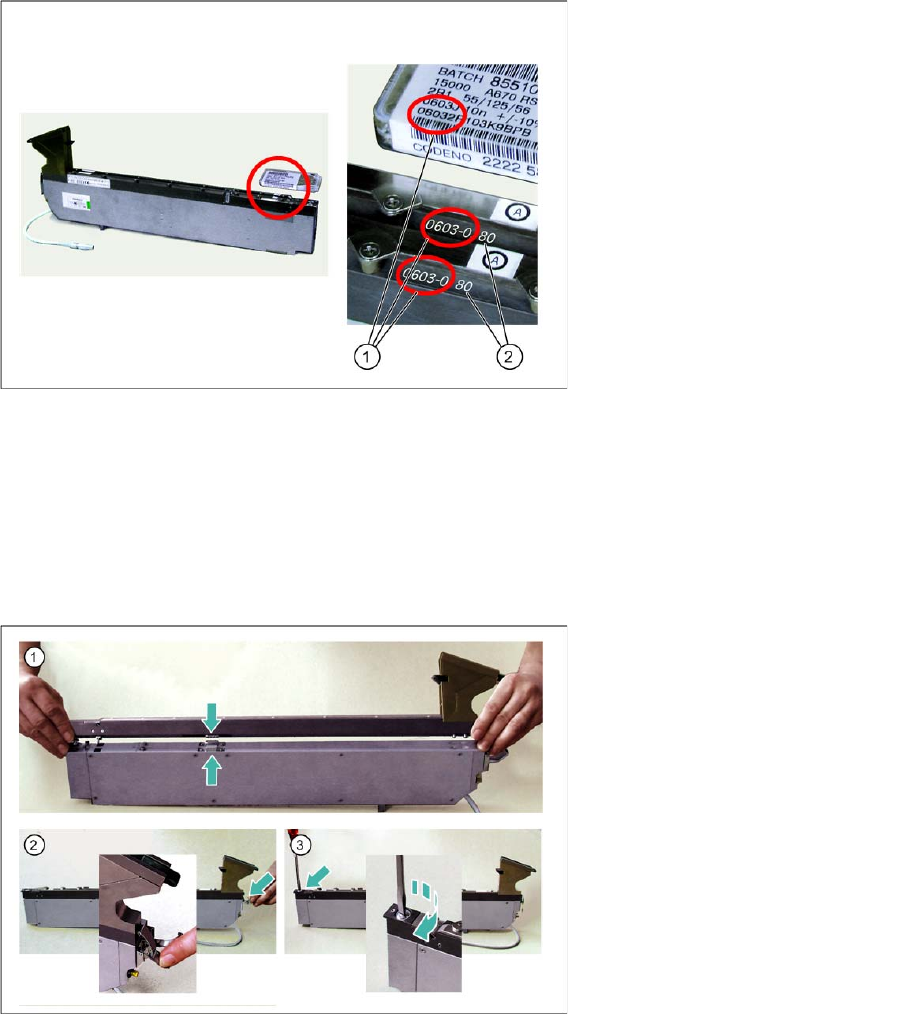
3.3.2 Placing the Feeding Rails on the Body
►(1) Place the feeding rail down on the body so that the contacts are above one another.
►(2) Hook the quick-fit closure onto the fixture pin of the feeding rail.
►Close the quick-fit closure by pressing the lever down.
►(3) Fix the front end of the feeding rail by turning the locking screws 90° in a clockwise direction.
Legend:
1 Base of component
2 Height of component
Bulkcase Feeders
Inserting the Murata Cassette Operating the Bulkcase Feeder
User Manual SIPLACE S-Feeder 57
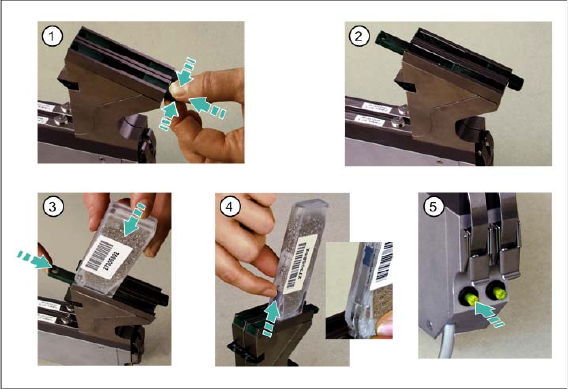
3.3.3 Inserting the Murata Cassette
►(1) Press the lock together and push upwards. The following diagram (2) shows the lock when open.
►(3) Place the closed Murata cassette onto the funnel, with the opening facing downwards, and push
the lock down again.
►(4) Open the Murata cassette, by pushing the slide upwards.
►(5) Press the button at the back of the feeder 1x. The components will be moved forwards to the pick-
up position.
Bulkcase Feeders
Operating the Bulkcase Feeder Replacing the Empty Murata Cassette
58 User Manual SIPLACE S-Feeder
3.3.4 Replacing the Empty Murata Cassette
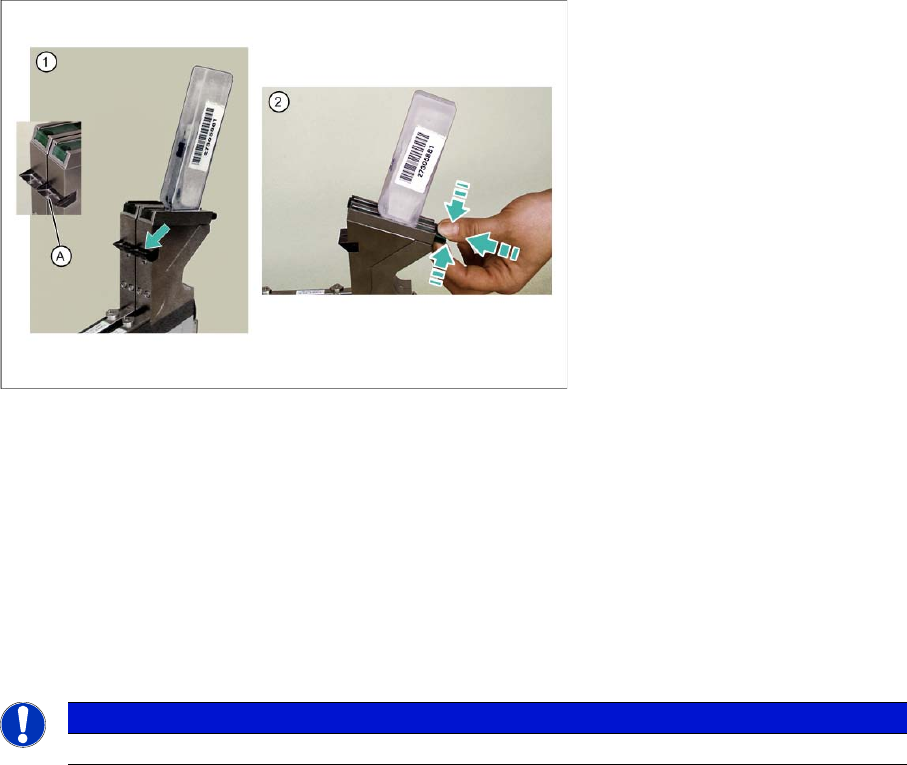
►(1) Check the prism (A), to make sure that there are no components in the transition area between
the funnel and the Murata cassette.
►(2) Press the lock together, push upwards and remove the empty Murata cassette.
Perform the further steps as described in "3.3.3 Inserting the Murata Cassette" [ ➙ 57]:
►Place the new, closed Murata cassette onto the funnel, with the opening facing downwards, and push
the lock down again.
►Open the Murata cassette, by pushing the slide upwards.
►Press the button at the back of the feeder 1x. The components will be moved forwards to the pickup
position.
See also
3.3.3 Inserting the Murata Cassette [ ➙ 57]
NOTICE
Empty Murata cassettes can be replaced without the need for a machine standstill.