00198260-01_IM_SQL_Server_2016_EN.pdf - 第14页
SQL Server 2016 / I nstallation Manual 12/2016 Edition 14 The Install Rules window is displayed. Figure 4-8: SQL setup chec king Install Rules ► Examine the result after the check is done. ► Click View detailed rep ort t…
SQL Server 2016 / Installation Manual 12/2016 Edition
13
NOTICE
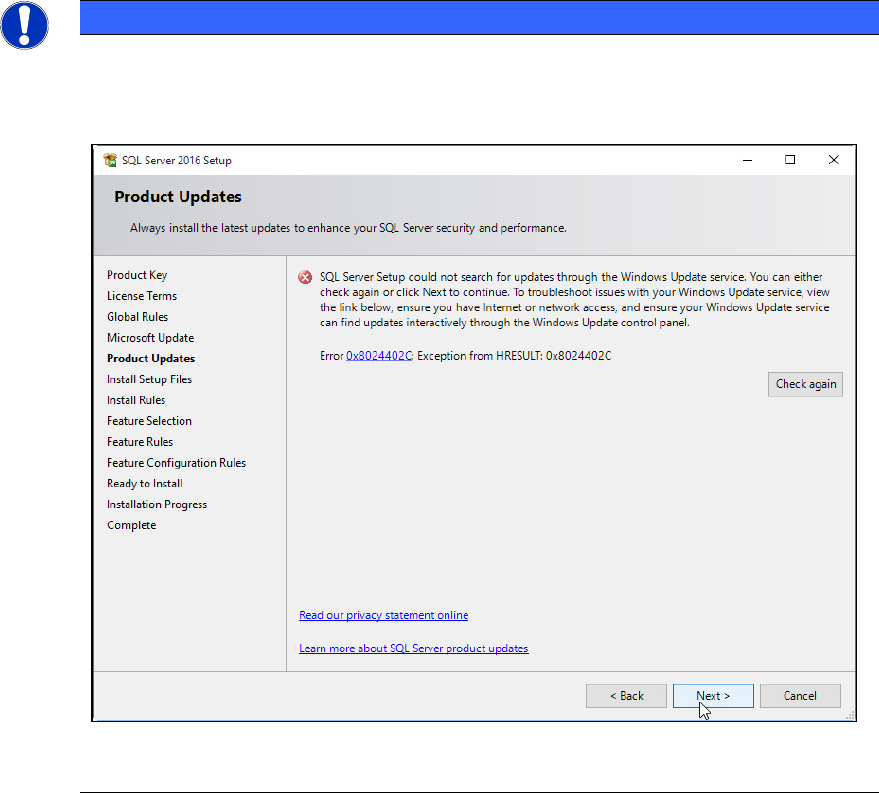
Possible error message
If you did not immediately deselect the previously mentioned check box, the following
error message may be displayed if you do not have connection to the Internet.
Figure 4-7: Error message without Internet connection
► In this case, ignore this message.
The SQL setup now installs its setup files.
SQL Server 2016 / Installation Manual 12/2016 Edition
14
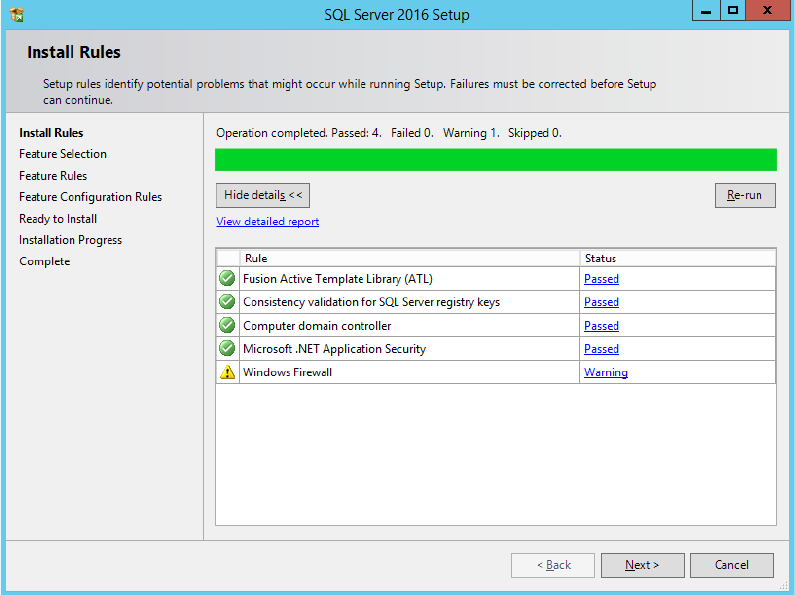
The Install Rules window is displayed.
Figure 4-8: SQL setup checking Install Rules
► Examine the result after the check is done.
► Click View detailed report to display details of the installation rules.
► Click the result in the Status column.
► If failures occurred, correct them and click the Re-run button.
► Take note of warnings.
SQL Server 2016 / Installation Manual 12/2016 Edition
15
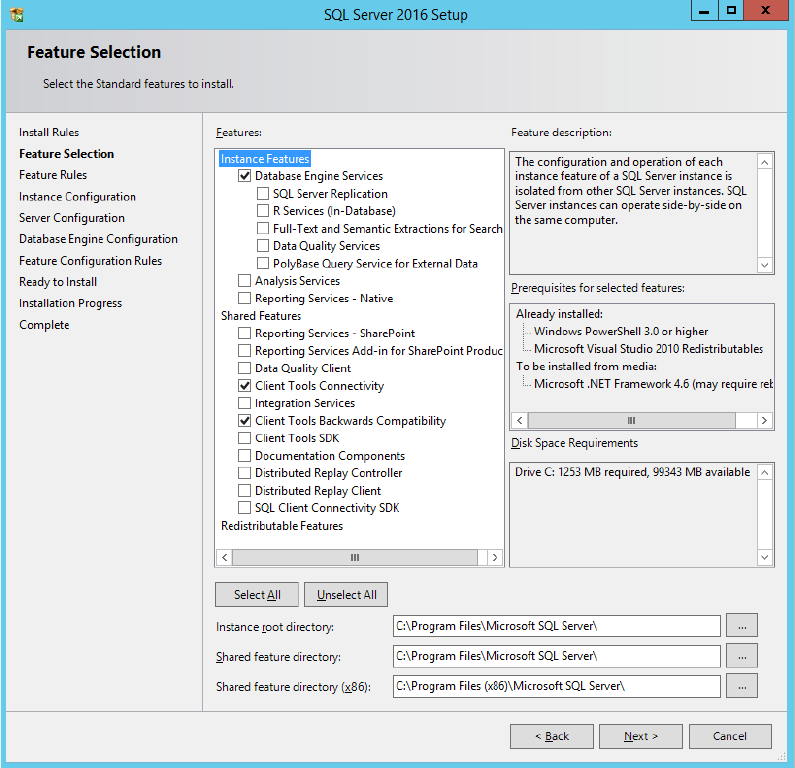
The Feature Selection window is displayed.
Figure 4-9: Feature Selection window
► Ensure that the following features are selected:
– Database Engine Services
– Client Tools Connectivity
– Client Tools Backwards Compatibility
► Click the Next > button to continue.