00198260-01_IM_SQL_Server_2016_EN.pdf - 第15页
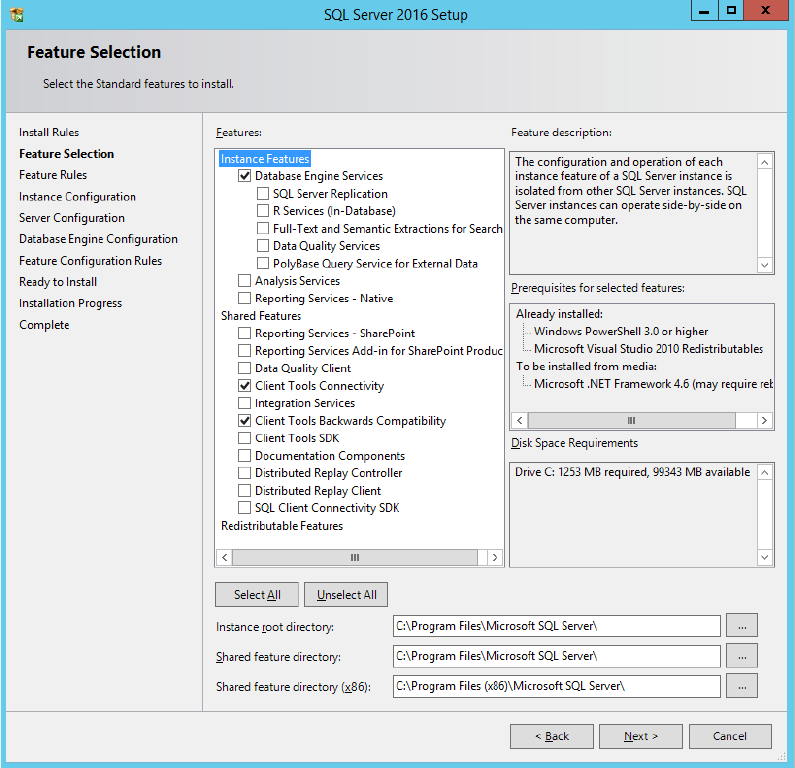
SQL Server 2016 / I nstallation Manual 12/2016 Edition 15 The Feature Selection window is displayed. Figure 4-9: Feature Selecti on window ► Ensure that the f ollowing features are selecte d: – Database Engine Service s …
SQL Server 2016 / Installation Manual 12/2016 Edition
14
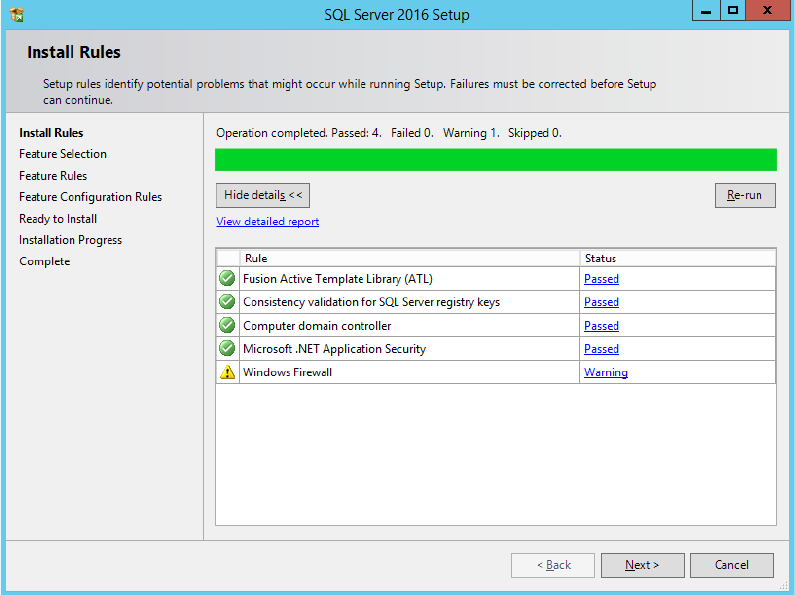
The Install Rules window is displayed.
Figure 4-8: SQL setup checking Install Rules
► Examine the result after the check is done.
► Click View detailed report to display details of the installation rules.
► Click the result in the Status column.
► If failures occurred, correct them and click the Re-run button.
► Take note of warnings.
SQL Server 2016 / Installation Manual 12/2016 Edition
15
The Feature Selection window is displayed.
Figure 4-9: Feature Selection window
► Ensure that the following features are selected:
– Database Engine Services
– Client Tools Connectivity
– Client Tools Backwards Compatibility
► Click the Next > button to continue.
SQL Server 2016 / Installation Manual 12/2016 Edition
16
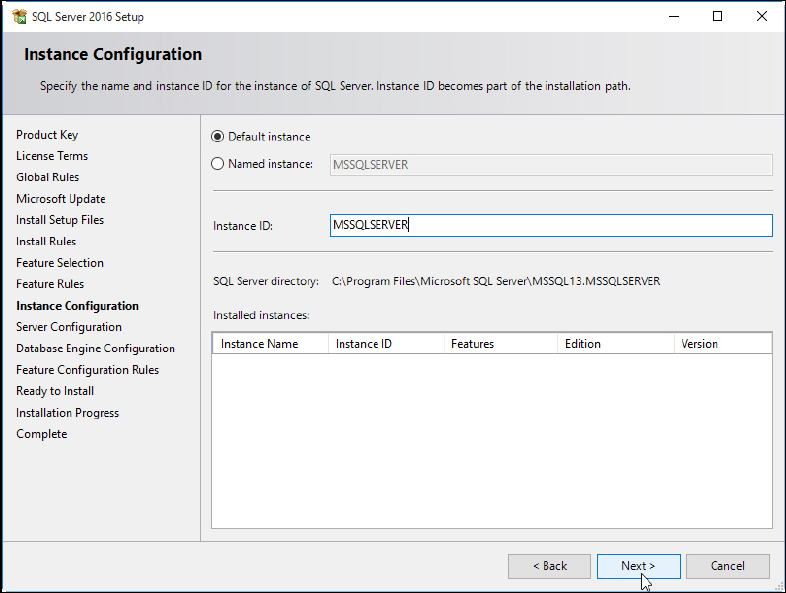
The Instance Configuration window is displayed.
Figure 4-10: Instance Configuration window
► Leave the Default instance button selected to install the SQL Server using the MSSQLSERVER
default instance.
► Click the Next > button to continue.