00198260-01_IM_SQL_Server_2016_EN.pdf - 第21页
SQL Server 2016 / I nstallation Manual 12/2016 Edition 21 The group should no w be automatically detecte d and underlined, as displayed i n the following figure. Figure 4-18: Adding the adminis trators group – step 2 ► C…
SQL Server 2016 / Installation Manual 12/2016 Edition
20
► Click the Mixed Mode (SQL Server authentication and Windows authentication button.
► Enter an appropriate password for the SQL sa (SysAdmin) account in the Enter password:
field.
► Repeat this password in the Confirm password: field.
CAUTION
Password must meet your security policies
Please keep in mind that the password you enter must meet the (Windows) password
policies. If your operating system / domain environment is configured only to allow
complex passwords, you will also have to use a complex password for your SQL sa
account.
Now the local administrators group has to be added.
► Click the Add… button.
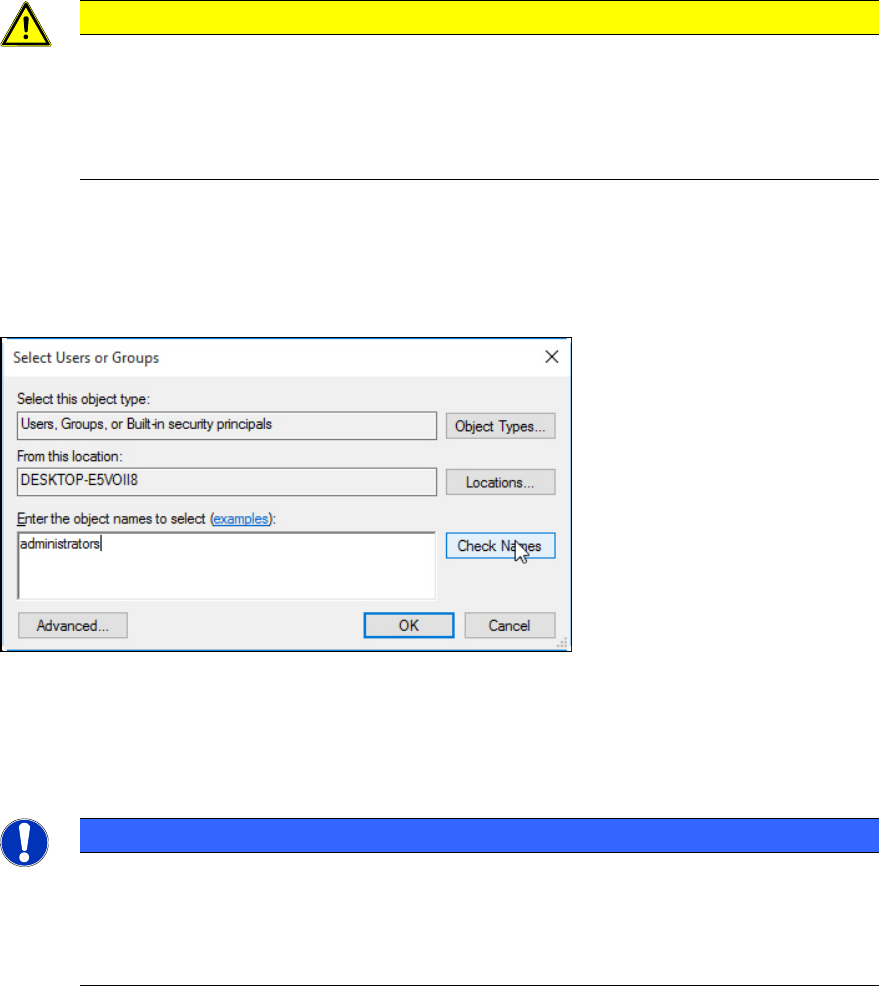
The Select Users or Groups window is displayed.
Figure 4-17: Adding the administrators group – step 1
► Ensure that the local computer name is selected under From this location: – otherwise you will
have to select it using the Locations… button.
► Enter the name of the administrators group in the text field.
NOTICE
Naming of local administrators group depends on OS language
The name of the local administrators group may vary if you have an operating system
with another language than English.
► In this case, ensure to enter the proper name of the group.
► Click the Check Names button.
SQL Server 2016 / Installation Manual 12/2016 Edition
21
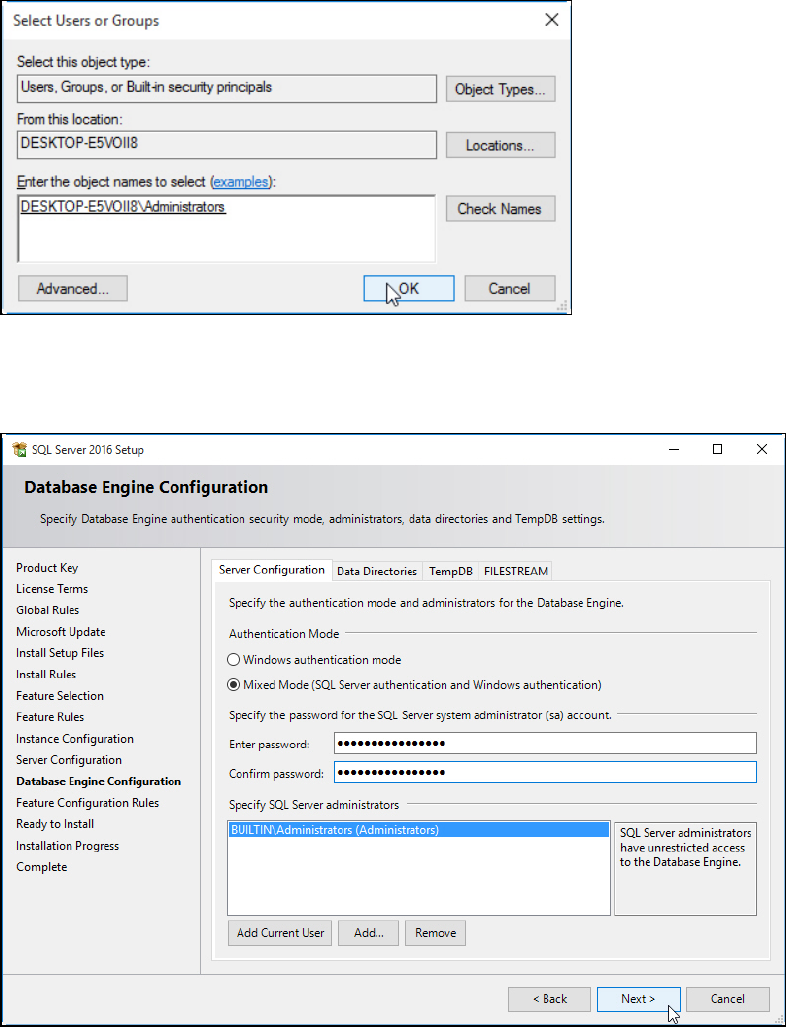
The group should now be automatically detected and underlined, as displayed in the following
figure.
Figure 4-18: Adding the administrators group – step 2
► Click the OK button to close the window.
After you have performed all settings as described, the window should look like this:
Figure 4-19: Database Engine Configuration window with ASM compatible settings
► Click the Next > button to continue.
SQL Server 2016 / Installation Manual 12/2016 Edition
22
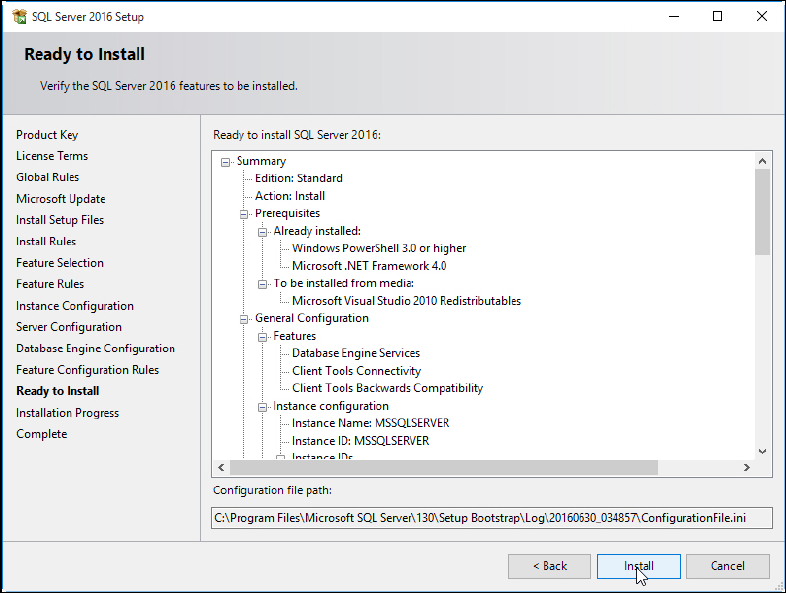
The Ready to Install window is displayed.
Figure 4-20: Ready to Install window
► Klick the Install button.
The installation starts.
► Wait for the installation to complete. This may take 30 minutes or more.