00198260-01_IM_SQL_Server_2016_EN.pdf - 第33页
SQL Server 2016 / I nstallation Manual 12/2016 Edition 33 ► Select Run as administrator . ► Accept any possibly appearing User Account Co ntrol message by clicking its Yes button. SQL Server 2016 Man agement Studio start…
SQL Server 2016 / Installation Manual 12/2016 Edition
32
5.2 Optional Settings
5.2.1 Windows Fibers Disabled
After installation you have to verify that the Windows Fibers setting is disabled.
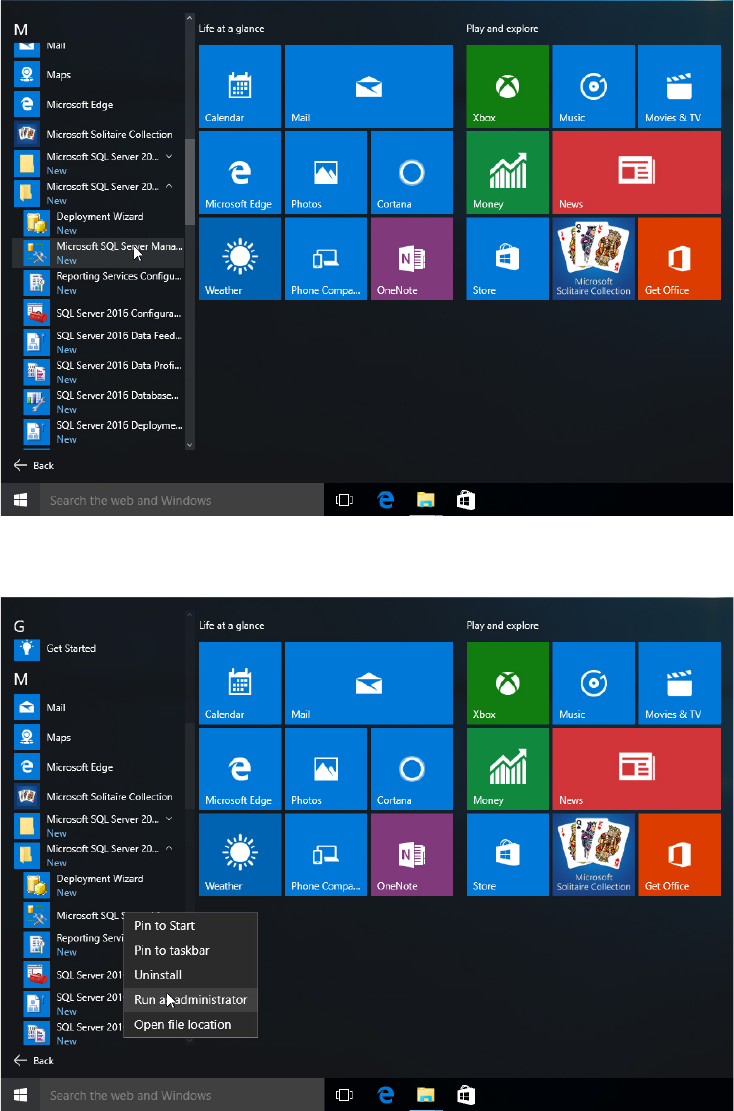
► Click the Start/Windows button.
► Expand the All apps group.
► Expand Microsoft SQL Server 2016
► Select Microsoft SQL Server 2016 Management Studio.
Figure 5-4: Selecting SQL Server 2016 Management Studio
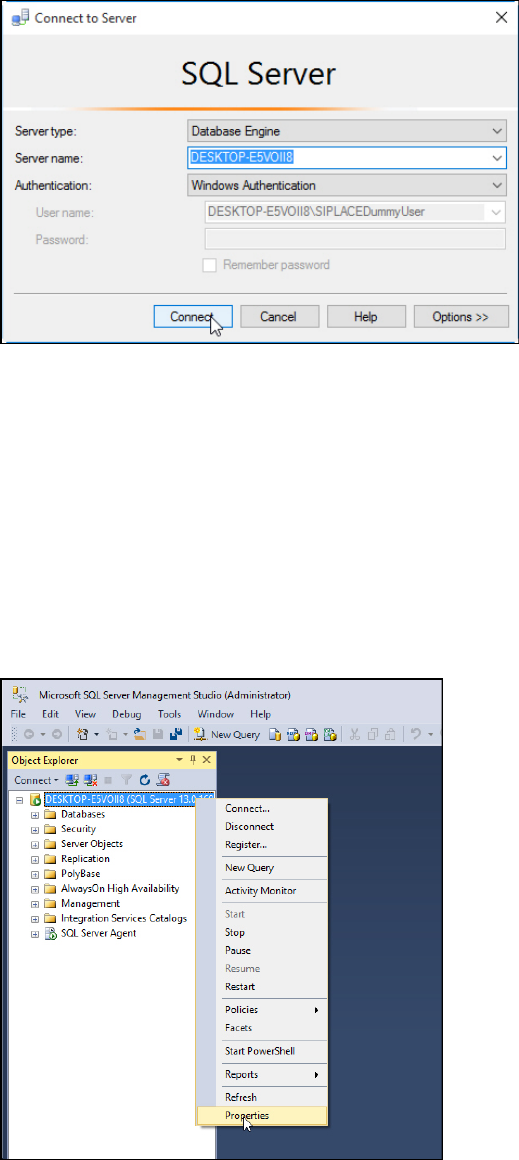
► Right- click the Microsoft SQL Server 2016 Management Studio.
Figure 5-5: Starting SQL Server 2016 Management Studio
SQL Server 2016 / Installation Manual 12/2016 Edition
33
► Select Run as administrator.
► Accept any possibly appearing User Account Control message by clicking its Yes button.
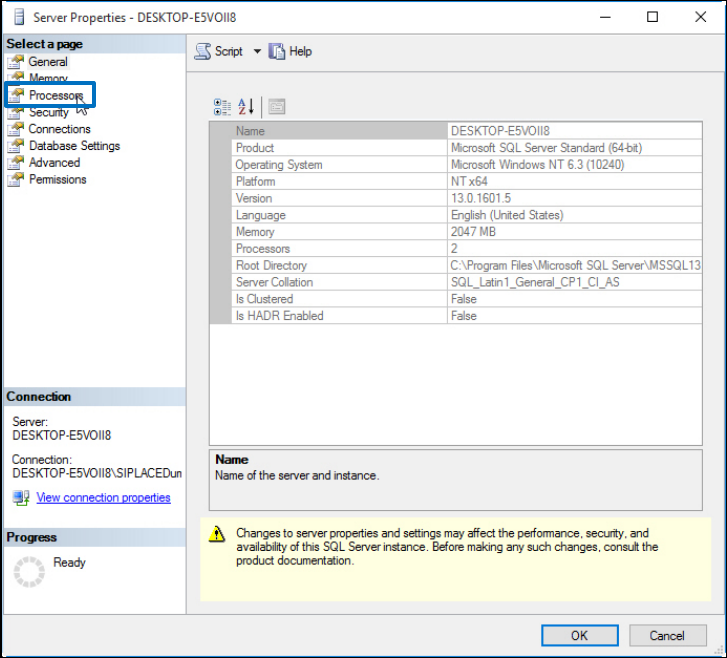
SQL Server 2016 Management Studio starts and the Connect to Server window is displayed.
Figure 5-6: Connecting to the SQL instance
► Ensure that the correct SQL instance is entered as Server name:.
The correct naming is <ComputerName>\<InstanceName> for user defined instances. If you
installed a default SQL instance (internal name MSSQLSERVER), you only have to enter the
computer name instead.
► Select the appropriate authentication method. If you have installed SQL correctly giving the
administrators group full permissions, you may use Windows Authentication.
► If you select SQL Authentication, enter the sa user name and the appropriate password.
► Click Connect to connect to the SQL instance.
SQL Server 2016 Management Studio connects to the SQL instance.
Figure 5-7: Selecting Properties of the SQL instance
► On the left side of the window, click the SQL instance you have connected to select it.
► Right- click and select Properties.
SQL Server 2016 / Installation Manual 12/2016 Edition
34
The Server Properties window is displayed.
Figure 5-8: Server Properties window
► Click Processors in the Select a page section.