00198260-01_IM_SQL_Server_2016_EN.pdf - 第35页
SQL Server 2016 / I nstallation Manual 12/2016 Edition 35 The Processors setti ngs are displayed. Figure 5-9: Processors s ettings ► Ensure that the Use Wi ndows fibers (lightweig ht pooling) check box is NOT selected. ►…
SQL Server 2016 / Installation Manual 12/2016 Edition
34
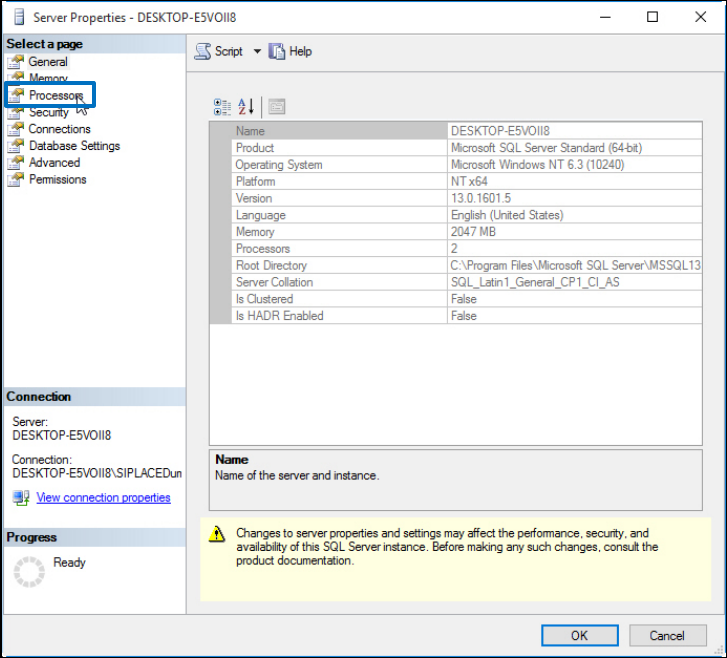
The Server Properties window is displayed.
Figure 5-8: Server Properties window
► Click Processors in the Select a page section.
SQL Server 2016 / Installation Manual 12/2016 Edition
35
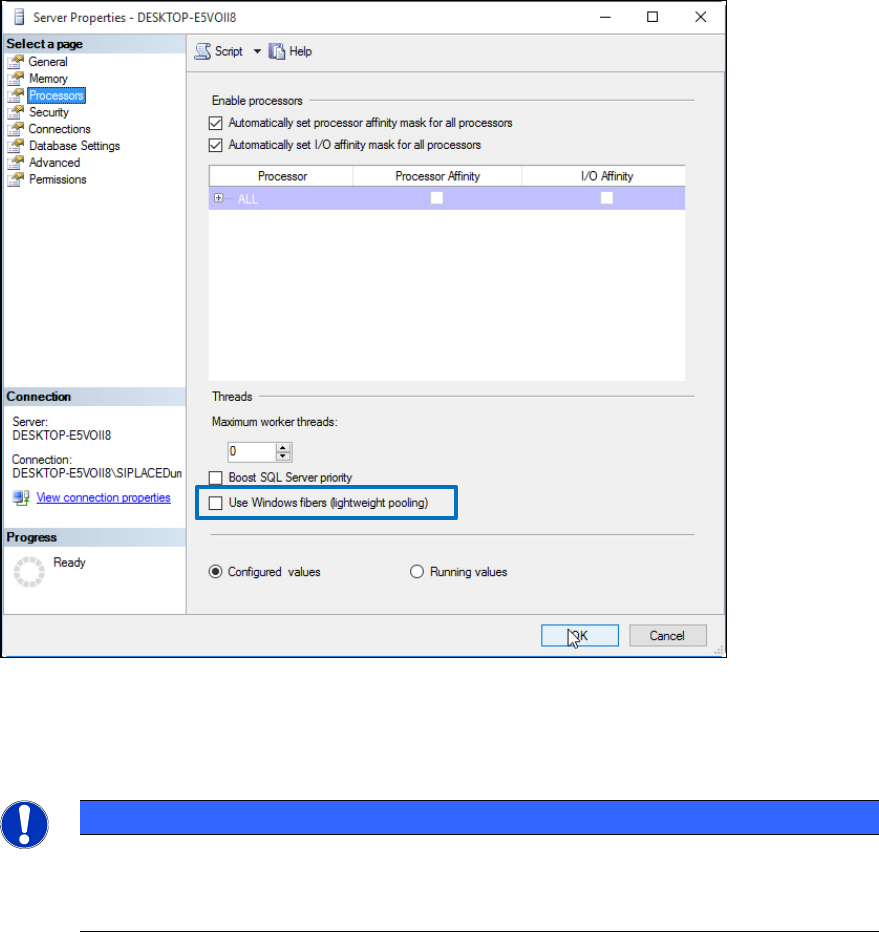
The Processors settings are displayed.
Figure 5-9: Processors settings
► Ensure that the Use Windows fibers (lightweight pooling) check box is NOT selected.
► Click the OK button to close the settings window.
NOTICE
Maximum worker threads value
Unlike the SQL Server 2000 setting that was 255, this value is set to zero by default
which causes SQL to automatically configure this value at start-up.
SQL Server 2016 / Installation Manual 12/2016 Edition
36
5.2.2 Proxy Account Setting
After installation you may enable the proxy server account option, required for some ASM products,
like SIPLACE Explorer.
This setting is required if you have to use an account with permissions other than the configured
SQL service account for executing specific tasks. A more detailed description can be found in the
Microsoft Knowledge Base: http://support.microsoft.com/?id=kb;en-us;890775
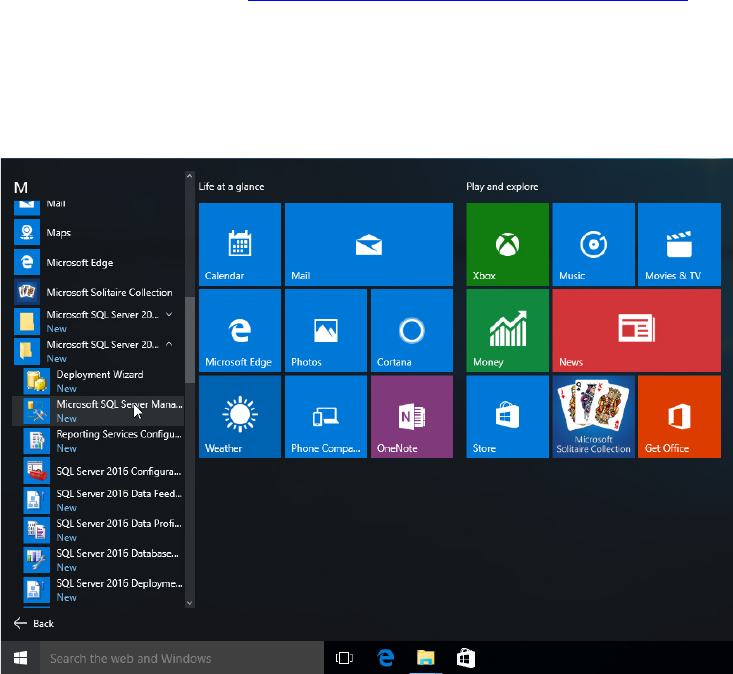
► Click the Start/Windows button.
► Expand the All apps group.
► Expand Microsoft SQL Server 2016
► Select Microsoft SQL Server 2016 Management Studio.
Figure 5-10: Selecting SQL Server 2016 Management Studio