CM88Maintenace2x.PDF - 第106页
Page 1-14 3Y3C-E-MMZ0A-A01-00 Pickup Position Calibration 8 . Put the CCU onto the setting position. 9 . Put the power supply box onto the setting position. Setting Position Power Supply Box Camera Jig 3Y3C-146P 3Y3C-147…
Page 1-13
CALIBRATION
3Y3C-E-MMZ0A-A01-02
Pickup Position Calibration
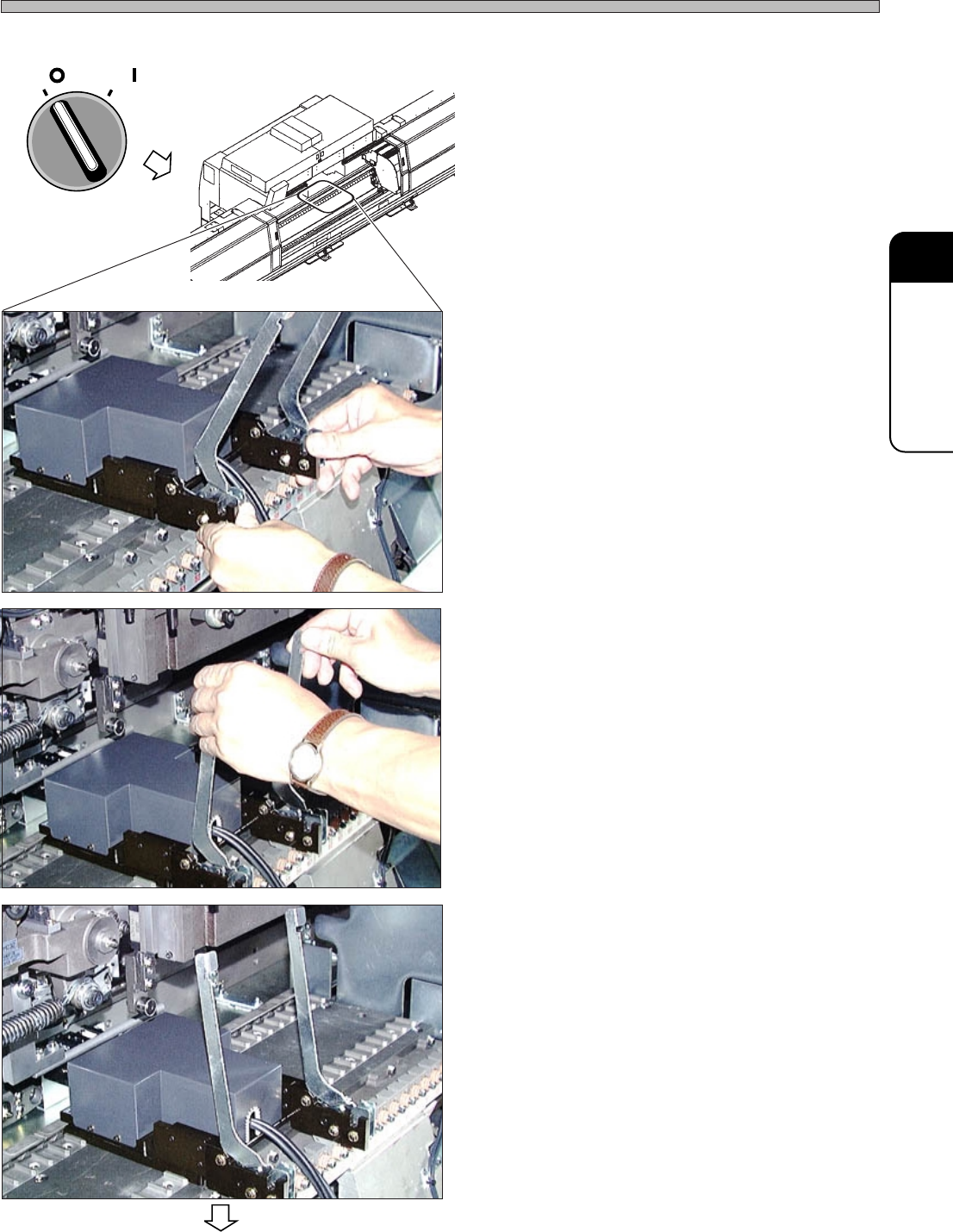
5. Turn OFF the servo switch.
6. Open the rear center safety cover.
7. Set the camera jig onto the table.
1. Remove the cover from the camera jig, then
put the jig onto the table. At this time, the
center of the jig should be at the pickup
position.
• The center of the camera jig should be the
following position.
CM88S-M : No.48
CM88S-M1 : No.9
∗ Make sure that no dust is stuck on the setting
side between the table and the camera jig.
∗ When setting and removing the camera jig, be
careful that the jig does not interfere with the
nozzles on the head.
2. Push the toggle levers.
(The picture on the left indicates the state that
the levers are set.)
OFF ( )
ON ( )
SERVO
3Y3C-143P
3Y3C-144P
3Y3C-145P
3Y3C-AI01
To the next page
Page 1-14
3Y3C-E-MMZ0A-A01-00
Pickup Position Calibration
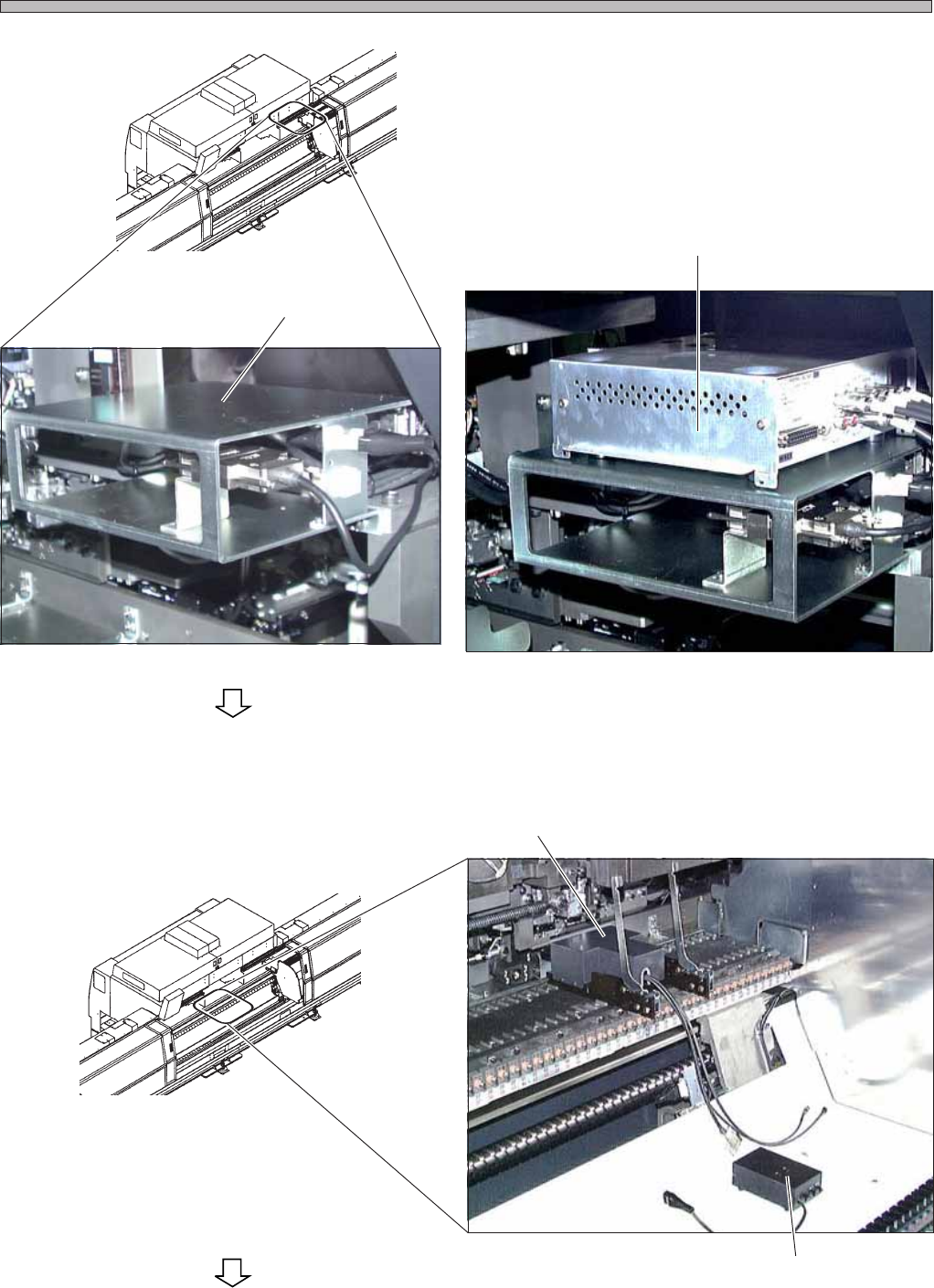
8. Put the CCU onto the setting position.
9. Put the power supply box onto the
setting position.
Setting Position
Power Supply Box
Camera Jig
3Y3C-146P
3Y3C-147P
3Y3C-148P
3Y3C-AI01
3Y3C-AI01
To the next page
CCU
Page 1-15
CALIBRATION
3Y3C-E-MMZ0A-A01-00
Pickup Position Calibration
Wiring
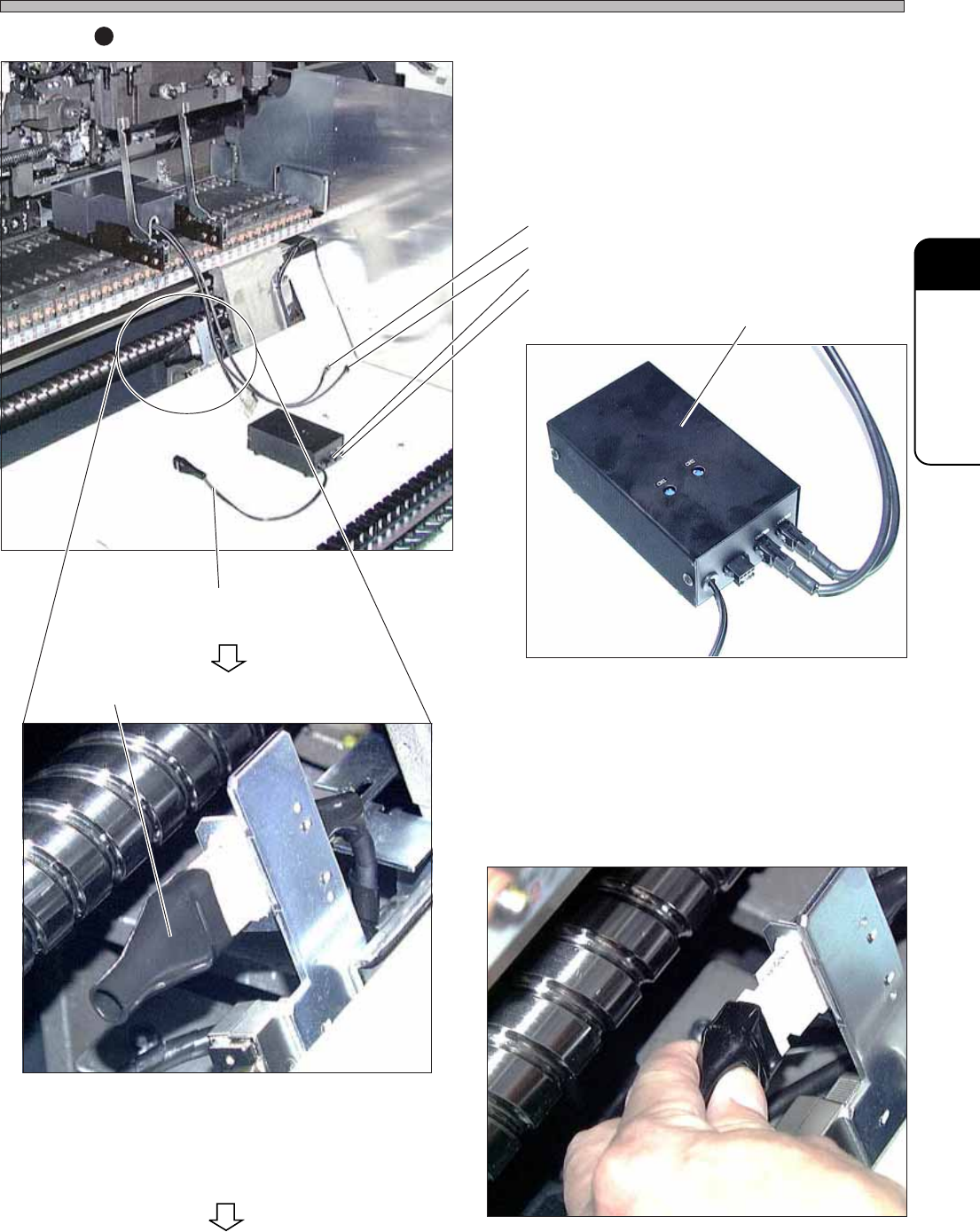
1. Connect the CH1 and CH2 of the
camera jig to the CH1 and CH2 of the
power supply box.
∗ Before connecting, make sure that the switch
of the power supply box is OFF.
2. Connect the power supply cord.
∗ Remove the terminator, then insert the power
supply cord.
Camera Jig CH1
Camera Jig CH2
Power Supply Box CH1
Power Supply Box CH2
Terminator
Power Supply Box
Power Supply Cord
3Y3C-148P
3Y3C-150P
3Y3C-149P
3Y3C-151P
To the next page