CM88Maintenace2x.PDF - 第11页
Page 2-11 MACHINE P ARAMETER 2 3Y3C-E-MMD02-A01-01 Line number The number (01 to FE) particular to the line given to the mounter line which is managed on PT100 which is connected with this mounter . Mach number The numbe…
Page 2-10
3Y3C-E-MMD02-A01-02
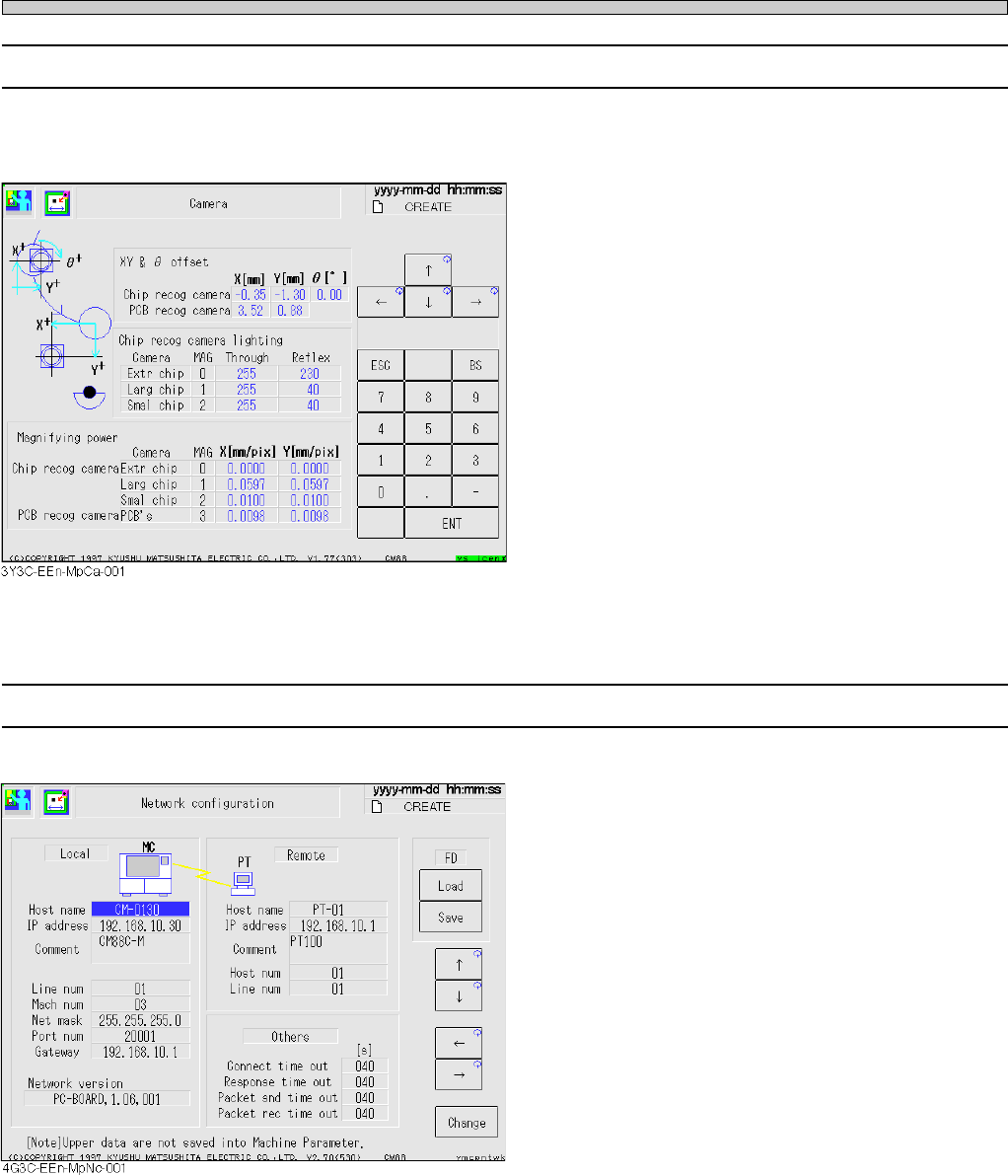
2-1-5 Camera Information
The offset values, lamp values, magnification, etc. of chip recognition camera and board recogni-
tion camera are displayed, so that you can check the data.
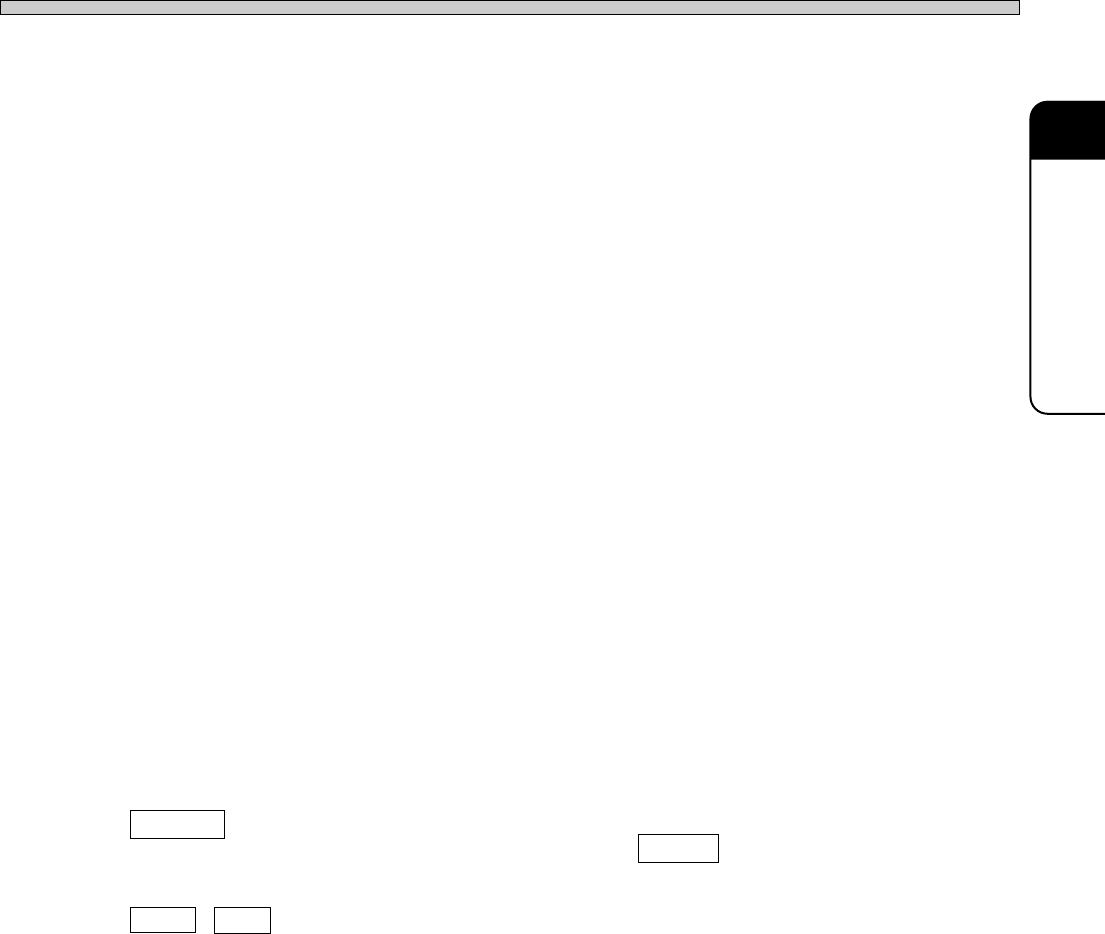
2-1-6 Network Configuration
This parameter is for setting communication with PT.
Host name
The name used on this mounter and the
network of the upper host (PT100) to be
connected with the mounter.
IP address
PT100 is communicated with the mounter
through TCP/IP.
“IP address” is the address given to CM88 and
each mounter separately, to make the network
through TCP/IP.
Host num
The number (01 to FE) given to each upper
host (PT100) separately. The mounter always
has “00.”
Items of Machine Parameter
Page 2-11
MACHINE PARAMETER
2
3Y3C-E-MMD02-A01-01
Line number
The number (01 to FE) particular to the line given to the mounter line which is managed on
PT100 which is connected with this mounter.
Mach number
The number given to each mounter. This is the individual number (01 to FE) in the same
line. The upper host always has “00.”
Net mask
The mask to be used with the IP address together, to use the network separately.
Port number
The number to determine the type of the network by TCP/IP. As a rule, use number 20001.
Gateway
The IP address of the relay for connecting the PT100 on other network with this mounter.
Connect time out
The time-out time from the network command by this mounter to be connected to PT100.
Response time out
The time-out time from connecting the network to the response returned.
Packet sending time out
The time-out time per packet for sending the file as machine data.
Packet receiving time out
The time-out time per packet for receiving the file as machine data.
Network version
PC port version in using PC board, and network system version in not using PC board.
Change
Moving the cursor to the item to change and pressing Change display the keyboard and
change the setting.
Load , Save
You can save/load the set data to/from a floppy disk (2DD).
Before using the floppy disk, format it by the file operation.
∗ Consult with the network manager of the manufacturer for the contents on this screen.
Items of Machine Parameter
Page 2-12
3Y3C-E-MMD02-A01-01
Items of Machine Parameter
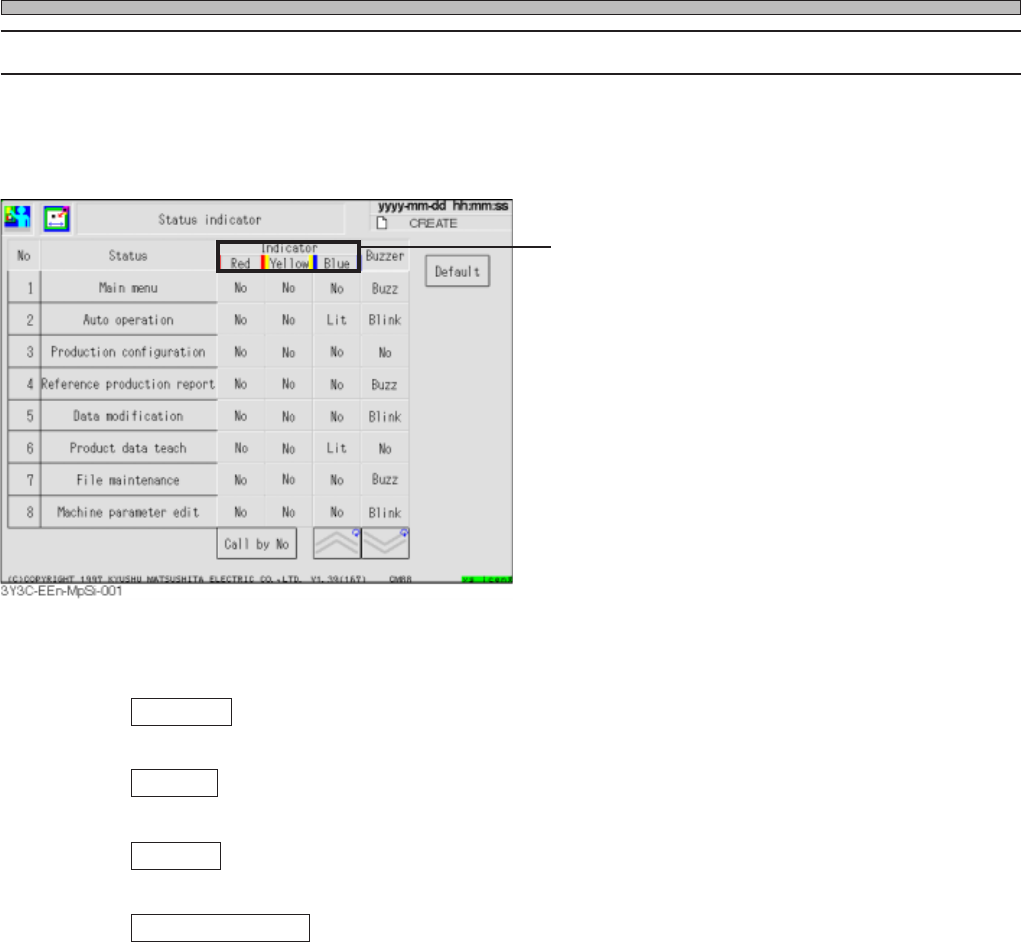
2-1-7 Status Indicator
This parameter enables to set indicator and buzzer under various states.
The display is arranged as the normal status (from the No. 1), the single/cycle stop error (from the
No. 27), and the emergency stop error (from the No. 53).
Press the button for the item to change under the optional status to change the setting.
Indicator
Indicator is set. No, Lit and Blink change in this order.
Buzzer
Buzzer is set. Buzz, Blink, and No change in turn.
Default
Pressing this initiates all setting to our standard.
Inspection by No.
Item of selected No. is displayed at the first of the figure.
Items of Machine Parameter
∗ As for CM88S-MU, [Yellow], [White], and
[Green] are displayed.