CM88Maintenace2x.PDF - 第21页
Page 2-21 MACHINE P ARAMETER 2 Machine Maintenance 2-2-1 Routine Maintenance Maintenance operation for CM88 is divided for each period, based on the run time. “Cycle time” for each item and “Run time” spent from the prev…
Page 2-20
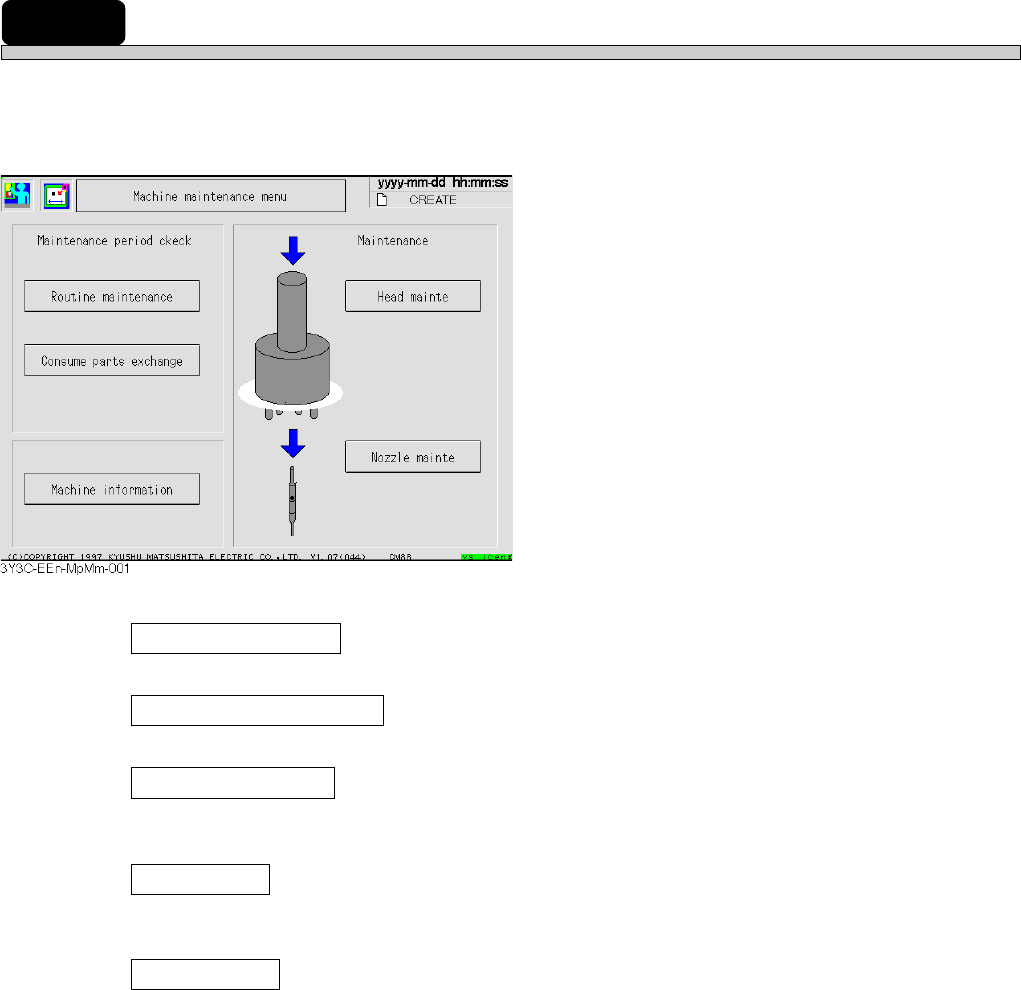
2-2 Machine Maintenance
To carry out routine maintenance effectively, information related to maintenance, supporting,
operation, and machine parameter teaching after operation are put in together.
Routine maintenance
The period of cleaning and lubrication for each period and operation history can be checked.
Consume parts exchange
The exchange period of consumable parts and operation history can be checked.
Machine information
Such information related to the machine as machine name or machine serial number or the
update history of system can be checked.
Head mainte
Removing and setting transfer heads are supported and a series of machine parameter teaching
required after maintenance operation is automatically carried out as “Head exchange teach.”
Nozzle mainte
Removing and setting nozzles are supported and a series of machine parameter teaching
required after maintenance operation is automatically carried out as “Nozzle exchange teach.”
3Y3C-E-MMD02-A01-02
Page 2-21
MACHINE PARAMETER
2
Machine Maintenance
2-2-1 Routine Maintenance
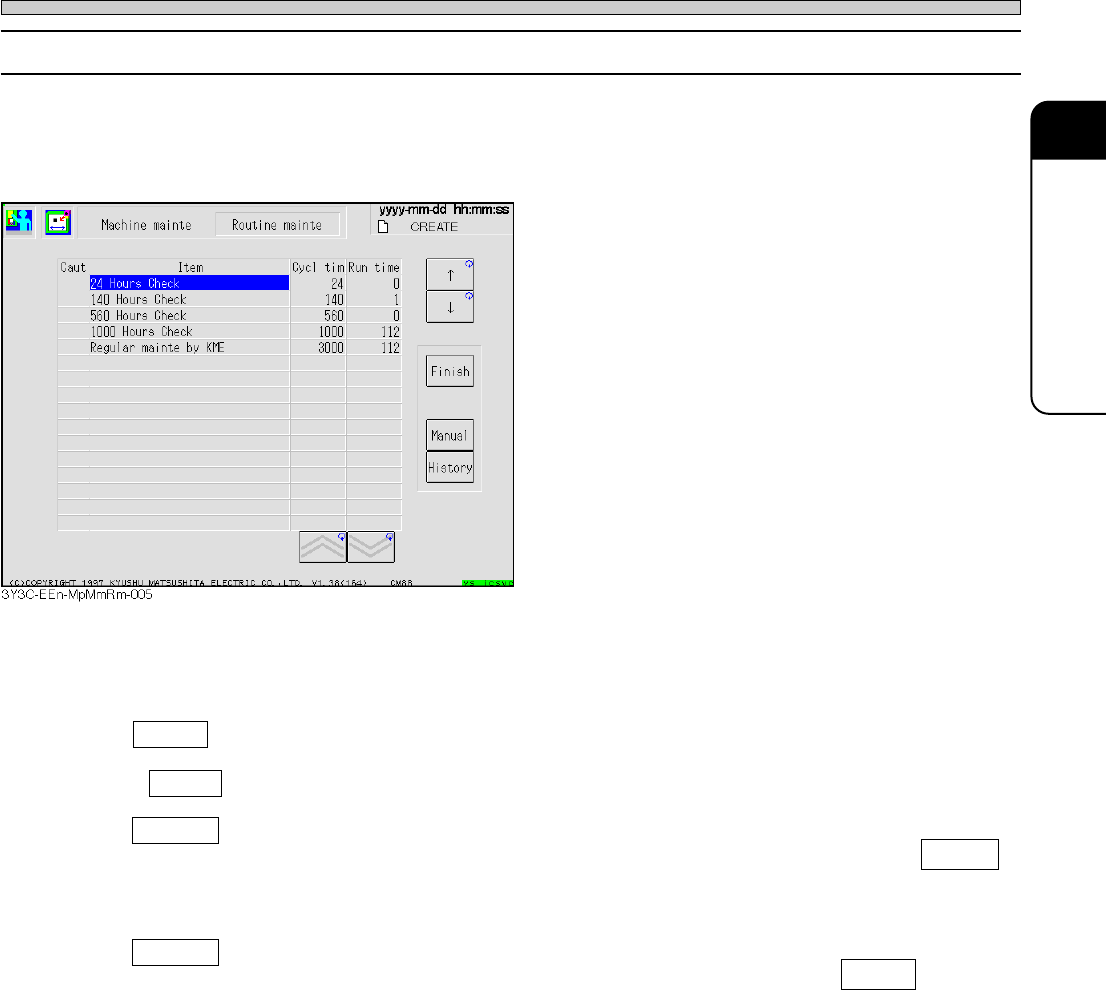
Maintenance operation for CM88 is divided for each period, based on the run time.
“Cycle time” for each item and “Run time” spent from the previous maintenance (the time when the
machine starts to run for the first operation) is displayed.
When “Run time” reaches 90 % of “Cycle time,” the warning blank under “Item” blinks in green, and
the item of which “Run time” is over the “Cycle time” blinks in yellow.
Finish
Move the cursor to the blank for “Item” at which the maintenance has been finished and press
Finish . “Run time” of that item is reset, and information is added to “History.”
Manual
Move the cursor to the blank for “Item” to get the contents of maintenance, and press Manual .
The “Manual” screen of “Machine maintenance” is displayed and you can see the item requiring
maintenance in that period.
History
Move the cursor to the blank for “Item” to get maintenance history, and press History .
The information screen of maintenance history related to that item appears.
3Y3C-E-MMD02-A01-03
Page 2-22
Machine Maintenance
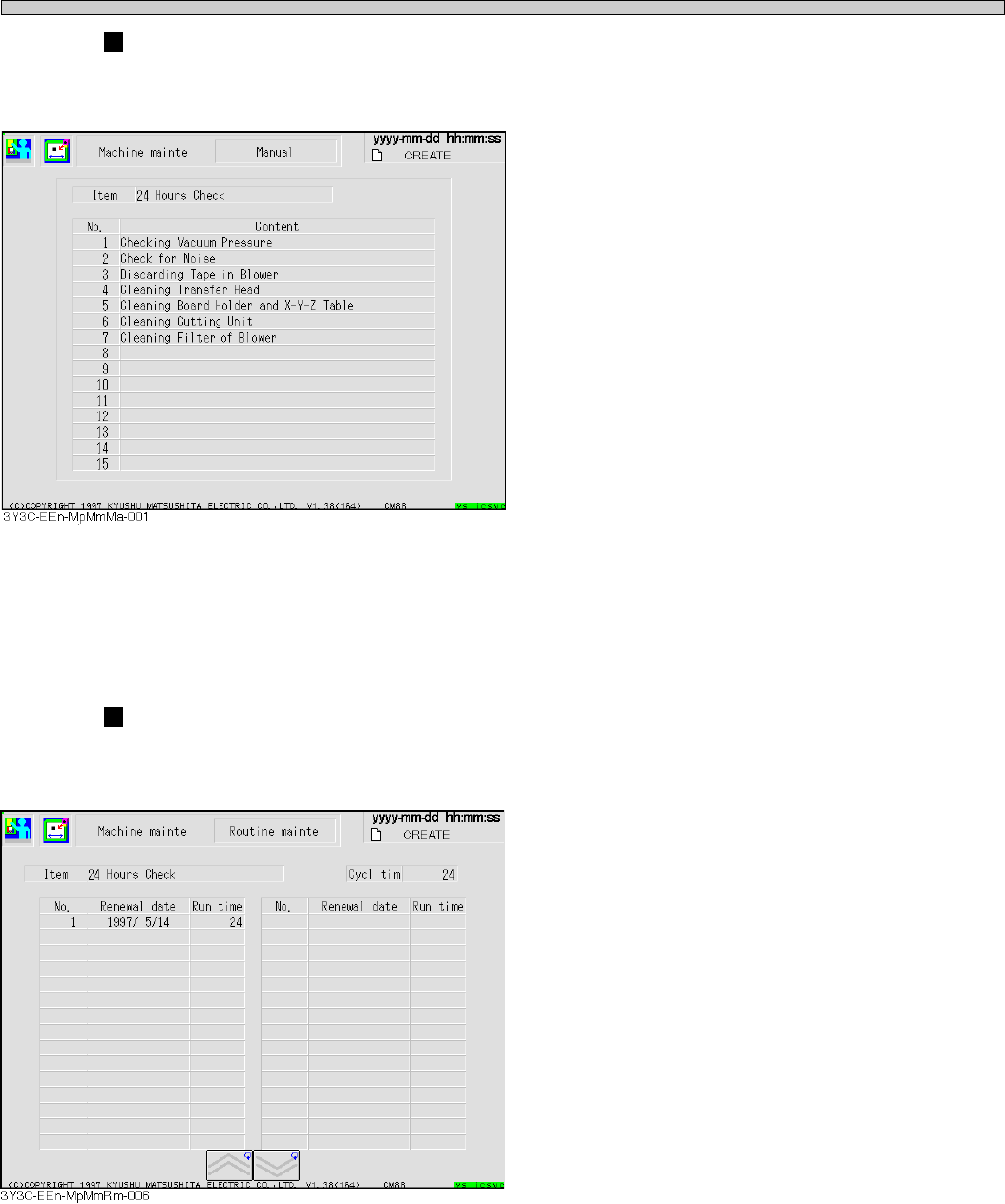
“Manual” screen
The contents of items selected on each screen of “Routine mainte” and “Consume parts exchange”
are displayed.
The maintenance operation needed for each period is displayed.
“History” screen
The history information of items selected on each screen of “Routine mainte” and “Consume parts
exchange” is displayed.
The date of maintenance and the run time before resetting are displayed in descending order.
3Y3C-E-MMD02-A01-02