00198611-01_IM_712.0_R18-2_EN.pdf - 第38页
Station Software Ver sion 712.0 (R18 - 2) / Installation Manual 11/2018 Edition 38 Figure 5-25: Error station software and language pack
Station Software Version 712.0 (R18-2) / Installation Manual 11/2018 Edition
37
5.4.1 Error Handling
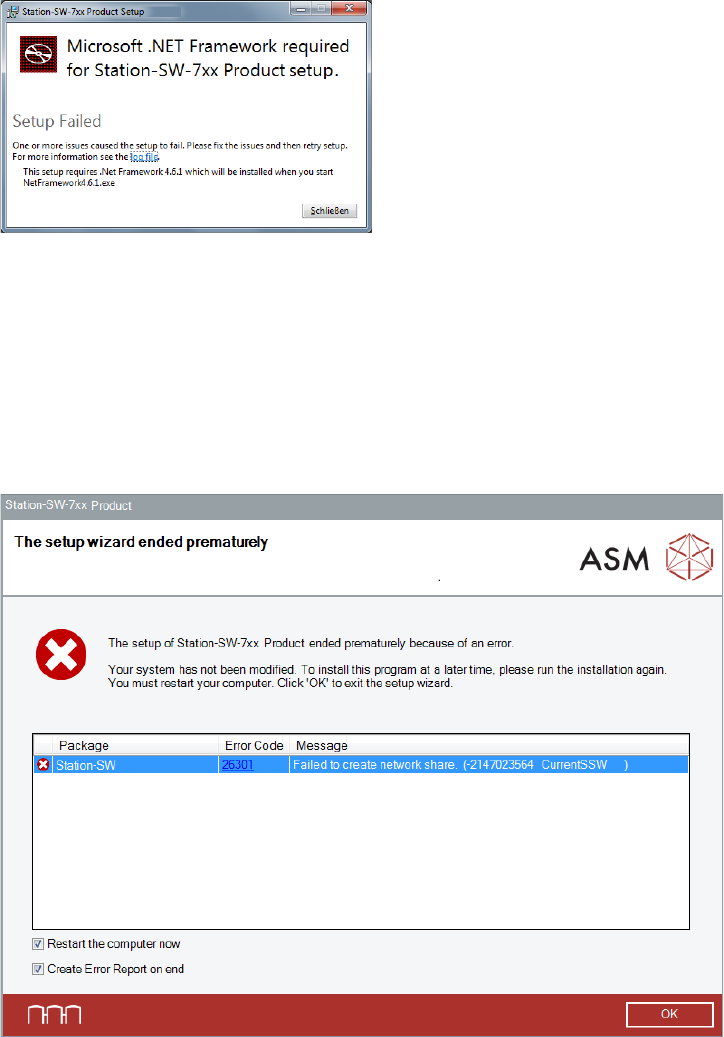
The following error message may be displayed after starting the station software installation.
Figure 5-23: Failing .NET Framework installation
In this case, .NET Framework 6.4.1 must be installed manually.
► Click Close to exit the setup wizard.
► Install .NET Framework 4.6.1. Please refer to section 5.3.2.
► Start the BundleInstaller.exe file to run the installation again.
If an error occurs during installation, the setup is interrupted and the following dialog box displayed.
Figure 5-24: Error during installation
► Ensure that the Restart the computer now option is selected (default).
► Ensure that the Create Error Report on end option is selected (default).
► Click OK to exit the setup wizard.
You will be prompted to store the Error Report (as zip file).
► After the problem has been solved, start the BundleInstaller.exe file to run the installation
again.
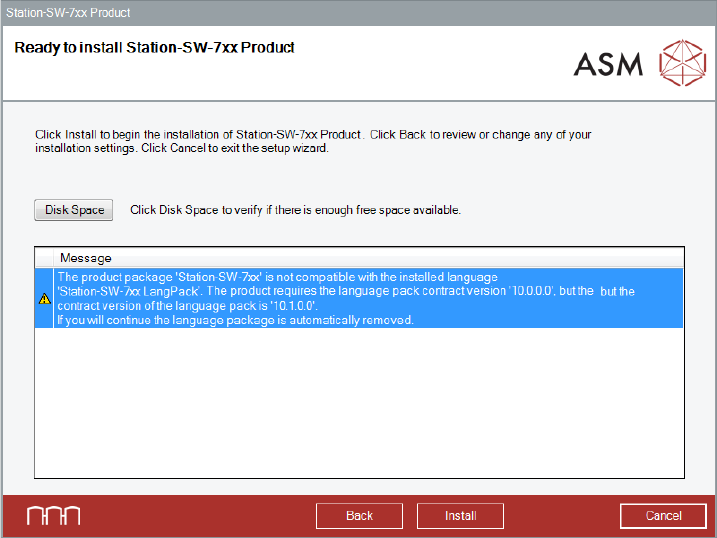
If you install station software 712.x and station software Language Pack of a lower version is still
installed, a correspondent error message is displayed. If you continue installing the station
software, the station software Language Pack will be automatically removed.
Station Software Version 712.0 (R18-2) / Installation Manual 11/2018 Edition
38
Figure 5-25: Error station software and language pack
Station Software Version 712.0 (R18-2) / Installation Manual 11/2018 Edition
39
5.5 Installing Product Patches
If patches are available for the station software, these must be installed separately.
► Log in under the ASM_Admin user account.
► Insert the installation media and mount the *.iso file.
► Open Windows Explorer.
► Double-click the Station_SW_Patches.exe file to start installing the product patches for the
station software.
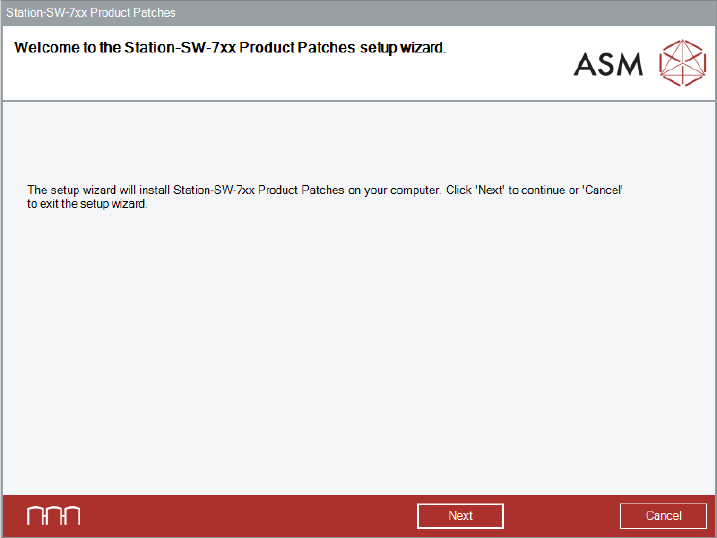
► The Welcome dialog box of the patches setup wizard is displayed.
Figure 5-26: Welcome dialog box
► Click the Next button.