00198611-01_IM_712.0_R18-2_EN.pdf - 第44页
Station Software Ver sion 712.0 (R18 - 2) / Installation Manual 11/2018 Edition 44 5.6 Installing S tation Software Lan guage Pack The Software SIPLACE F oreign L anguage s SC 71 2.0 can be dow nloaded from the AS M Down…
Station Software Version 712.0 (R18-2) / Installation Manual 11/2018 Edition
43
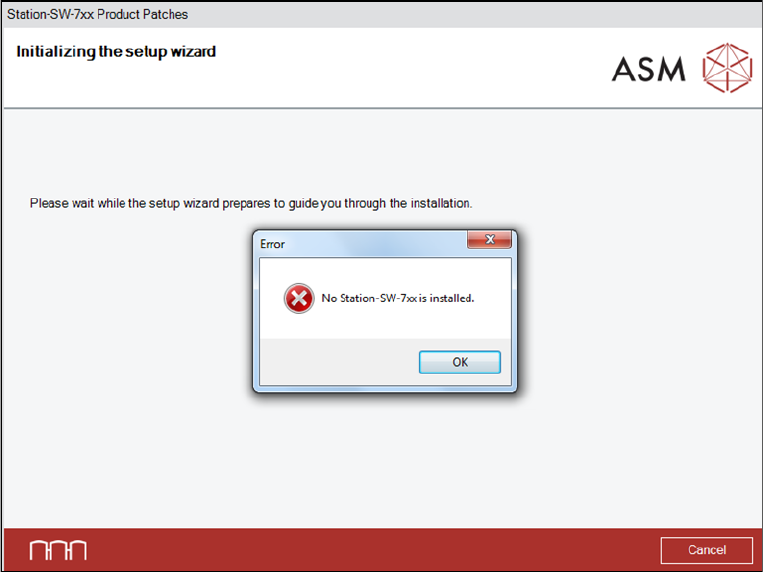
Figure 5-33: No suitable station software version installed
► Click the OK button to exit the setup wizard.
► After the problem has been solved, start the Station_SW_Patches.exe file to run the installation
again.

Station Software Version 712.0 (R18-2) / Installation Manual 11/2018 Edition
44
5.6 Installing Station Software Language Pack
The Software SIPLACE Foreign Languages SC 712.0 can be downloaded from the ASM Download
Center.
5.6.1 Contents
The *.iso file contains:
– Texts relating to the station computer user interface (siplacestationgui_xxx.qm)
– Texts relating to SIPLACE Vision (vision_yyyy.dll)
– Online help of the station computer (directory: xxx\stationgui)
– Online help of SIPLACE Vision (directory: xxx\SIPLACEVision)
– Fonts for the installation of the Asian languages
xxx and yyyy serve as wildcards for the language code.
The following national languages are available for the user interface. At delivery, only the national
language is installed.
Language Abbreviation Code
German ger 1031
English eng 1033
French fra 1036
Italian ita 1040
Spanish (Mexican) esm 2058
Portuguese (Brazilian) ptb 1046
Bulgarian bgr 1026
Czech csy 1029
Hungarian hun 1038
Romanian rom 1048
Polish plk 1045
Russian rus 1049
Chinese (Simplified) chs 2052
Japanese jpn 1041
Korean kor 1042
Vietnamese vit 1066
Table 5-1: Available languages
Station Software Version 712.0 (R18-2) / Installation Manual 11/2018 Edition
45
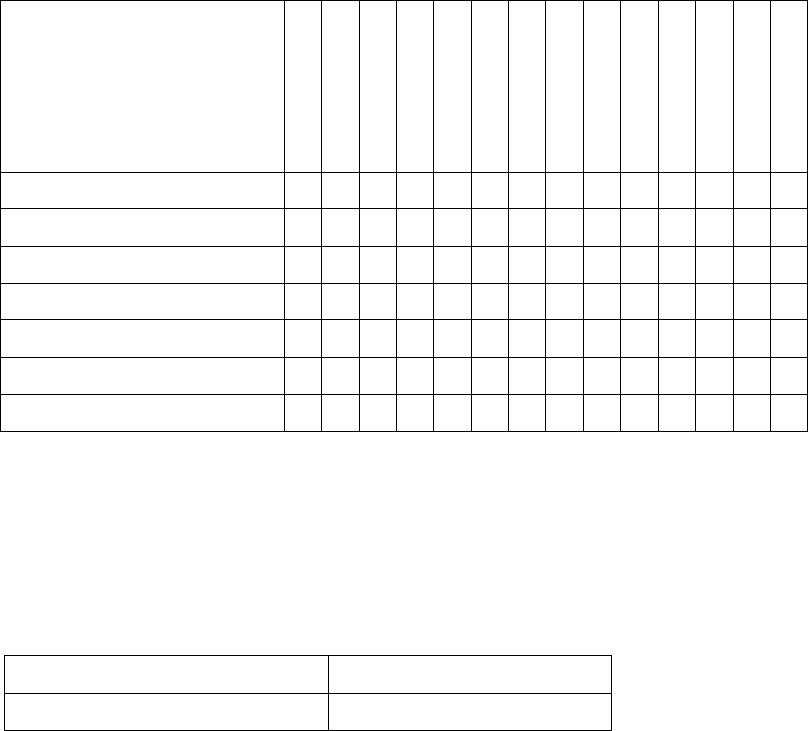
The following files and directories are contained:
French
Italian
Spanish
Portuguese
Bulgarian
Czech
Hungarian
Romanian
Polish
Russian
Simpl. Chinese
Japanese
Korean
Vietnamese
GUI
siplacestationgui_xxx.qm X X X X X X X X X X X X X X
Vision_yyyy.dll X X X X X X X X X X X X X X
Online Help
xxx\stationgui X X X X X X X X
xxx\SIPLACEVision X X X X X X X X
Table 5-2: Files and directories on DVD
The already existing German and English files are not included.
5.6.2 Prerequisites
The following software package is prerequisite to be able to install the Language Pack:
SIPLACE station software SIPLACE Vision
Version 712.0 Version 561
If this software package is not available or if an incorrect version is installed, an error message
occurs and the installation is aborted.
5.6.3 Installing Language Pack
Follow the instructions listed below to install the Language Pack successfully.
► Log in under the ASM_Admin user account on the station computer.
► Download the *.iso file to the computer and mount it.
► Open Windows Explorer.
► Double-click the BundleInstaller.exe file to start installing the Language Pack.