00198611-01_IM_712.0_R18-2_EN.pdf - 第54页
Station Software Ver sion 712.0 (R18 - 2) / Installation Manual 11/2018 Edition 54 The Packages and F eatures dialog box is displayed. Figure 6-3: Packages and Featur es ► Click the Next button. The Select vision compute…
Station Software Version 712.0 (R18-2) / Installation Manual 11/2018 Edition
53
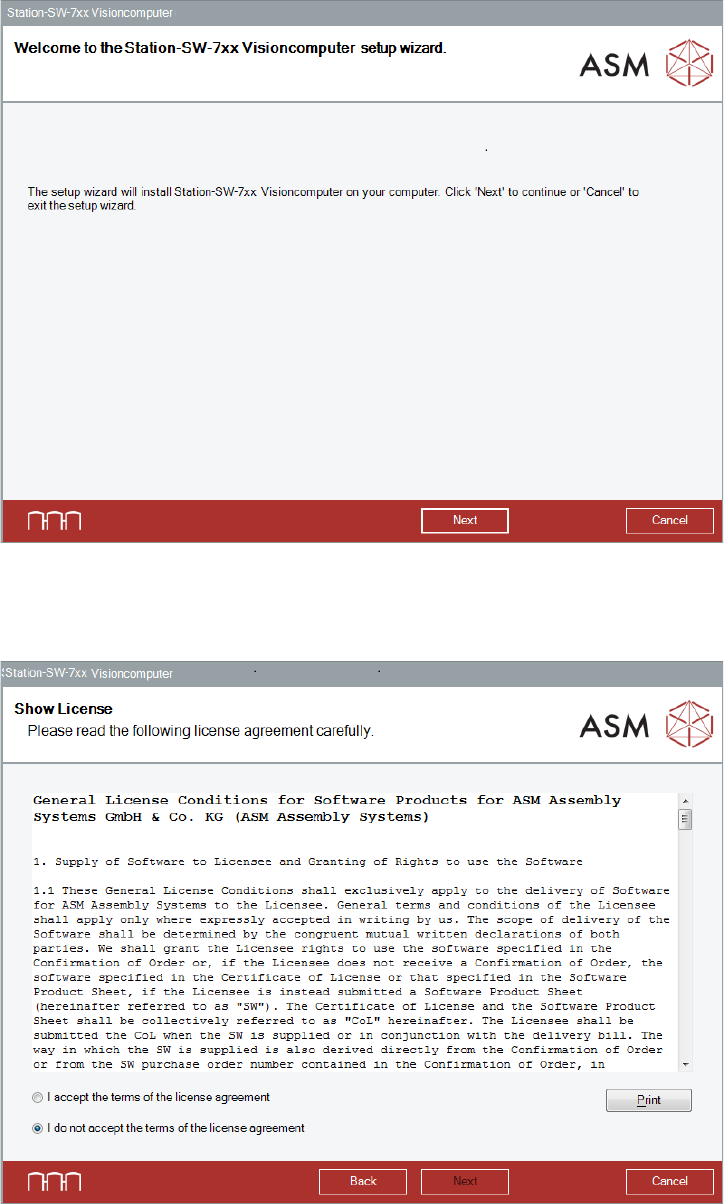
The Welcome dialog box of the Visioncomputer setup wizard is displayed.
Figure 6-1: Welcome dialog box
► Click the Next button.
The Show License dialog box is displayed.
Figure 6-2: Accepting license
Station Software Version 712.0 (R18-2) / Installation Manual 11/2018 Edition
54
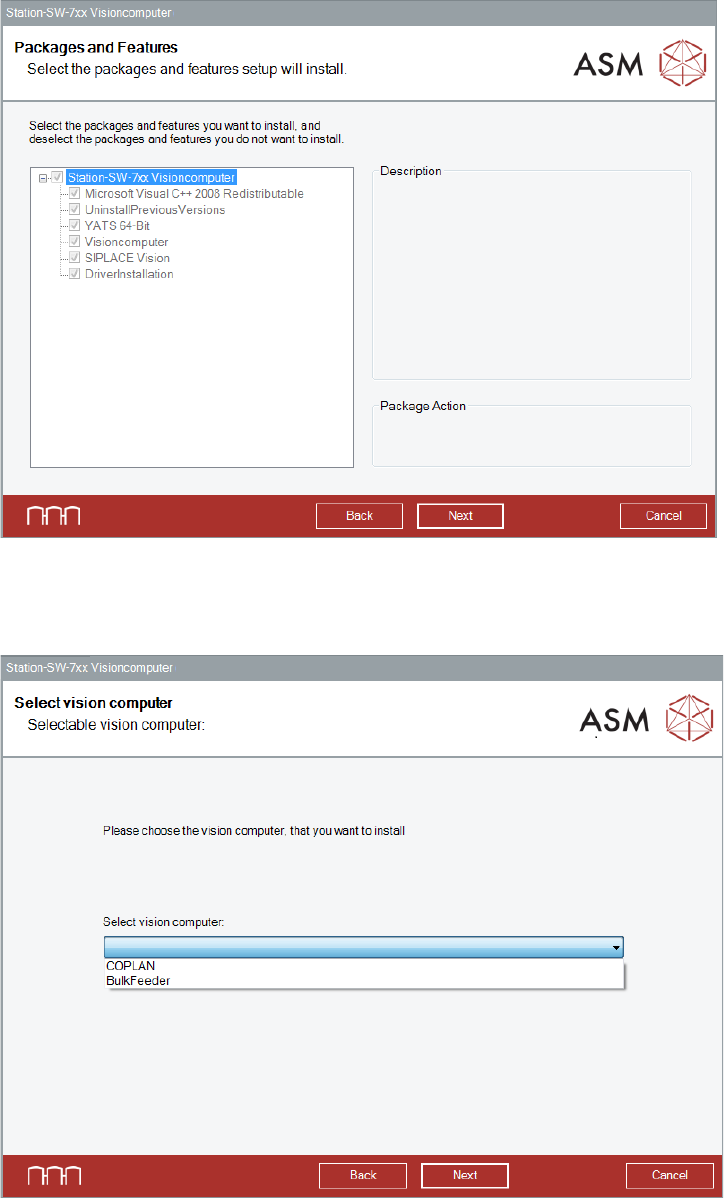
The Packages and Features dialog box is displayed.
Figure 6-3: Packages and Features
► Click the Next button.
The Select vision computer dialog box is displayed.
Figure 6-4: Selecting machine type
► Select COPLAN to install the Coplan computer software.
Or:
► Select BulkFeeder to install the feeder computer software.
► Click the Next button.
Station Software Version 712.0 (R18-2) / Installation Manual 11/2018 Edition
55
NOTICE
The Coplan computer software and feeder computer software cannot be combined with
each other!
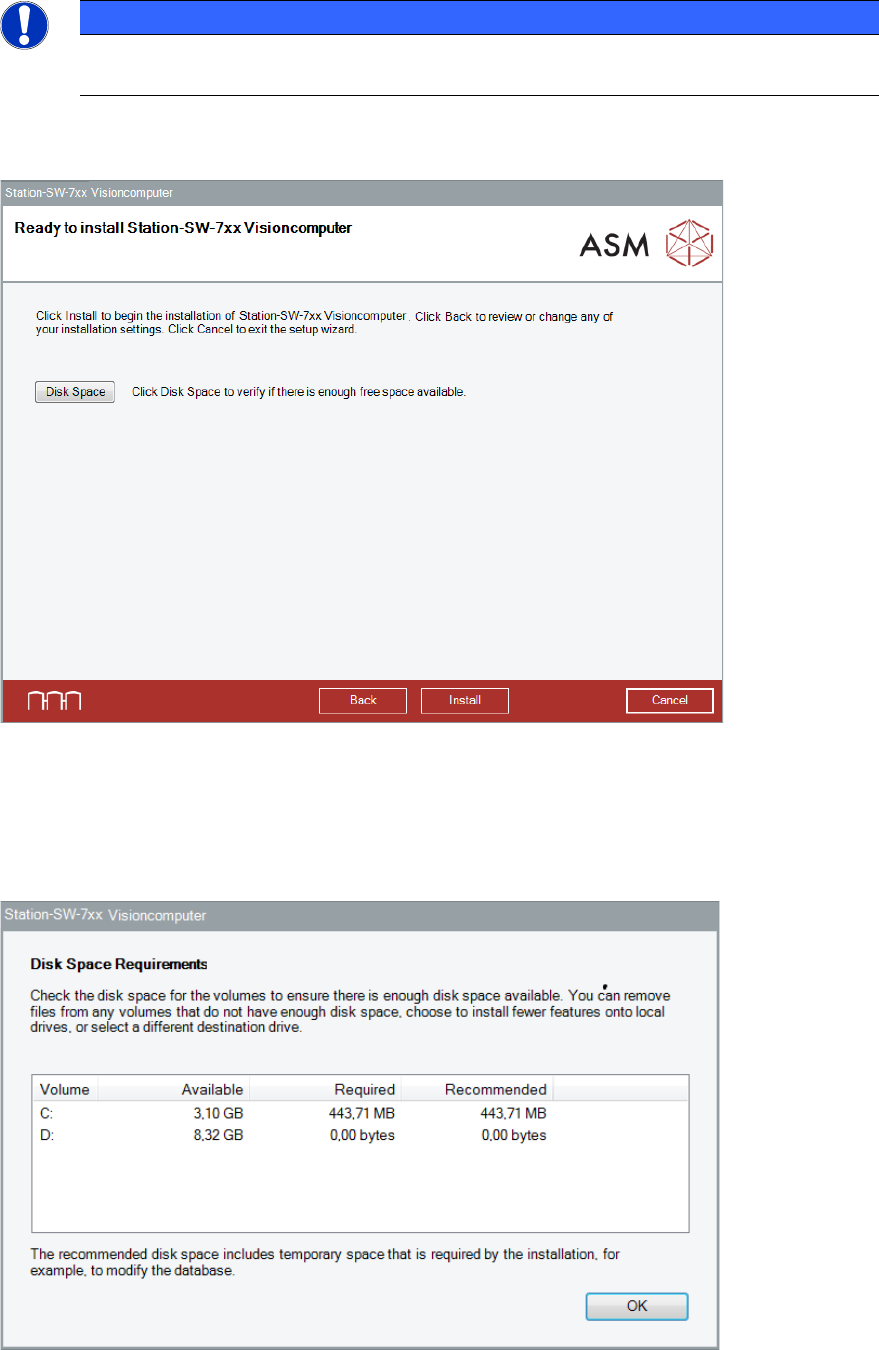
The Visioncomputer software is now ready to be installed. The following dialog box is displayed.
Figure 6-5: Ready for installation
Before installing, you can check the available, required and recommended disk space (per drive) to
perform the installation.
► Click the Disk Space button.
The Disk Space Requirements dialog box is displayed.
Figure 6-6: Disk Space Requirements
► Click the OK button.