00198611-01_IM_712.0_R18-2_EN.pdf - 第69页
Station Software Ver sion 712.0 (R18 - 2) / Installation Manual 11/2018 Edition 69 The Packages and F eatures dialog box is displayed. Figure 8-2: Modifying Pac kages and Features All software compon ents are enabled by …
Station Software Version 712.0 (R18-2) / Installation Manual 11/2018 Edition
68
8 Modifying the Installation
The Modify option allows you to change the current installation entries, e.g. machine ID, serial
number and machine type.
8.1 Modifying the Station Software Installation
► Log in under the ASM_Admin user account on the station computer.
► Insert the installation media and mount the *.iso file.
► Open Windows Explorer.
► Double-click the BundleInstaller.exe file to modify the station software.
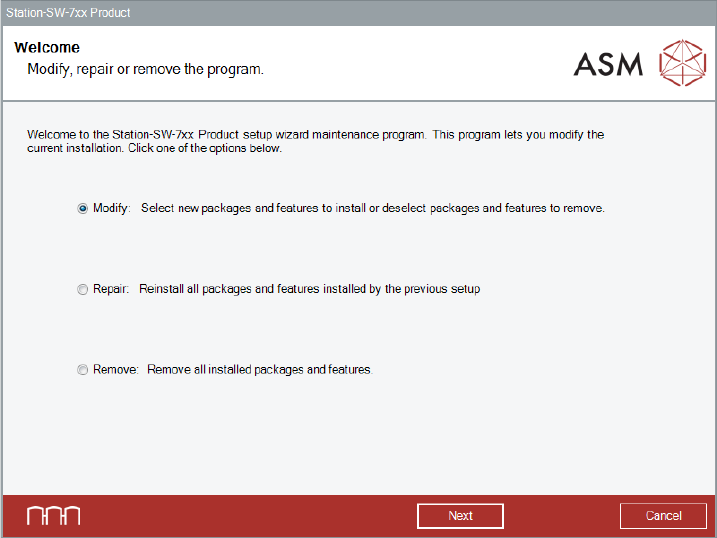
The Welcome dialog box is displayed.
Figure 8-1: Welcome dialog box
► Select Modify.
► Click the Next button.
Station Software Version 712.0 (R18-2) / Installation Manual 11/2018 Edition
69
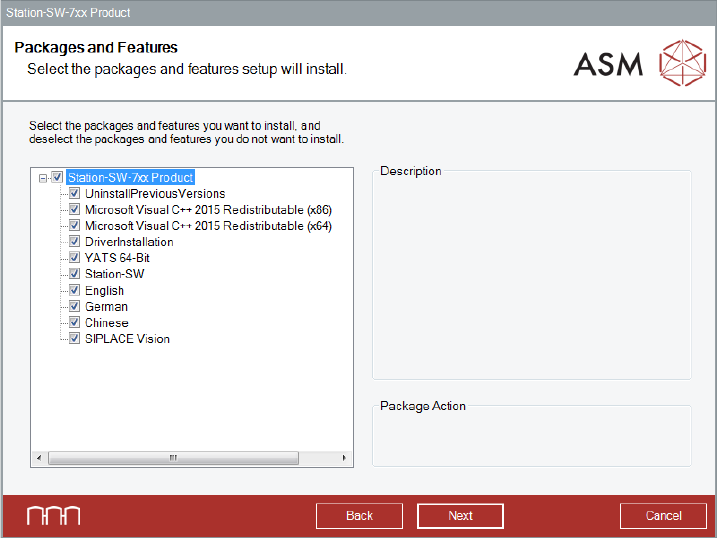
The Packages and Features dialog box is displayed.
Figure 8-2: Modifying Packages and Features
All software components are enabled by default.
► Leave them enabled if you want to modify the station software!
However, you can select single packages and features to be installed or uninstalled.
► After you have made your choice, click the Next button.
The subsequent dialog boxes depend on which packages and features you have selected.
After the modified installation has been completed, it is recommended to restart your computer for
all changes to take effect.
Station Software Version 712.0 (R18-2) / Installation Manual 11/2018 Edition
70
9 Repairing the Installation
With the Repair option, you can try to repair a defective installation, e.g. if you suspect that files
were deleted.
9.1 Repairing the Station Software Installation
► Log in under the ASM_Admin user account on the station computer.
► Insert the installation media and mount the *.iso file.
► Open Windows Explorer.
► Double-click the BundleInstaller.exe file to repair the station software.
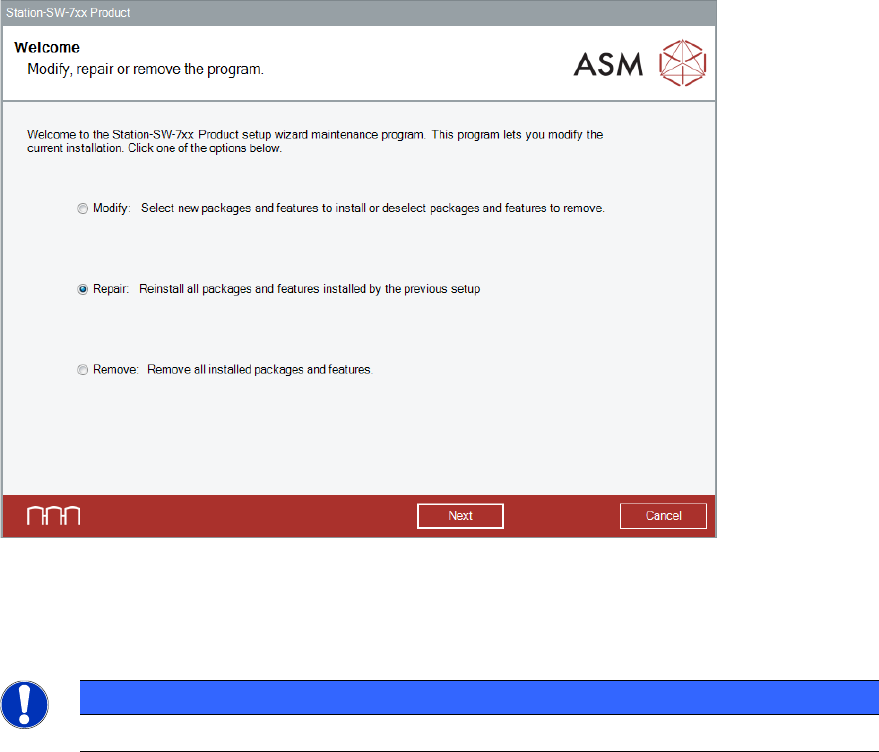
The Welcome dialog box is displayed.
Figure 9-1: Welcome dialog box
► Select Repair.
► Click the Next button.
NOTICE
The installed features and packages cannot be redefined when using the Repair option.