KE-750_MS.pdf - 第115页
3. Front/Rear Cover Open Switch Replacement (1) Remove connector from operation switch PWB. (2) Cut away cable tie, remove stop screw (SL4031491SC) and replace. (3) After replacing, adjust cover open switch. Method – Loo…
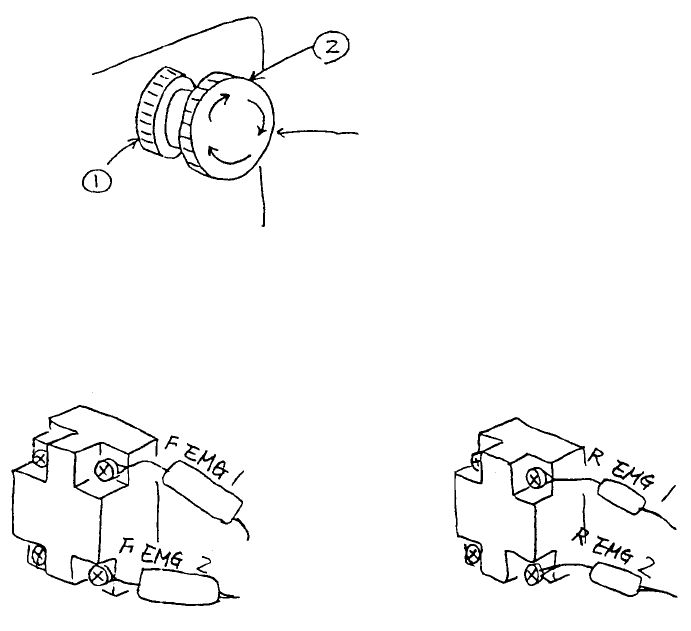
2. Emergency Stop Switch Replacement
(1) Remove emergency stop switch knobs (1) & (2) and remove switch from the back of the panel.
(2) Disconnect cable bundle in back side of switch with a screwdriver and replace switch.
* For replacement, connect cable bundle as shown below.
Front emergency switch Rear emergency switch
HA002040000
Push switch
Fig. 11-2-1
Fig. 11-2-2
1-107
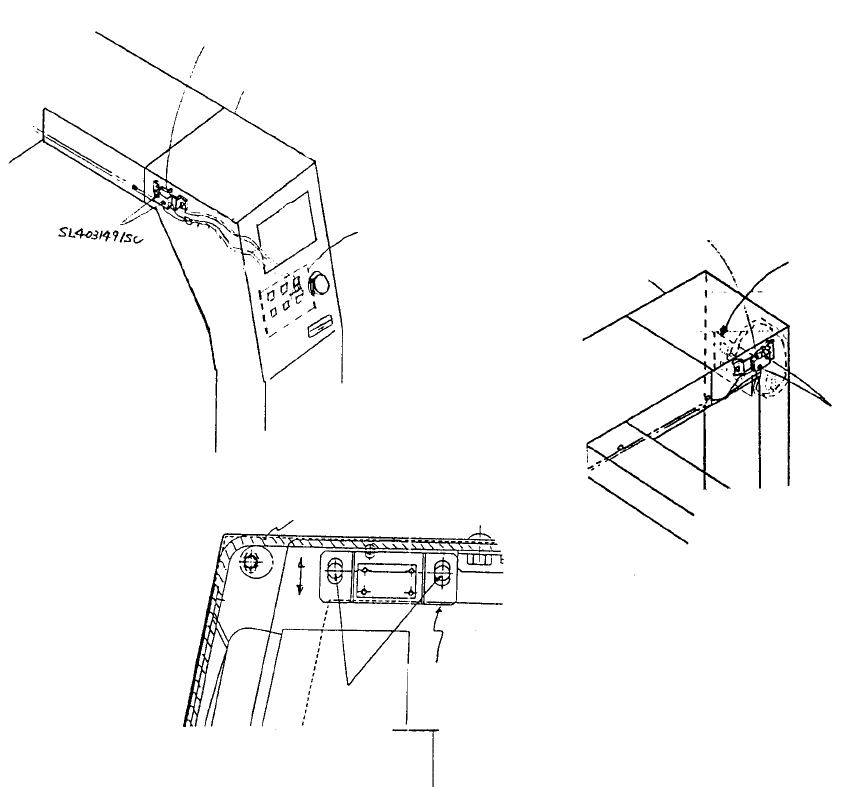
3. Front/Rear Cover Open Switch Replacement
(1) Remove connector from operation switch PWB.
(2) Cut away cable tie, remove stop screw (SL4031491SC) and replace.
(3) After replacing, adjust cover open switch.
Method
– Loosen both cover open switch screws and move up & down. Fasten in the position where limit
switch clicks.
(4) Reassemble in reverse sequence.
Cover open switch
bracket
Cover open
switch bracket
screw
Front of safety cove
r
Cover open switch
bracket adjustment
Operation switch PWB connector position
Front cover open switch CN726
Rear cover open switch CN736
Operation
switch PWB
Cover RUL
Front cove
r
open switch
Operation
switch PWB
Cover FUR
Front cover open switch
Fig. 11-3-1
Fig. 11-3-2
Fig. 11-3-3
1-108
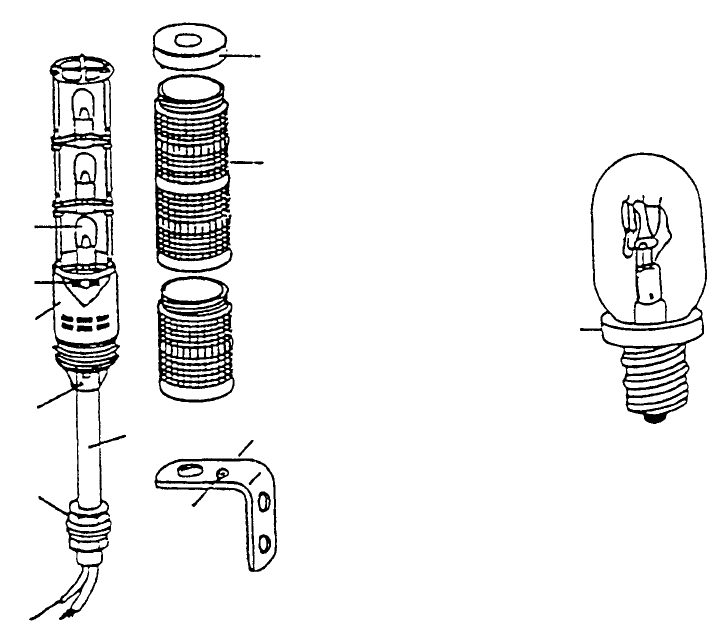
4. Potraito Light Bulb Replacement
When light burns out, follow the instructions to replace.
Sequence
(1) Switch power to main body of mounter OFF.
(2) Remove stop screw in upper part of signal light and remove head cover & globe. (Refer to Dia. 11 -
4 - 1.)
(3) Replace light bulb.
(4) Reassemble in reverse sequence.
Danger! To avoid serious injury due to shock, turn main power switch OFF.
Do not confuse a wall switch for the main power switch.
Braided rubbe
r
stopper
Mounting angle
Grounding
screw
Pole
Globe
Top cove
r
Hex nut
Allen head scre
w
(Worm screw
)
Body cove
r
Fuse holde
r
Light bulb
Fig. 11-4-1
1-109