KE-750_MS.pdf - 第171页
3.4.2 Display Menu Displays setting dialogs for selection in menu. Access to "3/Options" within "1/Initial s et-up" is not possible for units where the option is not yet installed. (1) Default Setting…

3.4 Menu Layout
3.4.1 Menu Headings
The table below lists menu headings.
No. Menu Item Contents
1 Initial Setting Rough Home Adjustment Rough adjust of home for home return operation
2 Kinds of Head Each head by type
3 Conveyor Specifications PWB conveyor specifications and setting of board size
4 Options Y/N setting of option units
5 Servo Gain Sets gain for servo motors in all the various axes
6 Operating Specifications Sets operating specifications for special applications
7 XY Correction Coefficients Sets XY correction coefficients
8 Comments Sets revision and comment reports
9 Offset OCC Offset Sets OCC offset values
10 Adjustment CAL Block Offset Sets offset values related to CAL block
11 Laser Offset Sets offset values related to laser
12 Head Offset Sets offset values related to heads and head sensors
13 VCS Offset Sets offset values related to VCS
14 Coplanarity Offset Sets offset values related to lead float inspection
15 ATC Offset Sets offset values for ATC
16 CVS Offset Sets offset values for parts verification
17 AWC Offset Sets offset values for auto board width adjustment origin
18 Pick Point Position Offset Sets offset values for pick point position
19 General Mounting Offset Sets general mounting offset values
20 Head Wait Position Sets head wait position
21 Printing Prints set values
22 Various File Save Saves set values in file
23 File Open Reads set values from memory
24 EEPROM Clear Erases total domain of EEPROM
25 VCS Version Upgrade For transmission of program to imaging equipment
2-3
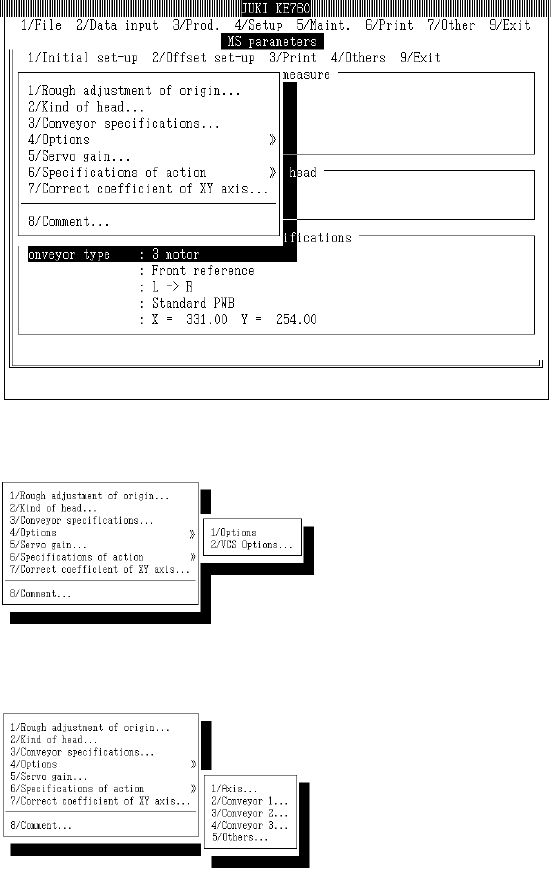
3.4.2 Display Menu
Displays setting dialogs for selection in menu.
Access to "3/Options" within "1/Initial set-up" is not possible for units where the option is not yet
installed.
(1) Default Setting
Select [1/Initial set-up] from menu and commands will appear.
c Optional
d Operating Specifications
2-4
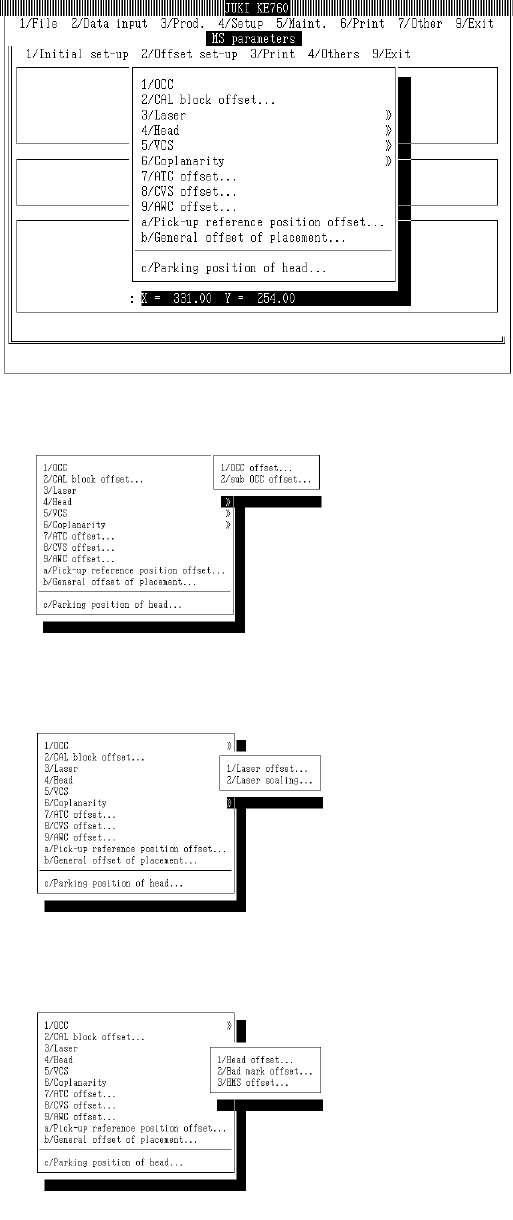
(2) Offset Setting
Select "2/Offset set-up" from menu bar and commands will appear.
c OCC
d Laser
e Head
2-5