KE-750_MS.pdf - 第177页
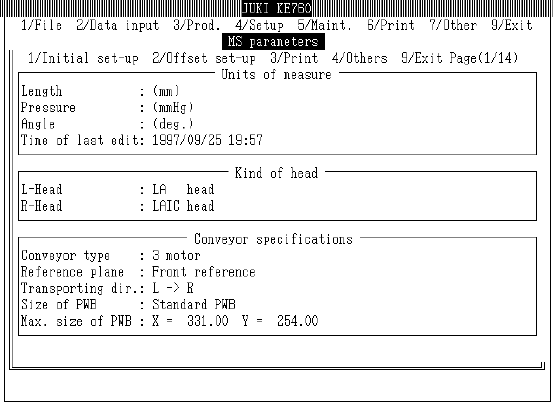
(1) Key Input - " " key : Scrolls up 1 column - " " key : Scrolls down 1 column - "Pg Up" key : Scrolls up 1 page - "Pg Dn" key : Scrolls down 1 page - "Tab" key : Screen…
3.6 Common Operation
3.6.1 Standard Operation
(1) Data Modification
When any dialog box is exited, the data that has been set (modified) reflects its condition at the
time of exiting.
Offset coordinate values reflect actually movement from origin.
Consequently, data merely set (modified) in a dialog box is not reflected.
When a box is exited with "Cancel", the set (modified) data in that dialog box is invalidated.
(2) Limitations
– Within setting dialogs "ORIGIN" switch is invalid. Pressing it will not cause return to origin.
– Within setting dialogs "STOP" switch is invalid. Pressing it will not interrupt automatic
measurement.
– Within setting dialogs "S-FREE" is invalid. Pressing it will not activate Servo Free / Servo
Lock.
– It is possible to use the feeder float sensor when setting jig or teaching. If the feeder float is
detected, go to "Machine Setup", "Units Used", "Feeder Float Sensor" and set for "Not Used".
3.6.2 Screen Scroll
(1) Parameter Overview Display
– Screen Scroll
The parameters displayed can be scrolled through with the operations below.
2-9
(1) Key Input
- " " key : Scrolls up 1 column
- " " key : Scrolls down 1 column
- "Pg Up" key : Scrolls up 1 page
- "Pg Dn" key : Scrolls down 1 page
- "Tab" key : Screen advances to next window
- "Shift" + "Tab" keys : Screen returns to previous window
- "Cntrl" + "Pg Up" keys, "Home" key : Displays first page
- "Cntrl" + "Pg Dn" keys, "End" key : Displays last page
(2) Track Ball, Mouse
- Click on " " key : Scrolls up 1 column
- Click on " " key : Scrolls down 1 column
- Hold " " key and click on "Scroll bar" : Scrolls up 1 page
- Hold " " key and click on "Scroll bar" : Scrolls down 1 page
- Drag "Scroll bar" : Scrolls in direction of movement
2-10
3.6.3 Control Menu
(1) Start Up
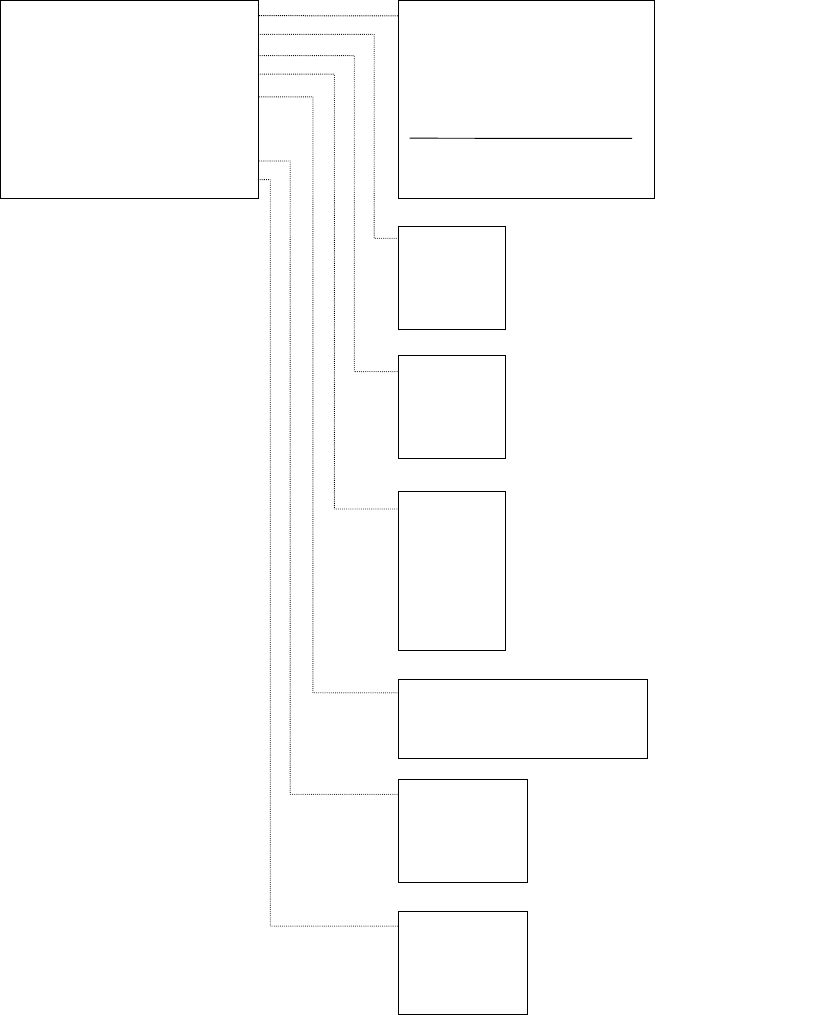
Pressing F9 key displays a pop up menu. Choose from menu to execute.
Access to "3/Option" within "1/Default Setting" is not possible for units where the option is not yet
installed.
(2) Menu Contents
1/All Axes
2/XY Axes
3/Z Axis
4/
θ
Axis
(With CAL Block No. 2 Mark Recognition)
(All Heads)
(All Heads)
1/Jig Mounting Position
2/CAL Block No. 1 Mark Position
3/CAL Block No. 2 Mark Position
4/CAL Block Center Position
5/Head Wait Position
6/Origin Position
7/Free Coordinates
1/XY Axis Movement >>
2/Origin Return >>
3/Vacuum Control >>
4/Lighting Control >>
5/Conveyor Control >>
6/ATC Slide Plate Control
7/AWC Origin Return
8/Histogram >>
9/Lightmap >>
(OCC Standard)
(OCC Standard)
(OCC Standard)
(OCC Standard)
(OCC Standard)
(OCC Standard)
(OCC Standard)
1/L Head
2/C Head
3/R Head
4/CAL Block
(With CAL Block No. 2 Mark Recognition)
(All Heads)
(All Heads)
1/Board Entry (Hole Std)
2/Board Entry (Size Std)
3/Board Exit
1/OCC
2/CAL Block
3/Std VCS
4/Opt VCS
5/BGA (Std)
6/BGA (Opt)
7/OCC22
(*)Note 1
1/OCC
2/Std VCS
3/Option VCS
4/OCC2
(*)Note 2
1/OCC
2/Std VCS
3/Option VCS
4/OCC2
(*)Note 3
9 (*)Notes 1, 2, 3
Not displayed on KE-730 and KE-740.
2-11