KE-750_MS.pdf - 第180页
4. Details of Operation 4.1 Rough Adjustment of Origin Select "1/Initial set-up" then "1/Rough adjustment of origin...", and the rough origin adjustment dialog will appear as follows. (1) Setting Head…
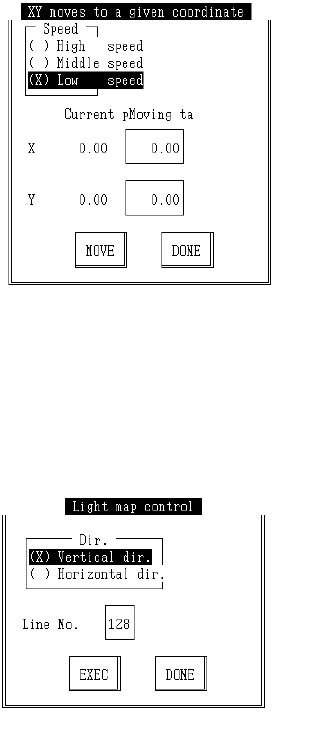
c Free Coordinate Movement
Select "1XY Move", then "7/Optional pos..." and the following dialog will appear.
Enter the target coordinates, select "Move" button, press F3 key and movement will be made
with OCC standard.
d Lightmap
Select "9/Light map" from the control menu and the following control dialog will appear.
Enter direction and line number, select "Enter" and press F3 to execute lightmap.
2-12
4. Details of Operation
4.1 Rough Adjustment of Origin
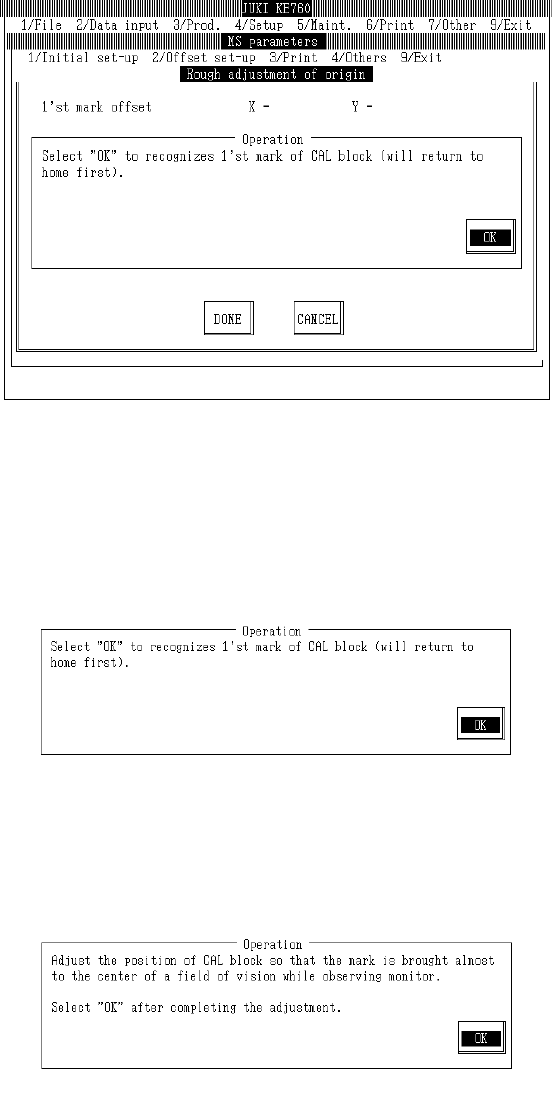
Select "1/Initial set-up" then "1/Rough adjustment of origin...", and the rough origin adjustment dialog
will appear as follows.
(1) Setting Headings
– There are no parameters for mechanical settings.
– When "Exit" is selected to close, the origin return dialog (with CAL block No. 1 mark recognition)
is usually omitted
(2) Method of Adjustment
Once preparations are completed, select "OK".
When "OK" is selected, machine returns to home and OCC moves to above CAL block No. 1 mark
and recognizes mark.
Based on the results of recognition, the offset value is displayed.
If an error occurs in mark recognition, offset display will clear.
2-13
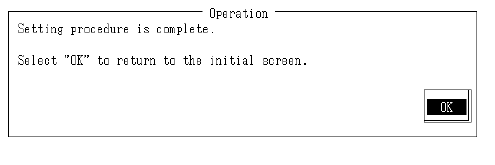
While watching OCC monitor, adjust position of No. 1 mark on the CAL block to near center of the
field of vision.
When adjustment cannot be completed with the CAL block, move XY origin sensor and adjust.
Setting is completed.
If CAL block or XY origin sensor positioning have been adjusted, select OK to repeat operation.
Verify position of No. 1 mark.
2-14