KE-750_MS.pdf - 第181页
While watching OCC monitor, adjust position of No . 1 mark on the CAL block to near center of the field of vision. When adjustment cannot be completed with the CAL block, move XY origin sensor and adjust. Setting is comp…
4. Details of Operation
4.1 Rough Adjustment of Origin
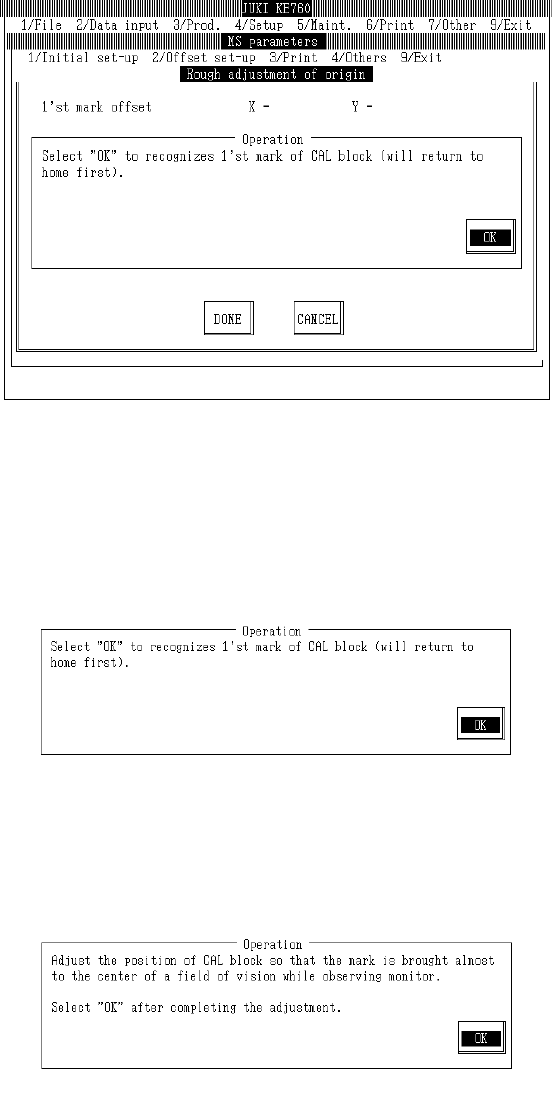
Select "1/Initial set-up" then "1/Rough adjustment of origin...", and the rough origin adjustment dialog
will appear as follows.
(1) Setting Headings
– There are no parameters for mechanical settings.
– When "Exit" is selected to close, the origin return dialog (with CAL block No. 1 mark recognition)
is usually omitted
(2) Method of Adjustment
Once preparations are completed, select "OK".
When "OK" is selected, machine returns to home and OCC moves to above CAL block No. 1 mark
and recognizes mark.
Based on the results of recognition, the offset value is displayed.
If an error occurs in mark recognition, offset display will clear.
2-13
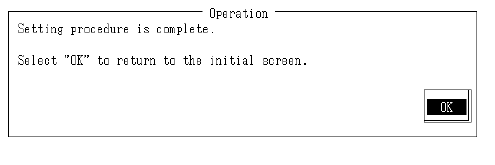
While watching OCC monitor, adjust position of No. 1 mark on the CAL block to near center of the
field of vision.
When adjustment cannot be completed with the CAL block, move XY origin sensor and adjust.
Setting is completed.
If CAL block or XY origin sensor positioning have been adjusted, select OK to repeat operation.
Verify position of No. 1 mark.
2-14
4.2 Head Types
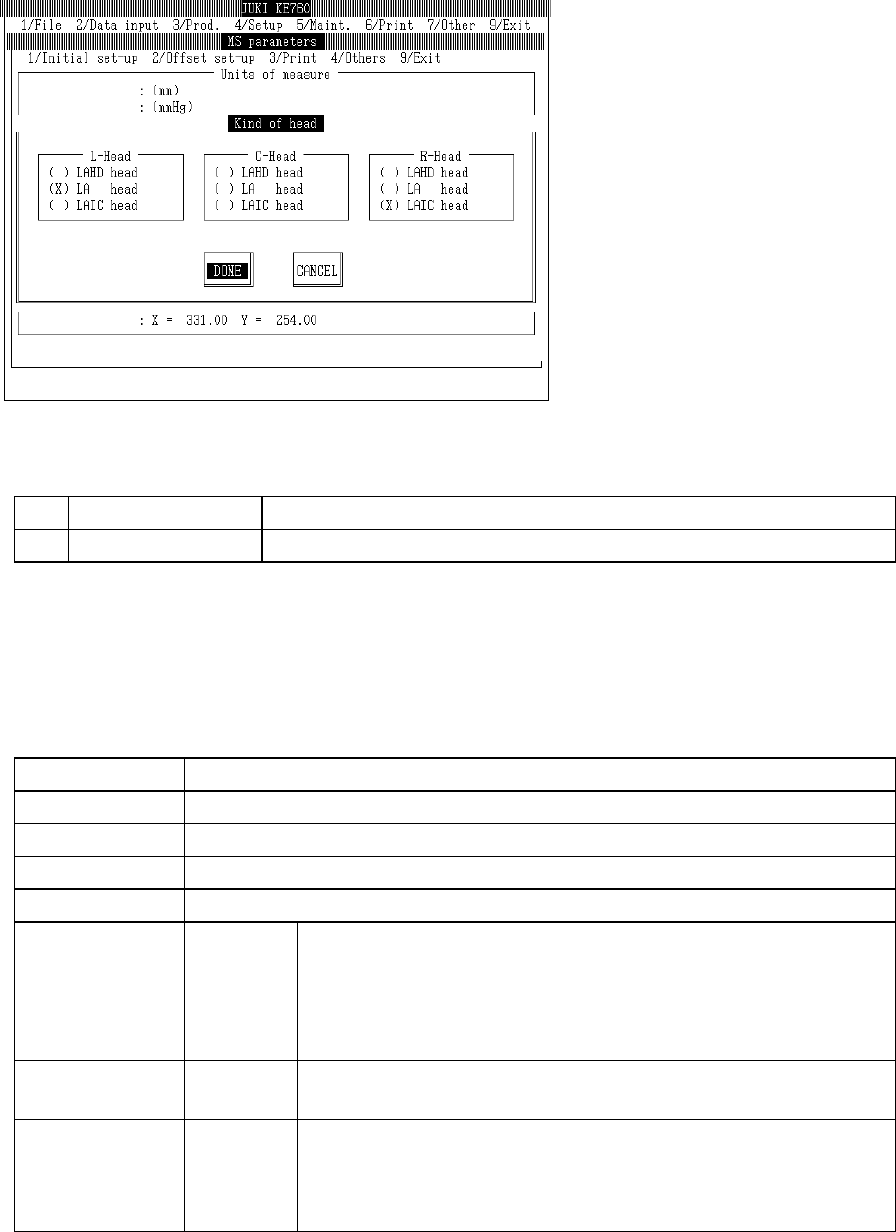
Select "1/Initial set-up" then "2/Kind of Head" and the head type setting dialog will appear as follows.
(1) Setting Headings
No. Item Contents
1 Kind of Head Laser sensor types by head
(2) Method of Setting
– Select items in (1) with the tuner button.
– When head type is changed, return laser and Z/ -axis MS parameters and mechanism control
parameters to default. Parameters must then be reloaded.
Parameter Default Settings
MS Parameters Servo Gain
Laser Offset (Board surface height, laser height)
Laser Scaling (Scaling, Rotation center of nozzle)
Head Offset (Assembling position, laser assembling angle)
Mechanism
Control
Parameters
Z Axis Max. speed, Acceleration, Dumping wait time
Incremental data increase in Z axis for 1 pulse
Mid / high speed ratio (%)
Low / high speed ratio (%)
Permissible Y coordinates for Z descent
θ Axis Max. speed, Acceleration, Dumping wait time
Incremental data increase in θ axis for 1 pulse
Laser Preload angle
Calculated wait time
Hold off count
Algorithm replacement threshold value (11, 11 & 11, -11)
After modifying settings and selecting "Exit", message box will appear requesting return to default or
reloading.
When "OK" is selected, all modified parameters in the head types selected will return to default.
2-15