KE-750_MS.pdf - 第194页
4.6.3 Various Select "1/Initial set-up" then "6/Specifications of action", "5/Others" and the dialog will appear as follows. (1) Setting Items No. Item Contents 1 3 - 1. Invalidate START swi…
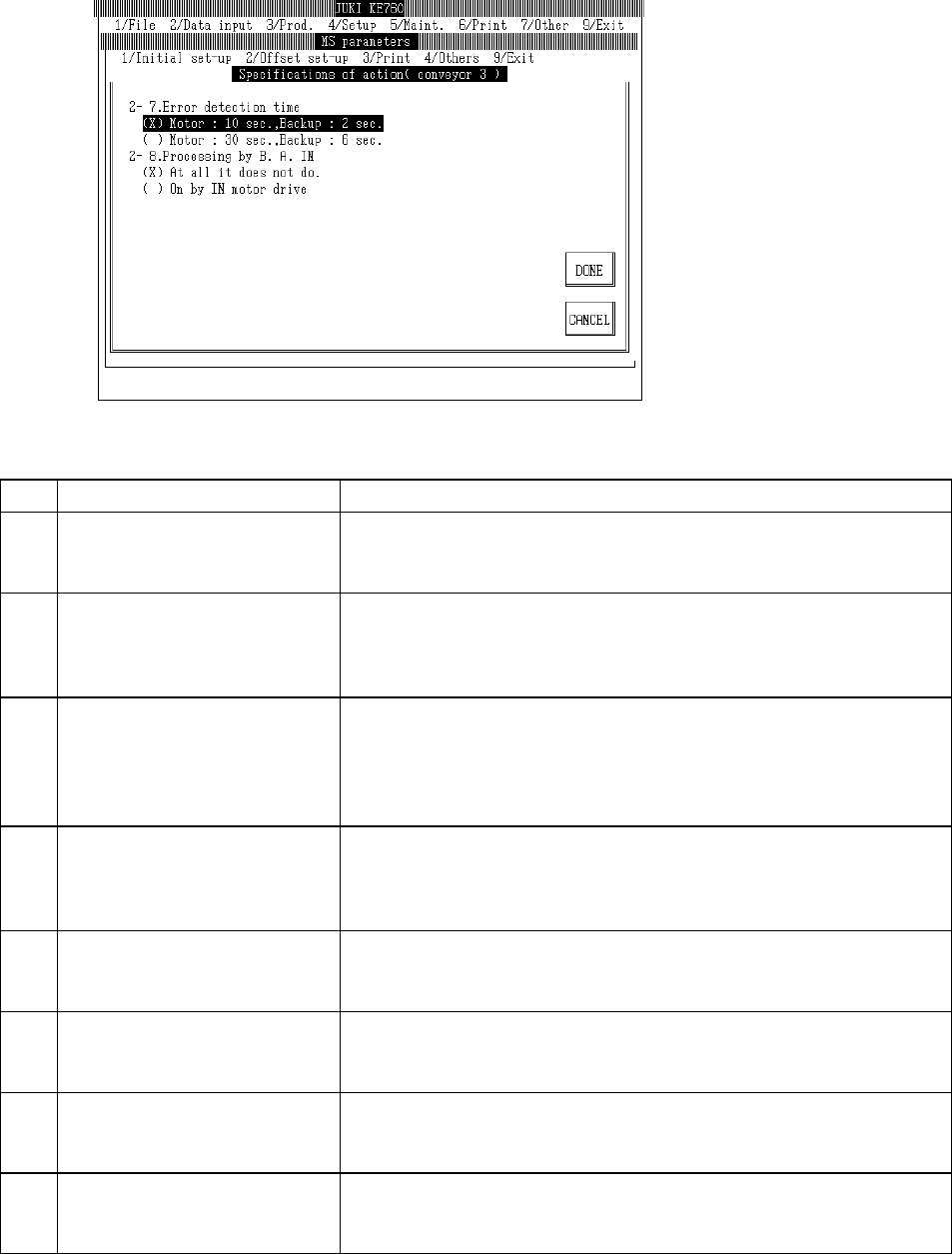
Select "1/Initial set-up" then "6/Specifications of action", "4/Conveyor 3" and the conveyor movement
spec setting dialog will appear as follows.
(1) Setting Items
No. Item Contents
1 2 - 1. Temporary stop when cover
opened during conveyance
Specification for cover opening during board transport
[ ] : Continue (Default value)
[×] : Temporary stop (Restart when closed)
2 2 - 2. Inquiry - Did back up plate
descend due to air pressure drop
during production
Inquires whether back up plate descended when air pressure dropped during
production
[ ] : Do not inquire (Default Value)
[×] : Inquire
3 2 - 3. Type of transport Type of conveyance
[×] Standard form (Default value)
[ ] Kumatsu I/F type
[ ] Low speed reflow board removal type
[ ] Board removal handshake type
4 2 - 4. Timing of OFF in Ready OUT Timing for turning "Ready OUT" to OFF
[×] IN Sensor ON OFF : When changed from ON to OFF (Default value)
[ ] IN Sensor OFF ON : When changed from OFF to ON
[ ] IN Sensor OFF ON Timer: Delay when changed from OFF to ON
5 2 - 5. Infeed timing from In buffer to
Center buffer
Timing of infeed from In buffer to Center buffer
[×] C. OUT sensor ON when board emitted (Default value)
[ ] STOP sensor OFF when board emitted
6 2 - 6. Center buffer motor speed Motor speed for center buffer
[×] 1587pps (approx. 400mm/sec) (Default value)
[ ] 1190pps (approx. 300mm/sec)
7 2 - 7. Error detection intervals Error detection interval
[×] 10 sec. for motor, 2 sec. for back up (Default value)
[ ] 30 sec. for motor, 6 sec. for back up
8 2 - 8. Processing from B.A. IN Processing from Board Available In
[×] Nothing happens (Default value)
[ ] ON starts IN motor drive
(2) Method of Setting
– Select option units listed in the above table with the check box or tuning button.
2-26
4.6.3 Various
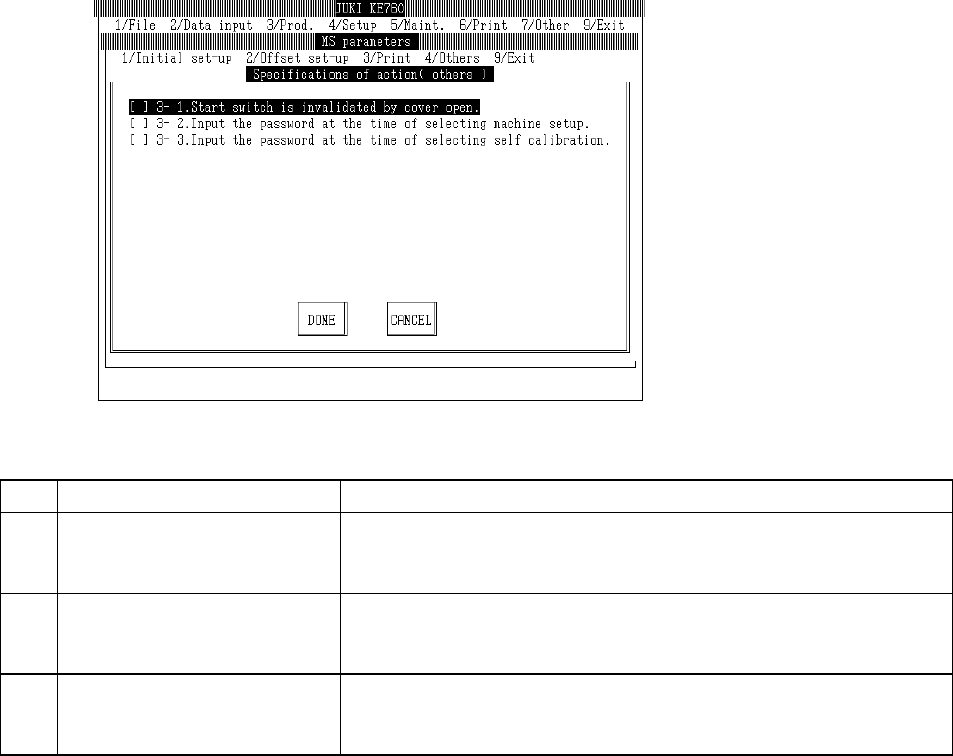
Select "1/Initial set-up" then "6/Specifications of action", "5/Others" and the dialog will appear as
follows.
(1) Setting Items
No. Item Contents
1 3 - 1. Invalidate START switch
when cover open
START switch specifications when cover open
[ ] : Valid (Default value)
[×] : Invalid
2 3 - 2. Password input when
machine setup selected
Password input specifications when machine setup selected
[ ] : No password input (Default value)
[×] : Password input
3 3 - 3. Password input when
self-calibration selected
Password input specifications when self-calibration selected
[ ] : No password input (Default value)
[×] : Password input
(2) Method of Setting
– Select option units listed in the above table with the check box.
2-27
4.7 XY Correction Coefficients
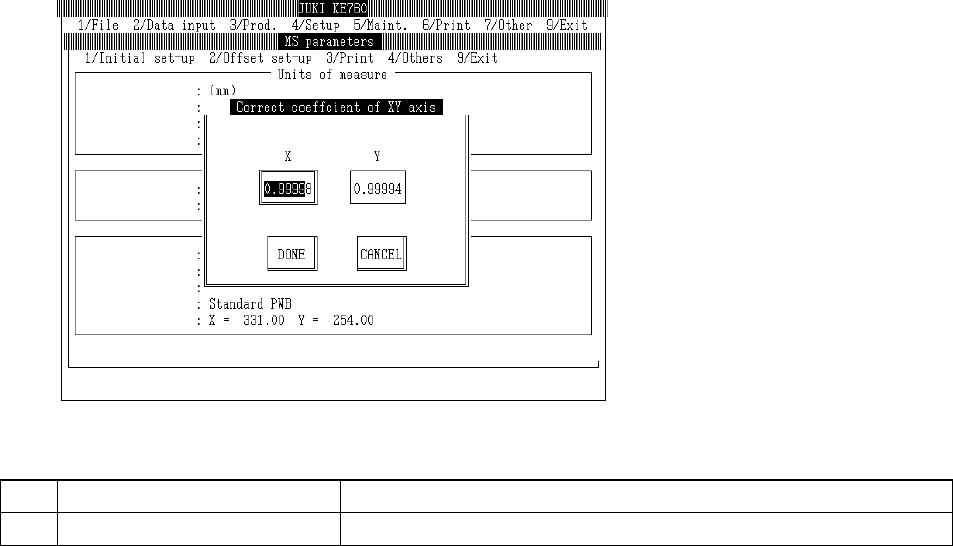
Select "1/Initial set-up" then "7/Correct coefficient of XY axis..." and the dialog will appear as follows.
(1) Setting Items
No. Item Contents
1 XY Correction Coefficients (XY) Separate correction coefficients for X & Y axes.
(2) Method of Setting
Enter X & Y separately directly from keyboard.
Select "Exit" and the following dialog will appear.
Select "OK" and XY correction coefficients set are reflected. After origin return and OCC
recognition of CAL block No. 1 mark, system exits.
Select "Cancel" to erase settings and exit.
2-28