KE-750_MS.pdf - 第204页
e Assembling position When ready, select "OK". Selecting "OK" moves the sub OCC to above CAL block No. 1 mark. Monitor image when adjustment completed With teaching adjust the monitor cross hair curso…
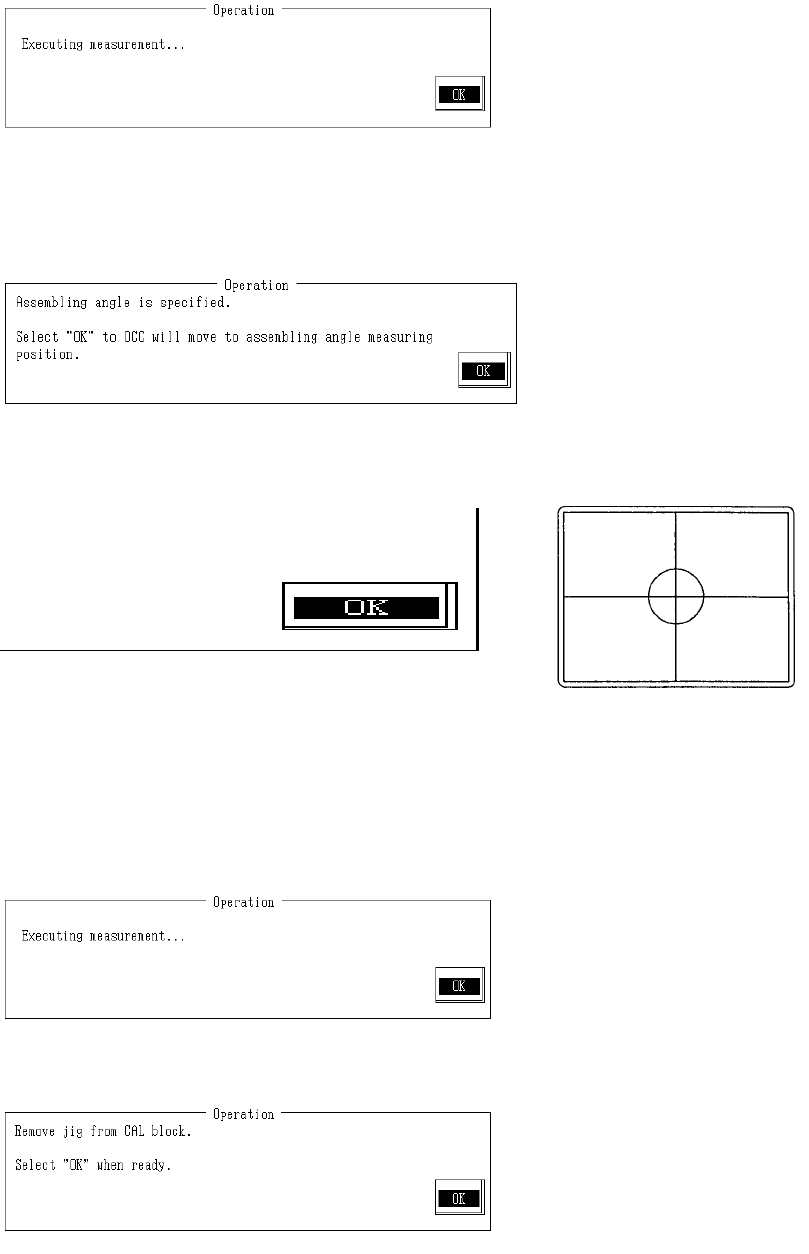
Do the same as with the X axis and carry out adjustment of the measured position.
Once the reference is determined, select "OK".
Selecting "OK" causes measurement of the distance from sub OCC to the Y directional mark.
When measuring is completed, the measured value is displayed. From the input value and
measured value, Y directional scaling is calculated and modified.
d Assembling Angle
When ready, select "OK".
Selecting "OK" causes sub OCC to move to assembling angle measurement position.
With teaching adjust the monitor cross hair cursor so that it falls near the center of the mark and
press HOD Enter key.
Anything visible besides the marks at time of measurement may make it impossible to take a
correct reading or may cause error.
Once completed, select "OK".
Selecting "OK" causes measurement of the fixing angle.
When measuring is completed, the measured value is displayed. From recognition, the
assembling angle is calculated and modified.
Remove camera adjustment stage from the CAL block.
Once completed, select "OK".
2-36
e Assembling position
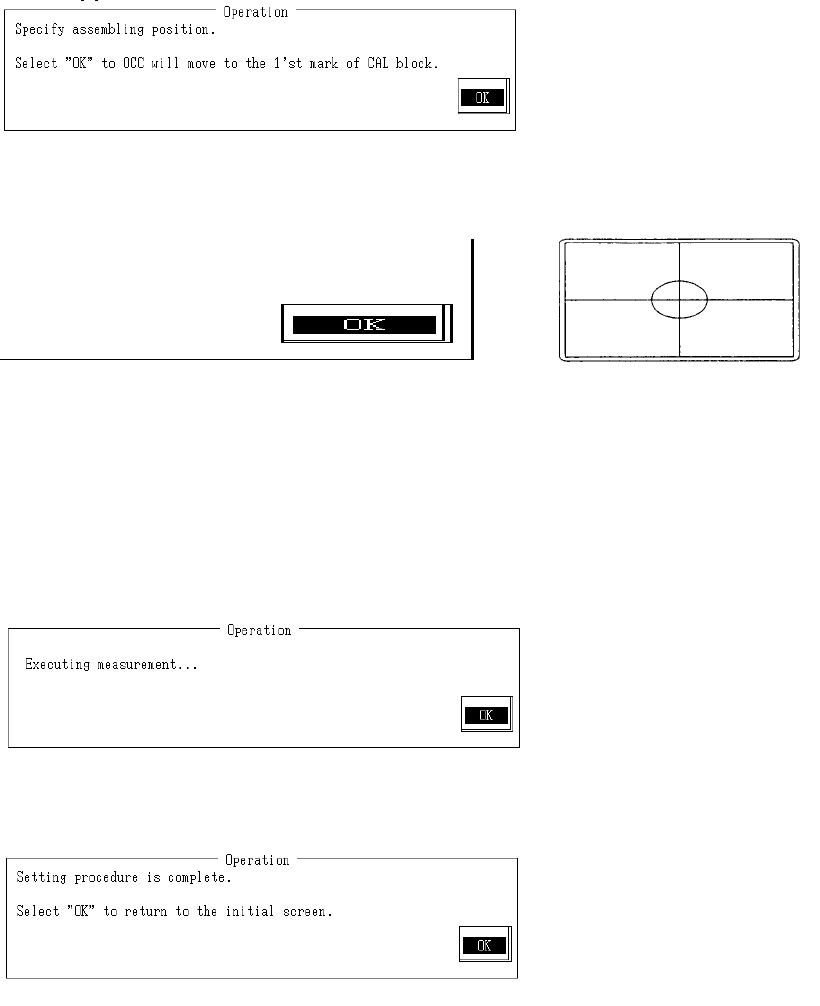
When ready, select "OK".
Selecting "OK" moves the sub OCC to above CAL block No. 1 mark.
Monitor image when adjustment completed
With teaching adjust the monitor cross hair cursor so that it falls near the center of the 2 marks
and press HOD Enter key.
If no adjustment is needed, teaching is not required.
Once completed, select "OK".
Selecting "OK" measures assembling position when sub OCC recognizes CAL block No. 1
mark.
When measuring is completed, the measured value is displayed. From recognition, the
assembling position is calculated and modified.
Setting has been exited.
Select "OK" to return to default operation screen.
2-37
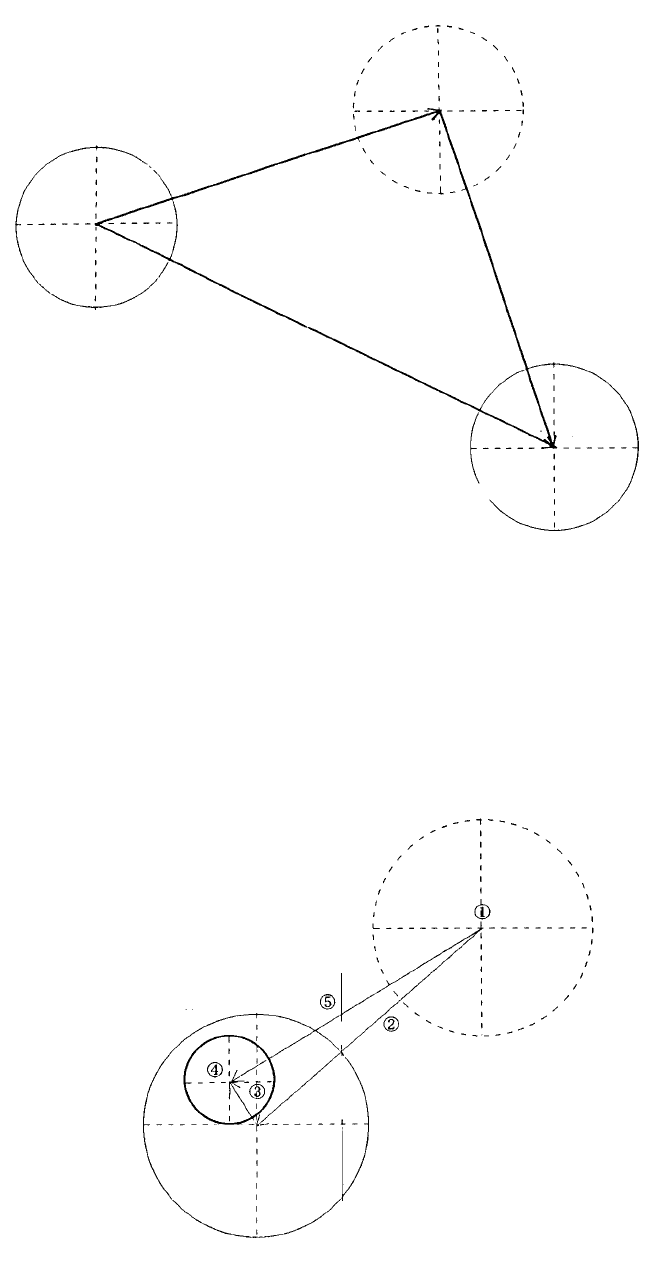
(1) Definition of XY Offset
MechPos (After
setting)
Sub OCC actual
position
Msp
Sub OCC set
position
MechPos (Before
setting)
OCC
(2) Method of Setting XY Offset
(1) Move sub OCC std to CAL block No. 1 mark.
(2) Adjust mark to near center of the image monitor with teaching.
(3) Recognize mark with sub OCC and measure distance from center of sub OCC to center of
mark.
(4) Using teaching, move (2) and compound with mark recognition result (3). Calculate distance
from original position (1) to the center of the mark.
No. 1 mark
CAL block
Default movement
position
New Msp = Center of mark position (4) - Original sub OCC position (1)
New Mechpos = Old Mechpos (1) - Old Msp (?) + New Msp (5)
2-38