KE-750_MS.pdf - 第209页
– Operating method of automatic input Follow instructions to operate and values will automatically acquire. Set jig nozzle in setting head. Set Z axis height gauge on CAL block. Once preparation is complete, select "…
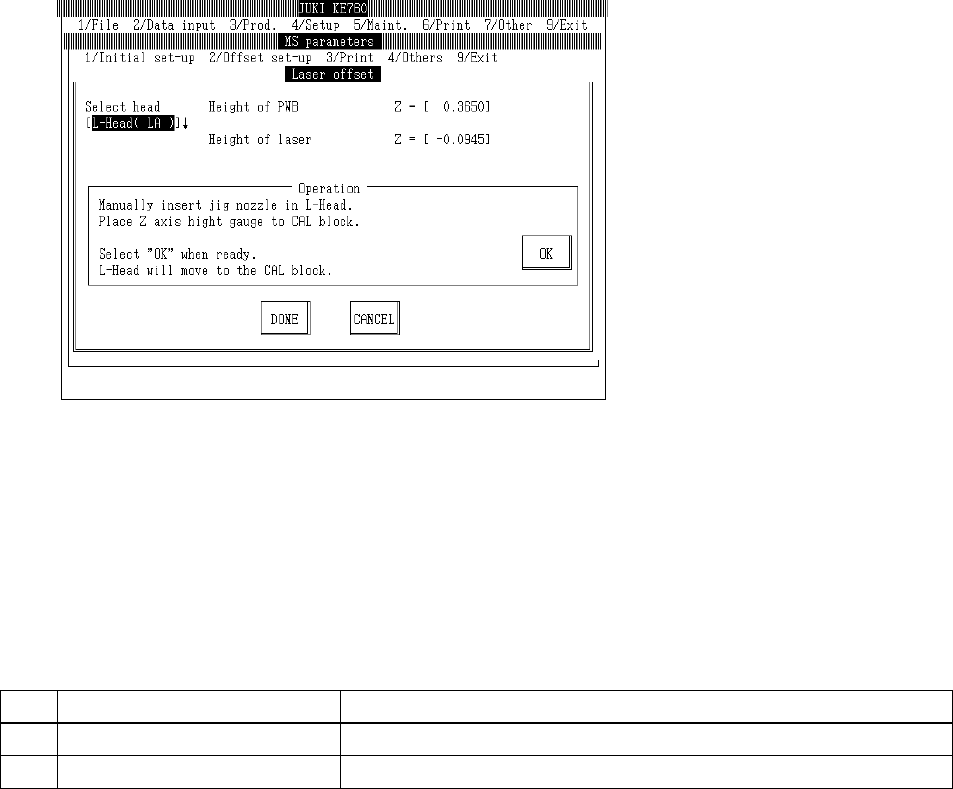
4.11 Laser Offset
4.11.1 Laser Offset
Select "2/Offset set-up" then "3/Laser", "1/Laser Offset" and the laser offset setting dialog will appear
as follows.
– Setting Head
The head to be set is selected from the combination box.
Press "Alt" + " " keys and the following overview will appear.
This does not affect the "Unit Available" setting in machine setup. (Can also be selected for
units not checked "Unit Not Available".)
(1) Setting Items
No.
Item Contents
1 Board Surface Height Offset value for Z axis board surface height setting value
2 Laser Height Offset value for Z axis laser height setting value
(2) Method of Setting
Head is selected with tuning button. For head selected, enter values directly with the keyboard
or follow the internal operating instructions for automatic input.
– Select HOD device key to enter teaching.
– Use control menu to move head when it is in the way.
2-41
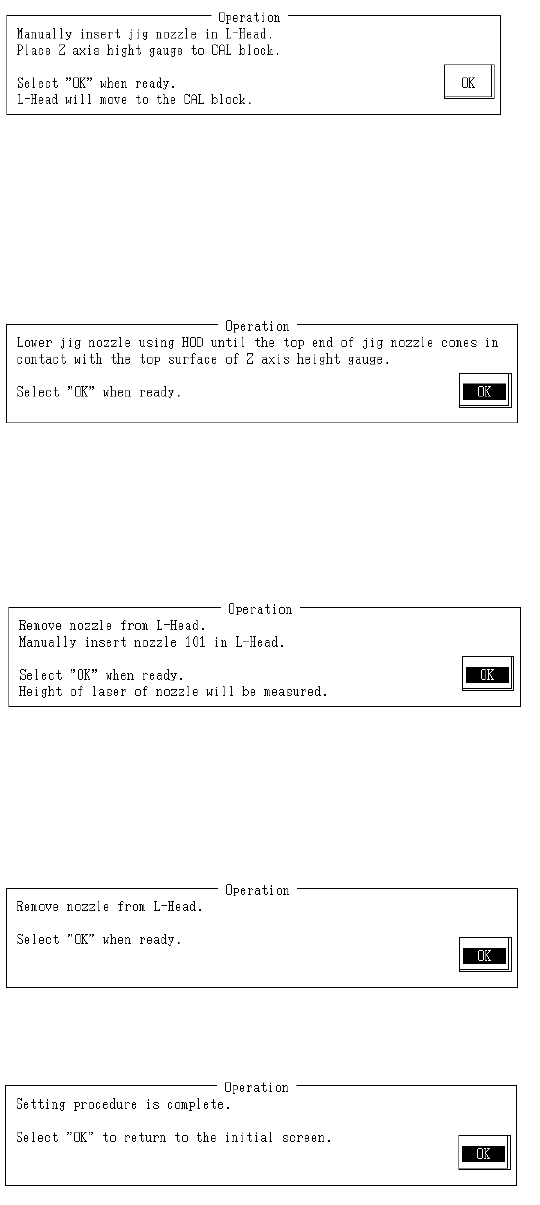
– Operating method of automatic input
Follow instructions to operate and values will automatically acquire.
Set jig nozzle in setting head.
Set Z axis height gauge on CAL block.
Once preparation is complete, select "OK".
Selecting "OK" activates the setting head jig nozzle suction and nozzle moves to above the CAL
block.
Lower head bit by bit with teaching. When nozzle tip touches Z axis height gauge surface, press
HOD Enter.
When teaching is completed, the board surface height is calculated from the coordinates and
modification made.
Once completed, select "OK".
Remove jig nozzle from setting head and replace with #101 nozzle.
Once completed, select "OK".
Selecting "OK" causes measurement of nozzle laser height from the laser.
When measurement is completed, laser height offset is calculated from the measuring result and
modified.
Remove nozzle from the setting head.
Once completed, select "OK".
Setting is completed.
Select "OK" to return to default operation screen.
2-42
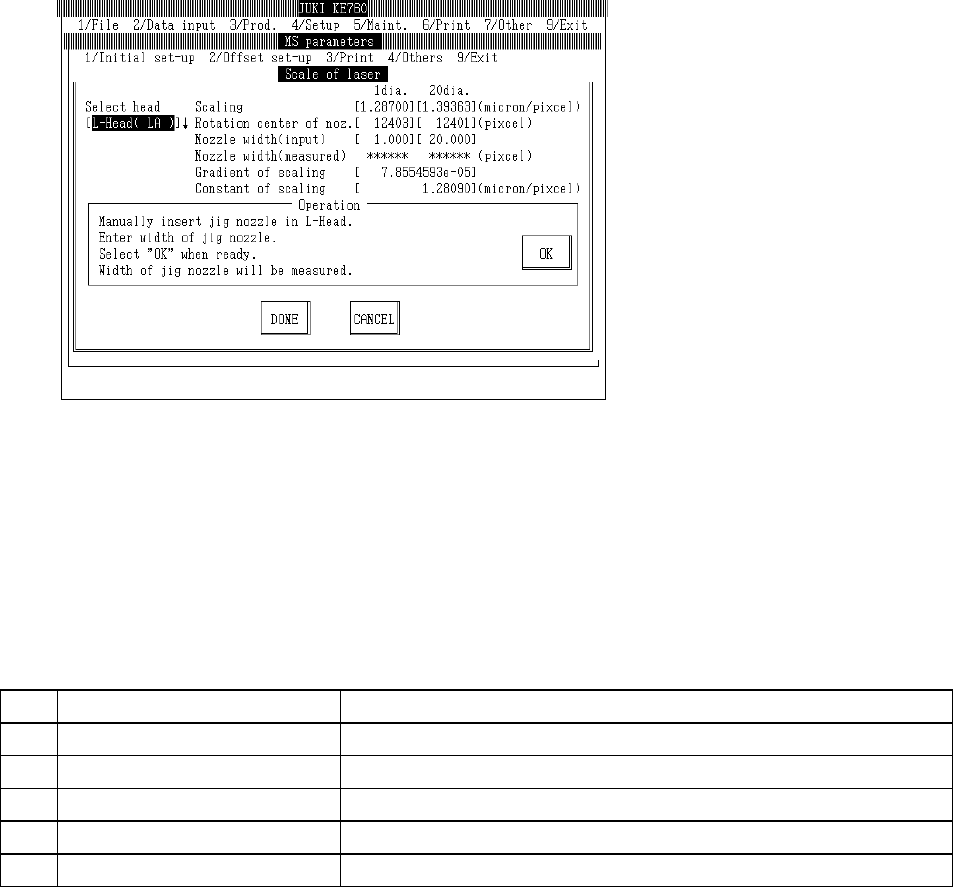
4.11.2 Laser Scaling
Select "2/Offset set-up" then "3/Laser", "2/Laser Scaling" and the laser scaling setting dialog will
appear as follows.
– Setting Head
The head to be set is selected from the combination box.
Press "Alt" + " " keys and the following overview will appear.
This does not affect the "Unit Available" setting in machine setup. (Can also be selected for
units not checked "Unit Not Available".)
(1) Setting Items
No. Item Contents
1 Scaling Size of single pixel in laser sensor (µm/pixel)
2 Rotation Center of Nozzle Concentricity of nozzle to laser
3 Jig Nozzle Width (Input Value) Width of jig nozzle for scaling measurement (temporary parameter)
4 Scaling Inclination Gradient of scaling
5 Scaling Constant Coefficient of scaling
2-43