KE-750_MS.pdf - 第228页
Setting is completed. Select "OK" to return to default operation screen. 2-61
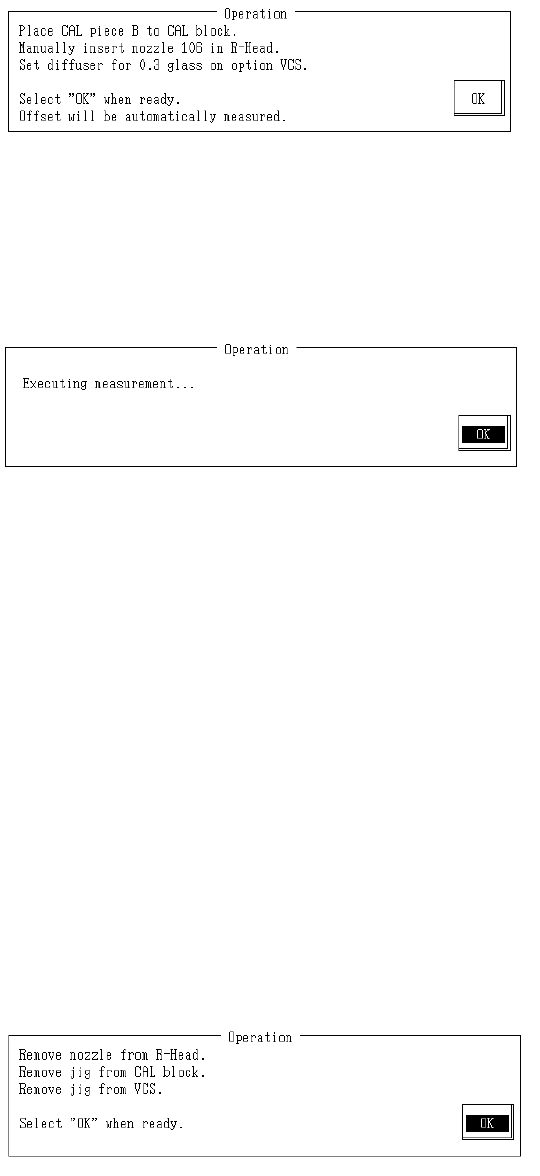
(0.3mm VCS)
Set CAL piece B onto CAL block.
Set #106 nozzle in LAIC head.
Set a 0.4 glass diffuser in VCS for a standard VCS. For 0.3mm VCS use a 0.3 glass diffuser.
Once completed, select "OK".
When "OK" is selected, offset is measured.
– Content of Measurements
(1) Turn on CAL block vacuum to initialize suction.
(2) Once OCC recognizes the position of the piece, central position and gradient are
calculated. If both of the holes in the piece are not recognized, error will occur.
If error occurs, verify piece position.
(3) LAIC head takes piece with suction and CAL block vacuum shuts off. At this time the
gradient of the piece calculated in (2) is corrected.
(4) Piece moves to setting VCS recognition position.
(5) Setting VCS recognizes piece and calculates its center position offset and gradient.
(6) Mount piece in center of CAL block and turn vacuum on to hold it. At this time, offset of
center position and gradient of piece calculated in (5) are corrected.
(7) OCC recognizes position of piece and calculates central position and gradient.
(8) XY mounting general offset is calculated from the piece center calculated in (7) and CAL
block center and modifications are made.
(9) Mounting general offset assembling angle is calculated from piece gradient calculated in
(7) and modifications are made.
If the recognized center of gravity between the monitor cross cursor and mark is skewed when
mounting position of piece is recognized in (7), repeat automatic measurement.
Remove #106 nozzle from LAIC head.
Remove CAL piece B from CAL block.
Remove diffuser from VCS.
When completed, select "OK".
2-60
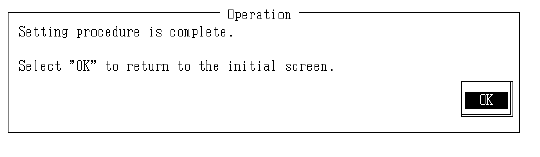
Setting is completed.
Select "OK" to return to default operation screen.
2-61
4.13.5 VCS Common Parameters
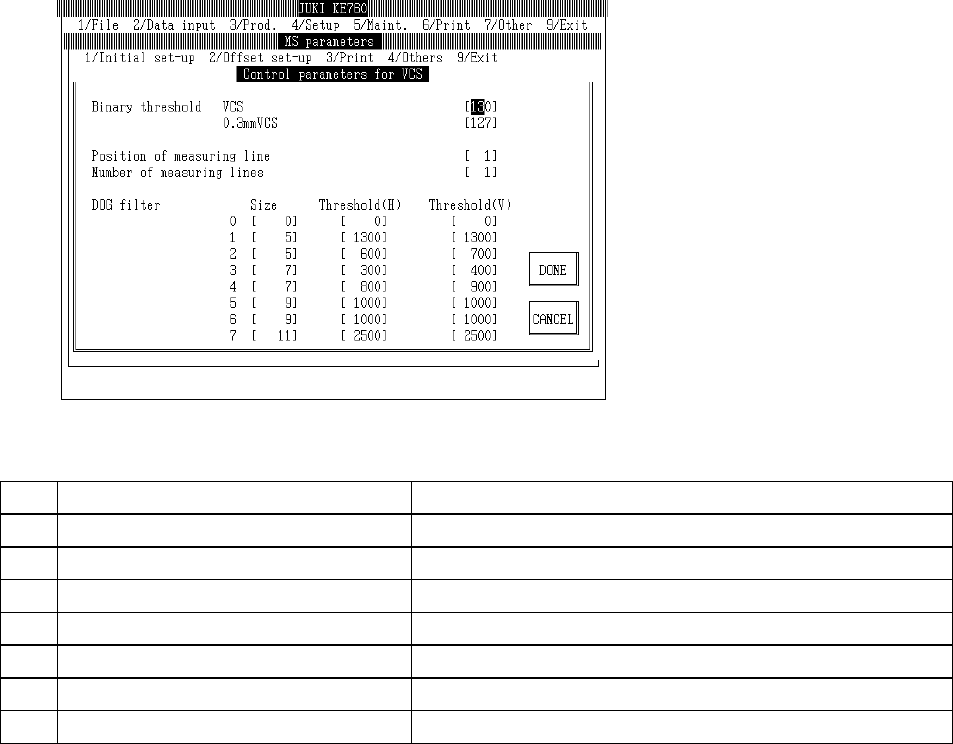
Select "2/Offset set-up" then "5/VCS", "7/Control parameters for VCS" and the VCS common
parameter setting dialog will appear as follows.
(1) Setting Items
No. Item Contents
1 Binary Threshold Value Std VCS Standard VCS binary threshold value
2 Binary Threshold Value 0.3mm VCS 0.3mm VCS binary threshold value
3 Position of Measuring Lines Position of measuring lines
4 No. of Measuring Lines Number of measuring lines
5 DOG Filter Size Size of DOG filter
6 DOG Filter Threshold Value (Side) Filter threshold value in side direction
7 DOG Filter Threshold Value (Length) Filter threshold value in length direction
(2) Method of Setting
– Input values directly from keyboard.
– There are 16 types of DOG filter (0~15) for component form recognition. The input field is
divided 0~7 and 8~15. Use "Pg Up" and "Pg Dn" keys to move between fields.
– When F10 key is pressed, binary threshold values are automatically entered.
– Focus position when F10 key is selected distiguishes setting VCS.
Standard VCS is set to focus binary threshold values in standard VCS.
0.3mm VCS is set to focus binary threshold values in standard 0.3mm VCS.
2-62