KE-750_MS.pdf - 第237页
(2) Method of Setting – Enter values directly with the keyboard or follow the internal operating instructions for automatic input. – When entering assembling position with teac hing, values are simultaneously modified wh…
4.15 ATC Offset
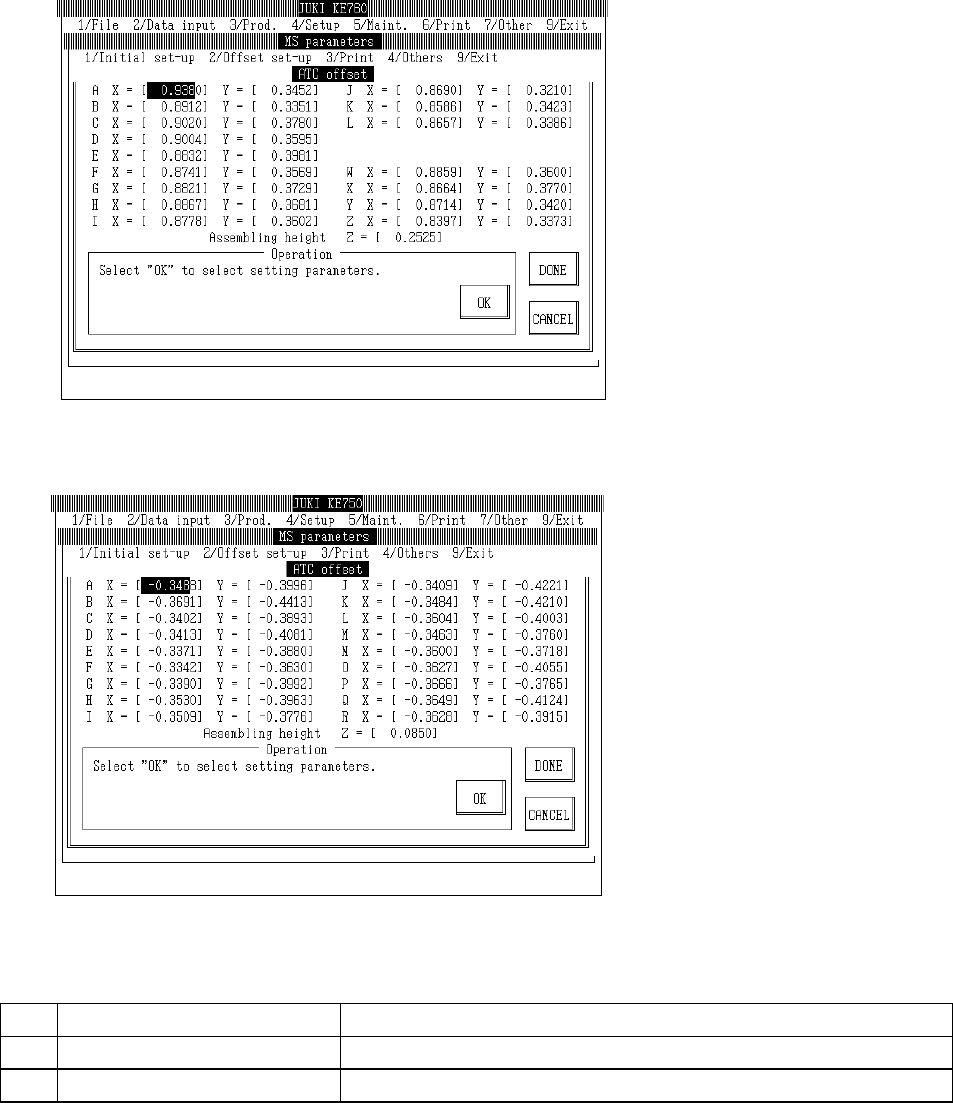
Select "2/Offset set-up" then "7/ATC Offset", and the ATC offset setting dialog will appear as follows.
(KE-760)
(KE-750)
(1) Setting Items
No.
Item Contents
1 Assembling Position Offset value from the setting position of each ATC nozzle housing hole
2 Assembling Angle Offset value from the Z direction setting position of the ATC
2-69
(2) Method of Setting
– Enter values directly with the keyboard or follow the internal operating instructions for
automatic input.
– When entering assembling position with teaching, values are simultaneously modified when
input focus meets the assembling position of either X or Y.
– When entering assembling position with teaching, first set ATC offset poss in the
corresponding cylinder before proceeding.
– When entering assembling position with teaching, input focus must be at assembling height.
– Select HOD device key to enter teaching.
– If head is in the way, move with control menu.
– Relevant functions
F7 key: Saves Y axis coordinates and moves X axis to A position of ATC.
F8 key: Saves Y axis coordinates and moves X axis to final position (KE-740 & KE-760:
Z of ATC; KE-730 & KE-750: R of ATC).
– Operating method of automatic input
(1) Assembling Position
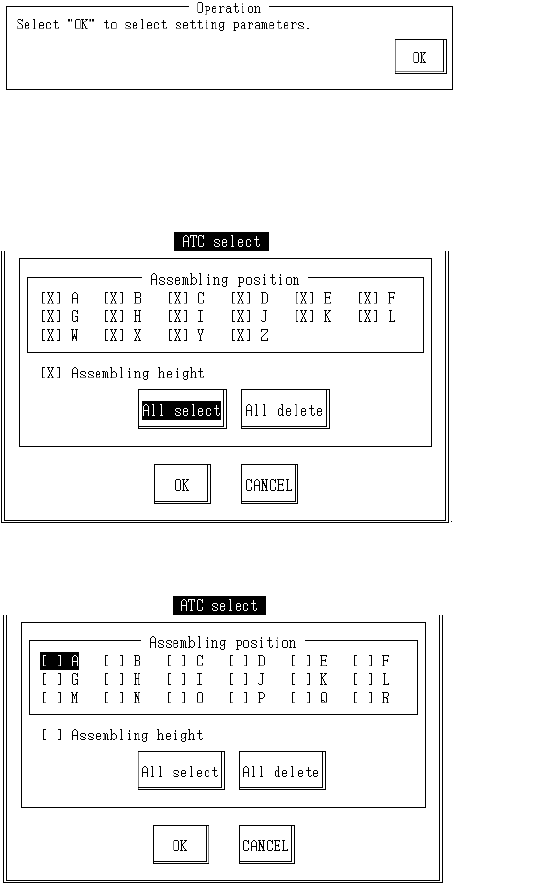
Once completed, select "OK".
When "OK" is selected, dialog for selecting setting parameter appears.
KE760
KE750
2-70
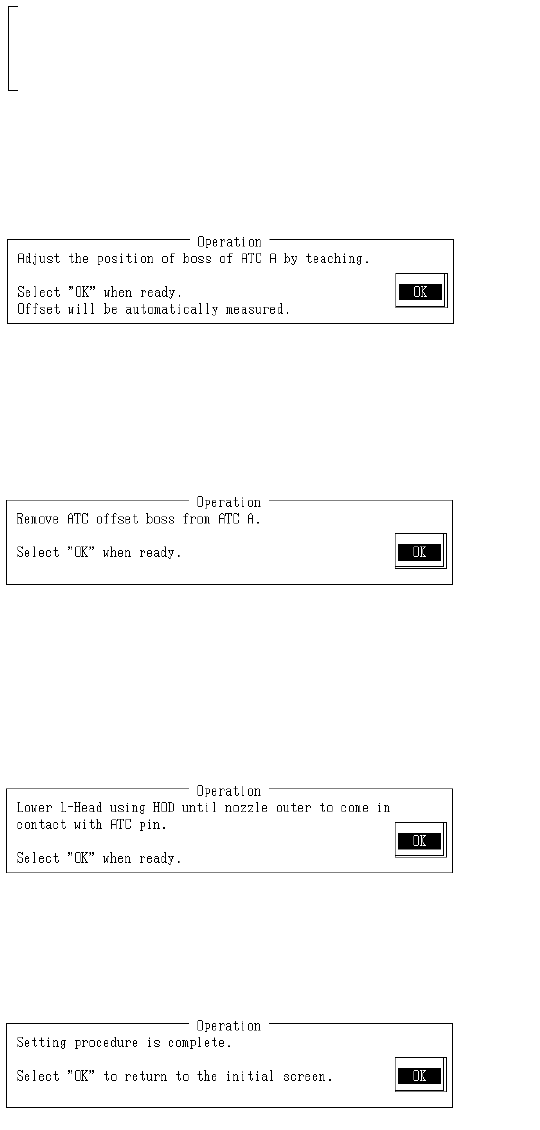
Select setting parameters.
Select "OK" and selected parameters are set.
When "Cancel" is selected, parameter selection is stopped.
Set ATC offset boss in setting ATC NO.
Once completed, select "OK".
When "OK" is selected, OCC moves to above ATC boss of setting ATC NO.
With teaching adjust monitor cross cursor to near center of ATC offset boss of setting ATC
NO. and press HOD Enter key.
Once completed, select "OK".
When "OK" is selected, mark is recognized and then assembling position calculation is done
with the obtained coordinates and modification made.
Remove ATC offset boss from setting ATC NO.
Once completed, select "OK".
When "OK" is selected, the next ATC NO. setting screen appears.
When the final ATC NO. setting is completed, the assembling height setting screen appears.
(2) Assembling Height
With teaching lower L head bit by bit until the nozzle periphery touches the ATC pin and
press HOD Enter key.
When teaching is completed, assembly height is calculated from the obtained coordinates
and modification made.
Setting is completed.
Selecting "OK" returns to default operating screen.
2-71