KE-750_MS.pdf - 第241页
4.17 Standard Pick Point Offset Select "2/Offset set-up" then "a/Pick-up referenc e position offset" and the standard pick point offset setting dialog will appear as follows. (1) Setting Items No. Ite…
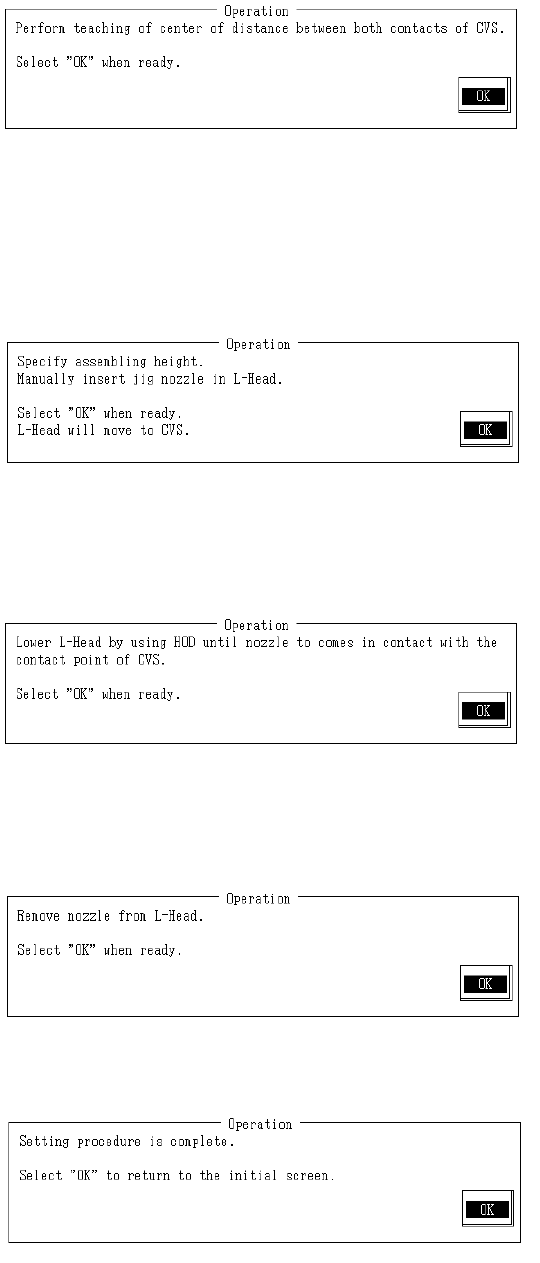
With teaching obtain center position coordinates for the paired CVS contacts and press HOD
Enter key.
When teaching is completed, assembling position is calculated from obtained center position
coordinates and modification made.
(2) Assembling Height
Set assembling height.
Set jig nozzle in head.
Once completed, select "OK".
Selecting "OK" causes L head to take jig nozzle with suction and move to above CVS.
With teaching lower L head bit by bit until the nozzle periphery touches the ATC pin and
press HOD Enter key.
When teaching is completed, assembly height is calculated from the obtained coordinates
and modification made.
Remove jig nozzle from L head.
Once completed, select "OK".
Setting is completed.
Selecting "OK" returns to default operating screen.
2-73
4.17 Standard Pick Point Offset
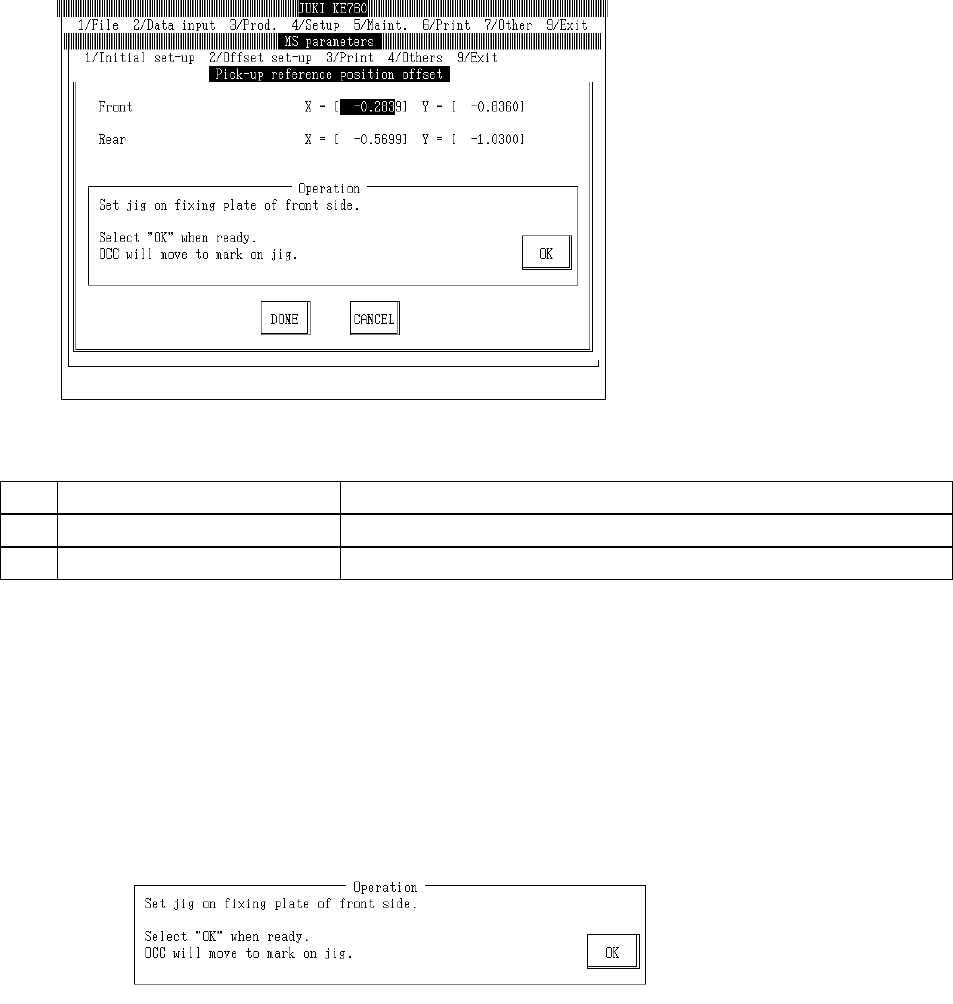
Select "2/Offset set-up" then "a/Pick-up reference position offset" and the standard pick point offset
setting dialog will appear as follows.
(1) Setting Items
No. Item Contents
1 Front Offset value from front standard pick point setting position
2 Rear Offset value from rear standard pick point setting position
(2) Method of Setting
– Enter values directly with the keyboard or follow the internal operating instructions for
automatic input.
– Select HOD device key to enter teaching.
– Use control menu to move head if in the way.
– Operating method of automatic input
Follow instructions to operate and values will automatically acquire.
Set bank fixing position recognition jig on front fixing plate.
Once completed, select "OK".
Selecting "OK" moves OCC to above the mark of the bank fixing position recognition jig.
2-74
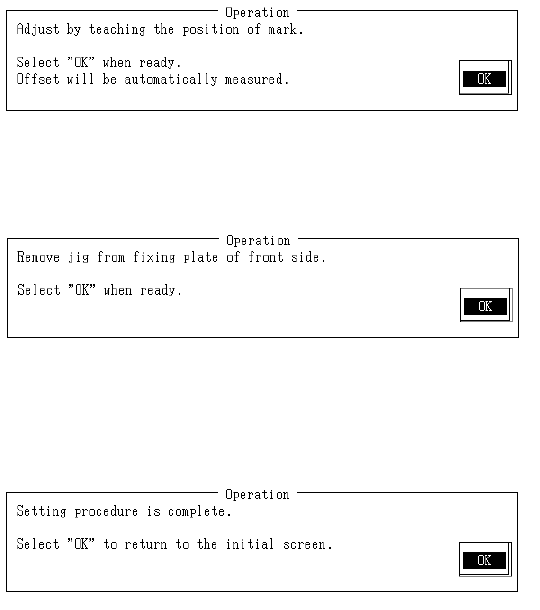
With teaching adjust monitor cross cursor to near center of mark and press HOD Enter key.
When "OK" is selected, mark is recognized and then front standard pick point offset is calculated
with obtained coordinates and modification made.
Remove bank fixing position recognition jig from front fixing plate.
Once completed, select "OK".
Selecting "OK" sets rear standard pick point positioning.
Setting is the same as for the front.
Setting is completed.
Select "OK" to return to default operating screen.
2-75