KE-750_MS.pdf - 第243页
4.18 General Mounting Offset Select "2/Offset set-up" then "b/General offset of placement" and the general mounting offset setting dialog will appear as follows. – Setting Head The head to be set is s…
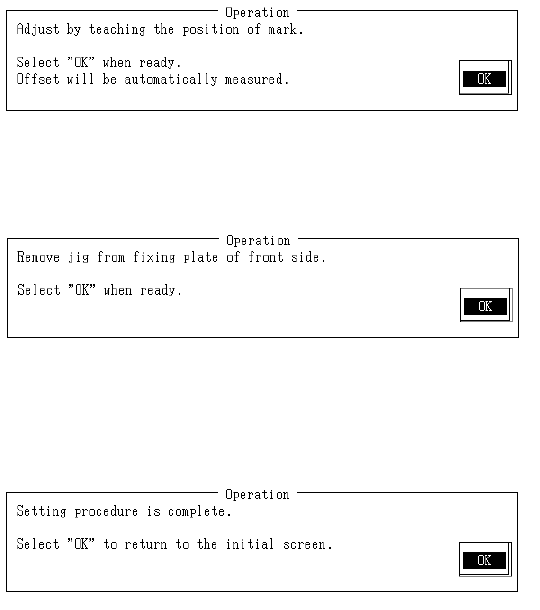
With teaching adjust monitor cross cursor to near center of mark and press HOD Enter key.
When "OK" is selected, mark is recognized and then front standard pick point offset is calculated
with obtained coordinates and modification made.
Remove bank fixing position recognition jig from front fixing plate.
Once completed, select "OK".
Selecting "OK" sets rear standard pick point positioning.
Setting is the same as for the front.
Setting is completed.
Select "OK" to return to default operating screen.
2-75
4.18 General Mounting Offset
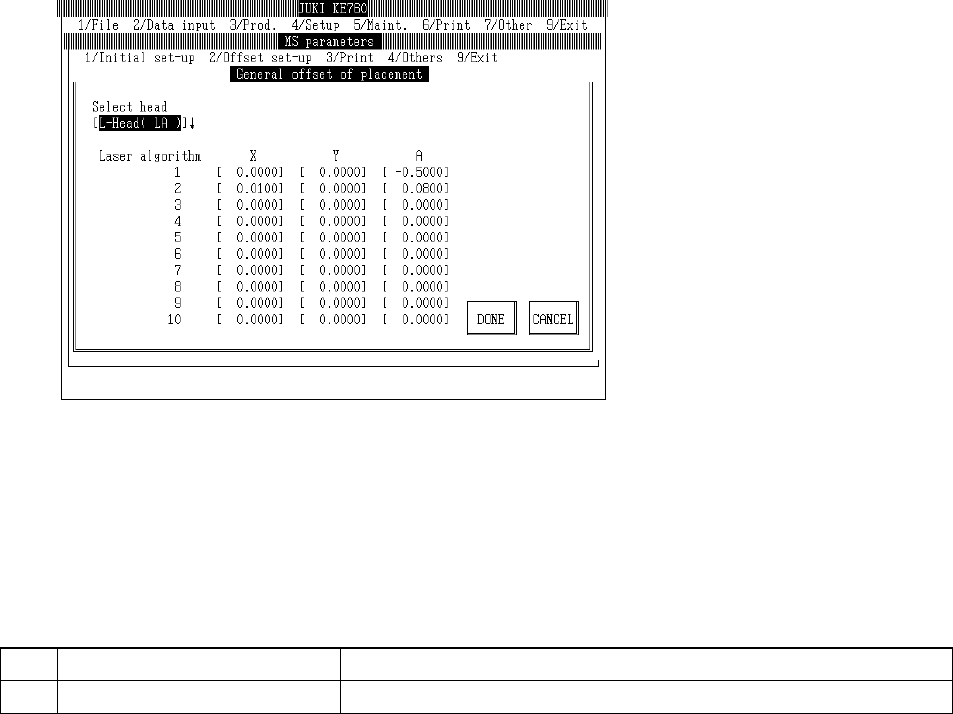
Select "2/Offset set-up" then "b/General offset of placement" and the general mounting offset setting
dialog will appear as follows.
– Setting Head
The head to be set is selected from the combination box.
Press "Alt" + " " keys and the following overview will appear.
This does not affect the "Unit Available" setting in machine setup. (Can also be selected for
units not checked "Unit Not Available".)
(1) Setting Items
No.
Item Contents
1 Mounting General Offset Overall offset value of mounting par
(2) Method of Setting
– Select setting head with tuning know and then enter values for that head directly with
keyboard.
2-76
4.19 Head Wait Position
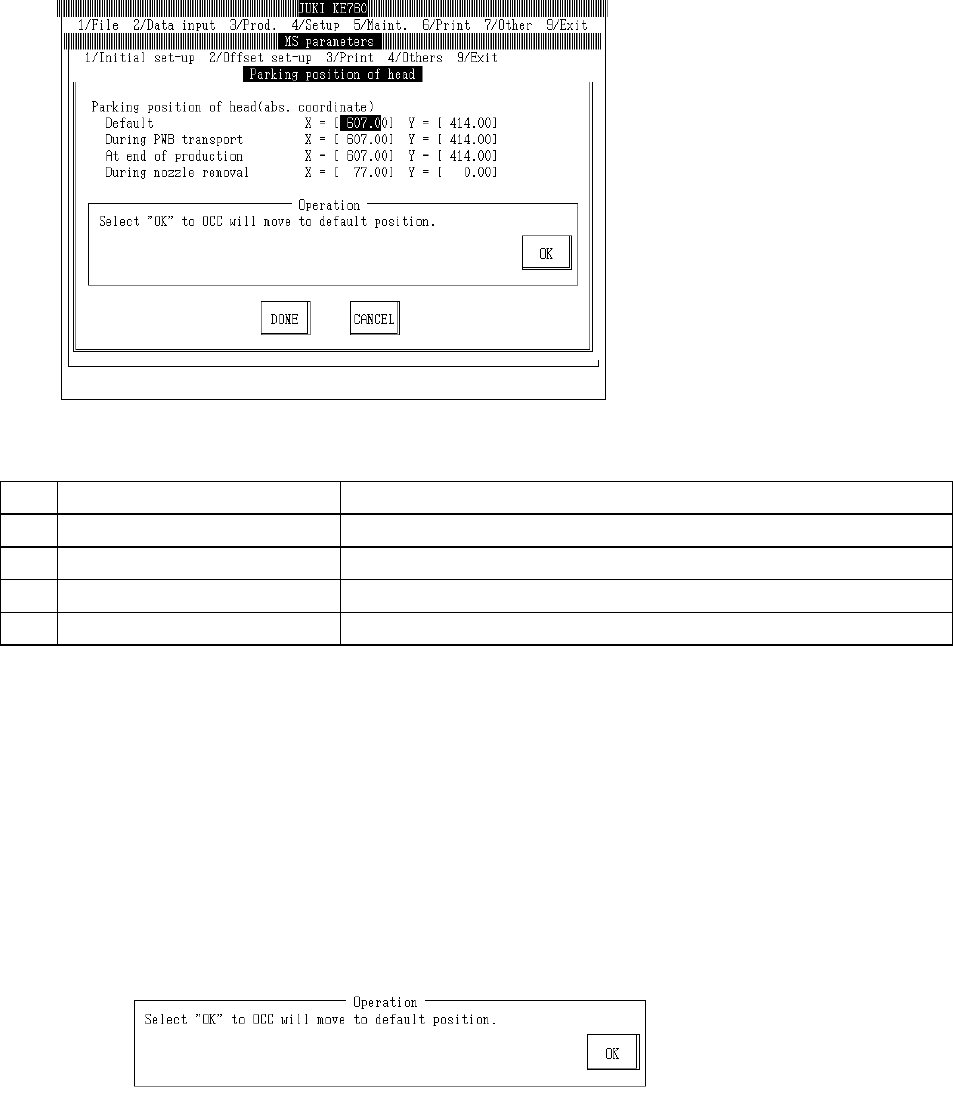
Select "2/Offset set-up" then "c/Parking position of head" and the head wait position setting dialog
will appear as follows.
(1) Setting Items
No. Item Contents
1 Default Head wait position for any time than those listed below
2 Board Entry Time Head wait position when board transported in
3 Work Completion Time Head wait position when production completed
4 When Nozzle Removed Head wait position when nozzle removed manually
(2) Method of Setting
– Enter values directly from keyboard or follow internal operating instructions for automatic
input.
– When doing input with teaching, input focus simultaneously modifies values from either X or
Y.
– Select HOD device key to enter teaching.
– Use control menu to move head if in the way.
– Operating method of automatic input
Follow instructions to operate and values will automatically acquire.
Once completed, select "OK".
Selecting "OK" moves OCC to default head wait position.
2-77