KE-750_MS.pdf - 第245页
When default obtains default head waiting position, press HOD Enter key. When teaching is completed, default head wait position is modified based on the obtained coordinates. When "OK" is selected, the next scr…
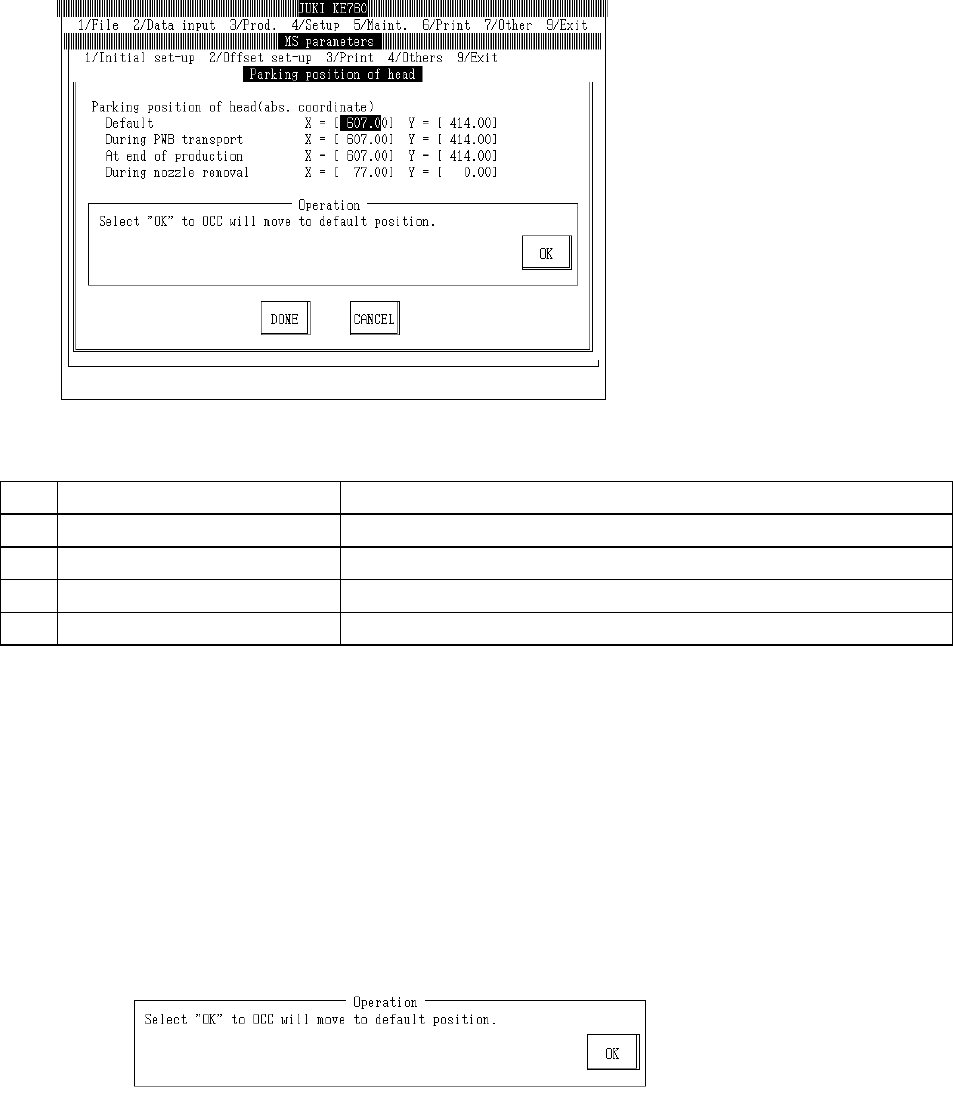
4.19 Head Wait Position
Select "2/Offset set-up" then "c/Parking position of head" and the head wait position setting dialog
will appear as follows.
(1) Setting Items
No. Item Contents
1 Default Head wait position for any time than those listed below
2 Board Entry Time Head wait position when board transported in
3 Work Completion Time Head wait position when production completed
4 When Nozzle Removed Head wait position when nozzle removed manually
(2) Method of Setting
– Enter values directly from keyboard or follow internal operating instructions for automatic
input.
– When doing input with teaching, input focus simultaneously modifies values from either X or
Y.
– Select HOD device key to enter teaching.
– Use control menu to move head if in the way.
– Operating method of automatic input
Follow instructions to operate and values will automatically acquire.
Once completed, select "OK".
Selecting "OK" moves OCC to default head wait position.
2-77
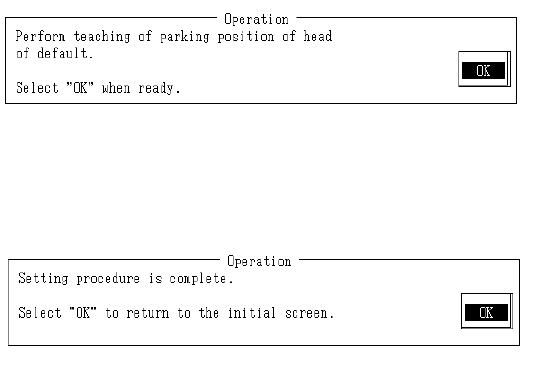
When default obtains default head waiting position, press HOD Enter key.
When teaching is completed, default head wait position is modified based on the obtained
coordinates.
When "OK" is selected, the next screen appears.
When modification of the last head wait position is completed, system will return to default
operating screen.
Setting is completed.
Select "OK" to return to default operating screen.
2-78
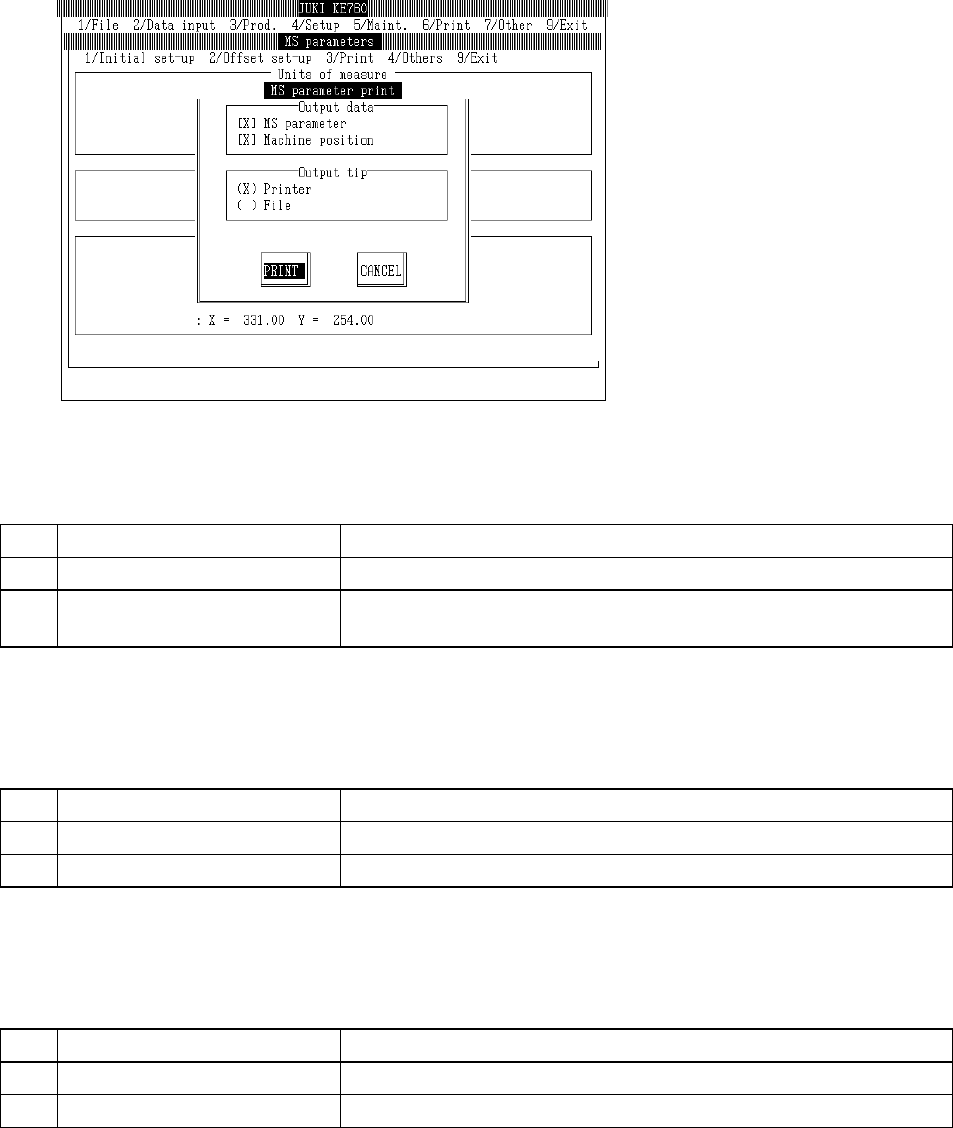
4.20 Printing
Select "3/Print" then "1/Print" and the printing dialog will appear as follows.
(1) Output Data
– Selects output data
No. Item Contents
1 MS Parameters Prints MS parameters
2 Machine Coordinate Values Print MS parameters & assembling position of each unit set in machine
setup
(2) Output Address
– Selects output address
No. Item Contents
1 Printer Sends output data to printer
2 File Sends output data to file
(3) Output File Name
– File name when sent to output address
No. Output Data File Name
1 MS Parameters MSP. TXT
2 Machine Coordinate Values MECHPOS. TXT
Note: - Machine executed files (extension EXE) are compiled in a housing location.
- Identical files are written over without inquiry.
2-79