KE-750_MS.pdf - 第86页
(3) Remove camera cable assemblies and M4 SEMS cap screws. Remove cameras from camera brackets A & B. (4) There are 4 hex screws each (M2 with spring & flat washers) holding cameras to VCS camera brackets. Remove…
Chapter 8 VCS 0.3/0.4
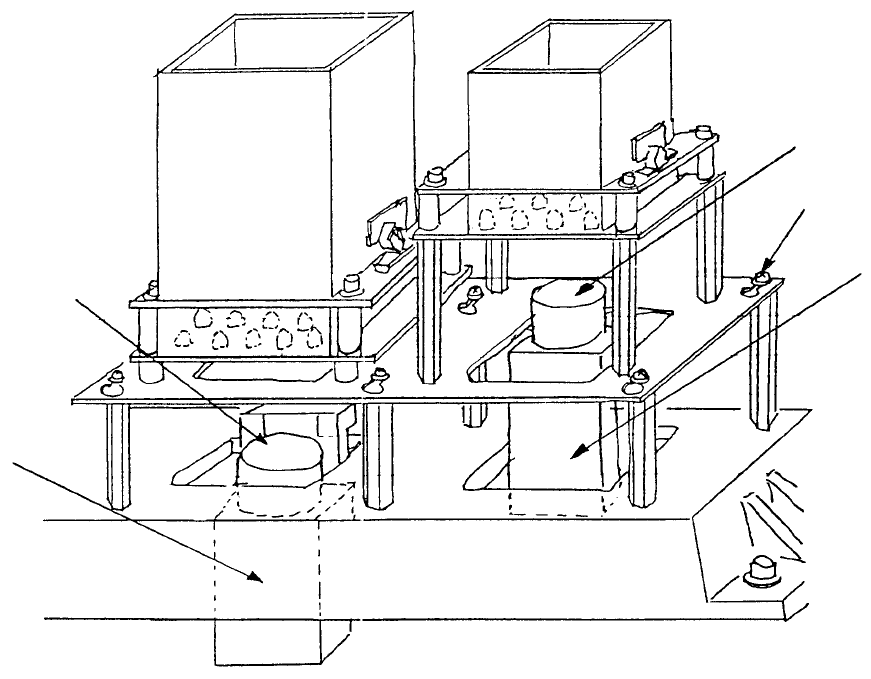
1. CCD Camera / Lens Replacement
(1) Loosen the 6 M3 SEMS screws by turning 5 time. Slide light base and remove.
(2) For lens replacement, while looking from above turn lens in a counterclockwise direction and
remove. Loosen the 4 screws used for focus adjustment in the new lens and firmly fasten it to the
camera.
CCD camera
M3 SEMS cap scre
w
CCD camera
Lens
(0.3 VCS) (Optional)(0.4 VCS)
Fig. 8-1-1
1-78
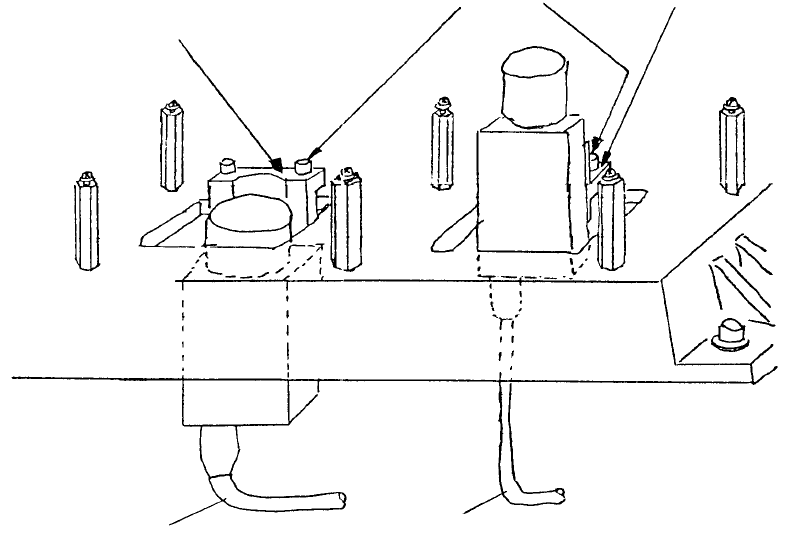
(3) Remove camera cable assemblies and M4 SEMS cap screws. Remove cameras from camera
brackets A & B.
(4) There are 4 hex screws each (M2 with spring & flat washers) holding cameras to VCS camera
brackets. Remove these screws.
(5) Turn switches on back of both cameras OFF and provisionally assemble with brackets following
step (4) in reverse sequence. (Switches are set at time of shipment, so only verification is required.)
0.3 VCS camera
bracket assy
0.4 VCS camera
bracket assy
VCS camera
bracket B
M4 SEMS cap
VCS camera bracket A
Fig. 8-1-2
1-79
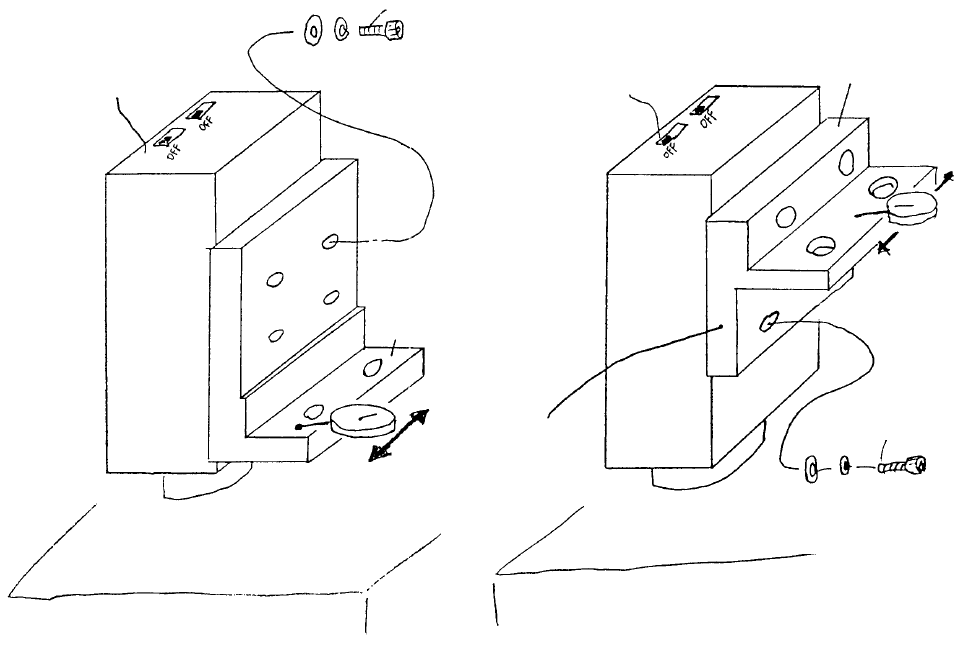
(7) As shown below, pass a dial gauge over the surface and adjust. When dial reads to within 0.5mm,
tighten screw. (Camera and bracket may be set to any convenient height.)
(8) Attach TLC lens (E3723700000) to CCD camera. Leave the 4 focus adjust stop screws loose.
BedBed
Coat with
Locktite 242
A
llen head screw SM6020752TP
Spring washer WS0210002KN
Flat washer WP0220301SC
Careful with protrusion
(Thinner on lens side)
VCS camera
bracket B
CCD camera
A
llen head screw M2 x 7
SM6020752TP
Spring washer WS0210002KN
Flat washer WP0220301SC
VCS camera bracket A
Coat with Locktite 242
CCD camera
VCS 0.3 Assy (OPT)VCS 0.4 Assy (STD)
Fig. 8-1-3
1-80