03253524-01 KPO 2 Closed Loop.pdf - 第10页
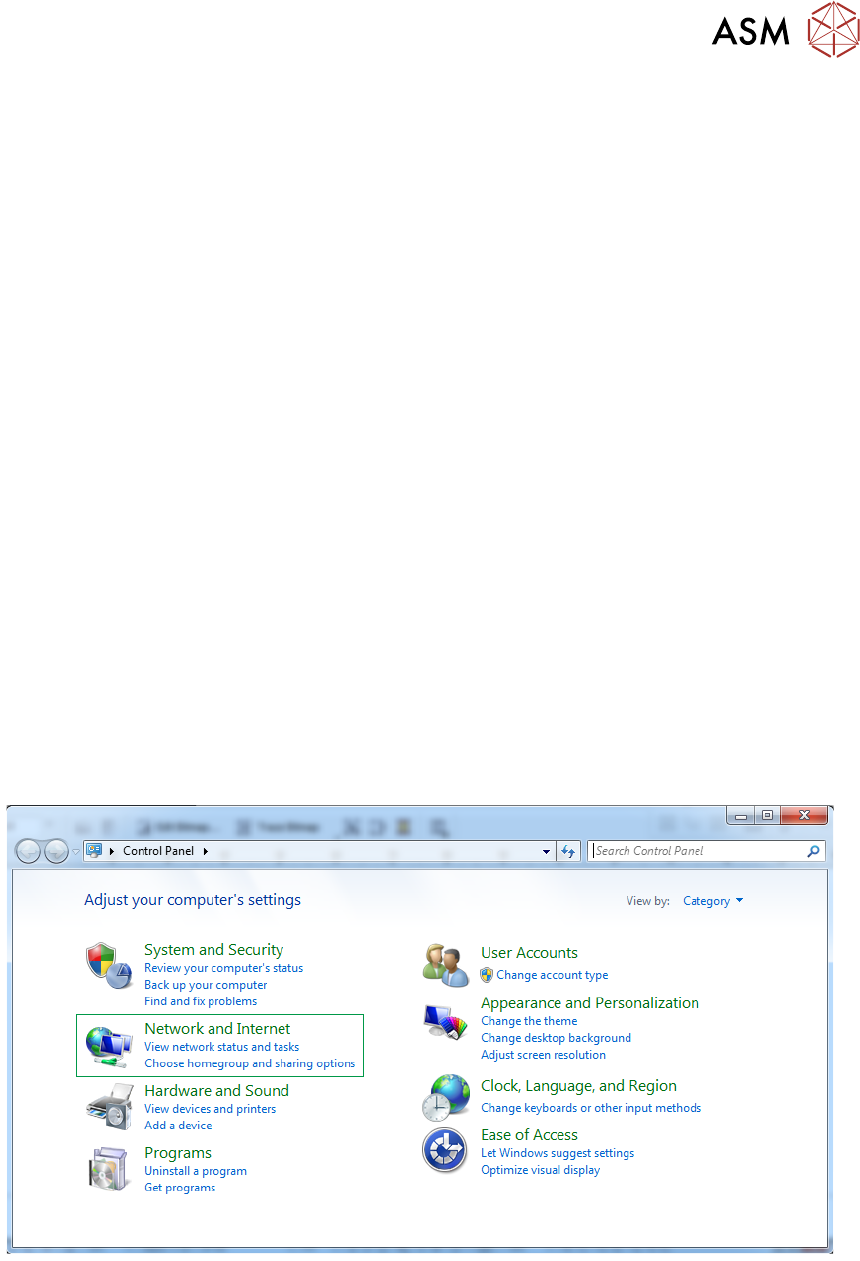
2 INSTALLATION 2.6 NETWORK SETUP 10 Standalone Manual Interface To Koh Young KPO 2 08/2021 ► Select Network and Sharing Center . ► Select Change Adaptor Settings . DEK Printer
2 INSTALLATION
2.5 PREPARATION
Standalone Manual Interface To Koh Young KPO 2 08/2021 9
2.5 PREPARATION
2.5.1 Networking
The DEK printer needs to be networked for communication with the downline Koh Young SPI
machine. This can be cabled directly from the printer to the SPI (the SPI has an internal network
hub) or through the customer network. The following IP addresses/subnet mask of the printer and
SPI needs to be confirmed by the customer network administrator:
●
Printer IP address
●
Printer subnet mask
●
SPI IP address
2.5.2 RTX Key
The KPO printer software requires a RTX key to operate.
2.5.3 Barcode Reader
The KPO software can use the product or remote barcodes if required. The remote barcode reader
should be configured as normal. The KPO software automatically uses barcode data if it is avail-
able.
2.6 NETWORK SETUP
If the printer software is running, terminate the printer software through the Windows Task Manager
prior to commencing this setup procedure.
2.6.1 Set Printer IP Address
To set the printer IP address carry out the following:
► Using Windows Start button, select Control Panel, Network and Internet.
2 INSTALLATION
2.6 NETWORK SETUP
10 Standalone Manual Interface To Koh Young KPO 2 08/2021
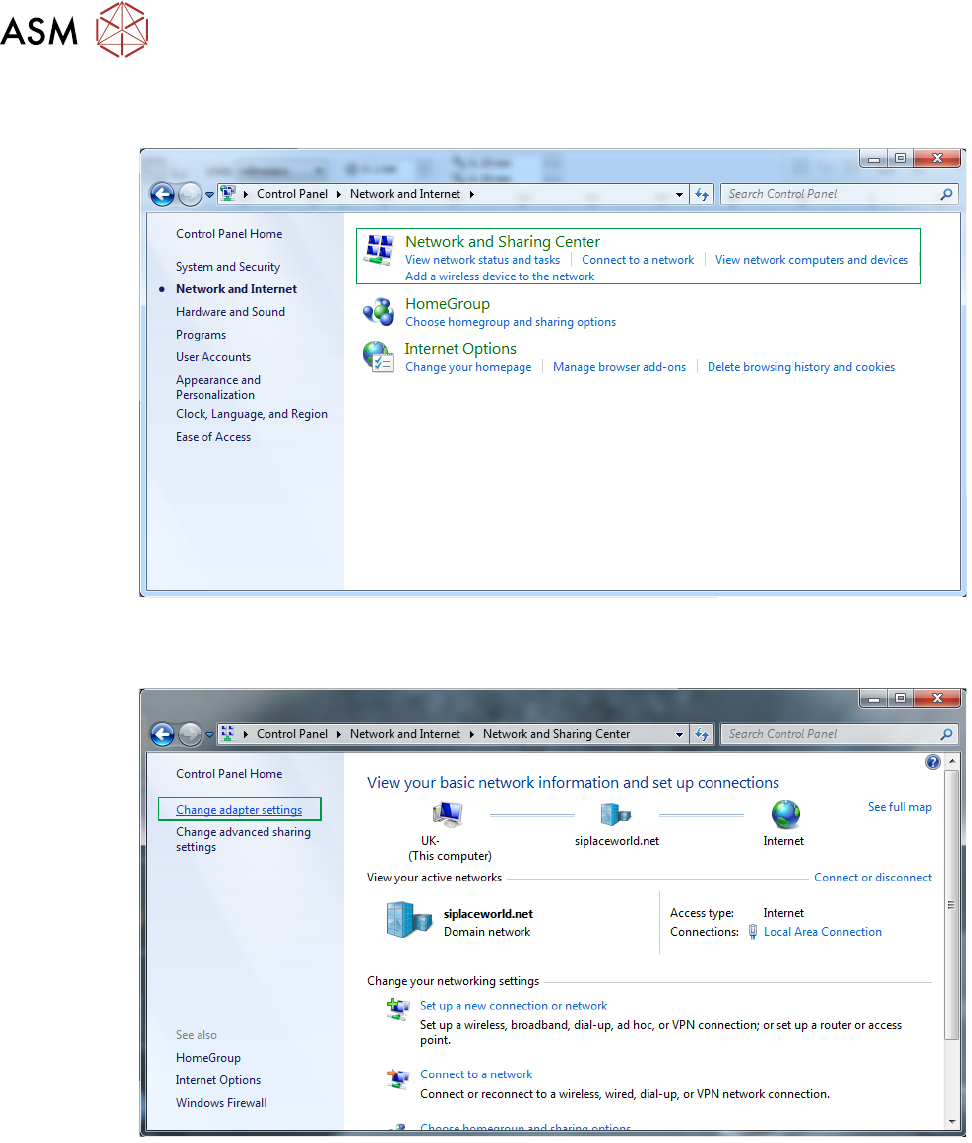
► Select Network and Sharing Center.
► Select Change Adaptor Settings.
DEK Printer
2 INSTALLATION
2.6 NETWORK SETUP
Standalone Manual Interface To Koh Young KPO 2 08/2021 11
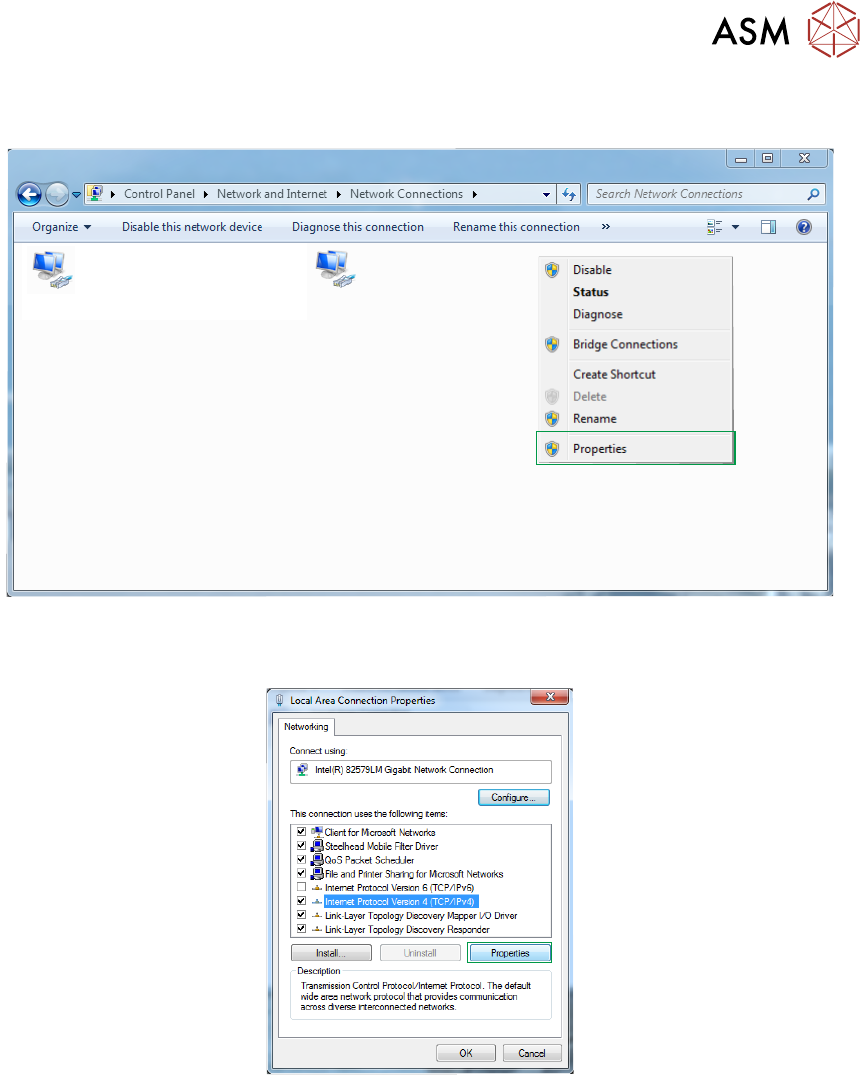
► Right click on the network adaptor and select Properties.
Local Area Connection 8
Network
Intel(R) I210 Gigabit Network Conne...
Local Area Connection 2
Network cable unplugged
Intel(R) Ethernet Connection I217-LM
X
► Scroll down to TCP/IP V4 and select Properties.