03253524-01 KPO 2 Closed Loop.pdf - 第13页
2 INSTALLATION 2.6 NETWORK SETUP Standalone Manual Interface To Koh Young KPO 2 08/2021 13 ► Select Windows Firewall . ► Select Turn Windows Firewall on or off . ► Select Turn off Windows Firewall radio buttons for both …
2 INSTALLATION
2.6 NETWORK SETUP
12 Standalone Manual Interface To Koh Young KPO 2 08/2021
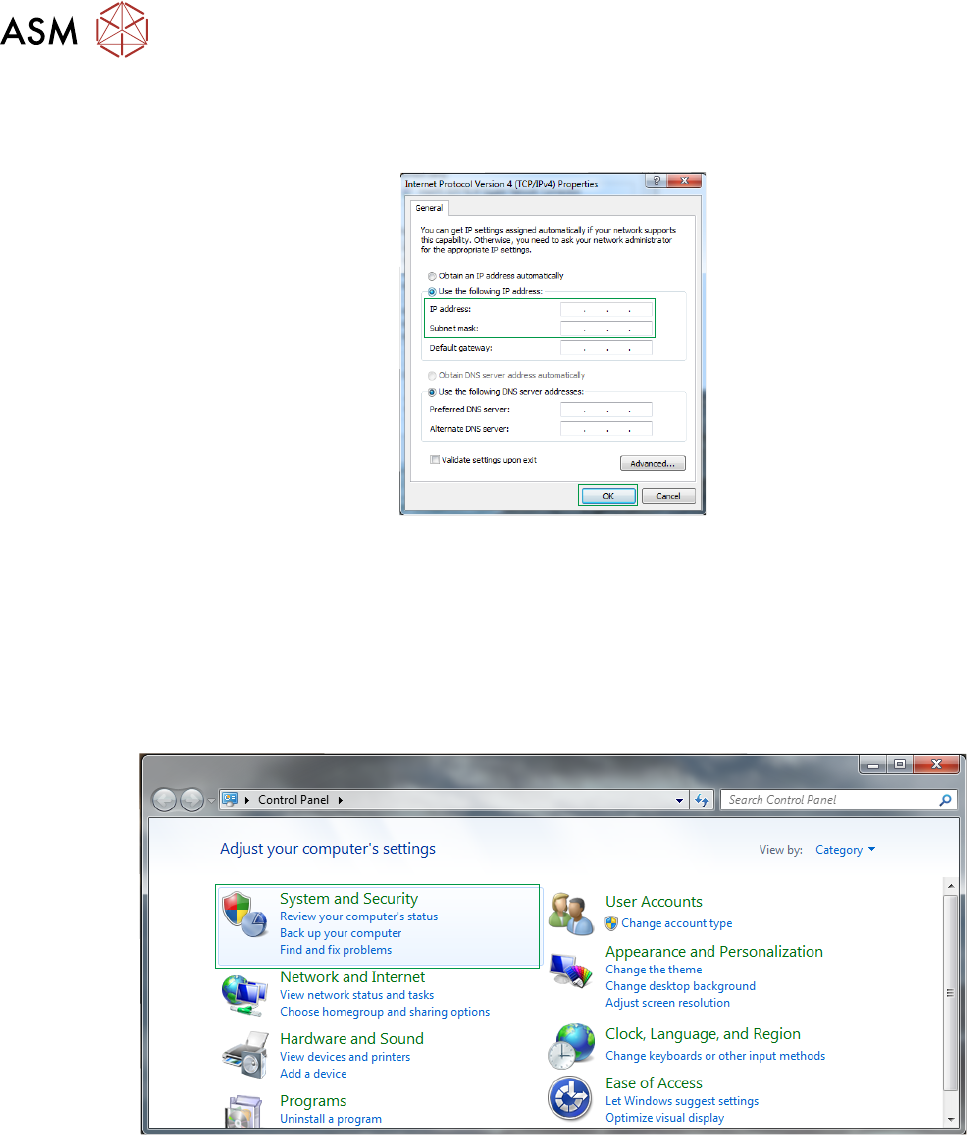
► Select Use the following IP address radio button and enter the IP address and subnet mask
for the printer provided by the customer.
► Select OK.
2.6.2 Disable Printer Firewall
To disable the printer firewall carry out the following procedure:
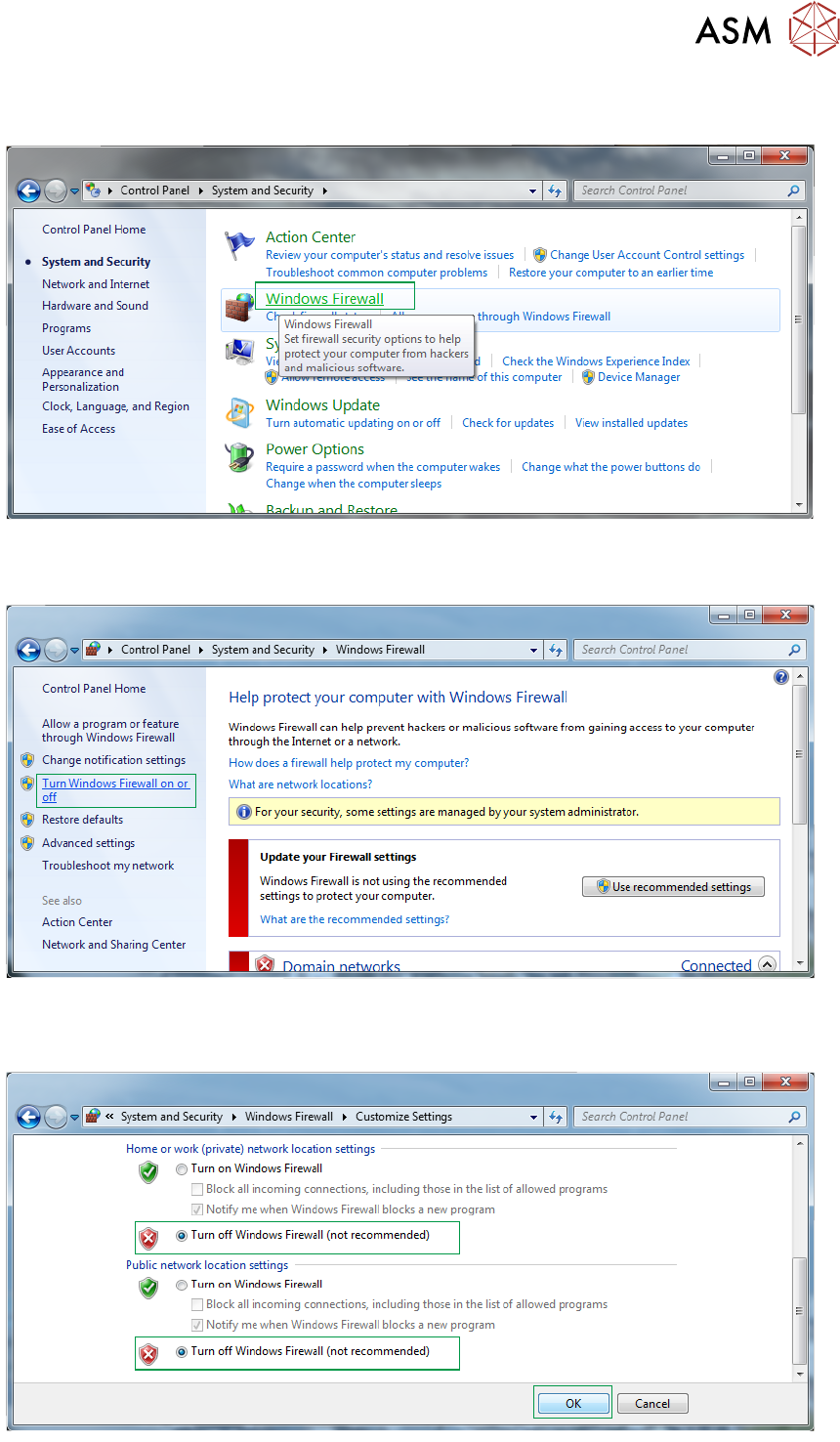
► Using the Windows Start button, select Control Panel.
► Select System and Security.
2 INSTALLATION
2.6 NETWORK SETUP
Standalone Manual Interface To Koh Young KPO 2 08/2021 13
► Select Windows Firewall.
► Select Turn Windows Firewall on or off.
► Select Turn off Windows Firewall radio buttons for both private and public networks.
2 INSTALLATION
2.7 PRINTER SOFTWARE SETUP
14 Standalone Manual Interface To Koh Young KPO 2 08/2021
► Select OK.
2.6.3 Set Printer IP Address On SPI
The SPI needs to know the IP address of the printer. Contact the Koh Young engineer, agent or
line technician to complete this task.
2.6.4 Confirmation Of Network Connection
To confirm the connection between the printer and the SPI carry out the following ping test
between the printer and SPI:
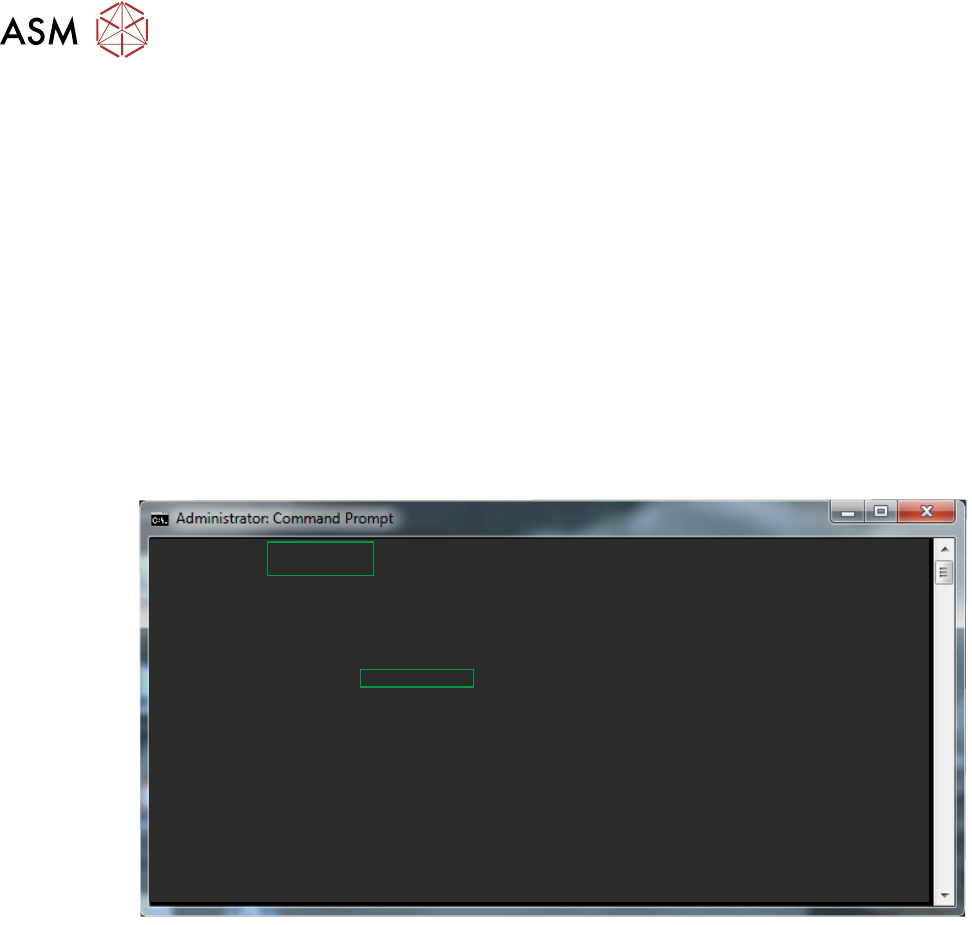
► On the printer, select the Windows Start button.
► In the search box type ‘Command Prompt’.
► Select Command Prompt from the programs list.
► In the Command Prompt window enter the command ‘ping xxx.xx.xx.xxx’. Where xxx is the
IP address of the SPI. The ping should response with no timeouts.
c:\Users\dekprinter>ping 172.20.20.112
Pinging 172.20.20.112 with 32 bytes of data:
Reply from 172.20.20.112: bytes = 32 time = 6ms TTL = 127
Reply from 172.20.20.112: bytes = 32 time = 21ms TTL = 127
Reply from 172.20.20.112: bytes = 32 time = 2ms TTL = 127
Reply from 172.20.20.112: bytes = 32 time = 15ms TTL = 127
Ping statistics for 172.20.20.112:
Packets: Sent = 4, Received = 4, Lost = 0 ,0% loss>,
Appropriate round trip times in milliseconds
Minimum = 2ms, Maximum = 21ms, Average = 11ms
c:\Users\dekprinter>
► If the ping does not reply or there are timeouts, check the network settings and cables.
► On the SPI, repeat the above test using the IP address of the printer.
2.7 PRINTER SOFTWARE SETUP
Install the required printer software on the printer (see Printer System Requirements). During in-
stallation, the software requires the RTX key file. The KPO interface is implemented as a plug-in
and the plug-in is enabled by default. There are no further steps required to configure or setup the
KPO plug-in.