03253524-01 KPO 2 Closed Loop.pdf - 第14页
2 INSTALLATION 2.7 PRINTER SOFTWARE SETUP 14 Standalone Manual Interface To Koh Young KPO 2 08/2021 ► Select OK . 2.6.3 Set Printer IP Address On SPI The SPI needs to know the IP address of the printer. Contact the Koh Y…
2 INSTALLATION
2.6 NETWORK SETUP
Standalone Manual Interface To Koh Young KPO 2 08/2021 13
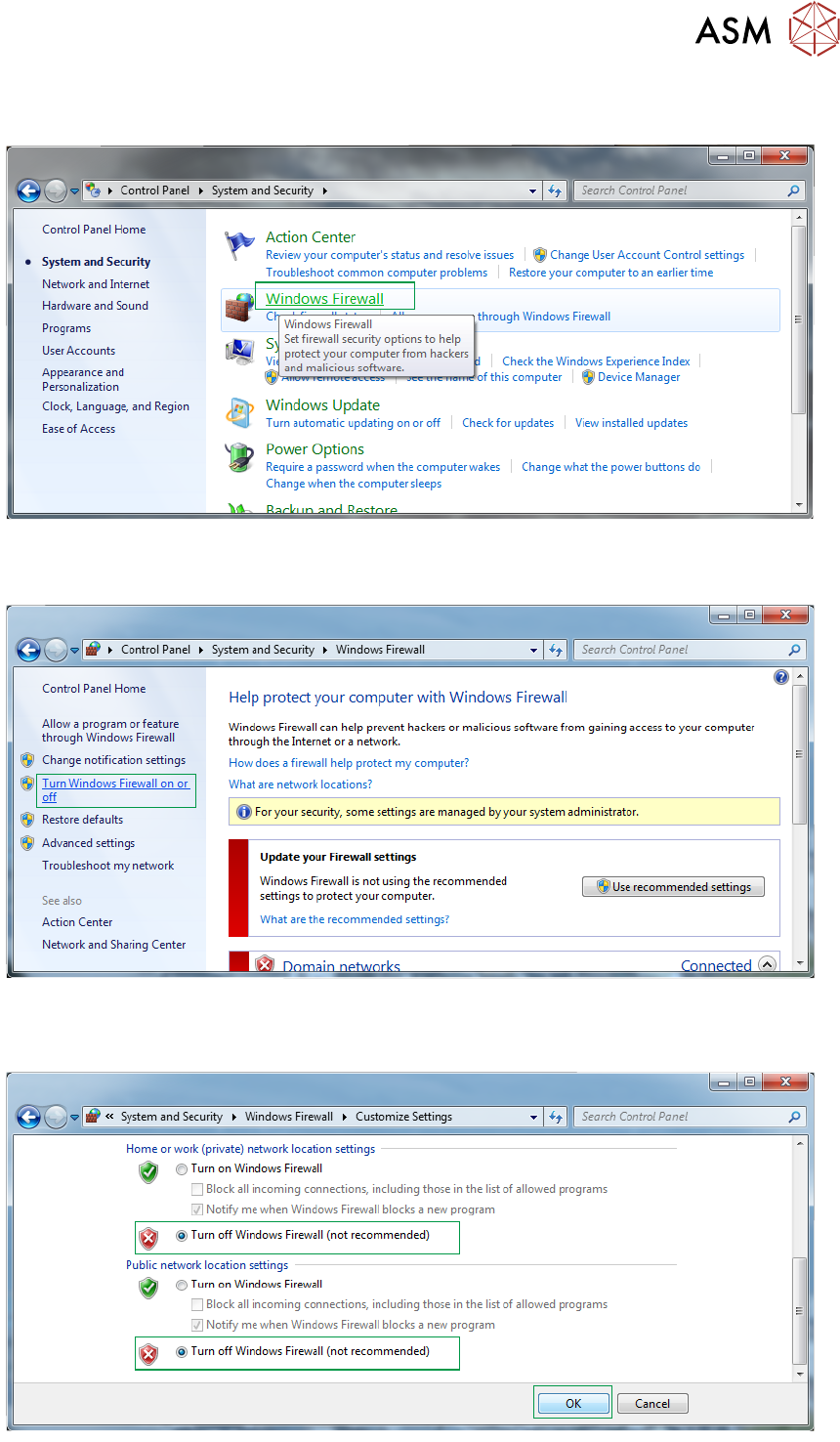
► Select Windows Firewall.
► Select Turn Windows Firewall on or off.
► Select Turn off Windows Firewall radio buttons for both private and public networks.
2 INSTALLATION
2.7 PRINTER SOFTWARE SETUP
14 Standalone Manual Interface To Koh Young KPO 2 08/2021
► Select OK.
2.6.3 Set Printer IP Address On SPI
The SPI needs to know the IP address of the printer. Contact the Koh Young engineer, agent or
line technician to complete this task.
2.6.4 Confirmation Of Network Connection
To confirm the connection between the printer and the SPI carry out the following ping test
between the printer and SPI:
► On the printer, select the Windows Start button.
► In the search box type ‘Command Prompt’.
► Select Command Prompt from the programs list.
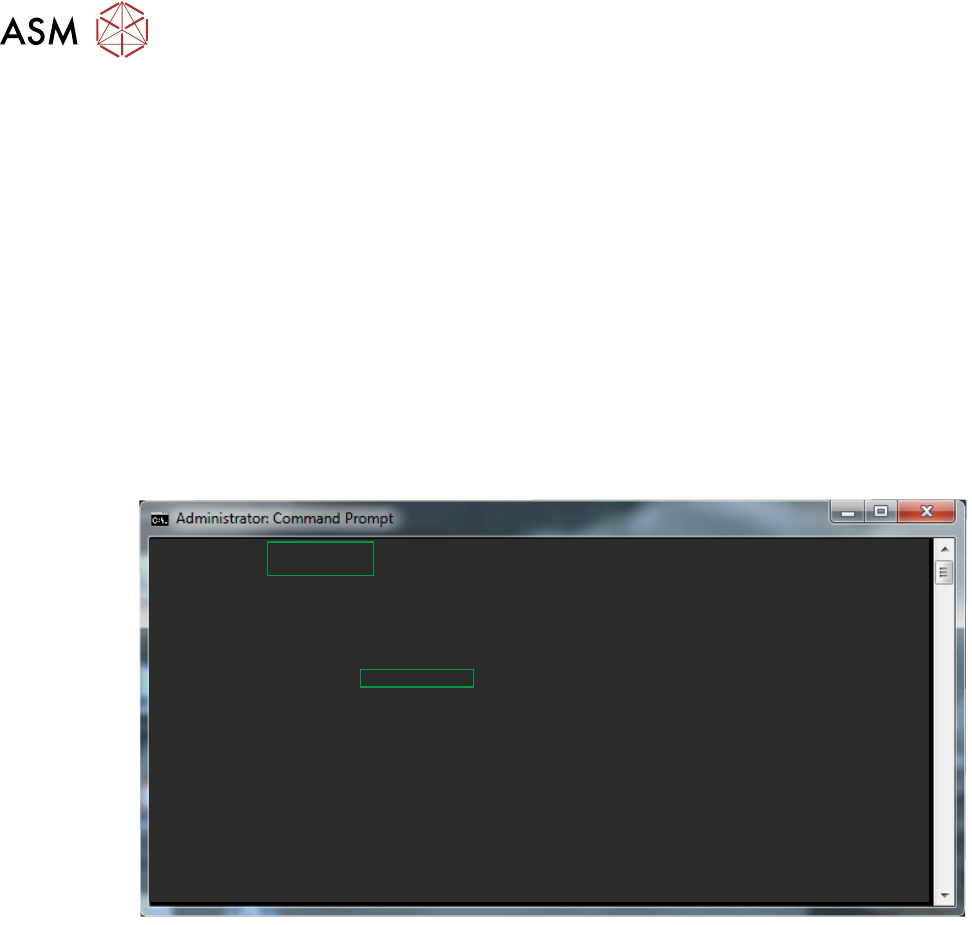
► In the Command Prompt window enter the command ‘ping xxx.xx.xx.xxx’. Where xxx is the
IP address of the SPI. The ping should response with no timeouts.
c:\Users\dekprinter>ping 172.20.20.112
Pinging 172.20.20.112 with 32 bytes of data:
Reply from 172.20.20.112: bytes = 32 time = 6ms TTL = 127
Reply from 172.20.20.112: bytes = 32 time = 21ms TTL = 127
Reply from 172.20.20.112: bytes = 32 time = 2ms TTL = 127
Reply from 172.20.20.112: bytes = 32 time = 15ms TTL = 127
Ping statistics for 172.20.20.112:
Packets: Sent = 4, Received = 4, Lost = 0 ,0% loss>,
Appropriate round trip times in milliseconds
Minimum = 2ms, Maximum = 21ms, Average = 11ms
c:\Users\dekprinter>
► If the ping does not reply or there are timeouts, check the network settings and cables.
► On the SPI, repeat the above test using the IP address of the printer.
2.7 PRINTER SOFTWARE SETUP
Install the required printer software on the printer (see Printer System Requirements). During in-
stallation, the software requires the RTX key file. The KPO interface is implemented as a plug-in
and the plug-in is enabled by default. There are no further steps required to configure or setup the
KPO plug-in.

3 USER INFORMATION
3.1 PRINTER AND PROCESS PRE-REQUISITES
Standalone Manual Interface To Koh Young KPO 2 08/2021 15
3 USER INFORMATION
3.1 PRINTER AND PROCESS PRE-REQUISITES
Before allowing the KPO software to control the printing process it is important to ensure that the
correct conditions are established. Closed loop optimiser software cannot correct a fundamentally
flawed process design or compensate for a printer which is badly setup or not maintained. Trying to
adjust an out of control process is likely to lead to more issues and reduced production perform-
ance.
The following pre-requisites for the printer are recommended:
●
The printer alignment is accurate and repeatable and passes the SPC qualification test
●
The printer is clean and well maintained through daily, weekly and monthly PM schedules
●
The printer receives an annual service
●
PM and Maintenance staff are trained to the correct level
The following pre-requisites for process are recommended:
●
The print quality must be stable, repeatable and predictable
●
The process hardware (tooling, stencil, squeegees etc.) must be in good condition and fit for
purpose
●
The process is well maintained (solder paste quantity on the stencil is controlled, under stencil
cleaner is working correctly)
●
The production environment is stable (temperature, humidity, board handling and air quality)
●
Operators, Technicians and Engineers are trained to the correct level
ASM training classes are available to provide the necessary knowledge to establish and maintain
the above requirements.
It would be helpful with any subsequent troubleshooting activities if the status and production per-
formance of the printer are recorded prior to KPO being enabled. The table in Appendix B (later in
this chapter) is designed to help with this.
3.2 ASM RECOMMENDED TRAINING
In order for a Process Design engineer or NPI engineer to design and optimize a product, ASM re-
commends the following training courses:
TR-PMI - Programming and Process Foundation - 2.5 days
TR-PD-MI - Process Design - 2 days
In order for a line technician to effectively set-up an existing product and troubleshoot the process,
ASM recommends the following training course:
TR-PMI - Programming and Process Foundation - 2.5 days
In order for a maintenance technician to effectively maintain the printer and troubleshoot any
machine issues, ASM recommends the following training course:
TR-M-MI - Maintenance and Troubleshooting - 4 days