00196778-02_VB Setup Center 4.2_DE_EN.pdf - 第40页
System Requirements Device Recognition Unique Machine IDs 40 Setup Center 4.2 Setup Center 4.2 Supported Feeder Types 4.5 Device Recognition 4.5.1 Unique Machine IDs Unique machine IDs are att ached to a ll machines e x …
System Requirements
Supported Hardware
Setup Center 4.2 Setup Center 4.2 39
4.4 Supported Hardware
Supported Barcode Readers
▪ Datalogic DRAGON TM M101 (1D barcode)
▪ Datalogic DRAGON TM M131 (1D barcode)
▪ Datalogic PowerScan® M8300 (1D-Barcode)
▪ Datalogic PowerScan® M8500 (2D-Barcode)
▪ Symbol MC70 Pocket-PC (2D barcode)
▪ Motorola MC70 Pocket-PC (2D barcode)
▪ Motorola MC75 Pocket-PC (2D barcode)
Supported Barcode Types
▪ Datalogic 1D barcode reader:
– Automatic recognition of all standard linear codes and linear GS1 DataBar ™ codes.
– Code 16K; Code 49; GS1 DataBar Expanded Stacked; GS1 DataBar Stacked; GS1 DataBar
Stacked Omnidirectional
▪ Datalogic 2D barcode reader:
– Automatic recognition of all standard linear codes and linear GS1 DataBar ™ codes.
– Aztec Code; Aztec Mesas; Data Matrix; MaxiCode; QR Code; Post Codes; Australian Post; Brit-
ish Post; Canadian Post; China Post; Japanese Post; KIX Post; Korea Post; Planet Code; Post-
net; Royal Mail; Code (RM4SCC) ; EAN/JAN Composites; GS1 DataBar Composites; GS1
DataBar Expanded Stacked; GS1 DataBar Stacked; GS1 DataBar Stacked Omnidirectional;
MacroPDF; MicroPDF417; PDF417; UPC A/E Composites
▪ Symbol / Motorola 2D barcode reader:
– Codabar; Code 11; Code 39; Code 93; Code 128; D2OF5; EAN-8; EAN-13; I2OF5; RSS-14;
RSS Expanded; RSS Limited; UPCA; UPCE0; UPCE1; Data Matrix; Macro Micro PDF; Macro
PDF; Maxi Code; Micro PDF; Micro QR; PDF417; QR Code
Supported Machines
Machine
SIPLACE 80 F4, F4-6, S20; F5, F5 HM, S23
SIPLACE S25 HM, S27 HM, HS50, HS 50+, HS60, HF,
HF3
SIPLACE X2, X3, X4; D1, D2, D3, D4
SIIPLACE CF, CS
SIPLACE X2, X3, X4, X4I
SIPLACE SX1, SX2, SX4
SIPLACE DX1, DX2, DX4
NOTICE
Restrictions
Please note that the programming system SIPLACE Pro and the Setup Center Station Package
may limit this selection.
System Requirements
Device Recognition Unique Machine IDs
40 Setup Center 4.2 Setup Center 4.2
Supported Feeder Types
4.5 Device Recognition
4.5.1 Unique Machine IDs
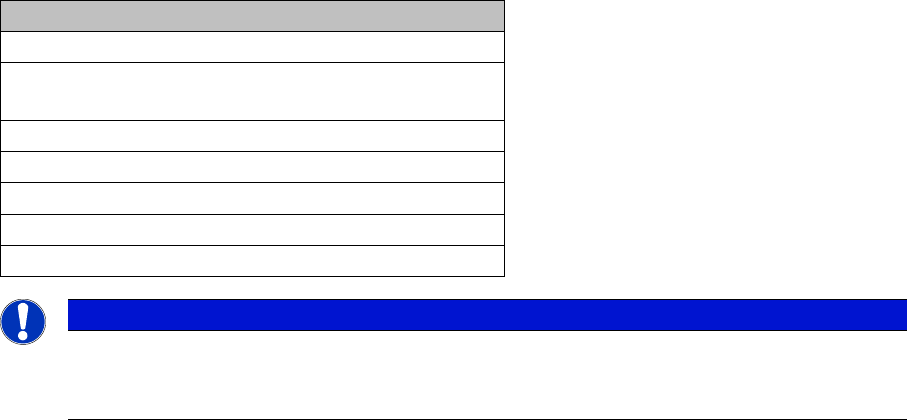
Unique machine IDs are attached to all machines ex factory since 2007.
For other machine series we recommend you order the unique machine IDs before installation and at-
tach them to each machine (item no.: 0303470-xx).
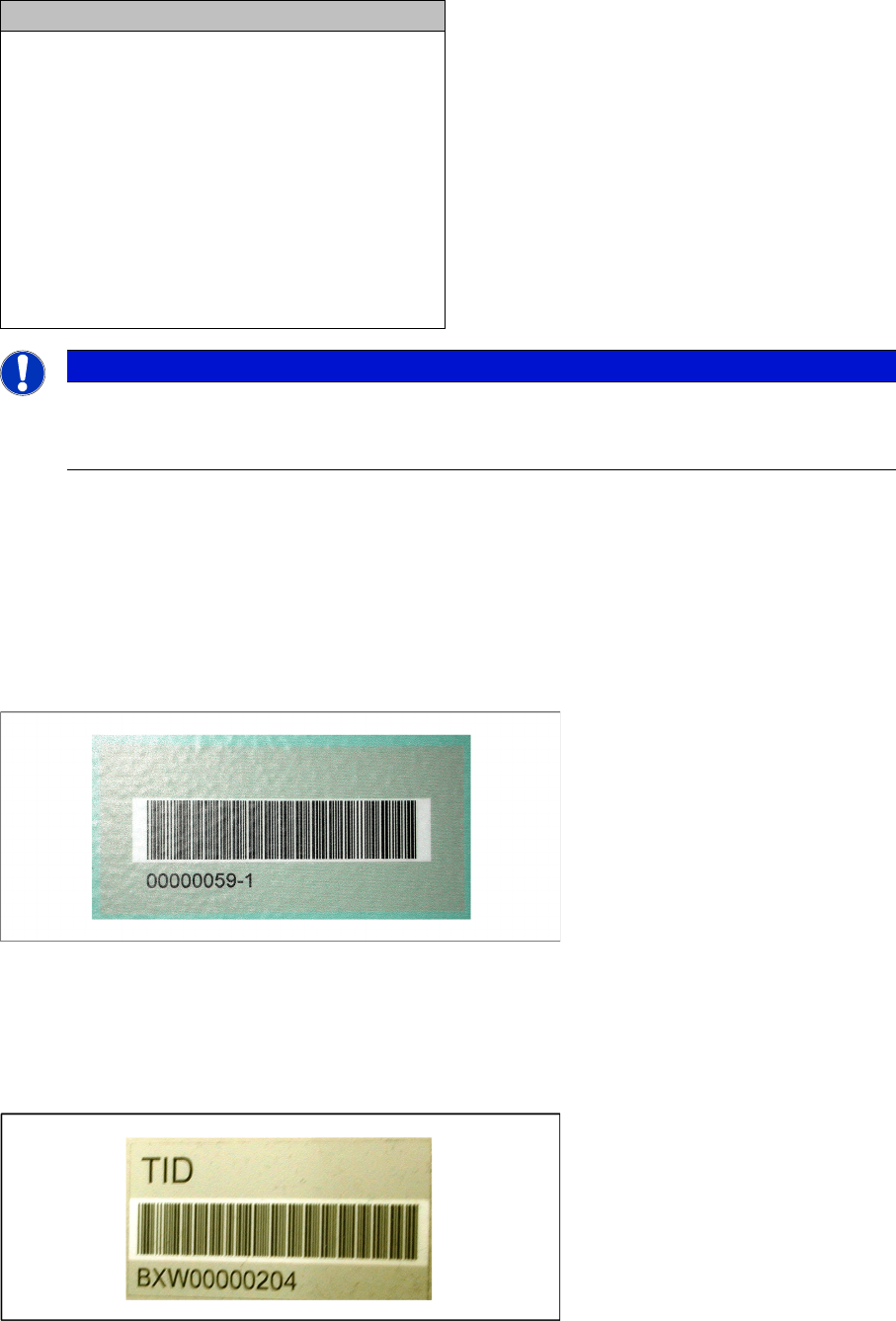
4.5.2 Unique Table ID
Unique table IDs are attached to all changeover tables ex factory since 2007.
For other machine series we recommend you order the unique table IDs before installation and attach
them to each table (item no.: 03046294-xx).
Feeder types
▪ All WPC types
▪ MTC 1 & 2
▪ All waffle-pack trays
▪ All standard SIPLACE tape feeders
▪ All standard SIPLACE linear feeders
▪ SIPLACE X adapters
▪ Special feeders (Road Runner, Road Runner
XLF, Multi Stick Feeder: IPTE MSF 60 AX und
IPTE MSF XL80 AX; LED Feeder TE und LED
Feeder HS)
NOTICE
Restrictions
Please note that the programming system SIPLACE Pro and the the hardware used may limit
this selection.
New Functions in Setup Center 4.2
Packaging unit data from MES
Setup Center 4.2 Setup Center 4.2 41
5 New Functions in Setup Center 4.2
5.1 Packaging unit data from MES
Purpose
The packaging unit data can be requested from MES, if they are not available in the data base of Setup
Center.
Function
This function can be activated in Setup Center 4.2 with Extras > Settings => MES.
5.2 Mapping of MSD level, RoHS and Brightness class
Purpose
If a barcode fragment contains non-standard values, it is possible to insert alternative values.
Function
This function can be configured in Setup Center 4.2 with Extras > Settings => Barcode labels.
5.3 64-bit CAN board
Purpose
Setup Center 4.2 supports the use of a 64-bit CAN board.
Function
It is possible to install the driver for the 64-bit CAN board during the installation of Setup Center.
5.4 Scanner with USB interface
Purpose
Setup Center 4.2 supports the use of a scanners with USB interface.
Function
It is possible to install the driver for the USB interface during the installation of Setup Center.