00194335-02.pdf - 第30页
2 Retrofit instructions Coplanarity module - SIPLACE HF ser ies Coplanarity module 10/2004 Edition 30 2.4 Calibrate coplan in the SITEST program : Select th e "T winHea d" button. : Select th e "Coplan &qu…

Coplanarity module 2 Retrofit instructions Coplanarity module - SIPLACE HF series
10/2004 Edition
29
: Close all the safety devices.
: Switch the placement machine on at the main switch.
None of the four LEDs on the test plug must light up.
2
Activation of the LEDs on the coplanarity module (computer unit) is not the same as activation of
the LEDs on the test plug. The activation and deactivation of LEDs must therefore always be
checked at the test plug.
The coplanarity sensor switches off again 20 minutes after it was last activated. You should there-
fore carry out the checks within this period. 2
2
The following calibration sequence (which is carried out using the SITEST program) is only used
here to switch on the sensor, i.e. it must not be saved. 2
2
2
: Switch the control "ON“ (Start button):
The machine carries out a reference run.
All 4 LEDs on the test plug must light up.
: Start SITEST and select:
"Twin -> Coplan -> Calibrate Coplan".
: Now open and close all four protective covers one after another and check the activation of the
LEDs on the test plug:
When you open a protective cover -> none of the 4 LEDs must light up.
When you close one or all of the protective covers and press the "ON“ button -> all 4 LEDs
must light up.
: Press and release all three 3 emergency stop buttons one after another and check the activa-
tion of the LEDs on the test plug:
When you press an emergency stop button -> none of the 4 LEDs must light up.
When you release the emergency stop button and switch the control "ON" -> all 4 LEDs must
light up.
2
2
2
2
2
2
2
2
2 Retrofit instructions Coplanarity module - SIPLACE HF series Coplanarity module
10/2004 Edition
30
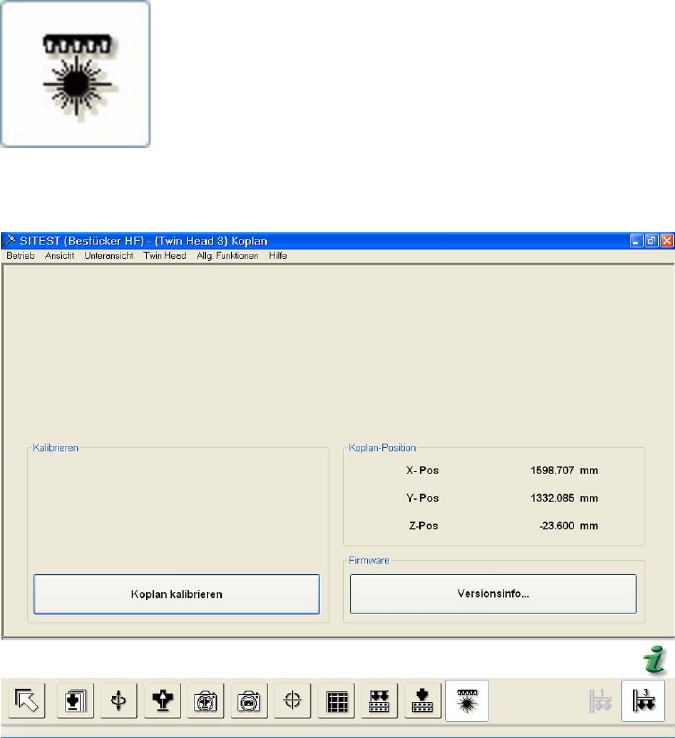
2.4 Calibrate coplan in the SITEST program
: Select the "TwinHead" button.
: Select the "Coplan" button.
2
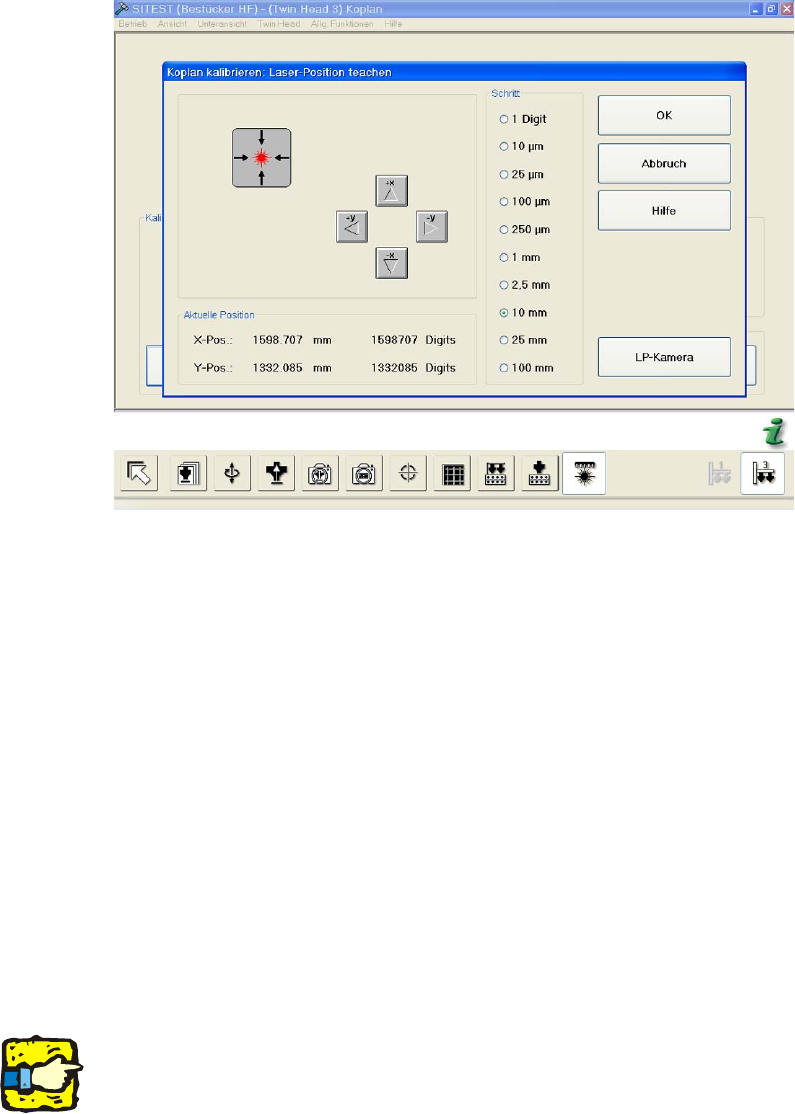
: Select "Calibrate coplan".
2
2
2
2
2
2
2
2
2
Coplanarity module 2 Retrofit instructions Coplanarity module - SIPLACE HF series
10/2004 Edition
31
: Insert the calibrating part (when you are prompted to do so) and start the calibration.
2
: Press OK to confirm.
The calibration takes approx. 7 minutes. 2
: Save the machine data.
: Exit the SITEST program.
2.5 Changes in SIPLACE PRO
: Enter the coplanarity module in the set-up.
: Start the "Package form editor" button and press the button "Coplanarity" in the menu "Basic
handling".
: In the PCB editor, set the thickness for the solder paste accordingly.
2
2
Solder paste thickness: 2
This value must be entered here to ensure that the solder paste thickness is taken into account
during lead measurement with the Coplanarity Module command.
This makes sure that all leads reach the solder paste after measurement and are not recognizes
as "deficient". 2