00198829-01_SM_X-Series-S_Hxxxx_EN.pdf - 第152页
6 Gantries 6.6 MHCU, boards and camera 152 Service Manual SIPLACE X-Series S (from Hxxxx) 01/2021 6.6.5 Replacing the PCB Camera Parts, equipment and tools ● PCB camera (type 34) 28 GigE [03101402‑xx] ● Sealing varnish L…
6 Gantries
6.6 MHCU, boards and camera
Service Manual SIPLACE X-Series S (from Hxxxx) 01/2021 151
6.6.4 Replacing the connection cable from the Twin module to the basic adapter
Parts, equipment and tools
●
Cable / X connection cable Twin [03062202-xx]
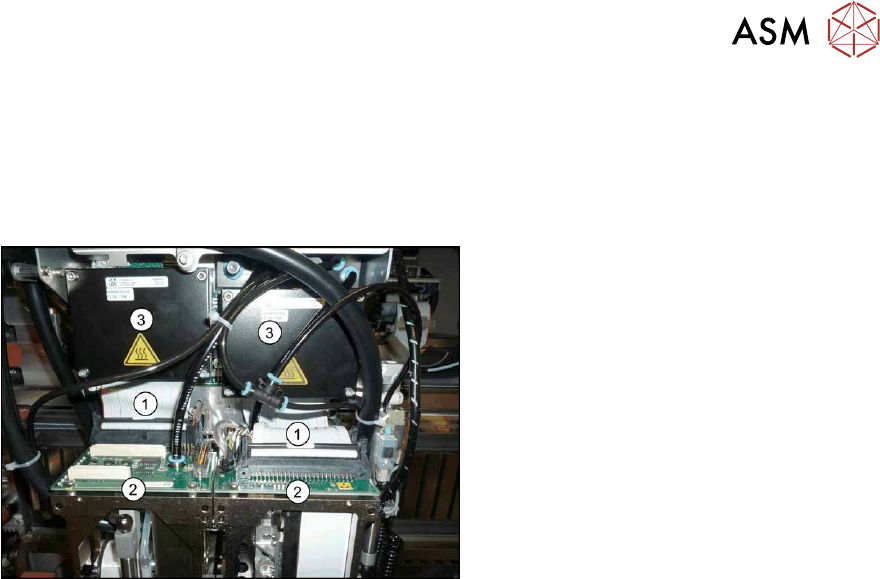
Overview
Fig.194: Cable
1. Connection cable from the Twin mod-
ule to the basic adapter
2. Twin module
3. MHCUs on the basic adapter
Removal
► Switch off the machine, disconnect it from the power supply and secure it to prevent
unauthorized reactivation.
1.2 "Preparatory work..." [}16]
► Remove the two Twin modules form the machine.
8.8
"Replacing the SIPLACE Twin" [}274]
► Remove the head adapter from the machine and then dismantle the two MHCUs.
6.6.1
"Replacing the MHCU, basic and head adapter" [}146]
► Unplug both connection cables.
Installation
Follow the removal instructions in reverse order for installation.
6 Gantries
6.6 MHCU, boards and camera
152 Service Manual SIPLACE X-Series S (from Hxxxx) 01/2021
6.6.5 Replacing the PCB Camera
Parts, equipment and tools
●
PCB camera (type 34) 28 GigE [03101402‑xx]
●
Sealing varnish Loctite 241 [02101037-xx]
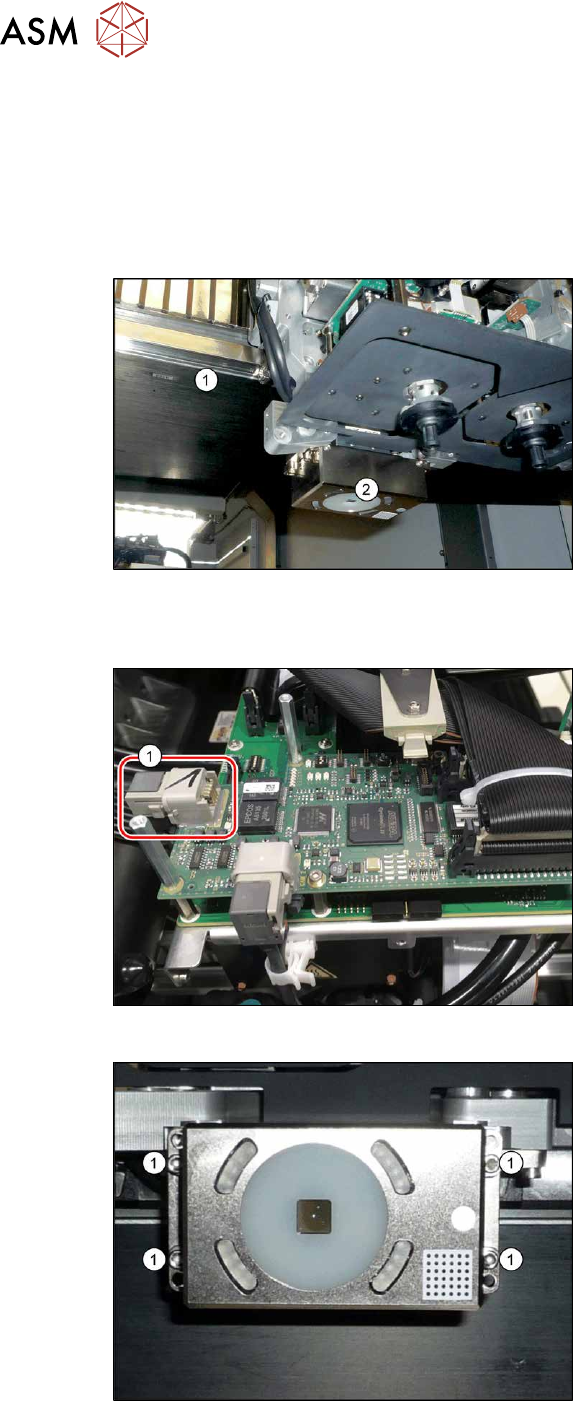
Overview
Fig.195: Overview of PCB camera
1. Gantry
2. Board camera
The PCB camera is located on the under-
side of the gantry, on the head mount.
Removal
Fig.196: Connecting cable
► Unplug the two connection cables X2
and X6(1)
and unthread these as far
as the PCB camera. You may like to
mark their positions, to make clear as-
signment easier later on.
Fig.197: PCB camera
► Remove the four screws (1) holding the
PCB camera. Mark the position to
make clear assignment easier later on.
6 Gantries
6.7 Filter and pneumatics
Service Manual SIPLACE X-Series S (from Hxxxx) 01/2021 153
Installation
► Install the new PCB camera on the mount. Secure the screws with Loctite 241.
► Run the connection cable and reconnect to the electrical system.
► After replacing the PCB camera, you will need to recalibrate the whole machine. Use the rel-
evant software function in the Service menu.
6.7 Filter and pneumatics
6.7.1 Replacing the vacuum distributor on the placement head
Parts, equipment and tools
●
Distributor placement head vacuum [03029190-xx]
CAUTION
Use the correct blanking plugs
► Only use blanking plugs in the machine which match the manufacturer's compressed
air connection. A tight fit cannot be guaranteed for other blanking plugs.
► We recommend the use of blanking plugs made by Festo.
Overview
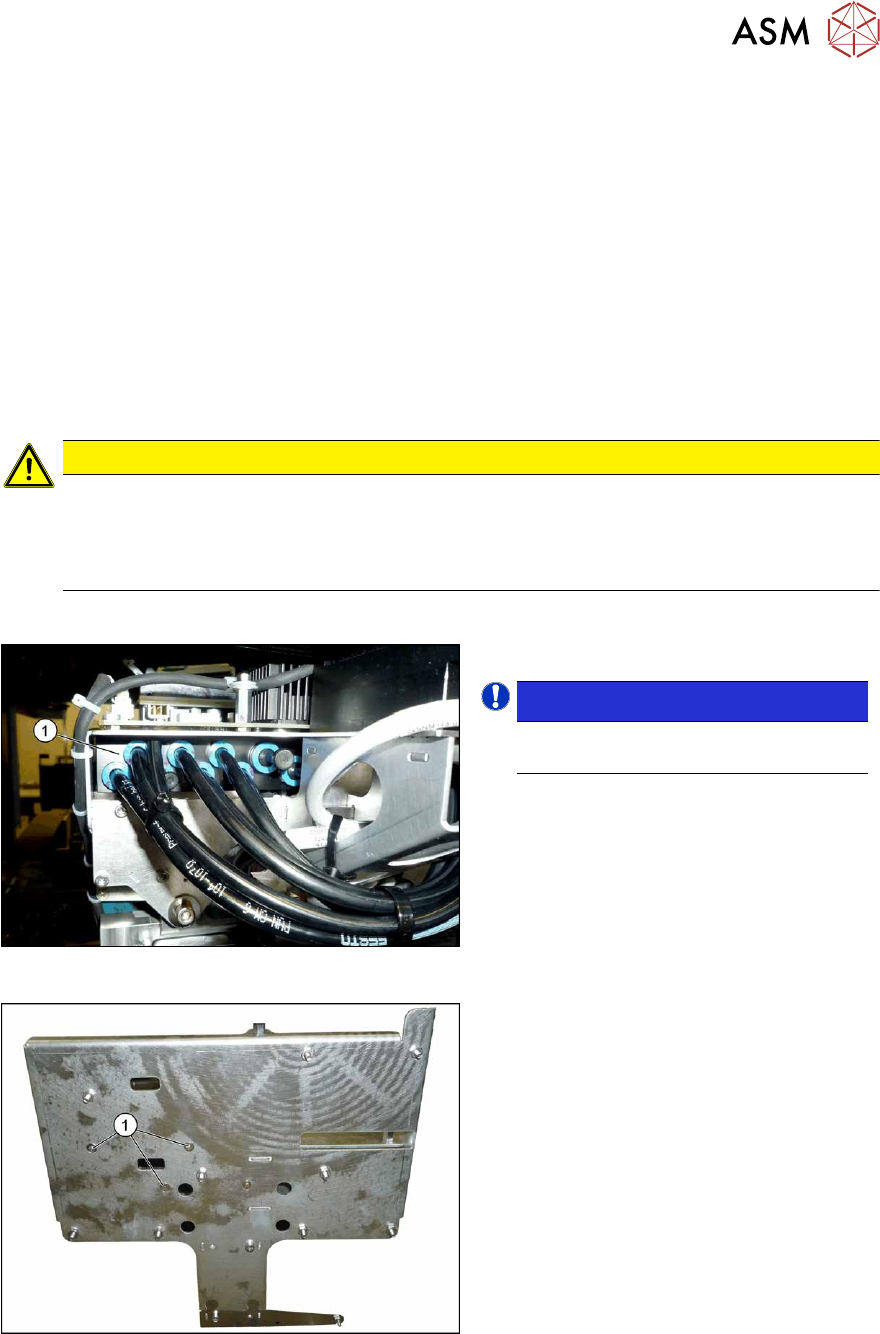
Fig.198: Overview of vacuum distributor
1. Vacuum distributor
NOTICE!
There may still be a pressure sensor
on the vacuum distributor.
.
See 6.7.2 "Replacing the pressure
sensor" [}154].
Fig.199: Screws fastening the vacuum distributor
1. Screws fastening the vacuum distrib-
utor
The screws fastening the vacuum distributor
are located under the head interface.