00198829-01_SM_X-Series-S_Hxxxx_EN.pdf - 第153页
6 Gantries 6.7 Filter and pneumatics Service Manual SIPLACE X-Series S (from Hxxxx) 01/2021 153 Installation ► Install the new PCB camera on the mount. Secure the screws with Loctite 241 . ► Run the connection cable and …
6 Gantries
6.6 MHCU, boards and camera
152 Service Manual SIPLACE X-Series S (from Hxxxx) 01/2021
6.6.5 Replacing the PCB Camera
Parts, equipment and tools
●
PCB camera (type 34) 28 GigE [03101402‑xx]
●
Sealing varnish Loctite 241 [02101037-xx]
Overview
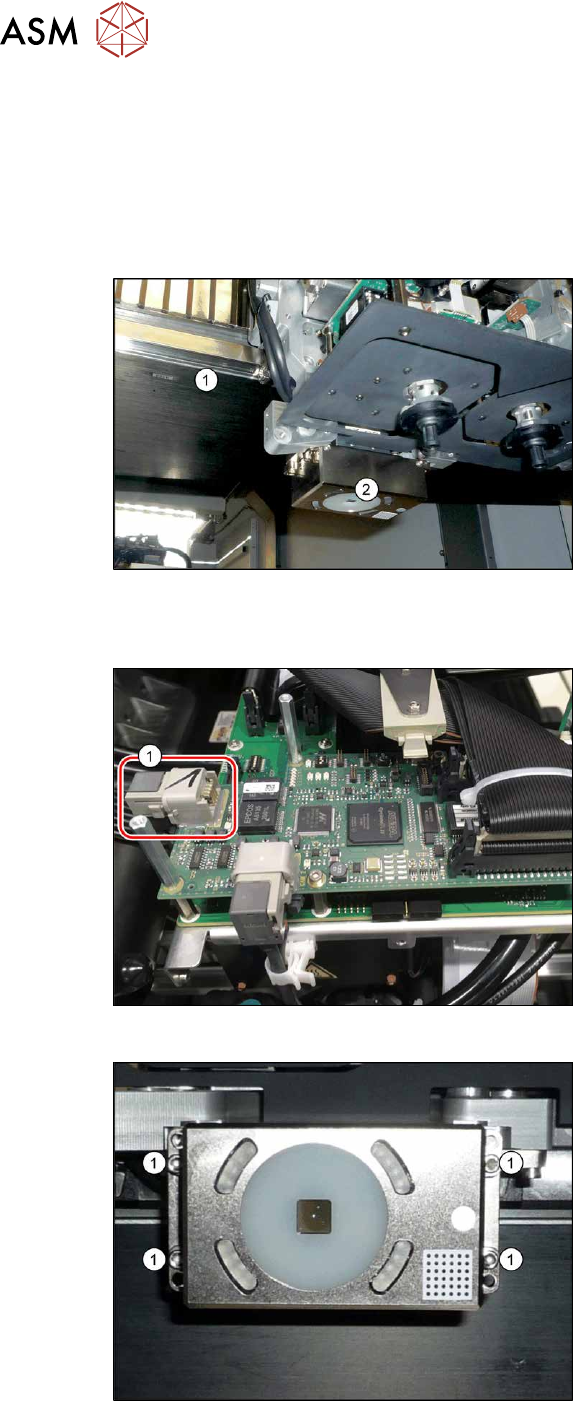
Fig.195: Overview of PCB camera
1. Gantry
2. Board camera
The PCB camera is located on the under-
side of the gantry, on the head mount.
Removal
Fig.196: Connecting cable
► Unplug the two connection cables X2
and X6(1)
and unthread these as far
as the PCB camera. You may like to
mark their positions, to make clear as-
signment easier later on.
Fig.197: PCB camera
► Remove the four screws (1) holding the
PCB camera. Mark the position to
make clear assignment easier later on.
6 Gantries
6.7 Filter and pneumatics
Service Manual SIPLACE X-Series S (from Hxxxx) 01/2021 153
Installation
► Install the new PCB camera on the mount. Secure the screws with Loctite 241.
► Run the connection cable and reconnect to the electrical system.
► After replacing the PCB camera, you will need to recalibrate the whole machine. Use the rel-
evant software function in the Service menu.
6.7 Filter and pneumatics
6.7.1 Replacing the vacuum distributor on the placement head
Parts, equipment and tools
●
Distributor placement head vacuum [03029190-xx]
CAUTION
Use the correct blanking plugs
► Only use blanking plugs in the machine which match the manufacturer's compressed
air connection. A tight fit cannot be guaranteed for other blanking plugs.
► We recommend the use of blanking plugs made by Festo.
Overview
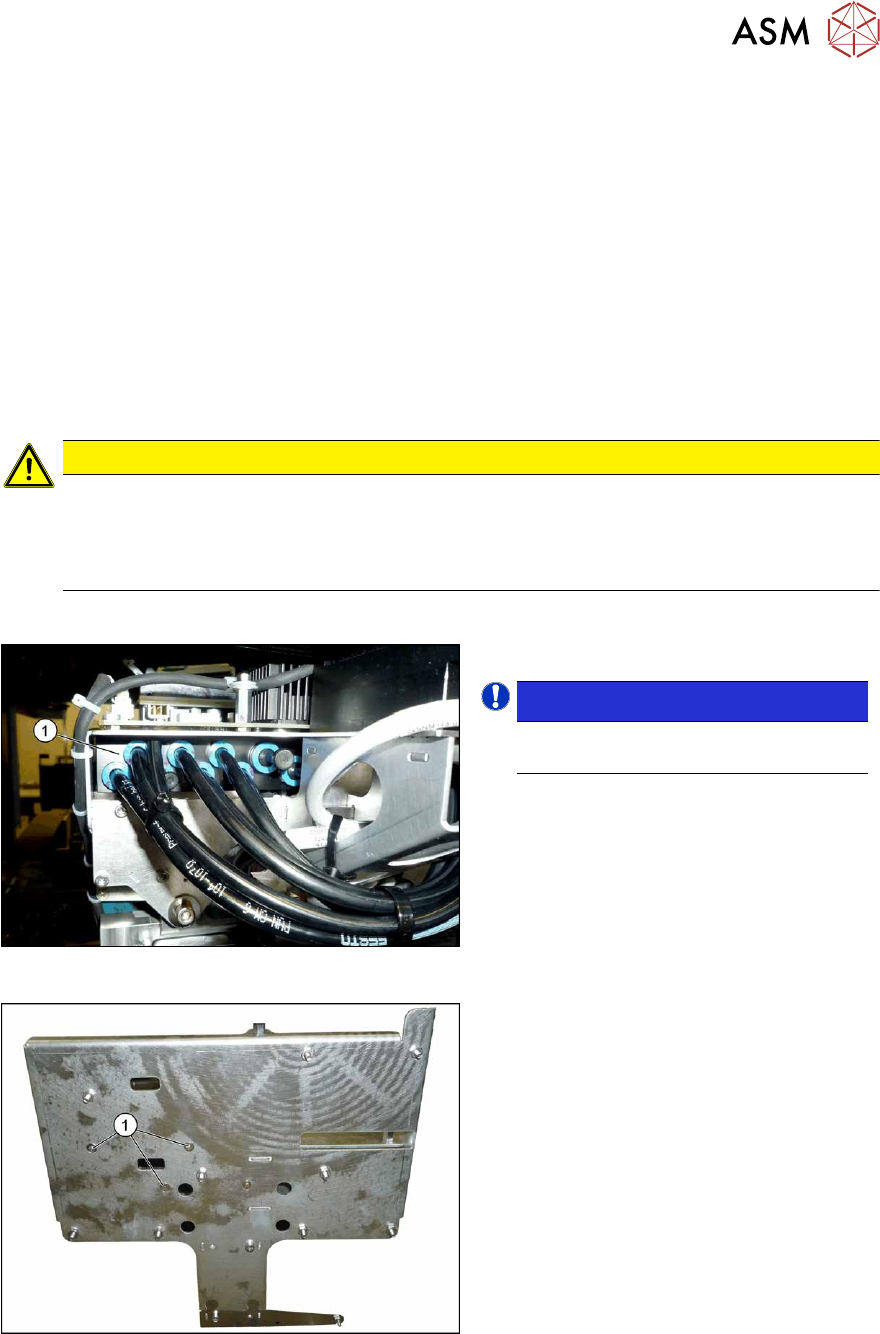
Fig.198: Overview of vacuum distributor
1. Vacuum distributor
NOTICE!
There may still be a pressure sensor
on the vacuum distributor.
.
See 6.7.2 "Replacing the pressure
sensor" [}154].
Fig.199: Screws fastening the vacuum distributor
1. Screws fastening the vacuum distrib-
utor
The screws fastening the vacuum distributor
are located under the head interface.
6 Gantries
6.7 Filter and pneumatics
154 Service Manual SIPLACE X-Series S (from Hxxxx) 01/2021
Removal
► Switch off the machine, disconnect it from the power supply and secure it to prevent
unauthorized reactivation.
1.2 "Preparatory work..." [}16]
► Switch off the compressed air supply
5.2 "Disabling the compressed air supply" [}86]
► Dismantle the Vision Head Interface.
6.4.8 "Replacing the Vision head interface (VHI)" [}136]
► Dismantle the head interface.
6.4.6 "Replacing the Head Interface" [}131]
► Mark all pneumatic connections to the vacuum distributor, to make clear assignment easier
later on.
► Unplug all pneumatic connections to the vacuum distributor.
► Remove the screws fastening the vacuum distributor and then remove the vacuum distributor.
Installation
Follow the removal instructions in reverse order for installation.
6.7.2 Replacing the pressure sensor
NOTICE
The pressure sensor is only needed if there vacuum pump is fitted and for SIPLACE
C&P20x.
In this case, the pressure sensor is essential for operation of the placement machine.
Parts, equipment and tools
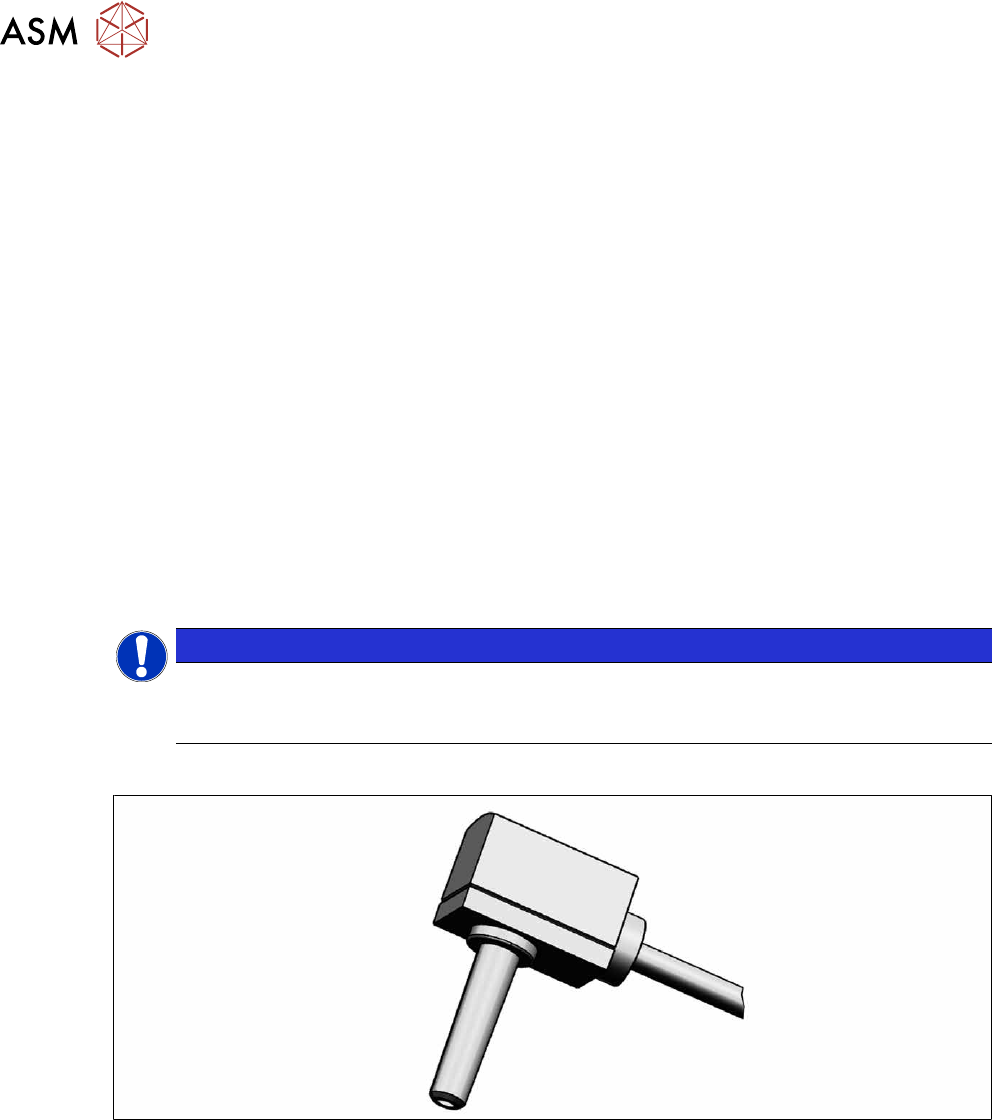
Fig.200: Pressure sensor
●
Upgrade kit - pressure sensor for vacuum SIPLACE C&P20P [03108457‑xx]