00198829-01_SM_X-Series-S_Hxxxx_EN.pdf - 第159页
7 Conveyor Service Manual SIPLACE X-Series S (from Hxxxx) 01/2021 159 7 Conveyor DANGER Observe User Manual ► Please observe the safety instructions in the user manual for all work! CAUTION Do not loosen or remove the …

6 Gantries
6.8 Sensor, motor and guide trolley
158 Service Manual SIPLACE X-Series S (from Hxxxx) 01/2021
7 Conveyor
Service Manual SIPLACE X-Series S (from Hxxxx) 01/2021 159
7 Conveyor
DANGER
Observe User Manual
► Please observe the safety instructions in the user manual for all work!
CAUTION
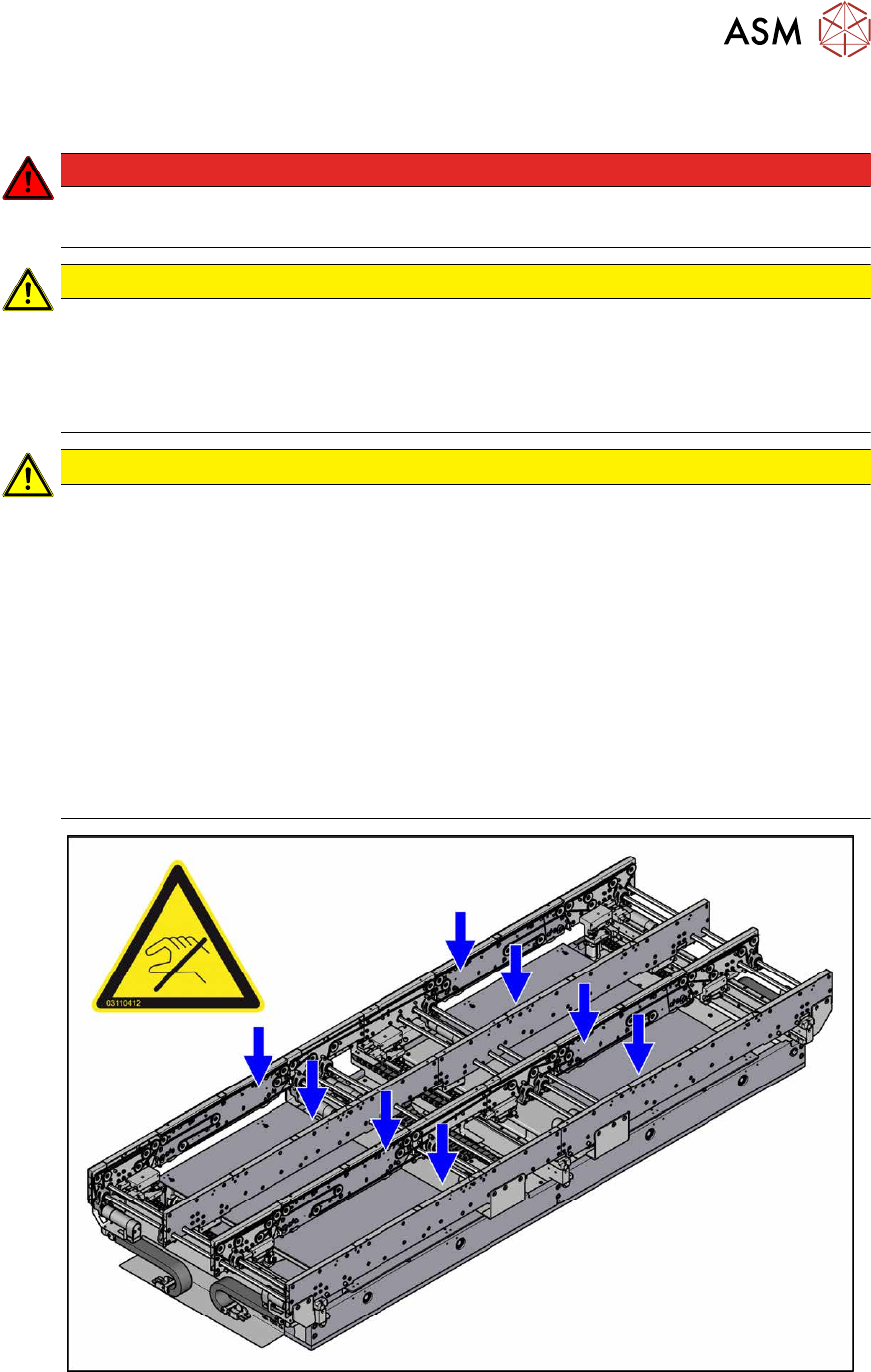
Do not loosen or remove the wrong screws
The following applies to all work performed on the conveyor:
► Make sure that you do not loosen or remove any other screws except those ones ex-
plicitly mentioned. Loosening or removing other screws could lead to irreparable mis-
alignment or damage to the conveyor side.
CAUTION
Moving the conveyor sides
The conveyor sides are highly sensitive and should therefore if possible be moved without
releasing the brakes.
Irreparable damage could otherwise be caused to the conveyor sides.
For this reason, try the following options in the order listed:
► We recommend that you use the software to help you move the conveyor sides.
► If this is not possible, the conveyor sides of the dual conveyors can also be moved by
manually docking in the adjustment units (direct switching of valves for the width ad-
justment). Make sure that the cylinders engage in all clamping units of a particular
conveyor side. The conveyor sides can then be moved by carefully pulling the toothed
belt of the width adjustment unit.
► If this is not possible either, the brakes of the dual conveyors can manually be re-
leased using a pin. Take special care not to distort the conveyor sides.
Fig.204: Sensitive conveyor side
See also
2 7.2 "Loosening the Conveyor Side Clamps" [}162]
7 Conveyor
7.1 Conveyor X Series S
160 Service Manual SIPLACE X-Series S (from Hxxxx) 01/2021
7.1 Conveyor X Series S
X series S placement machines are either fitted with the single or dual conveyor, depending on the
configuration.
7.1.1 Overview of conveyor sides and lanes
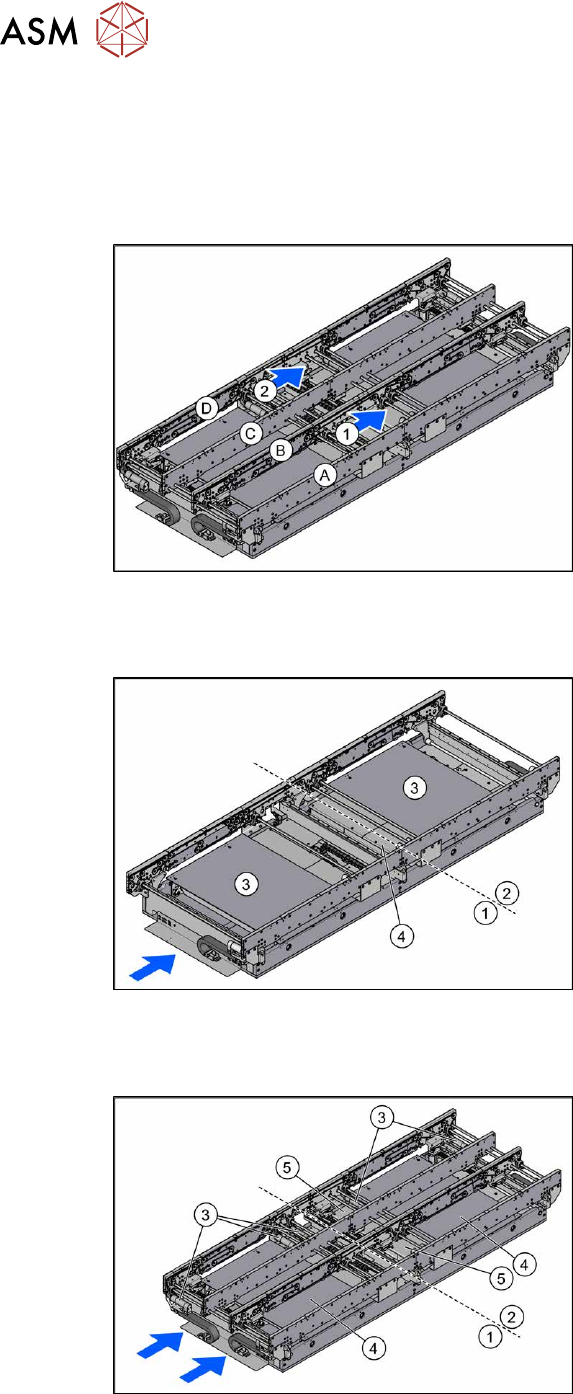
Fig.205: Overview of conveyor sides and lanes
1, 2 = Conveyor lane 1 and 2
A to D = conveyor side A to D
The single conveyor only has conveyor
sides A and B.
7.1.2 Single Conveyor
Fig.206: Overview of single conveyor
The single conveyor has one lane. In the
standard version, the fixed conveyor side
wall is on the right.
1. Placement area 1
2. Placement area 2
3. Lifting tables (2x)
4. Conveyor control TSP420 (2x under
the cover)
7.1.3 Dual Conveyor
Fig.207: Overview of dual conveyor
The dual conveyor has two conveyor lanes.
In the standard version, the fixed conveyor
side of each conveyor lane is on the right-
hand side.
1. Placement area 1
2. Placement area 2
3. Conveyor drive (5x per conveyor lane)
4. Lifting tables (4x)
5. Conveyor control TSP420 (4x, under
the covers)