00198829-01_SM_X-Series-S_Hxxxx_EN.pdf - 第209页
7 Conveyor 7.7 Clamping Plate, Clamping Rails and Belt Guidance Service Manual SIPLACE X-Series S (from Hxxxx) 01/2021 209 ► Mark the eight screws fastening the clamping plate. This makes refitting easier later on. ► Rem…
7 Conveyor
7.7 Clamping Plate, Clamping Rails and Belt Guidance
208 Service Manual SIPLACE X-Series S (from Hxxxx) 01/2021
●
Spacer disks, if needed:
:When replacing a clamping plate, we recommend that you also replace the spacer disks at
the same time. However, these can also be replaced independently of the clamping plate:
– Shim for clamping plate [03091791-xx] (8x per clamping plate)
– Disk for clamping plate [03091711-xx] (8x per clamping plate)
Overview
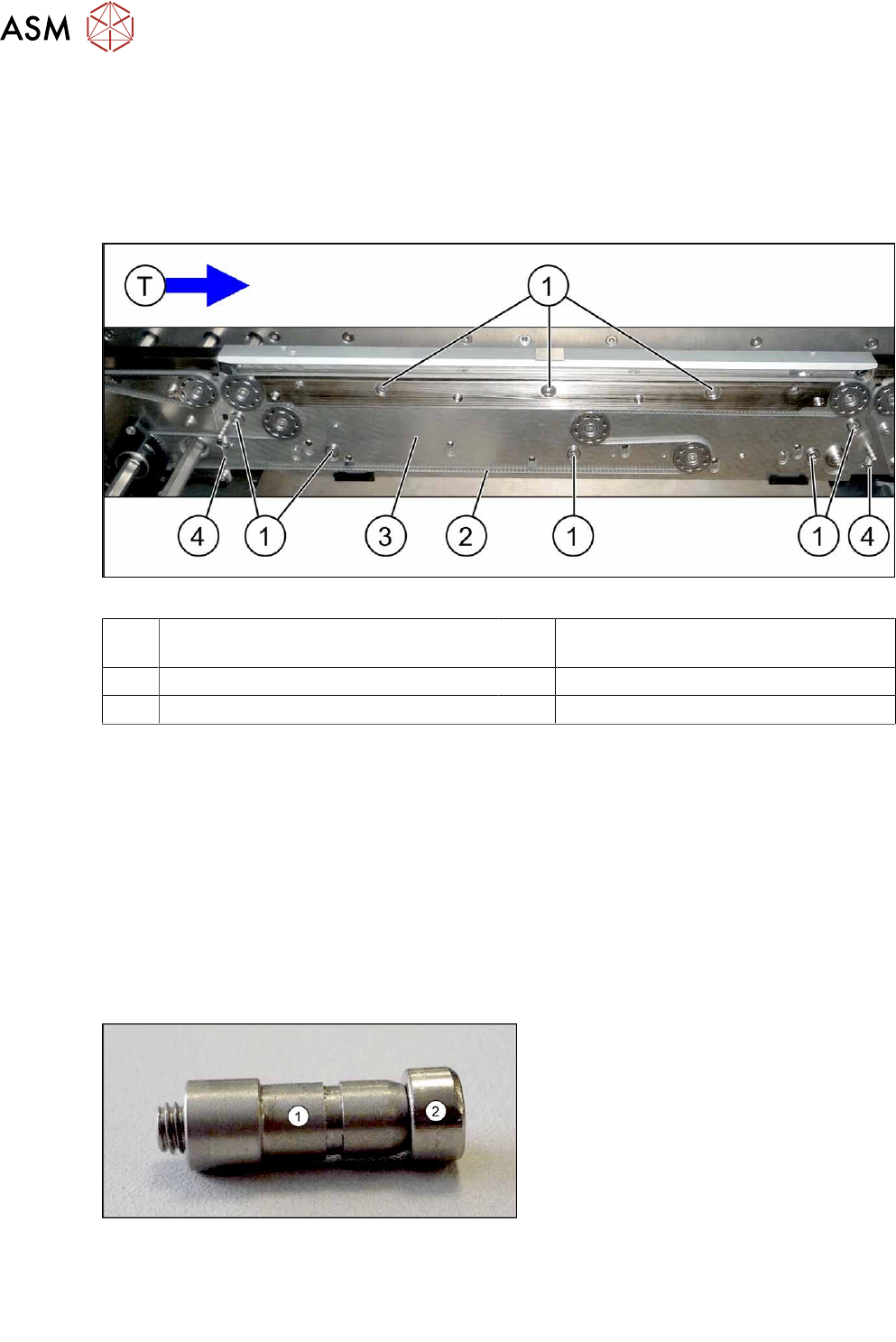
Fig.272: Clamping plate (using example of SIPLACE SX1/SX2)
1 Eight screws fastening the clamping
plate
2 Toothed belt
3 Clamping plate 4 Two springs
T Transport direction
Removal
► Use the software to move the conveyor sides into a position which allows you best access. As
an alternative, you can loosen the clamps for the relevant sides in dual conveyors.
7.2 "Loosening the Conveyor Side Clamps" [}162]
► Switch off the machine, disconnect it from the power supply and secure it to prevent
unauthorized reactivation.
1.2 "Preparatory work..." [}16]
► Loosen the movable idler pulley.
► Unthread the conveyor belt.
► Remove the top holding bolt on the spring and then remove the spring. Make sure that you do
not lose the springs.
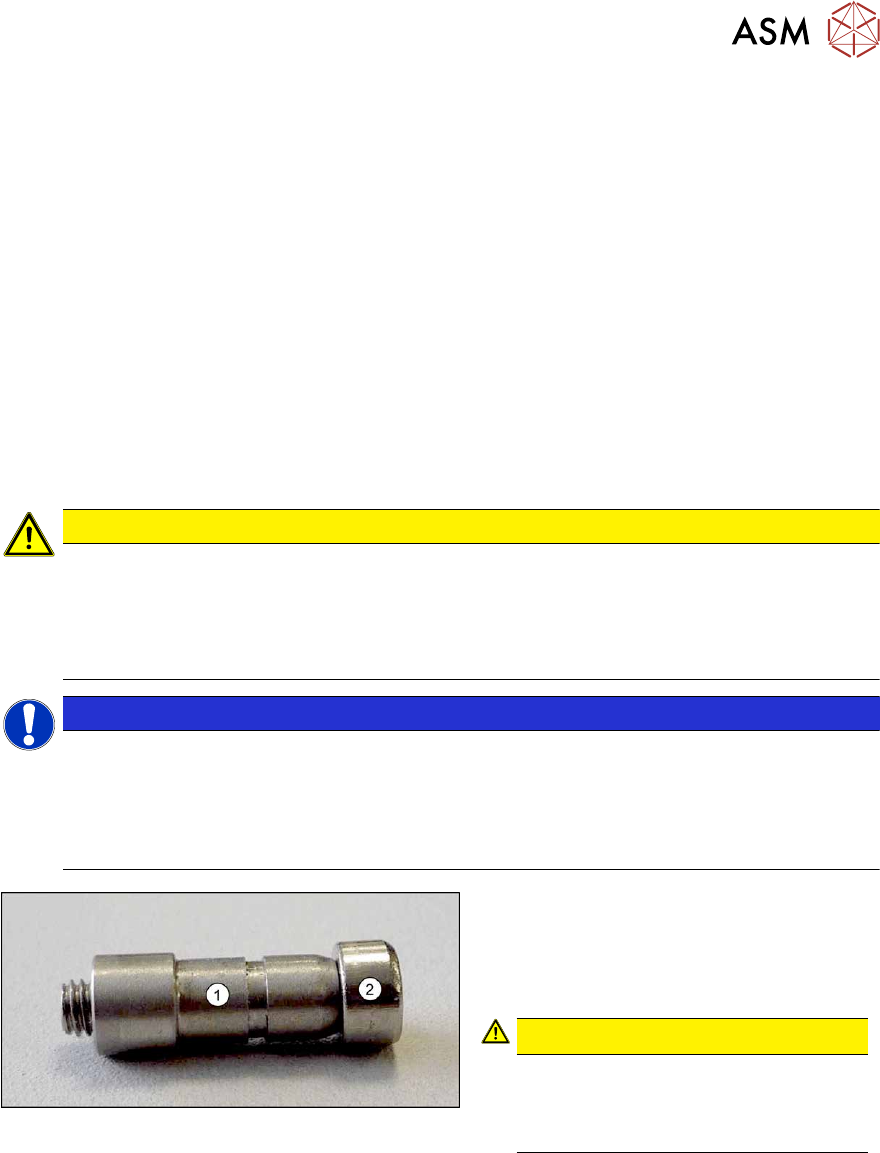
Fig.273: Bushing
► Remove the top retaining screw on the
spring (2)
. Make sure that you do not
lose the spring and the bushing (1)
on
the screw. Repeat this step for the
second clamping plate spring.
Spare part:
●
Spring PA assembly with bushings and screws SXa [03088949‑xx]
or
●
Tension spring RZ-057KI [03088940-xx] (without bushings and screws)
7 Conveyor
7.7 Clamping Plate, Clamping Rails and Belt Guidance
Service Manual SIPLACE X-Series S (from Hxxxx) 01/2021 209
► Mark the eight screws fastening the clamping plate. This makes refitting easier later on.
► Remove the eight screws fastening the clamping plate and remove the clamping plate. Make
sure that you do not lose the spacers between the clamping plate and the conveyor side.
Installation
► Transfer the eight markings to the other side of the clamping plate.
► Insert the three top fastening screws into the clamping plate.
► Insert one spacer disk each onto the three top fastening screws on the inside of the clamping
plate. Make sure that the coated (dark) side of the spacer disks points to the clamping plate.
► Fit one spacer disk and a little Unisilikon to each of the five lower fastening screws. Make sure
that the coated side of the spacer disks points to the clamping plate.
► Lift the plate with the spacer disks carefully onto the conveyor side.
► First tighten the five bottom screws a little, then the three top screws. Carefully tighten all
screws hand-tight. Do not overtighten the screws, as this could destroy the thread in the side
panels of the conveyor.
CAUTION
Do not tighten the screws excessively!
The thread in the side panels of the conveyor sides are very short and therefore very sens-
itive.
► Make sure that the screws are not tightened excessively! If they are, this could lead to
irreparable damage to the conveyor sides.
NOTICE
Spacer disks
► Make sure that all spacer disks are correctly positioned.
► Before assembly of the springs, check the clamping plate for ease of movement. To
do this, lift the clamping plate and then let it go. It must fall down alone from its own
weight.
Fig.274: Bushing
1. Bushing
2. Screw
► Fit the springs.
CAUTION!
Check the bushing for correct orienta-
tion. The thicker part of the bushing
must be on the side of the conveyor
side.
.
► Thread the conveyor belt back into place. Now set the conveyor belt tension.
7.6.2 "Setting the belt tension (conveyor belt)" [}200]
Follow the removal instructions in reverse order for further installation.
7 Conveyor
7.7 Clamping Plate, Clamping Rails and Belt Guidance
210 Service Manual SIPLACE X-Series S (from Hxxxx) 01/2021
7.7.2 Replacing the actuator
Parts, equipment and tools
Fig.275: Actuator (example of SX1/SX2 shown)
1. Actuator SXa [03092995-xx]
(2x per clamping plate)
Removal
► Use the software to move the conveyor sides into a position which allows you best access. As
an alternative, you can loosen the clamps for the relevant sides in dual conveyors.
7.2 "Loosening the Conveyor Side Clamps" [}162]
► Switch off the machine, disconnect it from the power supply and secure it to prevent
unauthorized reactivation.
1.2 "Preparatory work..." [}16]
► Pull the actuator off the clamping plate.
CAUTION
Actuator
You may need to lever the actuator off the clamping plate with a screwdriver.
► Take care not to distort the clamping plate.
Installation
Follow the removal instructions in reverse order for installation. Also observe the following instruc-
tions:
► Carefully push the actuator from below onto the clamping plate, until it engages.
7.7.3 Replacing the Clamping Rail/Belt Guidance
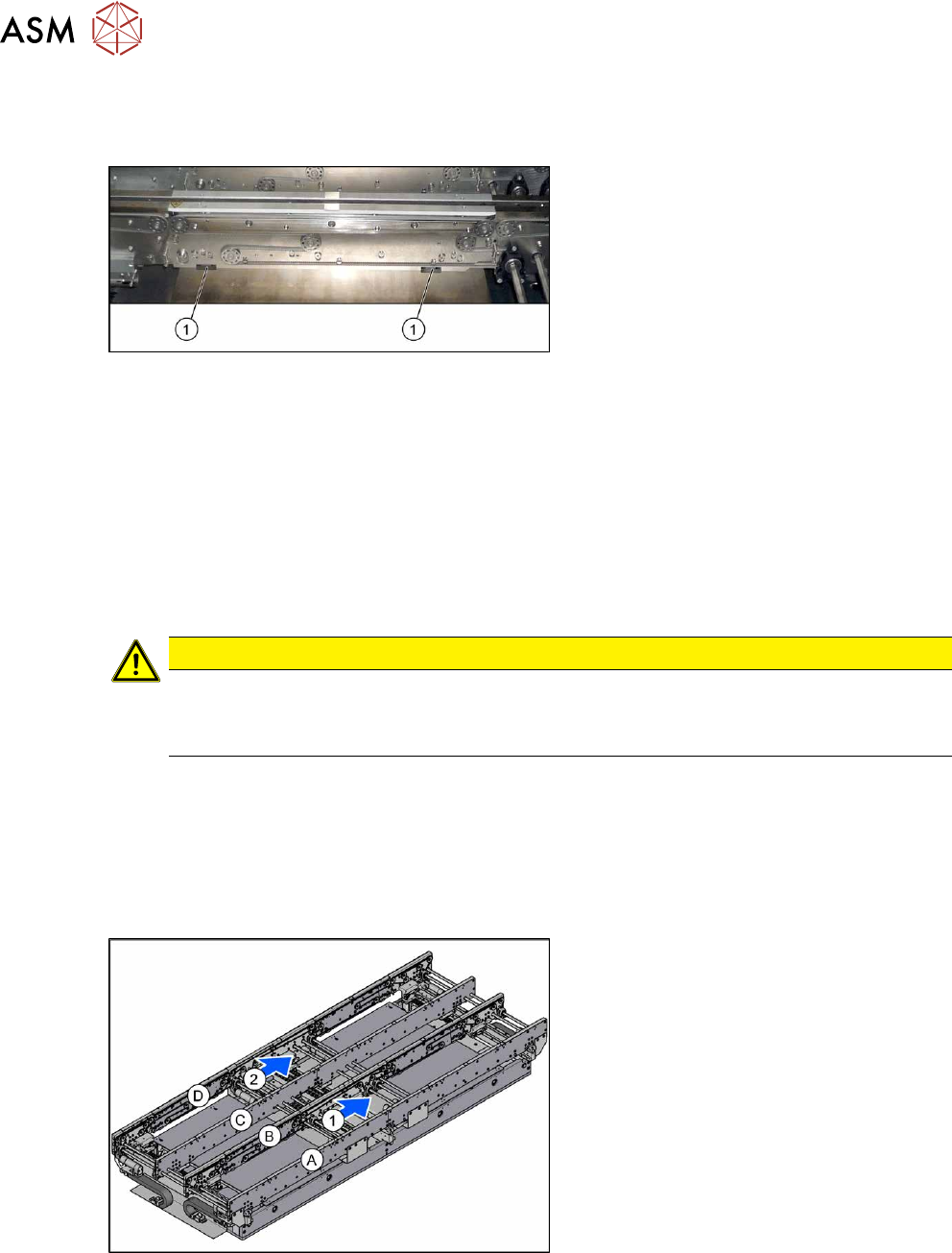
Fig.276: Overview of conveyor sides and lanes
1, 2 = Conveyor lane 1 and 2
A to D = conveyor side A to D
The single conveyor only has conveyor
sides A and B.
Select the required belt guide or clamping rail (see the following tables).
(DC = Dual conveyor, SC = Single conveyor)
Pay attention to the item numbers for the SIPLACE X4iS, the "Conveyor heavy board" and the
"Single conveyor, heavy board 8kg", which may vary.